
In today's era of rapid digital development, the ways education, collaboration, and creativity are presented are undergoing unprecedented changes. Although traditional whiteboards have carried the transmission of countless knowledge and the collision of inspiration, they appear inadequate in terms of flexibility and convenience. This article will introduce 10 free AI whiteboard tools. These tools inherit the core functions of traditional whiteboards and, with the powerful capabilities of AI, bring users an unprecedented intelligent experience. Whether it is a teacher's vivid teaching in the classroom, remote collaboration among team members, or creatives recording inspiration anytime and anywhere, online AI whiteboard tools, with their efficient, intelligent, and convenient characteristics, have become the ideal choice for the new era.
Free Canvas
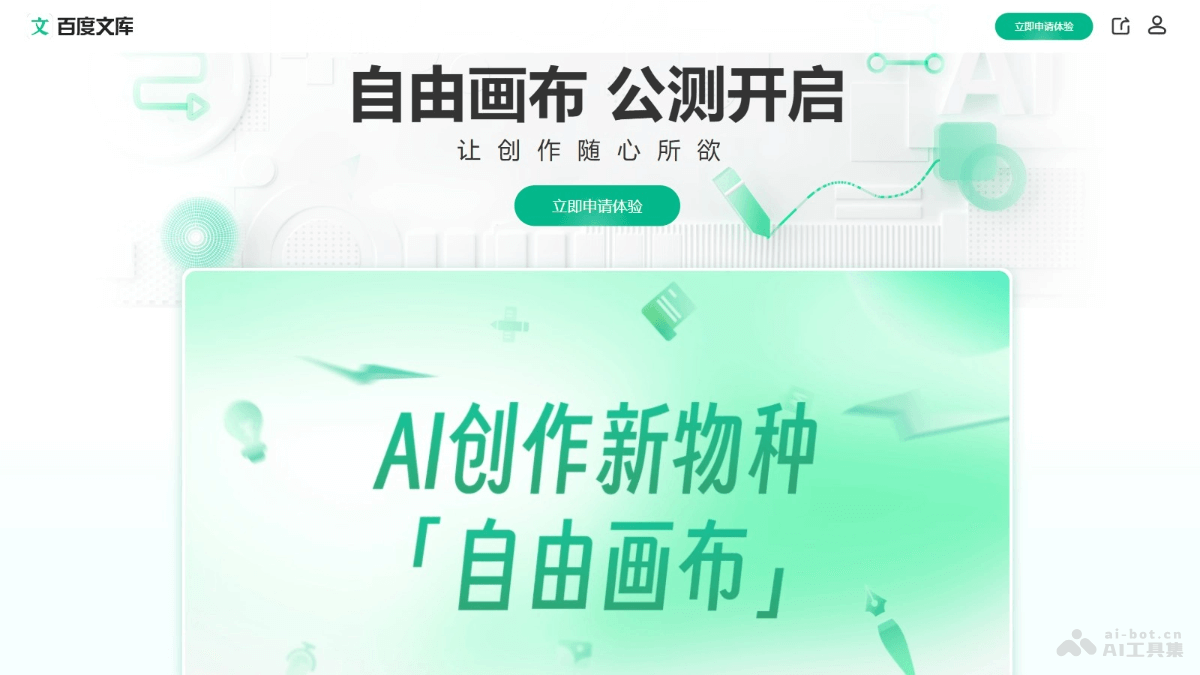
Free Canvasis a multimodal AI creation platform jointly launched by Baidu Wenku and Baidu Netdisk. Based on Wenxin large model technology, it supports users in freely dragging documents, images, audio, video, and other files in multiple formats on a canvas-like interface. Through the minimalist operation of "one drag and one circle," it enables mixed understanding, generation, and creation of multi-format files, covering the entire process from content production to consumption. Free Canvas connects Baidu Wenku and Baidu Netdisk, allowing direct access to public domain and private domain content. After creation is completed, works can be shared with one click or saved to Netdisk.
🚀Product Highlights
-
Full-modal input and creation: Free Canvas supports multiple file formats, including documents (such as DOC, PDF, Excel), images (such as JPG), audio (such as MP3), and video (such as MP4). Users can drag these materials into the canvas for seamless integration and generate rich and diverse content.
-
Minimalist operation experience: It adopts a "one drag and one circle" operation mode. Users only need to simply drag materials and circle content to complete creation. This lowers the creation threshold and suits various creative needs.
-
AI intelligent assistance: Based on Wenxin multimodal large model technology, Free Canvas can understand user needs and quickly generate new content. Users can circle materials and ask AI to summarize or recreate them.
-
One-stop service: Free Canvas covers the entire process from content creation, editing, storage, and management to sharing. Users can complete all operations on the same platform without frequently switching tools.
-
Convenient sharing and storage: It supports one-click sharing of rich media content and allows works to be saved to Baidu Netdisk.
-
Breaking public domain and private domain restrictions: Free Canvas connects the public domain content of Baidu Wenku and the private domain content of Baidu Netdisk, providing users with rich creative materials.
➖Product Shortcomings
- Functional completeness needs improvement: Free Canvas is currently still in beta, and some functions are not yet fully open. For example, video generation is not yet supported.
BoardMix Whiteboard
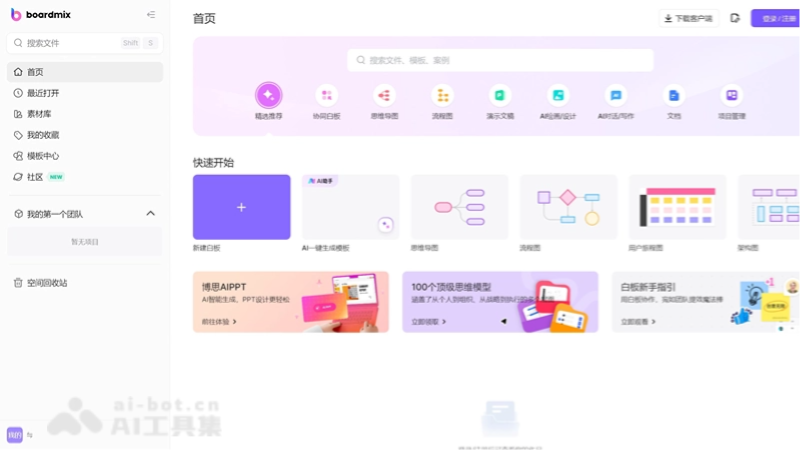
BoardMix Whiteboard(BoardMix) is an online collaborative whiteboard tool with multiple functions launched by the Wondershare Technology ecosystem. It supports real-time multiplayer collaboration, and users can use it through a browser without downloading a client. BoardMix Whiteboard integrates multiple tools such as mind maps, flowcharts, document notes, and slides, and has AI creation functions that can generate PPTs, mind maps, and other content with one click. The infinite canvas design makes creative expression freer and provides rich template resources to meet the needs of different scenarios.
🚀Product Highlights
-
AI intelligent assisted creationBoards offers powerful built-in AI features that can generate PPTs, mind maps, flowcharts, and more with one click, and supports AI writing, AI drawing, and AI chat. The AI assistant can automatically generate text, articles, proposals, and reports based on user needs, greatly simplifying the creative process.
-
Real-time collaboration and infinite canvas: Supports real-time online collaboration among multiple people. Team members can freely add content on an infinitely large virtual whiteboard, including text, charts, hand drawings, and more, with real-time synchronization of modifications.
-
Rich template library: Provides 200+ industry templates covering product design, project management, brainstorming, and many other fields, which users can access with one click.
-
Diverse tool integration: Built-in pen, eraser, text tool, document upload, remote video, and many other tools. Supports importing PPT, PDF, and other files for annotation, and exporting in multiple formats such as PNG, PDF, and links.
-
Cross-platform compatibility: Supports access from multiple devices and browsers, making collaboration easy.
-
Flexible sharing and permission management: Users can easily share whiteboards via links or invitation codes, and supports detailed permission settings to ensure information security.
-
Efficient meetings and project management: Suitable for online seminars, stand-up meetings, product design, project management, and many other scenarios, helping teams quickly sort out workflows, assign tasks, and track progress.
➖Product shortcomings
- Lack of offline functionality: Boards currently does not support an offline client, so users cannot use it in a no-network environment.
Fabrie AI
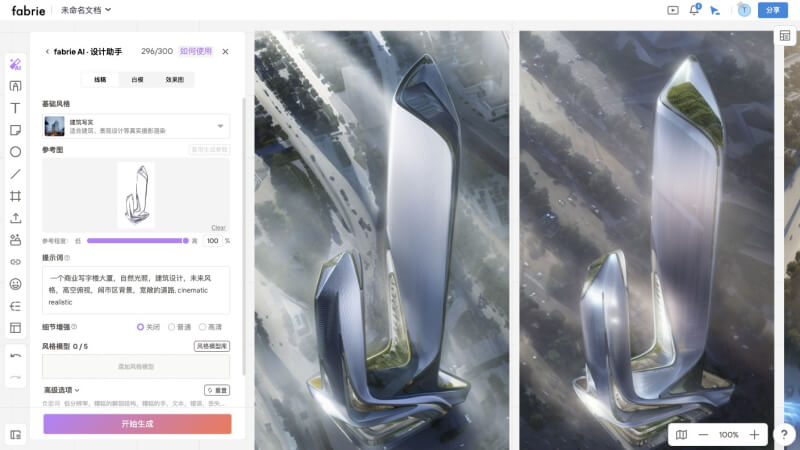
Fabrie AI is an online collaboration platform designed specifically for designers, combining a digital whiteboard, AI design tools, and secure file storage. Through features such as infinite whiteboards, notes, mind maps, and tables, it provides an efficient shared space for team collaboration. Users can quickly generate realistic renderings with sketches on the platform, supporting multiple rendering modes and styles, such as line art, white model, effect drawing, photorealistic, 3D cartoon, and more. Fabrie AI supports features such as multi-user real-time collaboration, automatic cloud saving, and design templates, helping designers quickly collect inspiration and optimize design workflows.
🚀Product highlights
-
Infinite whiteboard and real-time collaboration: Provides an infinite whiteboard feature and supports real-time and asynchronous collaboration among multiple people. Team members can edit, discuss, and provide feedback together anytime and anywhere, greatly improving design collaboration efficiency.
-
AI-assisted design: Integrates AI tools such as Fabrie Write, supporting line art rendering, resolution enhancement, one-click cutout, detail enhancement, and other functions, and can quickly generate design inspiration and realistic rendering effects. Supports multiple rendering modes (such as line art, white model, and effect drawing) and style models (such as photorealistic, 3D cartoon, architectural realistic, and more), meeting different design needs.
-
Design resources and version management: Provides a rich design resource library and version control features, making it convenient for designers to quickly access materials and trace back design versions.
-
Project management and database integration: Integrates a lightweight database and supports project planning, cost management, bill of materials management, and other functions, helping teams efficiently organize design projects.
-
Secure storage and cloud synchronization: Supports secure local and cloud storage, and all collaboration records are automatically saved, ensuring the security and convenience of design files.
-
Efficient presentation feature: Supports one-click conversion of whiteboard content into presentations, simplifying the design showcase process.
➖Product shortcomings
-
Insufficient diversity of templates and resources: The platform provides a rich set of templates, but for advanced needs in some specific industries, the diversity of templates and resources may still be insufficient.
FigJam AI
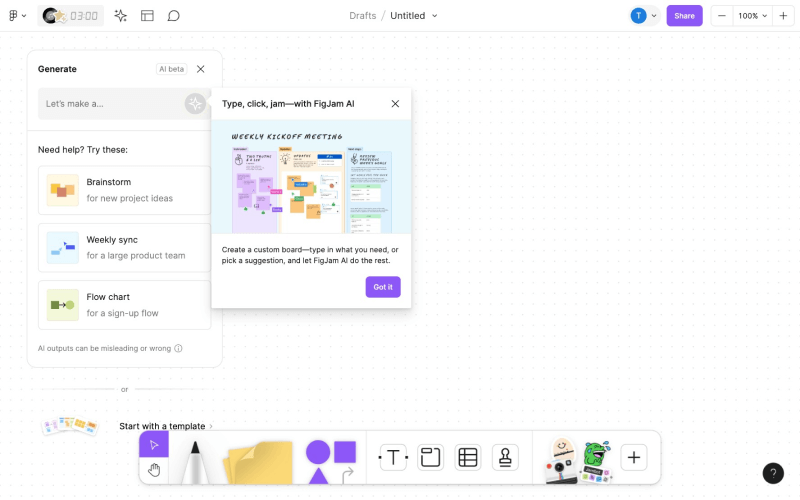
FigJam AI is a generative AI suite launched by Figma, designed to improve team collaboration efficiency and reduce tedious preparation work through intelligent features. Its core function is intelligent template generation: users can quickly generate flowcharts, brainstorming templates, Gantt charts, and more by entering simple prompts, meeting the needs of various collaboration scenarios; it automatically organizes and summarizes information, can automatically categorize sticky notes and extract key points, helping teams quickly focus on core content; it integrates ChatGPT, and based on powerful language processing capabilities, supports brainstorming, idea generation, and even design coding.
🚀Product highlights
-
Intelligent template generation: Users only need to enter a simple prompt to quickly generate templates suitable for various scenarios such as team syncs, brainstorming, flowcharts, and Gantt charts.
-
Efficient information organization: Through the "Sort" feature, AI can automatically categorize and group sticky notes on the whiteboard by theme, saving manual organization time. The "Summarize" feature can generate a summary of sticky note content with one click, helping teams quickly extract key points and next steps.
-
Integration with ChatGPT: Based on OpenAI's ChatGPT, FigJam AI provides powerful language processing capabilities, supports brainstorming and idea generation, and can directly generate code for designs.
-
Real-time collaboration and feedback: Supports real-time online collaboration among multiple people. Team members can jointly edit whiteboard content while receiving real-time feedback and suggestions provided by AI.
-
Personalization and customization: Users can adjust template style, colors, fonts, etc. according to project needs, creating a collaborative whiteboard that meets team requirements.
-
Cross-platform compatibility: Supports multiple devices and operating systems. Whether on a computer, tablet, or phone, users can easily access and edit whiteboard content.
➖Product shortcomings
- Limited contextual understanding: FigJam AI's Jambot cannot automatically trace previous interaction information; each operation is independent.
tIdraw
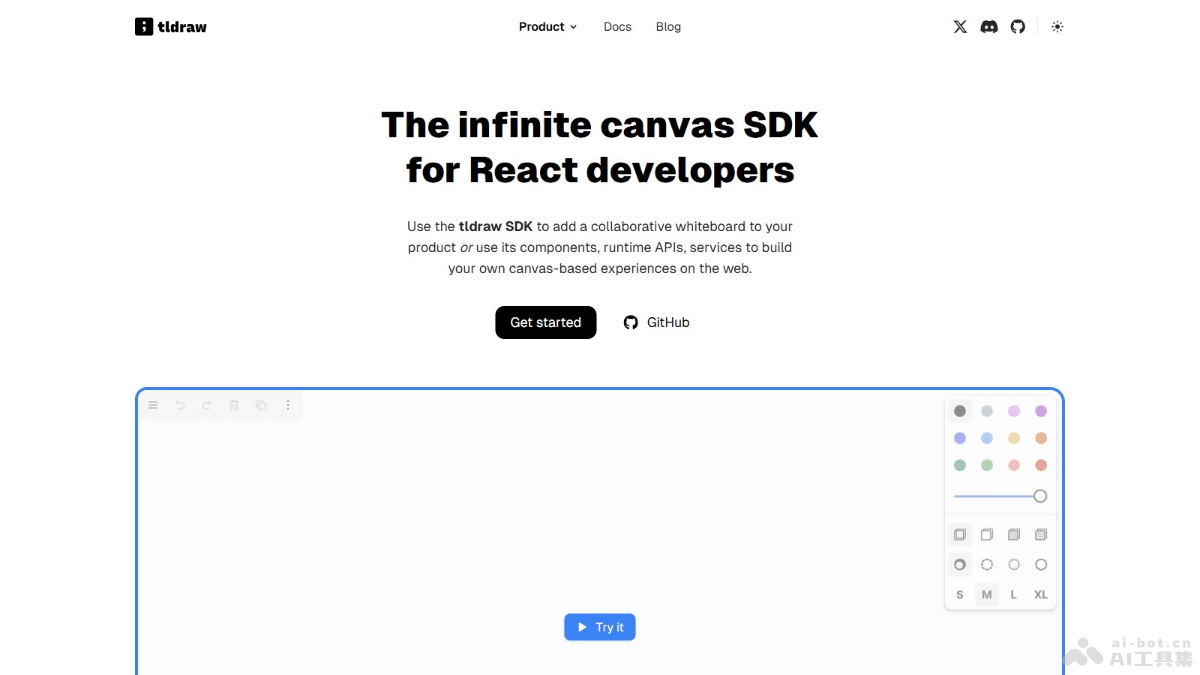
tldrawis an open-source and free collaborative digital whiteboard tool that provides an infinite canvas and real-time multiplayer collaboration. The interface is simple and supports hand-drawn style drawing, smart arrows, sticky notes, and other tools, and can be exported to SVG and other image formats. Users can use it directly in a browser and embed it into other applications.
🚀Product highlights
-
Infinite canvas and free creation: Provides an infinitely large canvas where users can freely add and move content without spatial limitations, suitable for various creative drawings and designs.
-
Real-time multiplayer collaboration: Supports real-time online collaboration among multiple people. Team members can edit and update content simultaneously, suitable for remote work and team projects.
-
Rich drawing tools: Provides a variety of drawing tools, including hand-drawn style free lines, smart arrows, sticky notes, etc., and supports pressure sensitivity to meet different drawing needs.
-
AI-assisted features: tldraw's "Make Real" feature can leverage AI to transform vector drawings into runnable code, for example converting sketches into Tailwind CSS and JavaScript code.
-
Cross-platform compatibility: supports use on browsers, desktops, tablets, and mobile devices, with good responsive design.
➖Product shortcomings
-
Insufficiently diverse interface styles: tldraw's default style is relatively plain, and users cannot switch between different themes or styles.
Excalidraw
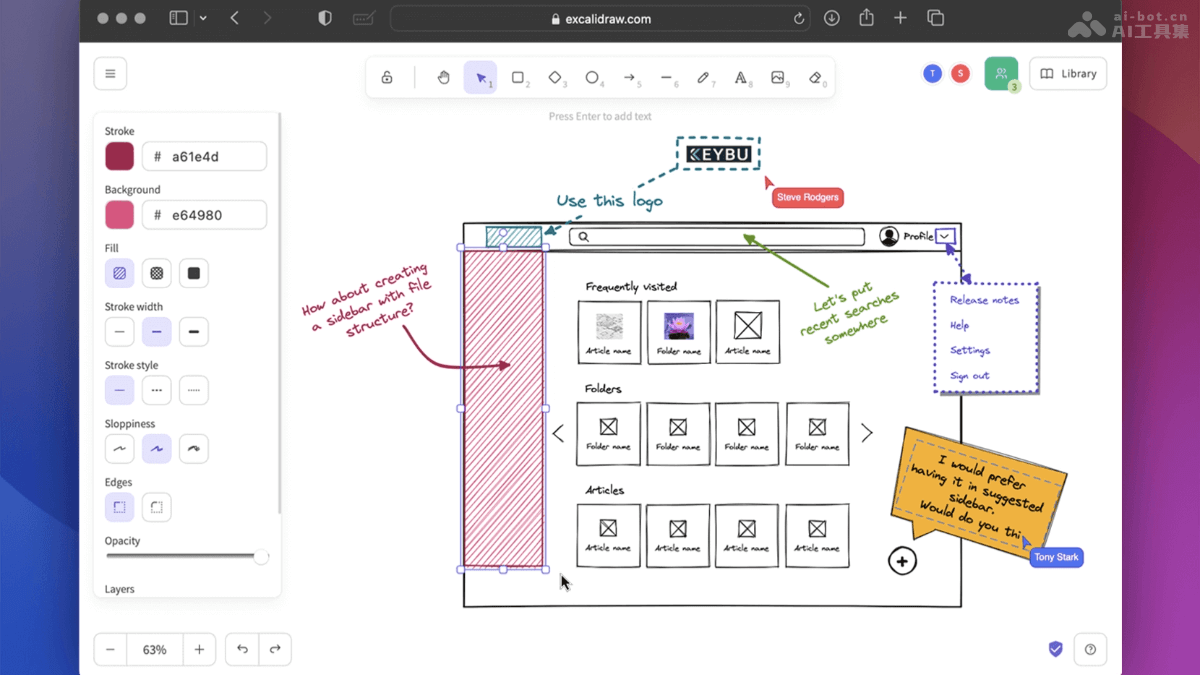
Excalidraw is an open-source virtual hand-drawn style whiteboard tool that provides an intuitive interface. Its core features include a hand-drawn style drawing experience, an infinite canvas, real-time collaboration, and end-to-end encryption. Users do not need to register or download software and can use it directly by opening it in a browser. Excalidraw supports multiple export formats, such as PNG, SVG, and JSON, and has features such as undo/redo, zooming, and panning. It supports multiple languages, image insertion, and a shape library, making it suitable for team collaboration and remote work.
🚀Product highlights
-
Hand-drawn style: Excalidraw's hand-drawn style is its signature feature, with lines that naturally have a "jitter" effect, making diagrams more approachable and creative.
-
Minimalist design: the interface is simple, requires no registration, and is ready to use upon opening. It also has a rich built-in shape library, smart alignment features, and shortcut key support, improving drawing efficiency.
-
Real-time collaboration and security: supports real-time collaboration among multiple people and uses end-to-end encryption to ensure data security, making it suitable for remote team collaboration.
-
Infinite canvas and diverse output: provides an infinitely expandable canvas space and supports export to multiple formats such as PNG, SVG, and JSON, making it convenient to reuse content.
-
Cross-platform and offline support: runs based on the browser, is compatible with desktop and mobile devices, and supports PWA offline mode.
-
Open source and customizable: completely open source and free. Users can customize the component library, adjust the canvas background and line styles, and integrate it into other applications.
-
AI-powered: the latest version supports generating flowcharts through AI conversation, further improving drawing efficiency.
➖Product shortcomings
- Limitations of the multi-canvas feature: Excalidraw's free version only supports single-canvas drawing.
Miro AI
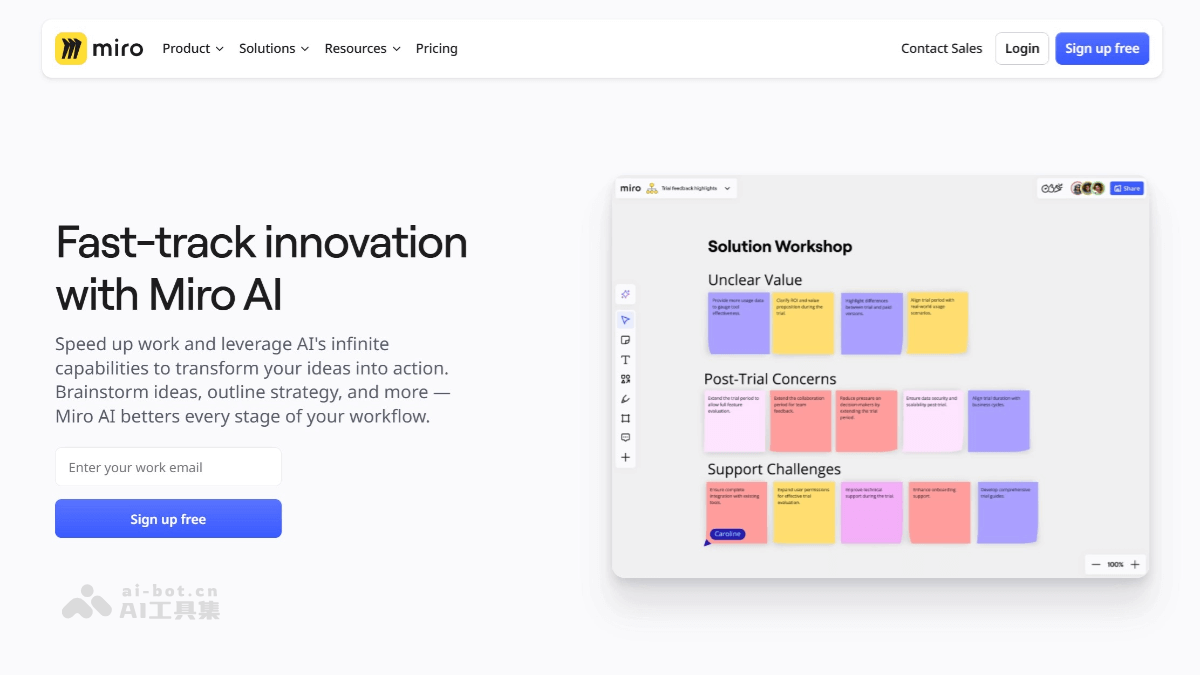
Miro AI is an AI online whiteboard collaboration tool launched by the Miro platform, using artificial intelligence technology to improve teams' collaboration efficiency and innovation capability. Miro AI's smart canvas supports real-time collaboration among multiple people, and team members can edit, comment, and trace historical versions synchronously. It supports seamless integration with a variety of tools (such as Google Drive, Microsoft Teams, etc.). It integrates rich AI features, such as AI mind map generation, intelligent content creation, image processing, and multilingual translation. Users only need to enter keywords or concepts, and Miro AI can quickly generate structured mind maps and provide suggestions for related topic nodes, helping teams efficiently organize their thoughts.
🚀Product highlights
-
AI creative generation and organization: users can enter a topic or keywords on the whiteboard, and Miro AI automatically generates related ideas, mind maps, and structured documents. It can automatically categorize and organize sticky notes, extract keywords, and display them in association, making ideas and information more structured.
-
Intelligent collaboration and real-time feedback: Miro AI offers the AI Sidekicks feature, providing users with real-time contextual suggestions and supporting real-time multi-user collaboration, allowing team members to edit synchronously, comment, and trace historical versions.
-
Efficient Workflows and Automation: Through AI Shortcuts, users can turn brainstorming results into product briefs, research reports, or project plans with one click. Miro AI can record the entire team collaboration process and optimize workflows.
-
Rich Templates and Integration Capabilities: Miro provides more than 2,500 pre-built templates, covering scenarios such as brainstorming, design sprints, and customer journey mapping. It supports seamless integration with tools such as Google Drive, Slack, and Microsoft, making it easy for teams to synchronize data across different platforms.
-
Visualization and Interaction Features: Miro AI supports the creation of complex diagrams, such as flowcharts, mind maps, and prototype designs, and can generate images from text, helping users present ideas visually.
➖Product Shortcomings
- Insufficient Personalization: Although Miro AI's templates and features are rich, there is still room for improvement in personalized customization.
Xiaohuazhuo
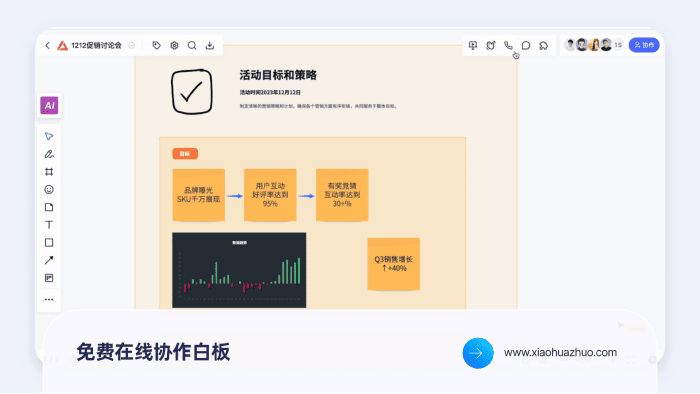
Xiaohuazhuois a lightweight online real-time collaborative whiteboard tool launched by ProcessOn. Based on a visual online interactive whiteboard, it provides users with unlimited online collaboration space. Users can create through freehand drawing, sticky notes, file uploads, and other methods, and collaborate with team members in real time. Xiaohuazhuo has built-in encrypted audio and video transmission and supports multiple people collaborating online at the same time. It provides AI drawing, AI mind map generation, and more than 80 selected templates.
🚀Product Highlights
-
No download required, ready to use immediately: Xiaohuazhuo supports direct opening on the Web, requiring no complicated installation. Users only need to visit the official website through a browser to use it.
-
Multi-user Real-time Collaboration: Supports multiple people editing online at the same time. Team members can interact, chat, and make audio and video calls in real time on the same whiteboard, improving collaboration efficiency.
-
Boundless Canvas and Rich Editing Features: Provides unlimited canvas space, supports freehand drawing, adding sticky notes, and drawing various shapes and diagrams, and has intelligent layout assistance, making it convenient for users to create freely.
-
Built-in AIGC Features: Provides AI drawing and AI mind map generation. Users can quickly generate images and mind maps by entering prompts, sparking creativity.
-
Rich Template Resources: The platform has more than 80 selected built-in templates, covering multiple scenarios such as brainstorming, project management, and education and teaching, helping users get started quickly.
-
Strong File Upload and Compatibility: Supports uploading files in multiple formats such as images, Word, PDF, and Excel, and can save content in real time to prevent data loss.
-
Encrypted Audio and Video Transmission: Built-in high-definition audio and video calling, with encrypted signal transmission, ensuring information security.
-
Multi-device Support: Supports use on multiple terminals such as computers and tablets, meeting the needs of different users.
➖Product Shortcomings
-
Limited features in the free version: In the free version's team files, the maximum number of editable whiteboards is 3. When a 4th whiteboard is created, the first whiteboard will be locked and become non-editable. The free version cannot create project groups and only provides a default project group, in which the number of editable whiteboards is limited to 1.
Patchwork
Patchwork is a multiplayer collaborative AI virtual world-building tool launched by Midjourney. Through an infinite canvas and powerful AI generation capabilities, it helps creators easily build virtual worlds. Users can freely add characters, locations, events, and other elements on an infinite canvas, and generate related text and images through text prompts. The tool supports real-time collaboration for up to 100 users, and creators can view, edit, and discuss creative content at any time.
🚀Product Highlights
- Multiplayer Collaboration: Patchwork supports real-time collaboration for up to 100 users on the same canvas. Users can build virtual worlds together, view each other's cursor movements in real time, and communicate through text fragments.
- Infinite Canvas and Free Creation: The tool provides an infinite canvas on which users can freely add and adjust text, images, and other elements. All content exists in the form of "fragments," and users can select, drag, delete, and edit these fragments.
- Powerful AI Generation Capabilities: Patchwork combines language models and image generation technology. Users only need to enter simple text prompts, and the system can automatically generate virtual entities such as characters, locations, and events, providing related textual descriptions and visual images.
- Rich Toolbox: Patchwork provides tools for creating elements such as characters, factions, and locations. Users can create "doors" connecting different worlds and use the note-taking function.
- Sharing and Saving Features: Users can export the worlds they create as JSON files for easy backup or later modification. It supports setting worlds as private, public, or editable, and inviting others to join the creation.
➖Product Shortcomings
-
The UI is relatively simplistic: Patchwork is currently still in the preview stage, and its user interface is relatively simple, with room for improvement in user experience and ease of operation.
AFFiNE
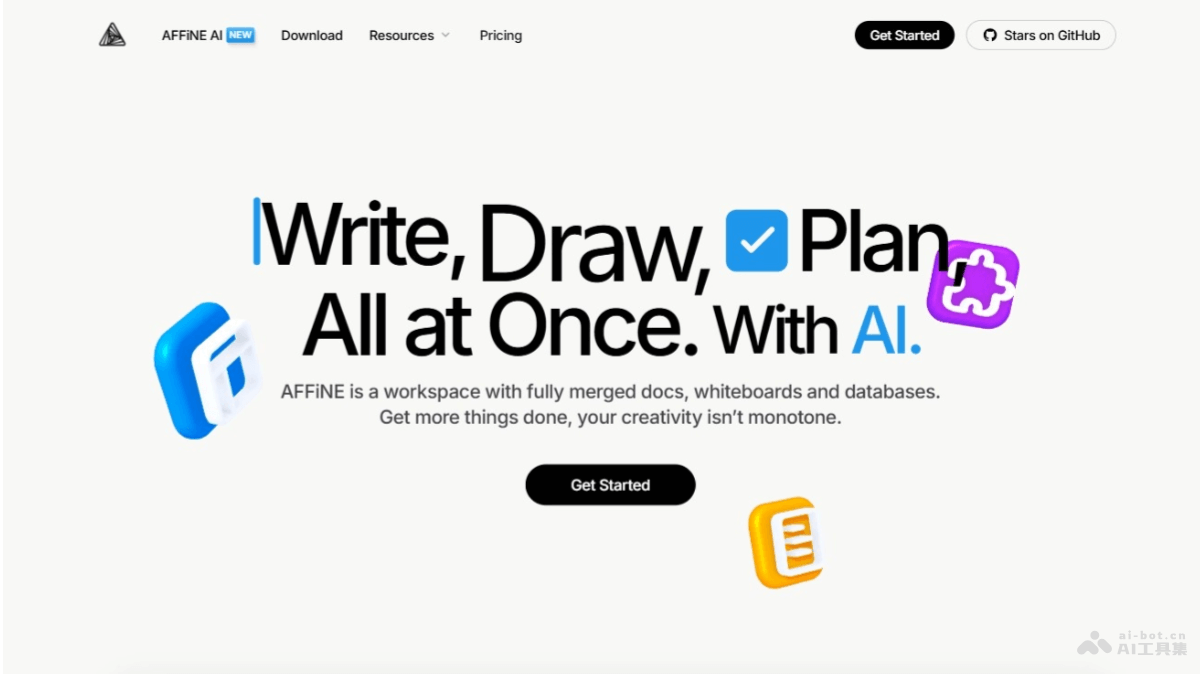
AFFiNEis an open-source multifunctional knowledge management system. It has launched the whiteboard feature "Edgeless" mode, which provides unlimited creative space where users can freely draw shapes, add text, upload images, PDFs, and more. In addition, the whiteboard supports multiple operations, such as box selection, grouping, alignment, and batch style modification, and the operating experience is very smooth. AFFiNE's whiteboard feature is deeply integrated with its document feature. Users can switch document content to whiteboard mode with one click, and the content in the document will appear on the whiteboard in the form of cards. Cards can be freely split and reorganized, and logic can be sorted out through connections, grouping, and other methods.
🚀Product Highlights
-
Boundless Canvas: Provides unlimited creative space, in which users can freely draw shapes and add text, images, PDFs, and more, realizing the visual presentation of ideas.
-
Document Integration: The whiteboard and document features are deeply integrated. Users can switch document content to whiteboard mode with one click, and the content in the document will appear on the whiteboard in the form of cards. It supports splitting, reorganization, and sorting out logic through connections, grouping, and other methods.
-
Rich Preset Templates: Built-in multiple editable preset templates, such as mind maps, task plans, project management, and more. Users can quickly import these templates to start working.
-
Flexible element manipulation: Supports operations such as marquee selection, grouping, alignment, and batch style modification of elements, with a smooth and fluid operating experience.
-
Note elements: The key to linking the whiteboard with documents. Note elements support Markdown syntax and multiple block commands, allowing users to embed document fragments into the whiteboard and flexibly adjust their display state.
-
Presentation feature: Supports creating "Frames" (views or slices), allowing users to organize whiteboard content into presentation mode, switch views with one click, and publicly publish the whiteboard or invite others to collaborate.
-
Multi-user real-time collaboration: The whiteboard supports real-time editing by multiple users, allowing team members to co-create, discuss, and share ideas, breaking geographical barriers.
-
Creative visualization: Whiteboard mode is suitable for brainstorming and organizing ideas. Users can first record ideas in a scattered way, then sort out the logic through grouping and connecting lines, reducing the mental burden of writing and creation.
➖Product shortcomings
-
Lack of mobile support: Currently AFFiNE only supports the desktop version and lacks a mobile app, which limits the convenience of users using the whiteboard feature anytime and anywhere.