
With the continuous advancement of artificial intelligence technology, the design field has also ushered in revolutionary changes. The emergence of AI prototype and UI design generation tools marks the transformation of design work from traditional manual drawing to intelligent and automated processes. This article will introduce 10 free AI prototype and UI design generation tools. These tools are based on advanced algorithms and can understand the needs of designers and product managers, automatically generate prototypes and interface designs, and greatly improve work efficiency and design quality. They break down professional barriers, allowing non-professionals to participate in design creation. They become powerful assistants for designers, product managers, and developers.
1. MockingBot AI
MockingBot AIis an AI product prototyping assistant launched by MockingBot. Through its semantic instruction system, it can understand and execute instructions based on natural language, helping users quickly complete design tasks. The platform supports quickly generating high-fidelity, editable prototypes from text, sketches, or screenshots, supports multi-terminal adaptation and secondary editing, and significantly improves design efficiency and team collaboration. MockingBot AI's intelligent generation function can generate corresponding components, pages, or text based on user descriptions. It can conduct real-time conversations with users, provide creative inspiration, and answer questions about using MockingBot. Users only need to enter instructions in the MockingBot editing interface, and the AI can automatically identify and execute the corresponding operations.

🚀Product Highlights
-
AI Voice Interaction: Supports voice input instructions and allows direct design adjustments through conversation (such as "change the title to red").
-
Figma Plugin: Launches a Figma plugin to enable cross-platform use of AI functions.
-
Text-to-Interface Generation: Enter a natural language description (such as "generate an e-commerce product details page"), and AI can automatically create prototype pages with interaction logic, supporting multi-terminal design for mobile, Web, mini-programs, and more.
-
Image-to-Prototype: Upload hand-drawn sketches or design drafts, and AI recognizes and converts them into editable wireframes or high-fidelity prototypes.
-
AI Component Recommendations: Intelligently recommends components based on design content (such as forms, charts, navigation bars) and automatically adapts to design specifications.
-
Interaction Logic Generation: Through simple descriptions (such as "click the button to pop up a login box"), AI automatically generates interactions such as page jumps and animations.
-
AI Design Check: Automatically detects spacing, font, and color consistency in design drafts, and provides optimization suggestions.
-
Multi-person Real-time Collaboration: Supports online synchronous editing by team members. AI records modification history and generates change summaries, reducing communication costs.
🌐Product Official Website
- Official website address:https://modao.cc/feature/ai
💰Product Pricing
- Free Version: 3 files; 3 canvases per prototype; 20 pages per prototype; 300 elements per prototype.
- Subscription Membership: ¥ 199 /person/year; 100 files; 500 canvases per prototype; 500 pages per prototype; unlimited elements per prototype; export demo package HTML; standard member materials.
- Lifetime Membership: ¥ 799 /perpetual; unlimited files; unlimited canvases per prototype; unlimited pages per prototype; unlimited elements per prototype; export demo package HTML; standard member materials.
2. GemDesign
GemDesign is a high-fidelity prototyping tool based on AI technology, designed for product managers, project managers, developers, and other groups. Through the "text-to-interface" and "image-to-interface" features, users can quickly generate designs from text descriptions or uploaded sketches. GemDesign has intelligent pitfall avoidance capabilities, can automatically fill interaction gaps and requirement loopholes, supports one-click export of front-end code, and reduces communication costs with technical teams. Its generated designs can be further manually fine-tuned to meet personalized needs while maintaining overall style consistency. GemDesign is suitable for various scenario designs such as official websites, backend management systems, and APP pages, supports multi-device adaptation, and can be used without complex design software skills.

🚀Product Highlights
-
Efficient Design Generation: Through the text-to-interface and image-to-interface features, users can quickly transform text descriptions or sketches into professional design interfaces, generating high-fidelity prototypes within seconds to minutes, greatly improving design efficiency.
-
Powerful Interaction Features: Supports transforming static designs into interactive high-fidelity prototypes, allowing the addition of links and click effects, making the user experience closer to real operation and improving the interactive experience.
-
Flexible Editing and Adjustment: Generated designs can be further manually fine-tuned to meet personalized needs and ensure design accuracy. Users can have AI optimize or manually adjust details such as layout, colors, and text.
-
Maintain Consistent Style: By referencing pages or reusing content blocks, users can easily maintain the overall style of the application, improve the professionalism of the design, and also copy pages and batch adjust styles to ensure consistency across multi-page designs.
-
Intelligent Design Optimization: With intelligent pitfall avoidance capabilities, it can automatically fill interaction gaps and requirement loopholes, helping users improve designs and reduce common errors. It automatically scans prototypes for logical gaps and missing requirements and provides repair suggestions.
-
One-Click Code Export: Supports one-click export of front-end code, reducing communication costs with technical teams and accelerating the development process. It can export React/Vue code and supports responsive layouts, adapting to screen sizes of multiple platforms such as Web, iOS, and Android.
-
Multi-Device Adaptation: Supports multiple device screen sizes such as WEB, mobile phones, and tablets, meeting the needs of different scenarios. Users can choose the target device type before generating designs.
-
Low Barrier to Entry and Easy to Use: No complex design software skills or professional knowledge are required, making it suitable for non-professional designers to get started quickly. It adopts a "describe to design" mode, allowing users to quickly generate high-fidelity, interactive prototypes through natural language input.
-
Multi-Format Export: Supports multiple export formats, including images, HTML files, and Figma files, making it convenient to integrate with other design tools. Exported files can be easily imported into other mainstream design or prototyping platforms such as Modao, Pixso, and Sketch for continued use.
🌐Product Official Website
- Official website address:https://ai-bot.cn/sites/60993.html
💰Product Pricing
- Free Version: Users can get 50 credits per month.
- Basic Membership: Priced at 25 yuan/month, with 600 subscription credits per month; annual subscription is 10% off for a limited time.
- Professional Membership: Priced at 45-168 yuan/month, with 1320~5000 subscription credits per month; annual subscription is 10% off for a limited time.
- Credit Package: Priced from 10 yuan, granting 150 credits, permanently valid.
- Credit Description: Credits can be used for AI generation and AI editing of prototypes. A single generation/edit costs only 2 credits. Limited-time event: invite friends to register and get permanent credits.
3. Instant AI
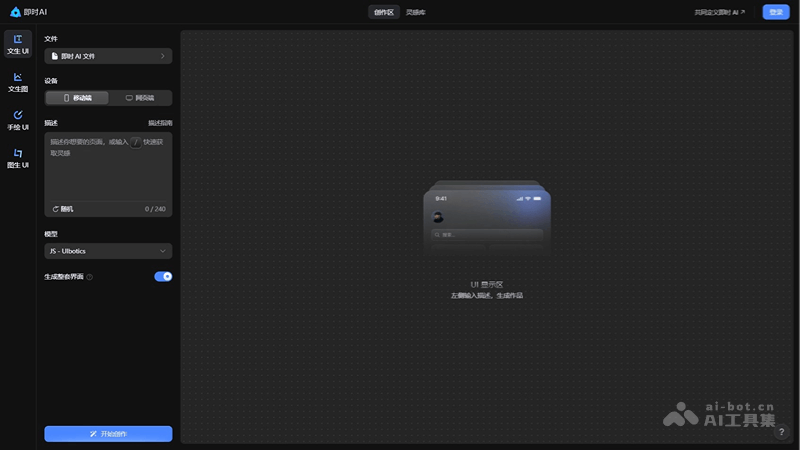
Instant AIis an AI-based UI design tool that can quickly generate editable UI design drafts based on users' natural language descriptions. The tool is especially suitable for product managers and designers, reducing basic design work and improving work efficiency. Users only need to describe their requirements in text, and Instant AI can generate a design draft containing vector layers and icons in one go, supporting direct export or secondary editing. It provides two generation modes to adapt to different design needs.
🚀 Product Highlights
- Quickly generate design drafts: Instant AI can quickly generate editable UI design drafts based on users' natural language descriptions.
- High-quality output: The generated design drafts are of high quality, equivalent to the level of a junior UI designer, and can provide designers with inspiration and reference.
- Controllable generation results: Users can precisely control AI creation of dark/light mode by entering descriptions, use specified theme colors, and make the generated results more in line with expectations.
- Built-in web animations: Synchronously generate prototype interaction designs. One-click publish and go live for smooth playback, no need to hand-write code. AI design drafts can be published and go live at extremely high speed, with component animations highly restored.
- Supports secondary editing: Design drafts generated by Instant AI support secondary editing. Users can freely match and combine components from different pages to form entirely new design drafts.
- Generate an entire set of content-related design drafts: You can ask AI to generate a series of logically coherent pages with a unified style, improving work efficiency.
- Inspiration Library: Instant AI provides an inspiration library containing UI interfaces for various types of products, suitable for designers looking for inspiration.
- One-click publish as an online webpage: All design drafts generated by Instant AI can be published with one click as static webpages that can be viewed online. No need to hand-write code, and all text, styles, and layouts can be restored one-to-one.
🌐 Product Official Website
- Official website address:https://jsai.cc/ai/create
💰 Product Pricing
- Free: Open to all users for free, with 20 generations per person per day
4. Uizard
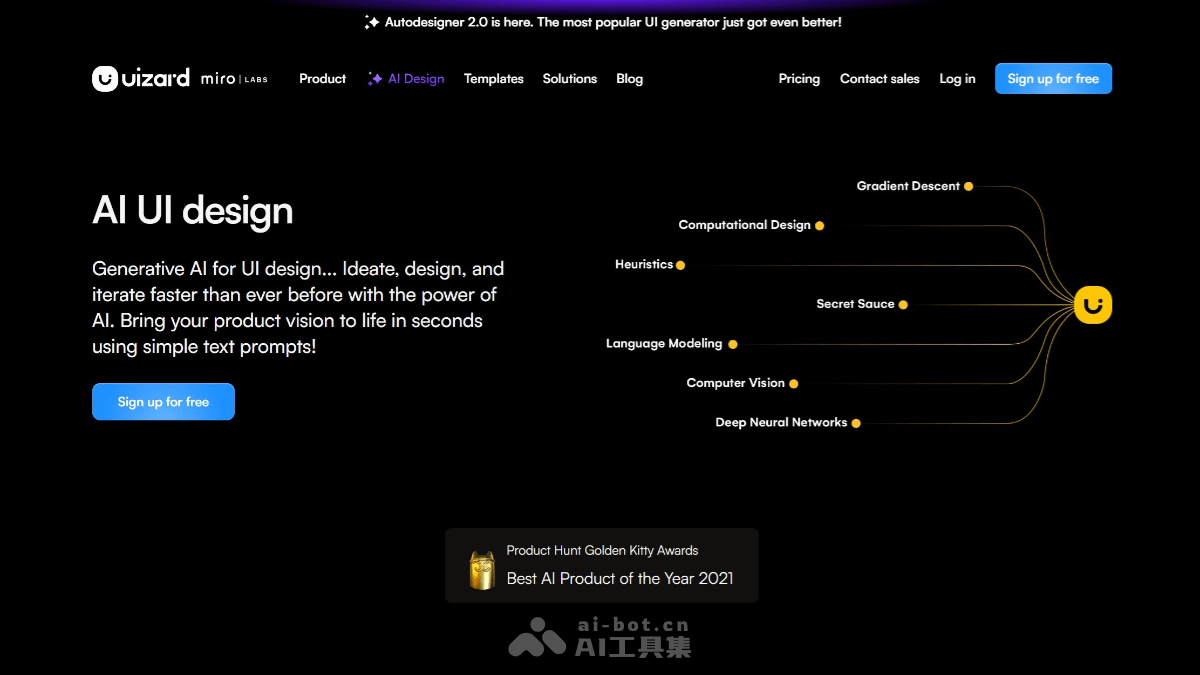
Uizardis an AI-driven UX/UI design tool that can quickly generate app and website prototypes. Users only need to enter text descriptions, and AI can automatically create designs. It supports real-time collaboration, screenshot-to-design, digitization of hand-drawn sketches, and other functions, suitable for designers, product managers, and others. Uizard is based on cloud services, requires no download or installation, and is suitable for multiple platforms.
🚀 Product Highlights
- AI-assisted design: Uizard is based on artificial intelligence technology and can automatically generate UI designs based on text prompts provided by users. Just briefly describe the design requirements, and Uizard can quickly generate the corresponding design solution.
- Hand-drawn sketch conversion: Uizard can convert hand-drawn sketches or screenshots into editable mockups. Just take a photo of or upload a hand-drawn sketch, and it will automatically recognize and convert it into a digitized wireframe, making it convenient for further editing and optimizing the design.
- Screenshot conversion: You can upload screenshots, and Uizard will recognize the design elements in them and convert them into editable components, allowing further editing and adjustment.
- Pre-made design templates and UI components: Uizard provides a rich set of pre-made design templates and UI components, which can be used directly to quickly build prototype designs.
- Fast Collaboration and Iteration: Uizard supports real-time collaboration among team members, helping teams efficiently brainstorm, discuss, and improve designs, and accelerating product development.
- Interactive Prototypes: Uizard supports users in creating interactive prototypes that demonstrate complete user flows, making brainstorming, ideation, and pitching more efficient.
- Multi-Device Adaptation: Autodesigner supports design for multiple devices, including phones, tablets, and desktops, and can quickly generate adapted interfaces.
- Quick Switching of Design Themes: Different design themes can be created in a short time, allowing quick preview and comparison of different design styles.
🌐Product Official Website
- Official website address:https://uizard.io/ai-design/
💰Product Pricing
- Free:Unlimited free viewers/commenters;3 AI generations per month;Uses the Autodesigner 1.5 AI engine;Can create 2 projects;Provides 10 free templates.
- Pro:Price: $12/month (billed annually, save 40%);Unlimited free viewers/commenters;500 AI generations per month;Uses the Autodesigner 2.0 AI engine;Developers can use React CSS;Can create up to 100 projects;Private projects;Access to all templates.
- Business:Price: $39/month;Includes all features of the Pro plan;5,000 AI generations per month;Faster AI generation speed;Custom brand kit (new feature);Unlimited projects;Priority support.
- Enterprise:Billed annually; specific pricing requires contacting sales;Includes all features of the Business plan;Unlimited AI generations;Unlimited teams;Design system settings;AI data service level agreement (SLA).
5. MasterGo AI
MasterGo AIIt is an intelligent UI design assistant launched by MasterGo (Mogao Design), simplifying the design process through smart layout and asset filling, and supporting prototype wireframes, flowcharts, and interactive model design. The tool has design system management features, supports designers in efficiently managing design resources, and enables global synchronization from a single modification. MasterGo AI supports online real-time collaborative design for teams, reducing communication costs. It provides AI inspection and application features to help identify and correct differences between design drafts and team library style attributes, ensuring design consistency.

🚀Product Highlights
- Interface Design: MasterGo AI provides a professional-grade online UI design tool with intelligent features such as auto layout and asset filling, simplifying the design process and allowing designers to focus more on design details.
- Interactive Prototypes: Supports intelligent animated online demonstrations of prototype wireframes, flowcharts, and interactive model design, helping designers better showcase product features and flows.
- Design System: Efficiently manage design resources, reuse components with one click, and achieve global synchronization with a single modification, plus color and text styles, ensuring consistency in design standards.
- Team Collaboration: Supports online real-time collaborative design among team designers, online review by product managers, and code viewing by engineers, reducing communication costs.
- AI-Assisted Design: Includes features such as one-click generation of design standards, design review, design inspiration, and image enhancement, improving the collaboration efficiency and work quality of design teams.
- Icon Magician-Magicon: AI generates 3D-style icons. Enter any text or wireframe to automatically generate 3D icons in multiple styles, unleashing design creativity.
🌐Product Official Website
- Official website address:https://mastergo.com/upcoming-ai/apply (Beta application in progress)
💰Product Pricing
- Starter Edition: Free; unlimited number of draft files; team size; 1 editor seat; 3 files; 1 preset team library; some preset fonts.
- Team Edition: ¥672/editor seat/year; unlimited team size, editor seats, and files; all preset team libraries; all preset fonts; auto layout; smart animation.
- Enterprise Edition: ¥2016/editor seat/year; supports enterprise-level team libraries and data statistics, enterprise font libraries and variable axis features, permission management, dedicated customer service; auto layout; smart animation.
6. Visily
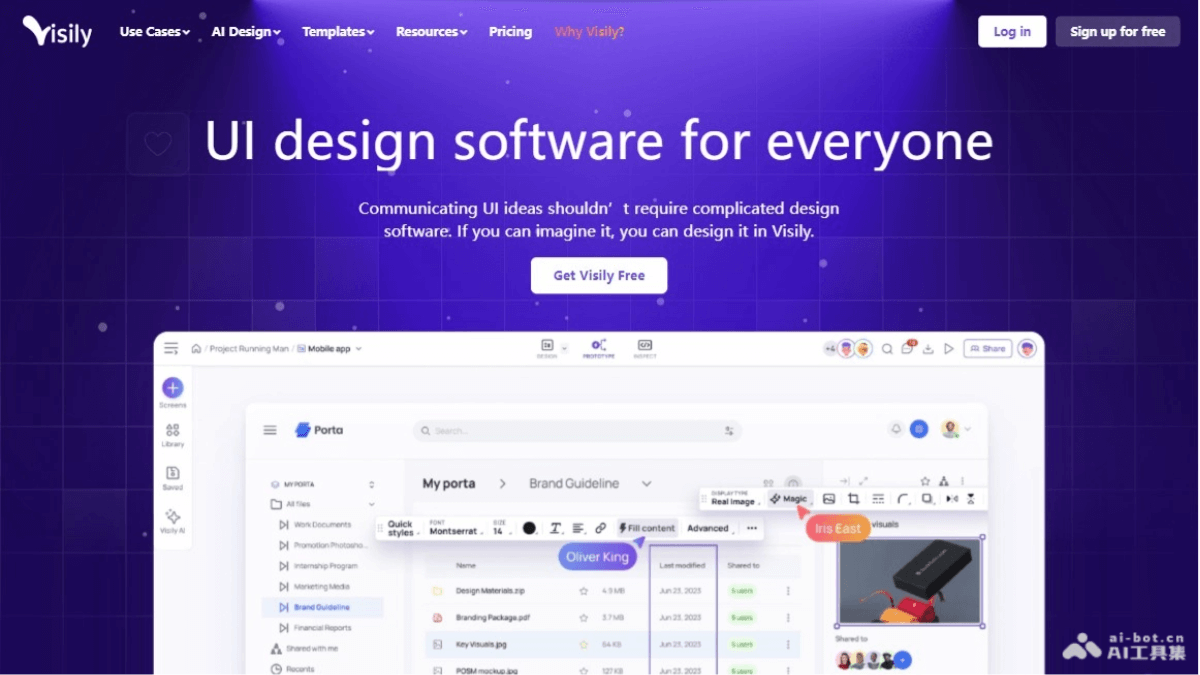
Visilyis a tool based on AI technology that simplifies the UI design process, quickly generating high-fidelity designs through text prompts, screenshots, or sketches, without the need for professional design skills. It provides multiple starting methods such as text to design, screenshot to design, and sketch to design, as well as 1500+ pre-built templates. Visily's AI technology eliminates complex workflows, making design simple and fast. It supports real-time collaboration and sharing, facilitating team cooperation and client feedback. Visily is suitable for individual developers, startups, product managers, and many other users, helping them quickly create and iterate designs.
🚀Product Highlights
- No Learning Curve: Visily provides an intuitive interface, allowing users to immediately start creating high-fidelity wireframes and prototypes without complex design knowledge.
- AI Intelligent Application: Visily's AI features can convert user design inputs such as text prompts and screenshots into fully editable designs.
- Diverse Design Starting Methods: Includes Text to Diagram Beta, Screenshot to Design, Sketch to Design, and over 1,500 pre-built templates.
- Collaborative Workflow: Supports seamless collaboration among designers, developers, and stakeholders, enabling real-time co-design and efficient handoff.
- Smart Components and Design Elements: Provides a rich component library and design elements, allowing users to easily create the desired layout through drag and drop.
- Rapid Prototyping: Supports users in quickly converting wireframes into interactive prototypes for testing and demonstration.
🌐Product Official Website
- Official website address:https://www.visily.ai/ai-design/
💰Product Pricing
- Free: 2 editable boards per workspace; limited number of elements per board; 100 AI credits; 150 template credits.
- Pro: $11/month; includes all free features; unlimited boards and elements; private folders and boards; 3,000 AI credits per editor per month; 8,000 template credits per editor per month; synced templates; basic workspace library; 7-day version history; 30-day data recovery; Figma export; export without watermark.
- Business: $29/month; includes all Pro features; SAML single sign-on (SAML SSO); custom teams; 10,000 AI credits per editor per month; unlimited template credits; workspace library; 30-day version history; 90-day data recovery; priority support.
- Enterprise: custom consultation, includes all Business features.
7. Figma AI
Figma AI is an intelligent UI design tool launched by the design tool Figma, which enhances designers' work efficiency and creativity by integrating artificial intelligence technology. Figma AI can automatically name layers, generate UI interfaces with one click, visually search for similar design elements, automatically fill in real content, quickly create prototypes, and more. Designers can generate interface designs through simple text descriptions and use visual search to quickly find and apply similar design elements. It provides designers with a more intelligent and automated work experience.
🚀Product Highlights
- Quickly generate design drafts: Figma AI's First Draft feature supports designers in quickly generating a design draft through simple text descriptions, such as entering "a weather app" to generate a weather app interface.
- Automatically rename layers: The AI feature can automatically help designers name layers with one click based on layer content.
- AI fills in real content: Figma AI can quickly generate real images and copy, making the generated content match the tone of the design interface.
- Quickly create prototypes: By clicking "Make Prototype," Figma AI can quickly convert static mockups into interactive prototypes.
- Automatic UI generation: Figma AI can generate UI interfaces with one click based on prompts.
🌐Product Official Website
- Official website address:https://www.figma.com/ai/
💰Product Pricing
- Log in to the official website to obtain relevant information.
8. Galileo AI
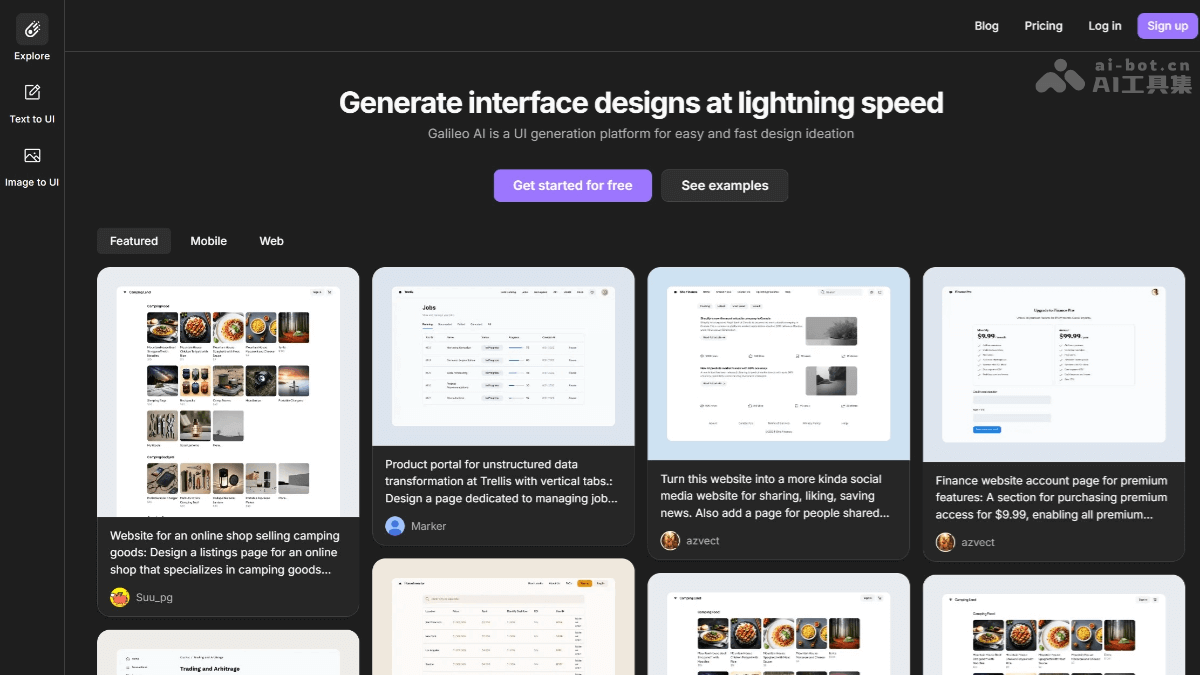
Galileo AIis an AI high-fidelity prototyping tool that helps users quickly create websites and applications based on AI technology. It can automatically generate sitemaps and wireframes from simple text descriptions, and further transform wireframes into beautiful designs. Galileo AI supports integration with design tools such as Figma and Webflow, simplifying the design workflow, and can generate illustrations, images, and copy according to user needs.
🚀Product Highlights
- Text-to-UI generation: Galileo AI can create high-fidelity UI designs from simple text descriptions and quickly turn their ideas into visual representations.
- Image-to-UI generation: In addition to text prompts, Galileo AI can generate UI designs based on images, providing designers with greater flexibility during the design process.
- AI-generated illustrations and images: Galileo AI can enhance user interface designs by automatically filling the design with relevant illustrations and images.
- Accurate product copy: Galileo AI can generate accurate and contextually relevant product copy for UI designs.
- Figma integration: Galileo AI seamlessly integrates with Figma, allowing users to easily edit, refine, and collaborate on AI-generated designs using a familiar and powerful platform.
🌐Product Official Website
- Official website address:https://www.usegalileo.ai/
💰Product Pricing
- Standard
- Price: $19/month; suitable for personal projects, offers broad commercial use
- 1,200 credits per month, about 120 design generations and edits
- Unlimited code export
- Unlimited Figma export
- General commercial terms
- Mobile UI generation
- Web UI generation
- Pro
- Price: $39/month; suitable for professionals who keep design privacy
- 3,000 credits per month, about 300 design generations and edits
- Unlimited code export
- Unlimited Figma export
- General commercial terms
- Mobile UI generation
- Web UI generation
- Private mode: generated designs remain private and visible only to the user
- Enterprise
- Price: Custom pricing
- Unlimited generations + all other Pro features
- Fastest generation speed
- Advanced data privacy and private mode
- Priority support
9. Framer
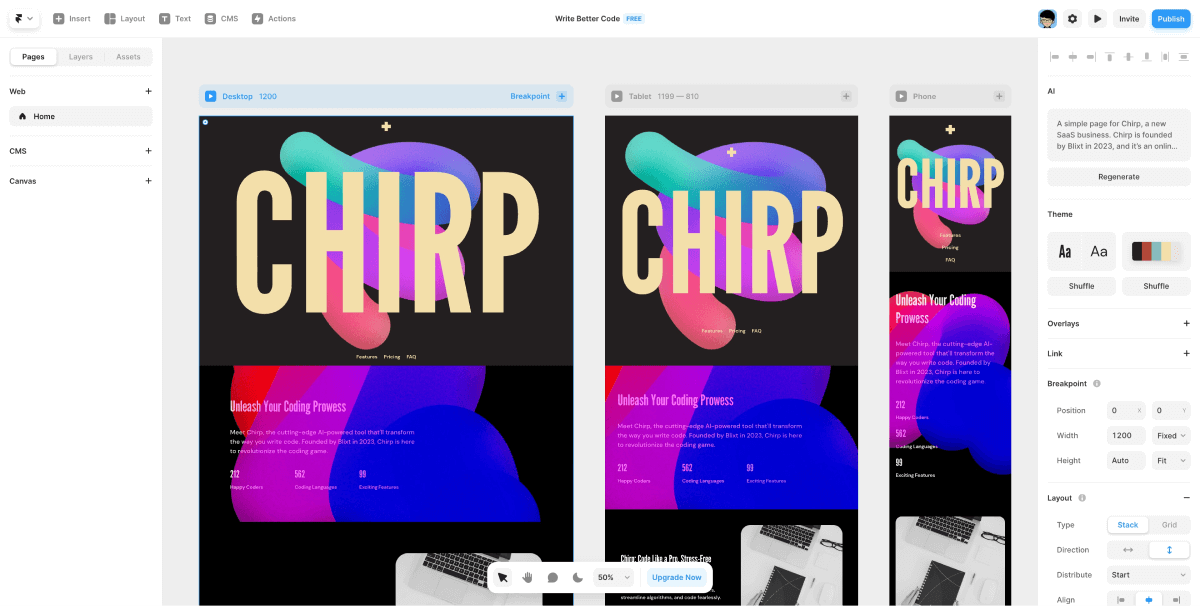
FramerIt is a powerful interaction design tool that lets users freely add various interaction events, transition effects, and animations through Framer to build vivid and highly customizable interface interactions. Framer supports seamless integration with mainstream design tools such as Sketch and Figma, as well as development tools such as React and Angular, facilitating collaboration between design and development teams and improving work efficiency. Framer provides one-stop UI design, prototyping, and development handoff capabilities, supports Chinese, and allows users to use it for free to generate AI-generated Web pages in just 30 seconds.
🚀Product Highlights
- Interactive prototype creation: Framer supports designers in creating highly interactive prototypes to better understand and test the dynamic behavior of user interfaces.
- Component library and reuse: Framer X introduced the concept of a component library, allowing designers to create and reuse components, improving design efficiency while ensuring design consistency.
- Code integration and control: Framer X supports embedding code directly in designs, allowing designers to control UI behavior more precisely and provide developers with clear design specifications.
- Collaboration platform: As a collaboration platform, Framer supports team members in viewing and editing designs in real time, promoting communication and collaboration between designers and developers.
- Dynamic properties and animations: Framer Studio provides rich animation and transition effects, allowing designers to easily add vivid visual effects to prototypes. It also allows setting dynamic properties for UI elements, such as color, size, position, etc., which can change based on user interaction or state changes.
- Custom code for complex logic: In addition to built-in interactions and animations, designers can write custom JavaScript code to implement more complex logic and functionality.
🌐Product Official Website
- Official website address:https://www.framer.com/features/ai/
💰Product Pricing
- Mini plan:36 RMB per month;Suitable for creating landing pages;Includes 2 pages, 10GB bandwidth, and a custom domain.
- Basic plan:66 RMB per month;Suitable for basic sites;Includes 1,000 pages, 50GB bandwidth, password protection.
- Pro plan:133 RMB per month;Suitable for growing sites;Includes 10,000 pages, 100GB bandwidth, 10 CMS (content management system) collections.
10. Creatie
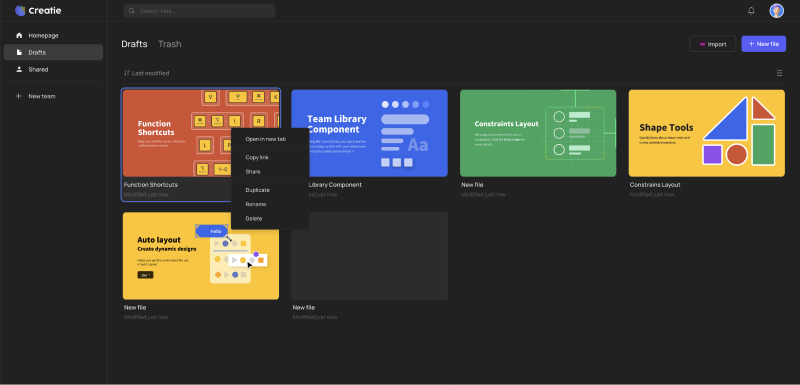
CreatieIt is a UI/UX design tool integrated with artificial intelligence, improving design efficiency and quality through AI technology. It can generate design layouts based on text prompts, automatically detect and correct style inconsistencies, and enhance image effects with one click. Creatie supports automatic icon generation, automated design system setup, and importing files from other design software. It features a Dev Mode function that supports designers in converting designs directly into code, making it convenient for developers to use.
🚀Product Highlights
- AI-driven design suggestions: Creatie's AI can generate design ideas based on text prompts, helping designers quickly obtain layout suggestions, while automatically detecting and correcting style inconsistencies to ensure design consistency and professionalism.
- Image enhancement: Creatie's AI can improve the visual effect of images with one click, making designs more exquisite.
- Icon generation: AI can generate icons according to needs, saving designers' time and effort.
- Automated design system setup: Creatie can automatically set up a design system, helping teams quickly establish unified design standards.
- Dev Mode: The Dev Mode function provided by Creatie supports designers in converting designs directly into HTML and CSS code, making it convenient for developers to use directly.
- Smooth migration: Creatie supports importing files from other design software (such as Sketch, Figma, XD, Axure), simplifying the process of migrating from old design tools to Creatie.
- Prototyping: Designers can create high-fidelity clickable prototypes in a short time, easily transitioning from interface design to interactive prototypes.
- Delivery and design systems: Deliver code to developers/engineers via links, and use design system management tools to maintain consistency of components and styles.
🌐Product Official Website
- Official website address:https://creatie.ai/
💰Product Pricing
- Log in to the official website to obtain relevant information.