
Recently, videos of ancient people saying "Answer Me" have taken over screens. In the morning Li Shizhen, in the afternoon Sun Simiao, in the evening Bian Que, and at night Zhang Zhongjing appear in turn. Each one is both fun and full of memes, and the traffic is especially high!
Even People's Daily joined this wave of enthusiasm.
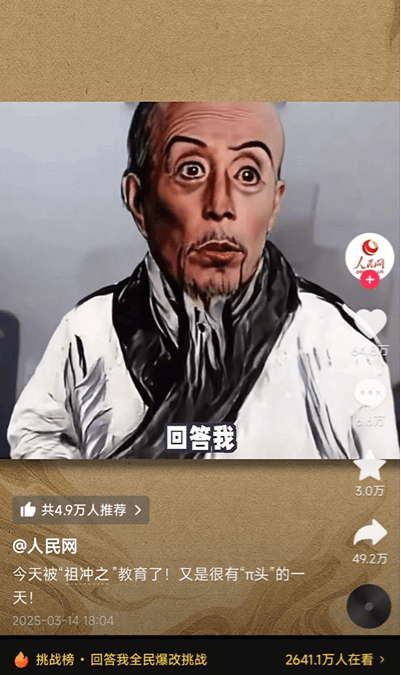
Zu Chongzhi's repeated "Answer Me" strikes straight to the heart. Throughout the video, through brief words and highly expressive visuals, it can effectively express the viewpoint the video creator wants to convey.
Especially that line "look in my eyes"—after scrolling past a dozen derivative videos, my head is already full of this voice.
Some people also quickly built up accounts based on this format. For example, this blogger I came across gained 246k likes with just over ten videos and succeeded in building an account right away.
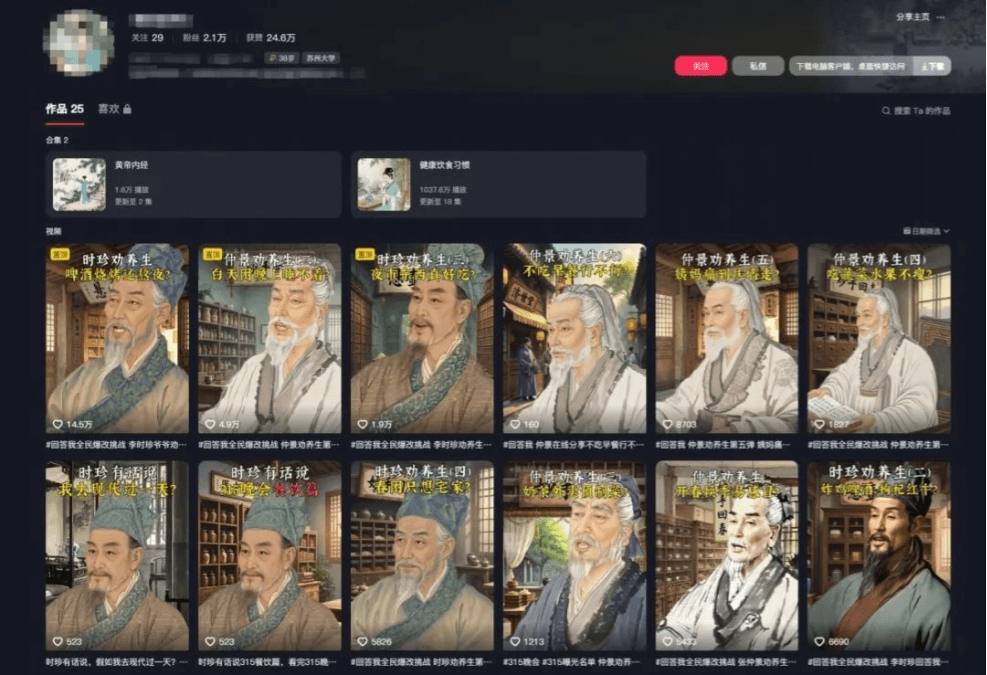
Making this type of video is not difficult. It takes 6 steps in total:
1. Imitate and write the script
2. Generate character images
3. Generate character videos
4. Create audio
5. Lip sync
6. Editing
Below is an example I made:
01
DeepSeekImitate and write the script
The prototype of this video comes from a gaming blogger named "Xiaoming Jianmo." The original video has super strong emotional impact, and we are also creating a derivative work on this basis.
We send the creation requirements to DeepSeek and let AI help us generate a script of similar length. Here we take Zhang Zhongjing as an example and input the prompt:
- Help me generate a script template for the current internet Xiaoming Jianmo "Answer Me" video, and apply this template from Zhang Zhongjing's perspective. It should have complaints and memes. The length should be similar to the original video.
The generated script content is like this:
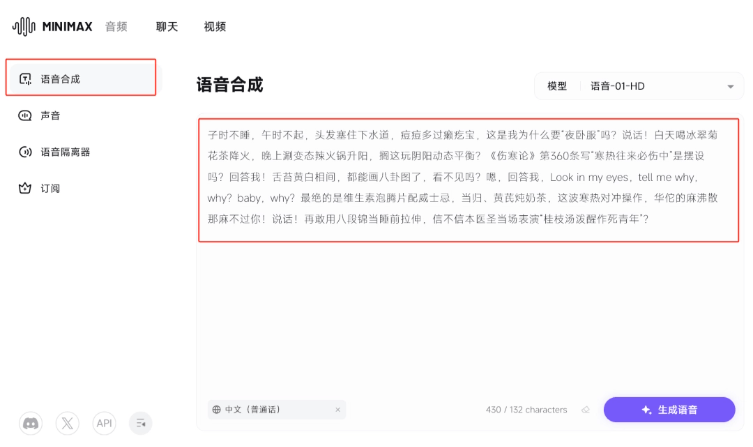
- You do not sleep at midnight and do not get up at noon. Your hair clogs the drain, and you have more pimples than a toad has bumps. Do you know why I want you to "take medicine at night"? Speak! During the day you drink iced chrysanthemum tea to reduce internal heat, and at night you eat extremely spicy hot pot to boost yang. Are you playing at dynamic balance of yin and yang here? Is Article 360 of Treatise on Cold Damage Disorders, which says "alternating cold and heat must damage the middle," just for show? Answer me! Your tongue coating is yellow and white interspersed—it could already be used to draw a bagua diagram. Can't you see it? Hmm, answer me. Look in my eyes, tell me why, why? baby, why? The most outrageous part is vitamin effervescent tablets with whiskey, and milk tea stewed with Angelica sinensis and Astragalus membranaceus. With this wave of cold-heat对冲 maneuvers, even Hua Tuo's mafeisan can't numb you! Speak! If you dare use Baduanjin as bedtime stretching again, believe it or not, this Medical Sage will personally perform "Guizhi Decoction splashed to wake up a suicidal youth"?
We only need toreplace the person's name in the prompt with the desired character and the subject of the complaints, and then we can use AI to generate scripts in batches.
02
Jimeng creates ancient people images
Open Jimeng and select image generation.

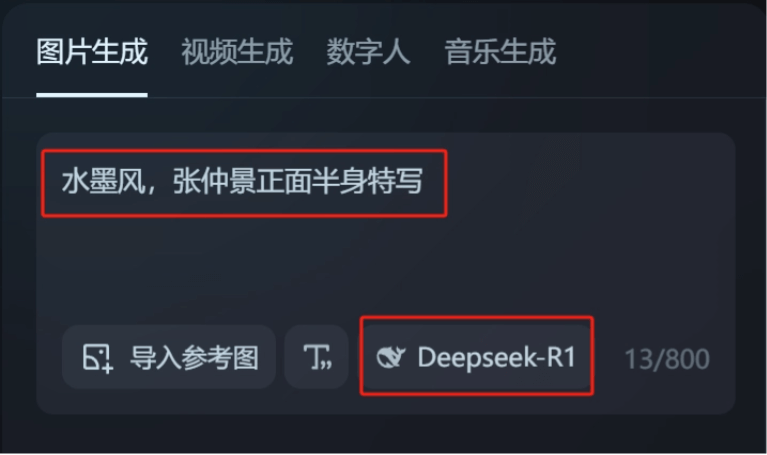
Input the prompt:
- Ink wash style, half-body portrait of Zhang Zhongjing, frontal close-up
Click DeepSeek-R1,let DeepSeek help us improve the prompt。
Among the generated prompts, choose a suitable one and click Generate Now.
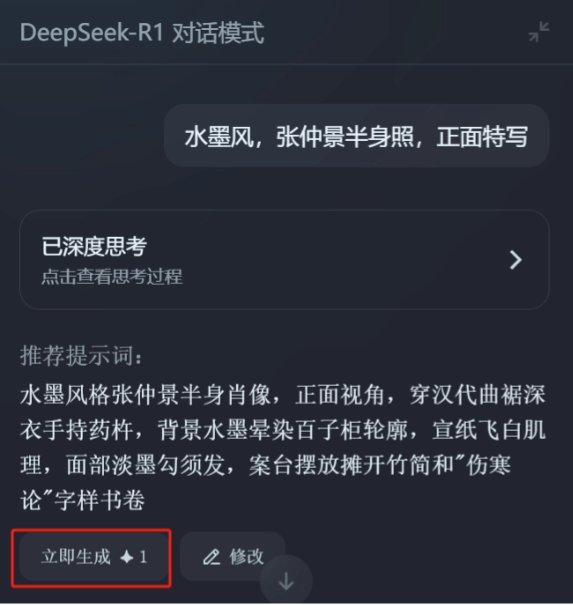
Here we save the second image. (The character has a frontal face and relatively clear facial features.)
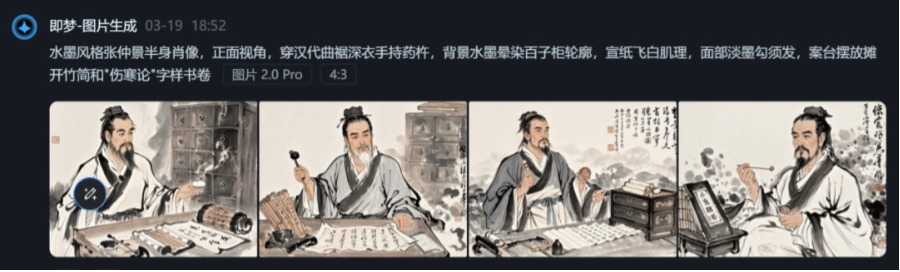
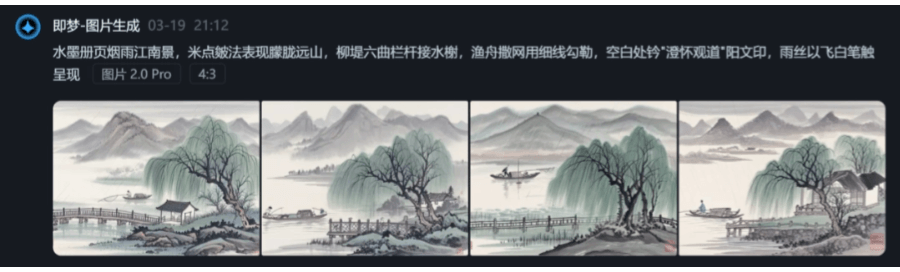
Using the same method, we draw another ink wash style background image.
03
Viggle makes the video
Here we need to first download the original video of "Xiaoming Jianmo."
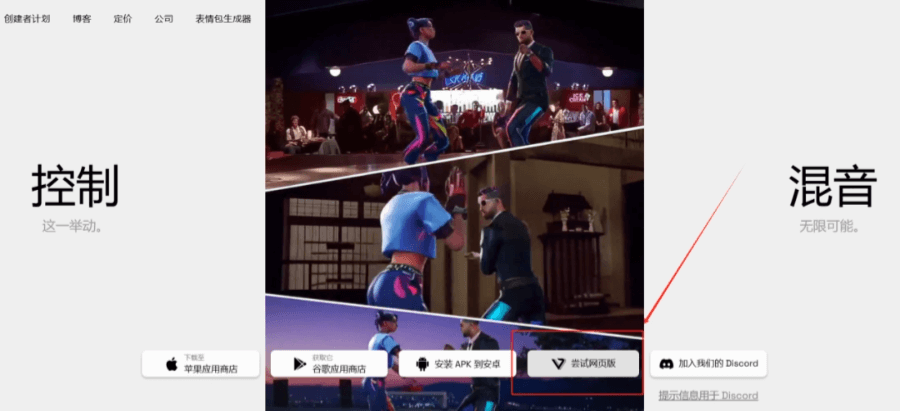
Open the Viggle web version.
Upload the original video of "Xiaoming Jianmo" and the character portrait we drew.
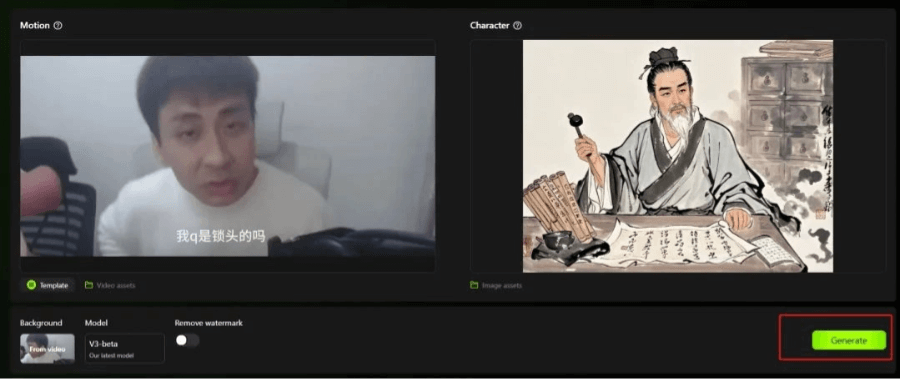
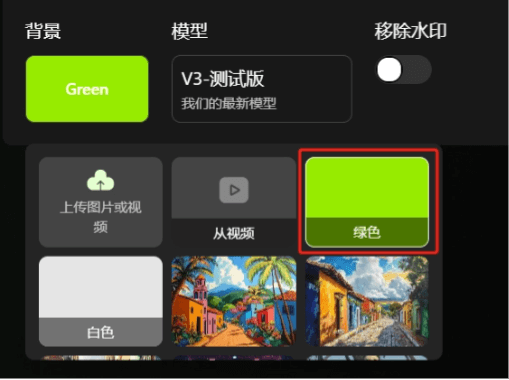
Select a green screen background, then click generate.
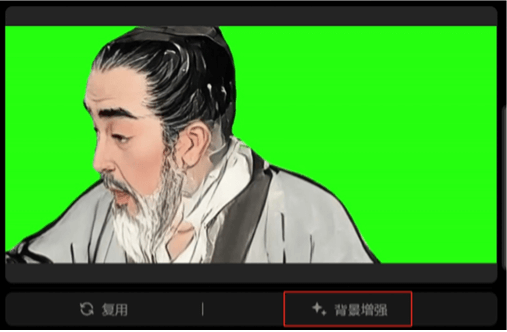
If the initially generated video has some ghosting, you can clickBackground Enhancement, and generate it again to get a satisfactory video effect.
Click Download in the upper right corner of the video to save the video for later use.
04
Creating audio with Minimax Audio
For the voice part, wekeep the parts of the original audio with strong emotions, such as "Answer me" and "look in my eyes".
For other parts where the script has been changed, we use Minimax Audio to clone the voice and regenerate them.
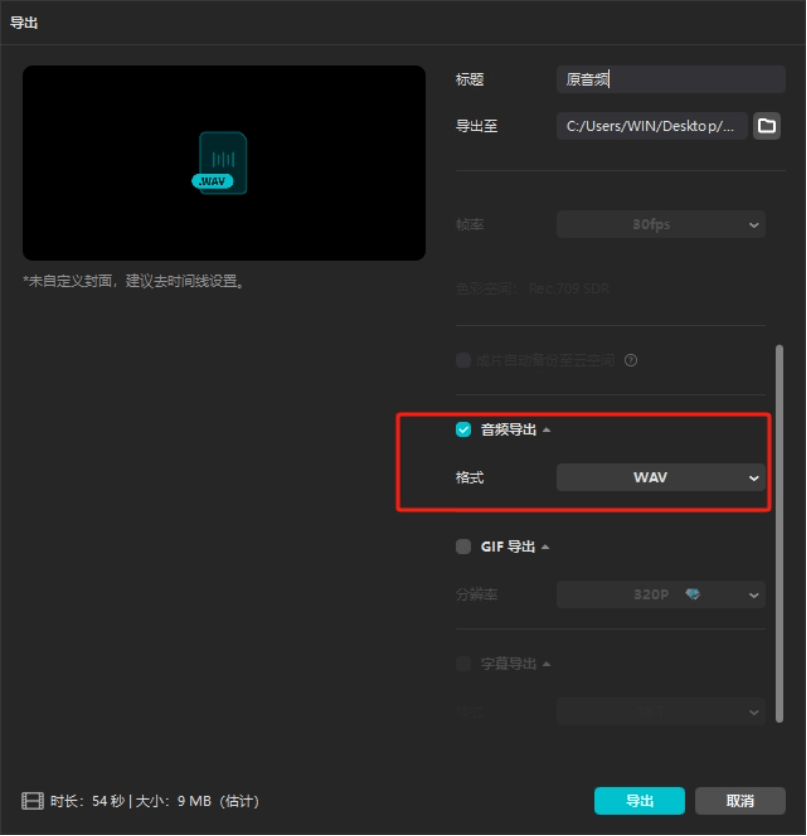
Import the original video into Jianying and choose to export audio only.
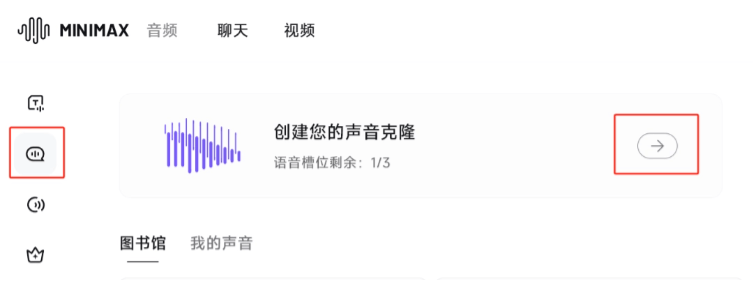
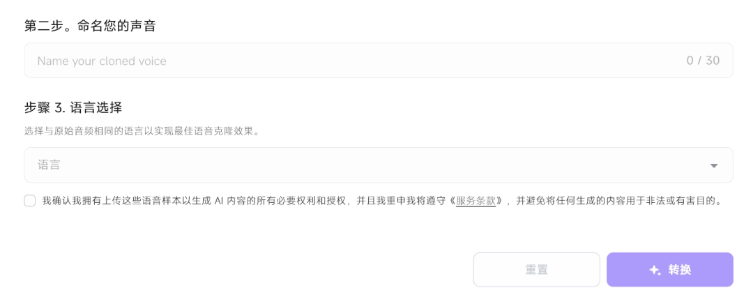
Open Minimax Audio, and in the Voice section, choose to create a new voice.
Upload the audio we just separated.

Enter a name for the voice, select Chinese (Mandarin) as the language, check the box to confirm the terms of service below, and click Convert.
On the speech synthesis page, enter the script.
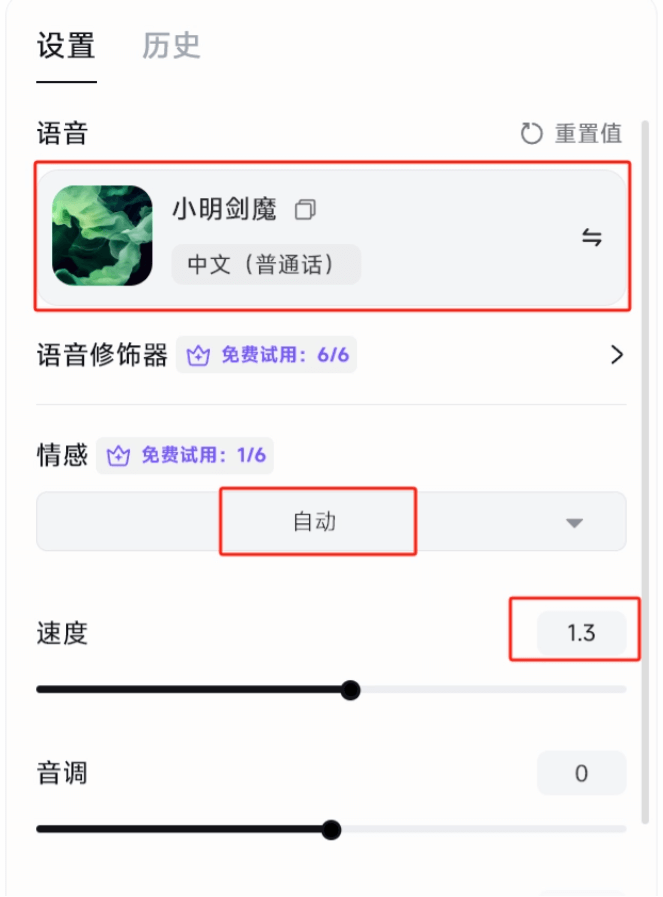
In the settings on the right, select the new voice we just created (Xiaoming Jianmo),the emotion mode can be left as Auto by default, and the speed can be adjusted to 1.1-1.3x, so it sounds more natural.
Click Generate, and you can preview and download the newly generated speech.
If you are not satisfied with the preview effect, you can click Generate again. Each generation of speech will have random adjustments, and you can choose a suitable version to download.
05
Jimeng Lip Sync
Open the lip sync page in Jimeng Digital Human. Upload the video and audio we just generated.
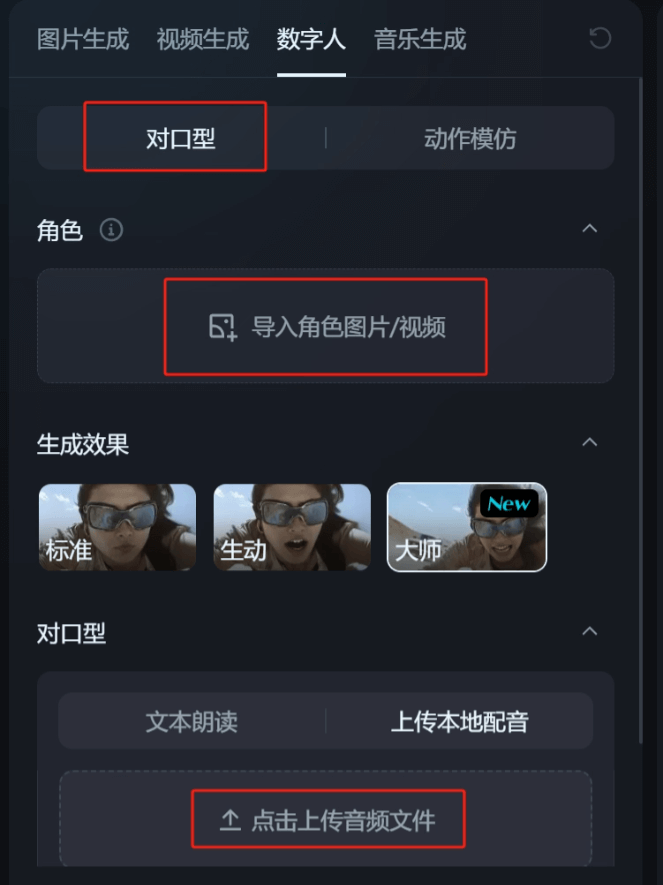
For the parts of our audio that use the original voice, there is no need to lip sync again. You can export only the parts that need lip syncing from Jianying and import them.
06
Jianying Editing
Click to select the video image.
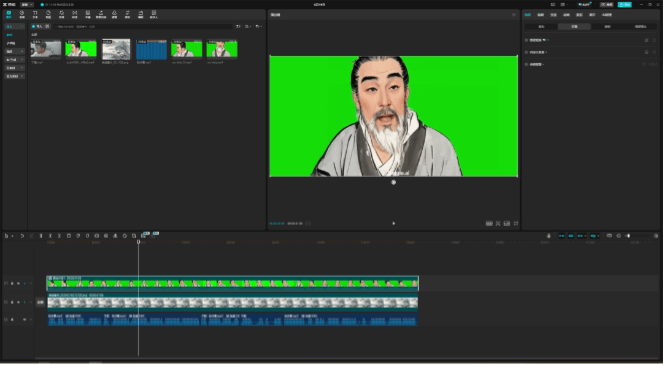
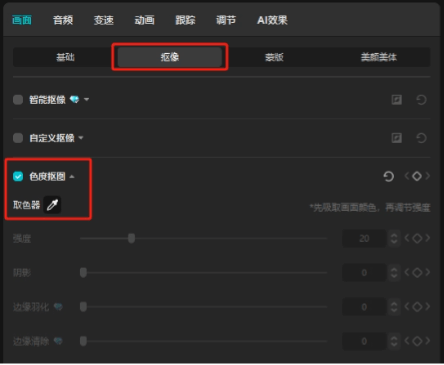
Choose Chroma Key under Image - Keying, and use the color picker to pick the green screen color in the image.
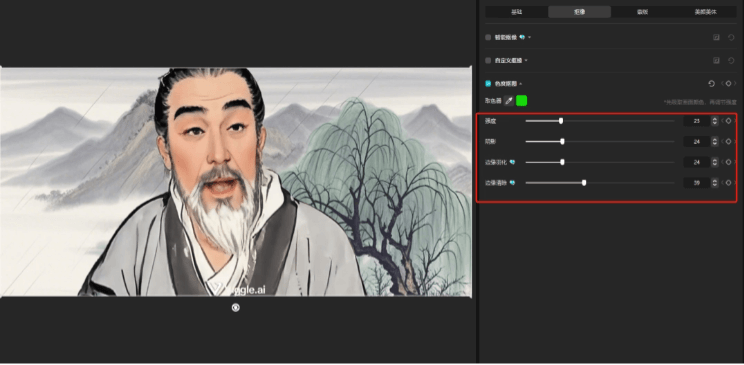
Adjust the keying parameters to completely remove the green screen part and reveal the background.
Add subtitles, and you can export the final video~
By following these steps, even beginners can make very creative videos. It does not take too much effort, and you only need a good idea.
If you also want to get into self-media, why not start with this video?
Maybe the next viral video will be born from your hands!
All tools involved in this article:
DeepSeek:https://ai-bot.cn/sites/6130.html
Jimeng:https://ai-bot.cn/sites/17772.html
Viggle:https://ai-bot.cn/sites/11148.html
MiniMax Audio:https://ai-bot.cn/minimax-audio/
Jianying:https://ai-bot.cn/app/10296.html
Original article link:The ancients' "Answer me" videos went viral! Learn to revive ancients with AI in 6 steps (tutorial included)