

What is Viggle
Viggle AI is an innovative AI character dynamicvideo generation tool, based on the video-3D foundation model JST-1 that understands actual physical motion, thereby achieving precise control over character movements in static images or videos. Users can add various movements and expressions to characters through text commands or video materials, such as smiling, waving, etc., making the characters move naturally as if they were alive. ViggleAI's interface is intuitive and easy to use, requiring no complex technical background, enabling both professionals and beginners to easily create professional-level animation effects. In addition, Viggle AI also provides background removal and stylization features, further broadening the freedom and possibilities of creation. Viggle is currently in free public beta and can be used through the Discord server.
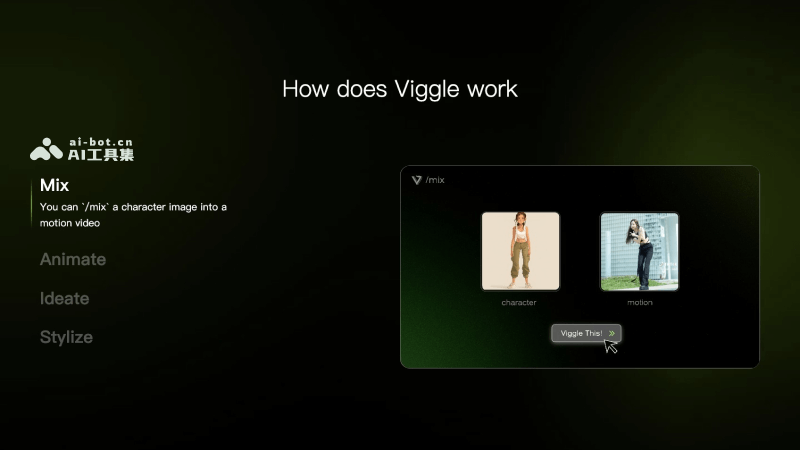
Main features of Viggle AI
- Mix (video + character image mixing): Users can upload a video and a character image, use the
/mixcommand, and let Viggle AI apply the movements in the video to the character image to generate a new video. Viggle AI can handle complex movements, such as body rotation and overlapping limbs, achieving precise motion reproduction. - Animate (text prompts to animate a static character): Through the
/animatecommand, users can directly use text motion prompts to add animation effects to a static character. This method eliminates the step of finding video materials. Users can choose or customize motion prompt words as needed to quickly generate dynamic effects. - Ideate (text-to-dynamic character video generation): Using the
/ideatecommand, Viggle AI supports directly generating character videos with motion from text prompts. Users can describe the person and the movement, and Viggle AI will generate and animate the character according to the description. - Stylize (stylization of real-person photos): Through the
/stylizecommand, Viggle AI can stylize real-person photos and add dynamic effects, thereby creating diverse video effects. Users can define the desired style through text prompts, such as 3D animation style or Pixar style, etc. - Character (text prompts to generate static character images): Through the
/charactercommand, users are allowed to generate static character images through text prompts. Users need to provide descriptions of the character's appearance and features in the command, such as clothing, hairstyle, expression, etc. Viggle AI will generate the corresponding character image according to these descriptions.
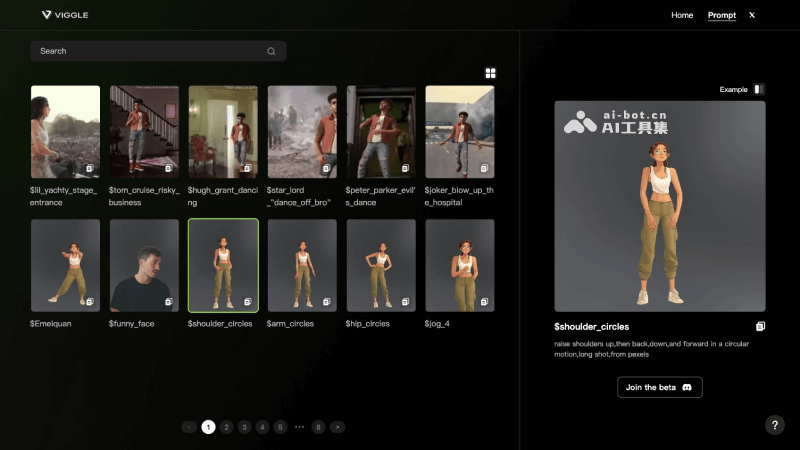
How to use Viggle
- Join the Viggle AI Discord server: Visit Viggle AI's official website (https://viggle.ai/), click "Join the Beta" to join Viggle AI's Discord server.
- Command usage: In the Discord server, you can find usage instructions for various commands. The main commands include
/mix、/animate、/ideateand/stylize, etc. - Upload materials: Choose the corresponding command according to your needs. For example, when using the
/mixcommand, upload a video and a character image; when using the/animatecommand, upload a character image and provide a motion description. - Enter description: For the
/animateand/ideatecommands, you need to enter a text motion prompt describing the action you want the character to perform. - Set parameters: Depending on your needs, you can set parameters such as the background color and whether to enable finetuning.
- Generate animation: After entering the command and uploading the required materials, press Enter to send the request. Viggle AI will process your request and generate the animation.
- View and download: The generated animation can be previewed online, and if you are satisfied, you can download it locally for use.
Viggle AI application scenarios
- Social media content creation: Content creators on social media platforms can use Viggle AI to quickly produce attractive animated videos, increasing fan interaction and engagement.
- Advertising and marketing: Advertisers and marketers can use Viggle AI to create eye-catching advertising animations, showcasing products or services in a unique way and increasing brand awareness.
- Education and training: Educators can use Viggle AI to create educational animations, explaining complex concepts or processes in a lively and interesting way, improving learning efficiency.
- Entertainment and gaming: Game developers and the entertainment industry can use Viggle AI to create personalized characters and animations, adding novel elements to games or film and television works.
- Personalized video production: Individual users can use Viggle AI to create personalized videos, such as birthday greetings and holiday greetings, creating special memories for family and friends.


