
Father of Claude Code Boris Cherny sharesClaude Codeworkflows and usage tips, including how to run multiple Claude instances in parallel, work collaboratively across multiple platforms, useClaude Opus 4.5models, share files across the team, start sessions in plan mode, create slash commands, leverage subagents, format code, preset permissions, handle long-running tasks, and 13 other core tips. These methods can effectively improve AI programming efficiency and are worth developers learning from.
Chinese translation version
I amClaude Codedeveloper Boris. Many people ask me how I use Claude Code, so I want to show a bit of my setup.
My setup is simple! Claude Code is excellent out of the box, so I personally haven't done much customization. There is no single right way to use Claude Code: we deliberately designed it so it can be used directly or customized and reshaped however you like. Every member of the Claude Code team uses it completely differently.
The specifics are as follows.
1、
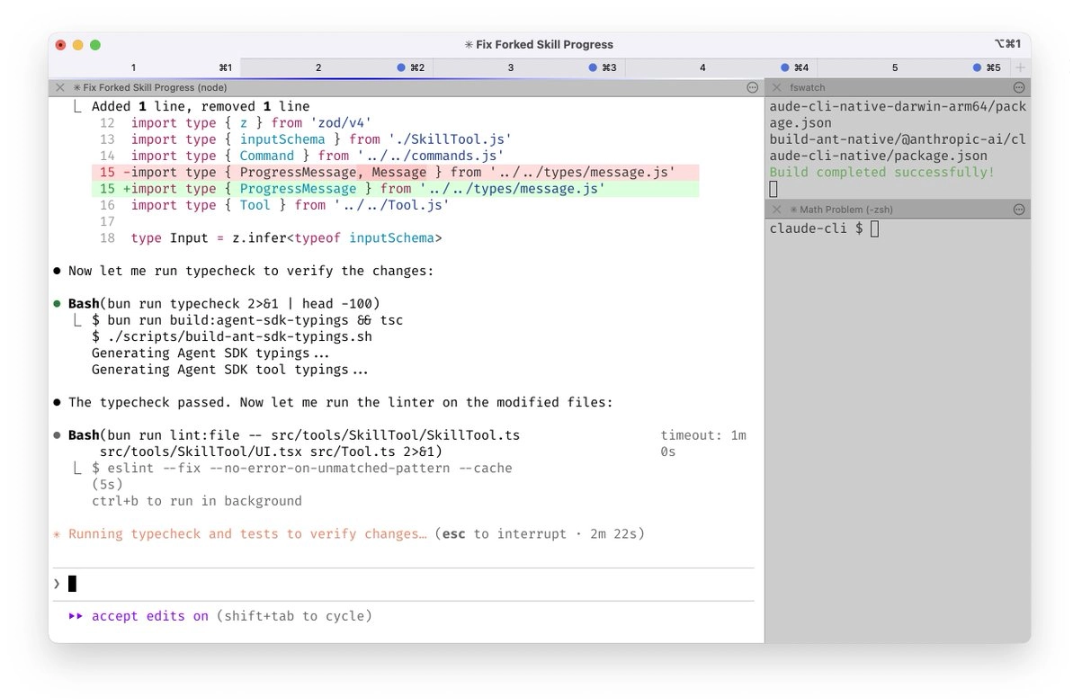
Run 5 Claude instances simultaneously in the terminal. Number the tabs 1-5, and use system notifications to know which Claude needs input commands.https://code.claude.com/docs/en/terminal-config#iterm-2-system-notifications
2、
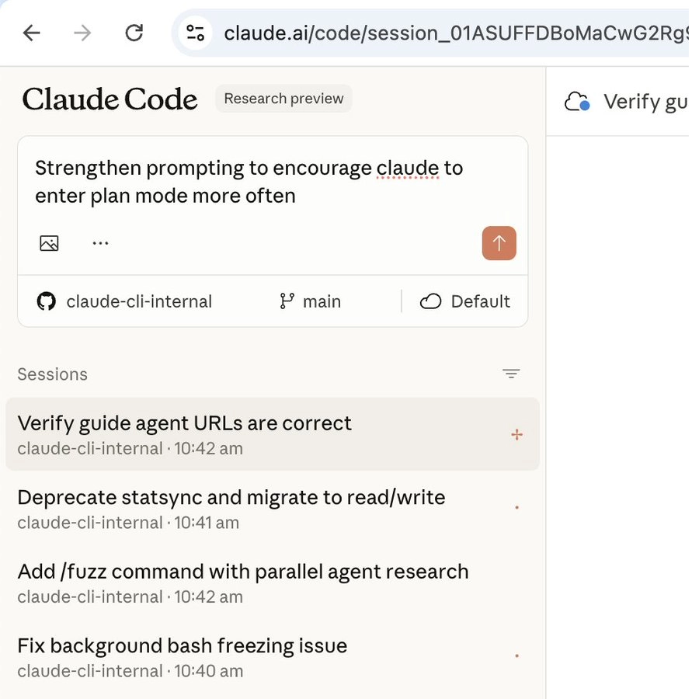
At the same time on http://claude.ai/code , run 5-10 Claude instances, working in parallel with local Claude. When programming in the terminal, I often transfer local sessions to the web (using the & symbol), or manually start new sessions in Chrome, and sometimes use the --teleport parameter to switch back and forth between the two ends. Every morning and during the workday, I use my phone (via the Claude iOS app) to start several sessions, and check on progress later.
3、
Use the model that supports deep thinking for all tasksOpus 4.5. This is the best programming model I've ever used - although it is larger than the Sonnet version and responds a bit more slowly, because it almost rarely needs human guidance and has better tool-calling capabilities, its actual usage efficiency is higher than smaller models.
4、
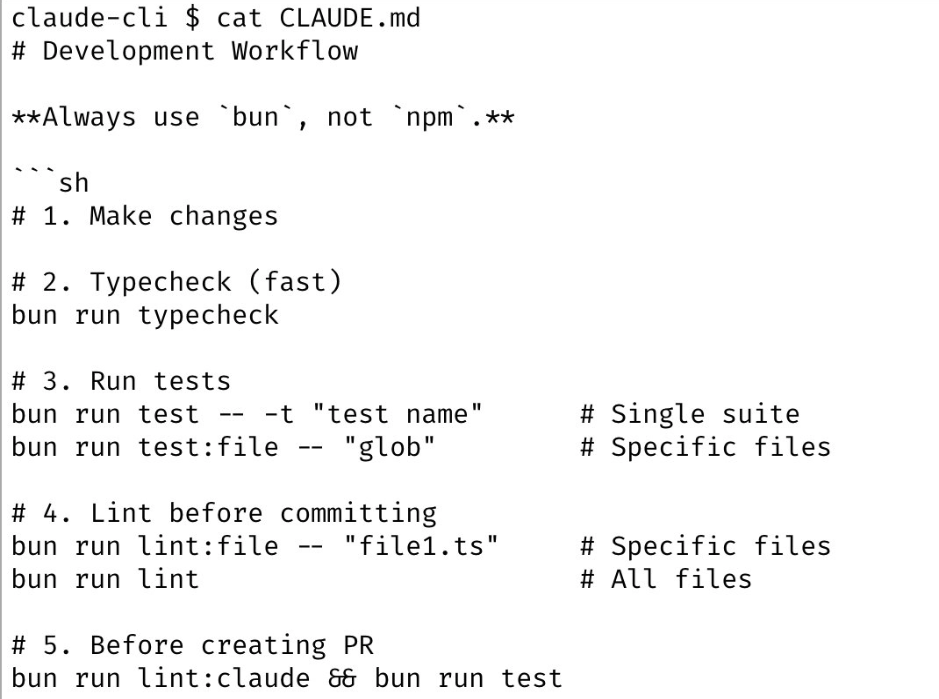
Our team shares a http://CLAUDE.md file set up for the Claude Code codebase. And check it in to git, and all members collaboratively update it multiple times a week. Whenever we find Claude making a deviation, we record it in http://CLAUDE.md , so that Claude can avoid the same problem next time. Other teams also maintain their own http://CLAUDE.md files, and keeping the content updated has become a basic responsibility of each team.
5、
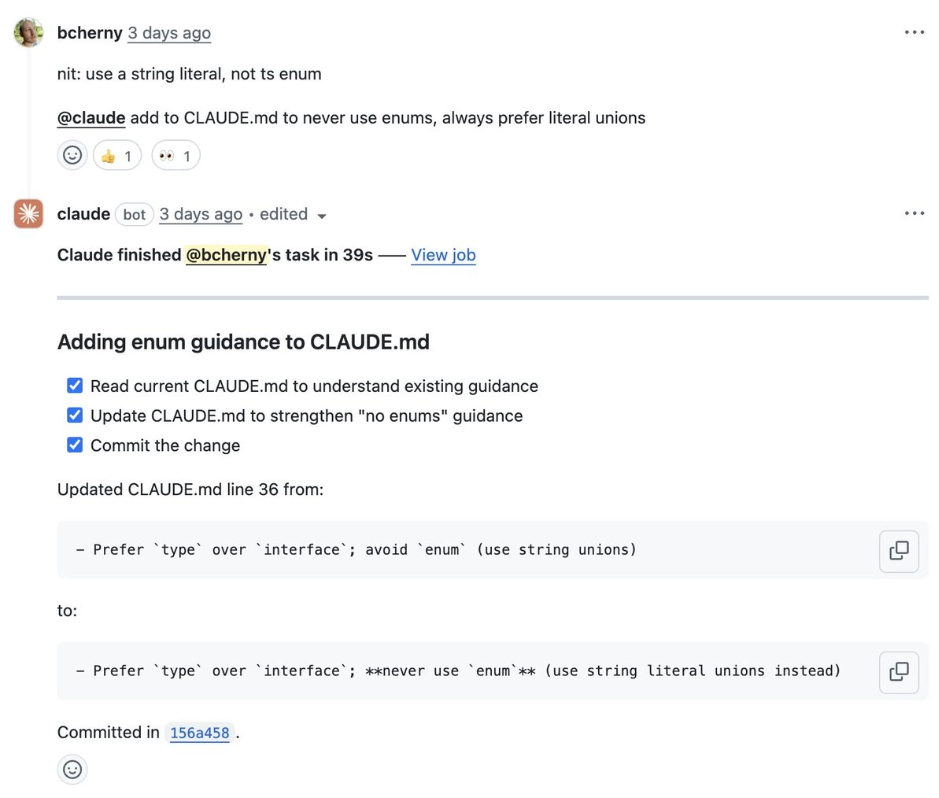
During code review, I often tag @.claude in colleagues' PRs to add what needs to be added tohttp://CLAUDE.md的内容作为PR的一部分。我们为此专门使用Claude Code's GitHub Action (installed via /install-github-action). This is equivalent to our team's take on what @danshipper called "Compounding Engineering".
6、
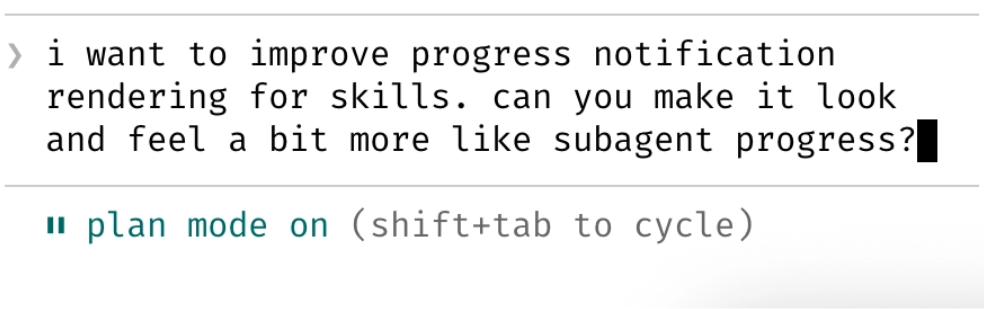
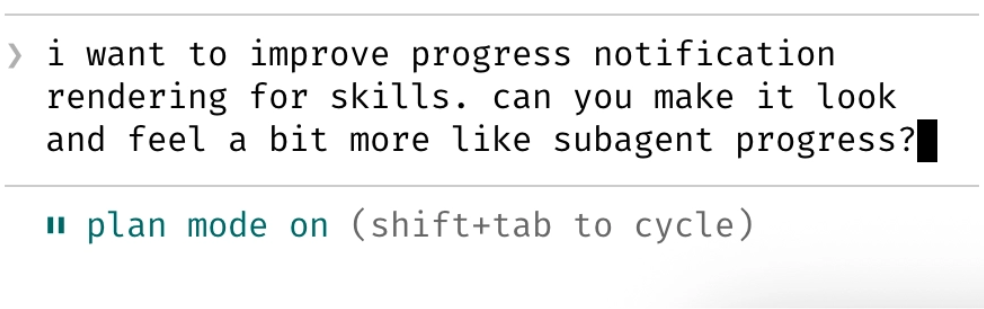
Most sessions start in Plan mode (press shift+tab twice). If my goal is to write a Pull Request, I use plan mode, communicating back and forth with Claude until I'm satisfied with the plan. Then I switch to auto-accept edits mode, and Claude can usually get it done in one go. A high-quality plan is crucial!
7、
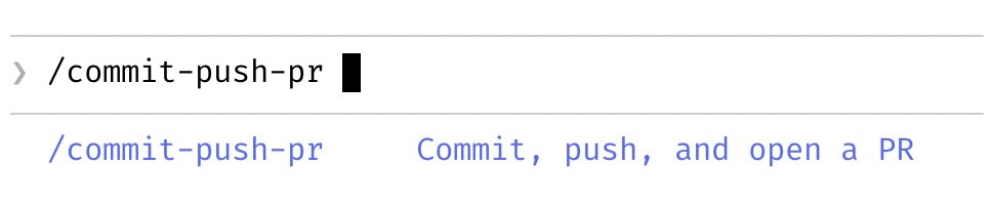
For the "inner loop" workflows I repeat many times a day, I implement them all with slash commands. This saves me from repeatedly writing prompts, and also lets Claude invoke these workflows. These commands are all managed through git and stored in the .claude/commands/ directory. For example, Claude and I use the /commit-push-pr slash command dozens of times a day - this command achieves fast execution by precomputing git status and other information via inline bash, avoiding the time cost of back-and-forth communication with the model.https://code.claude.com/docs/en/slash-commands#bash-command-execution
8、
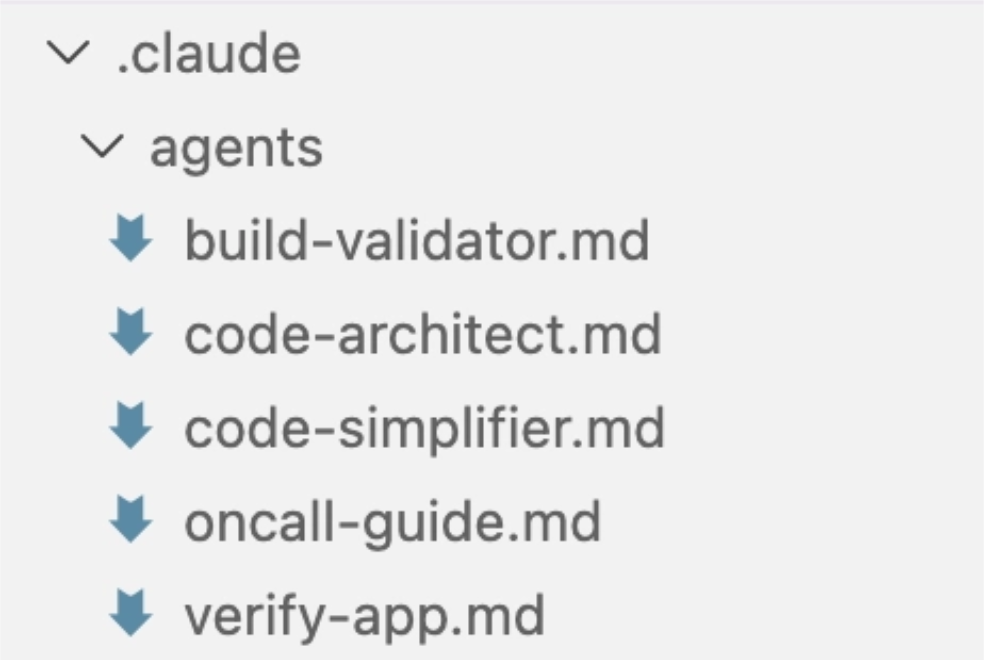
I frequently use several subagents: code-simplifier simplifies code after Claude completes a task, verify-app contains detailed instructions for end-to-end testing of Claude Code, etc. Similar to slash commands, I think subagents can automate the most common workflows I perform for most PRs.https://code.claude.com/docs/en/sub-agents
9、
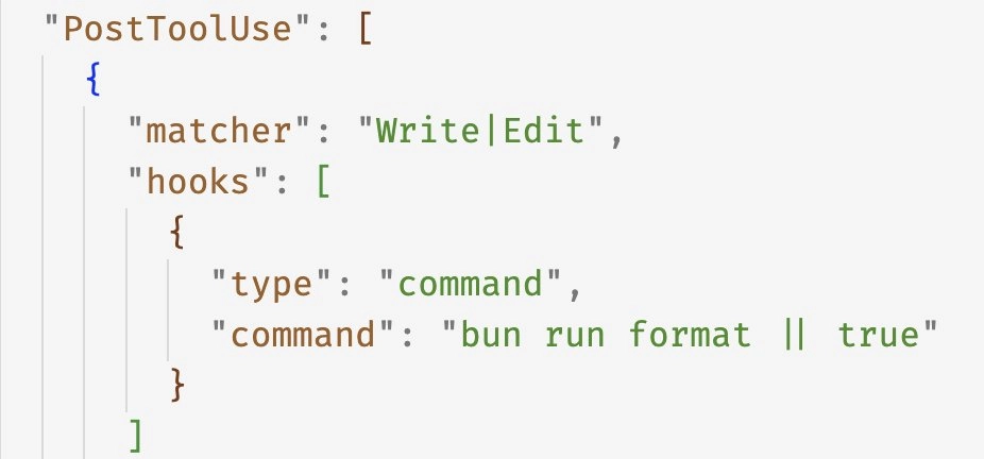
We use PostToolUse hooks to format code generated by Claude. Claude can usually directly output well-formatted code, and the hooks handle the remaining 10% of details, avoiding formatting errors in subsequent CI (continuous integration) processes.
10、
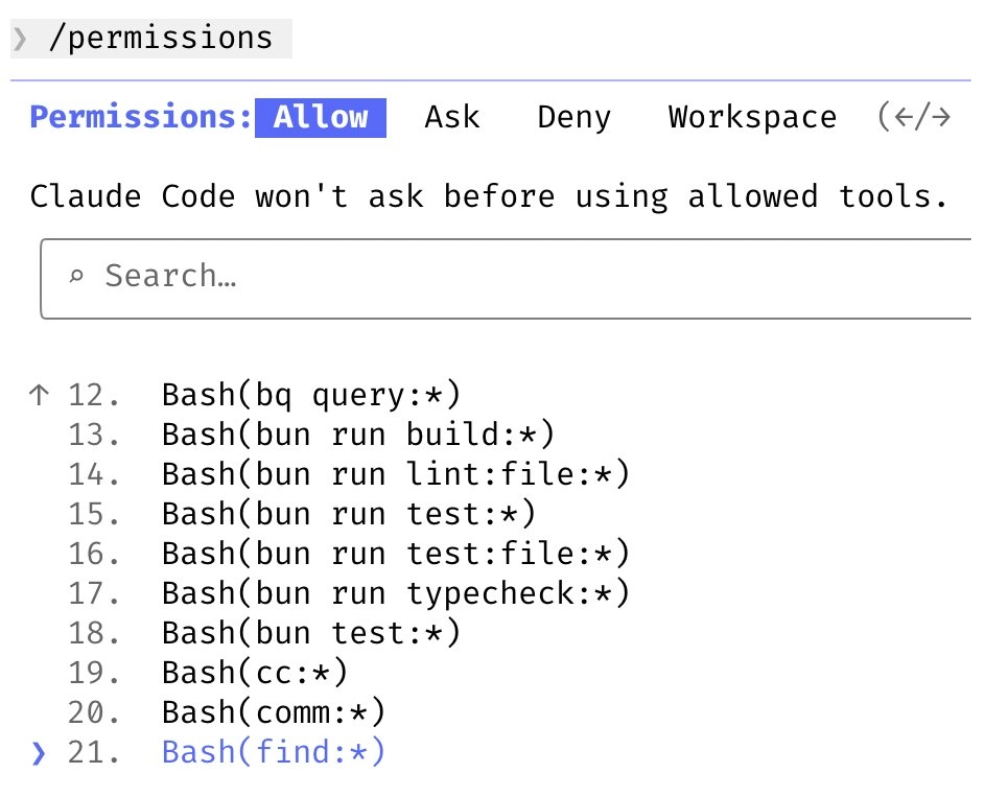
I do not use the –dangerously-skip-permissions parameter. Instead, I use the /permissions command to pre-authorize commonly used bash commands that are confirmed safe in the environment, avoiding unnecessary permission prompts. Most of these settings are saved in the .claude/settings.json file and shared with the team.
11、
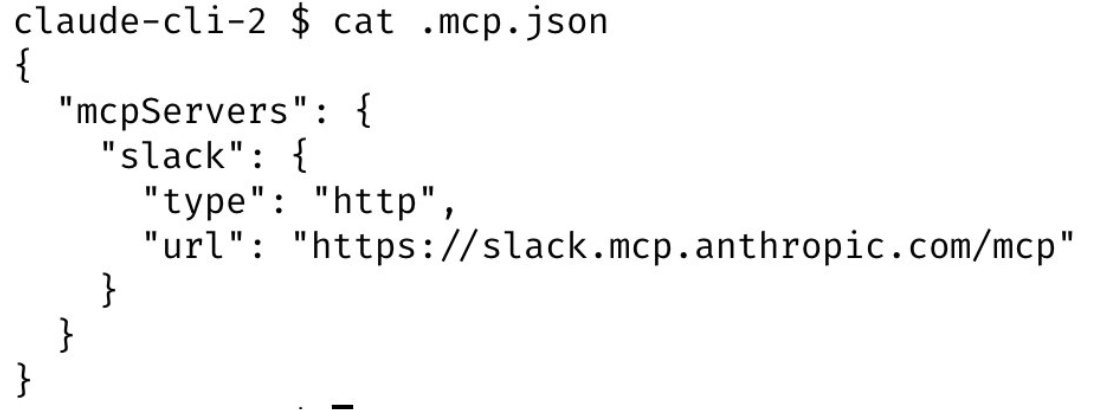
Claude Code can help me call all tools: I often search and post Slack messages through MCP servers, run BigQuery queries to analyze data (using the bq command-line tool), retrieve error logs from Sentry, etc. Our Slack MCP configuration has been saved in the .mcp.json file for team sharing.
12、
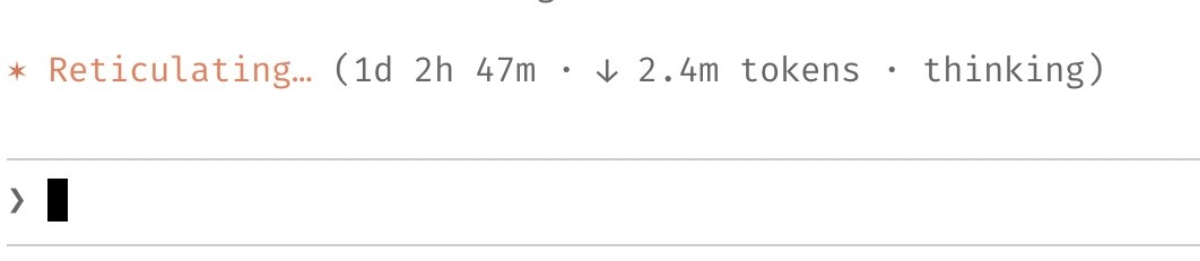
For time-consuming tasks, I will take one of the following approaches:
- (a) Ask Claude to verify the work results itself through a background agent after completion;
- (b) Use an agent
Stophook to perform verification in a more deterministic way; - (c) Use the ralph-wiggum plugin.
At the same time, I also use the –permission-mode=dontAsk or –dangerously-skip-permissions parameter in a sandbox environment to avoid permission prompts in the session interrupting Claude's continuous workflow.
https://github.com/anthropics/claude-plugins-official/tree/main/plugins/ralph-wiggum
https://code.claude.com/docs/en/hooks-guide
13、
One final tip: to get excellent results from Claude Code, perhaps the most critical point is to establish a work verification mechanism for Claude. When Claude has this feedback loop, the quality of the final result can improve by 2-3 times.
For example, every time I send tohttp://claude.ai/code提交改动时,Claude都会通过Chrome扩展进行全流程测试:自动打开浏览器、检测用户界面,持续迭代直到代码运行无误且用户体验流畅。
Verification mechanisms vary by domain—it may be simple bash command execution, or running a complete test suite, or application testing in a browser/mobile emulator. Be sure to invest effort in building a solid and reliable verification system.

English original text
I’m Boris and I created Claude Code. Lots of people have asked how I use Claude Code, so I wanted to show off my setup a bit.
My setup might be surprisingly vanilla! Claude Code works great out of the box, so I personally don’t customize it much. There is no one correct way to use Claude Code: we intentionally build it in a way that you can use it, customize it, and hack it however you like. Each person on the Claude Code team uses it very differently.
So, here goes.
1/ I run 5 Claudes in parallel in my terminal. I number my tabs 1-5, and use system notifications to know when a Claude needs input
https://code.claude.com/docs/en/terminal-config#iterm-2-system-notifications
2/ I also run 5-10 Claudes on http://claude.ai/code, in parallel with my local Claudes. As I code in my terminal, I will often hand off local sessions to web (using &), or manually kick off sessions in Chrome, and sometimes I will –teleport back and forth. I also start a few sessions from my phone (from the Claude iOS app) every morning and throughout the day, and check in on them later.
3/ I use Opus 4.5 with thinking for everything. It’s the best coding model I’ve ever used, and even though it’s bigger & slower than Sonnet, since you have to steer it less and it’s better at tool use, it is almost always faster than using a smaller model in the end.
4/ Our team shares a single http://CLAUDE.md for the Claude Code repo. We check it into git, and the whole team contributes multiple times a week. Anytime we see Claude do something incorrectly we add it to the http://CLAUDE.md, so Claude knows not to do it next time. Other teams maintain their own http://CLAUDE.md‘s. It is each team’s job to keep theirs up to date.
5/ During code review, I will often tag @.claude on my coworkers’ PRs to add something to the http://CLAUDE.md as part of the PR. We use the Claude Code Github action (/install-github-action) for this. It’s our version of @danshipper‘s Compounding Engineering
6/ Most sessions start in Plan mode (shift+tab twice). If my goal is to write a Pull Request, I will use Plan mode, and go back and forth with Claude until I like its plan. From there, I switch into auto-accept edits mode and Claude can usually 1-shot it. A good plan is really important!
7/ I use slash commands for every “inner loop” workflow that I end up doing many times a day. This saves me from repeated prompting, and makes it so Claude can use these workflows, too. Commands are checked into git and live in .claude/commands/. For example, Claude and I use a /commit-push-pr slash command dozens of times every day. The command uses inline bash to pre-compute git status and a few other pieces of info to make the command run quickly and avoid back-and-forth with the model (https://code.claude.com/docs/en/slash-commands#bash-command-execution)