
Claude Code之父Boris Cherny分享Claude Code的工作流和使用技巧,如何并行运行多个Claude实例、多平台协同工作、使用Claude Opus 4.5模型、团队共享文件、计划模式启动会话、创建斜杠命令、利用子代理、格式化代码、预设权限、处理长时间任务等13个核心技巧。这些方法能有效提升AI编程效率,值得开发者学习借鉴。
中文翻译版
我是Claude Code的开发者Boris 。很多人问我是如何使用Claude Code的,所以我想稍微展示一下我的配置。
我的配置很简洁!Claude Code开箱即用就非常出色,所以我个人并没有做太多定制。使用Claude Code没有唯一正确的方式:我们特意将它设计成既能直接使用,也能随心所欲地定制和改造。Claude Code团队的每个成员使用方式都截然不同。
具体如下。
1、
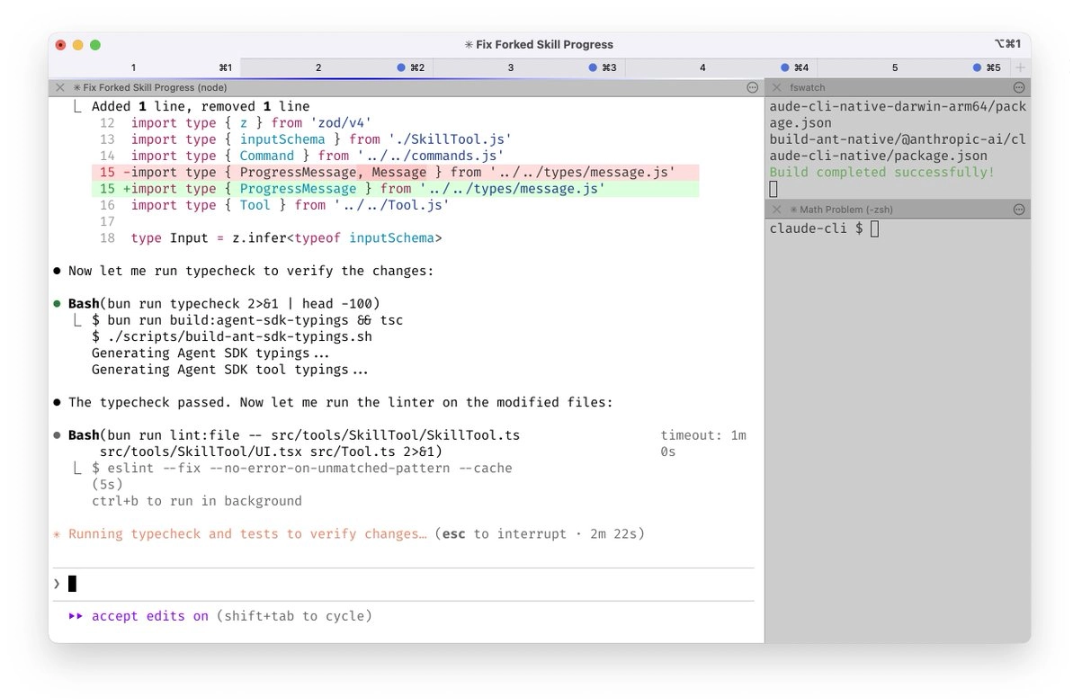
在终端中同时运行5个Claude实例。将标签页编号为1-5,并通过系统通知来获知哪个Claude需要输入指令。https://code.claude.com/docs/en/terminal-config#iterm-2-system-notifications
2、
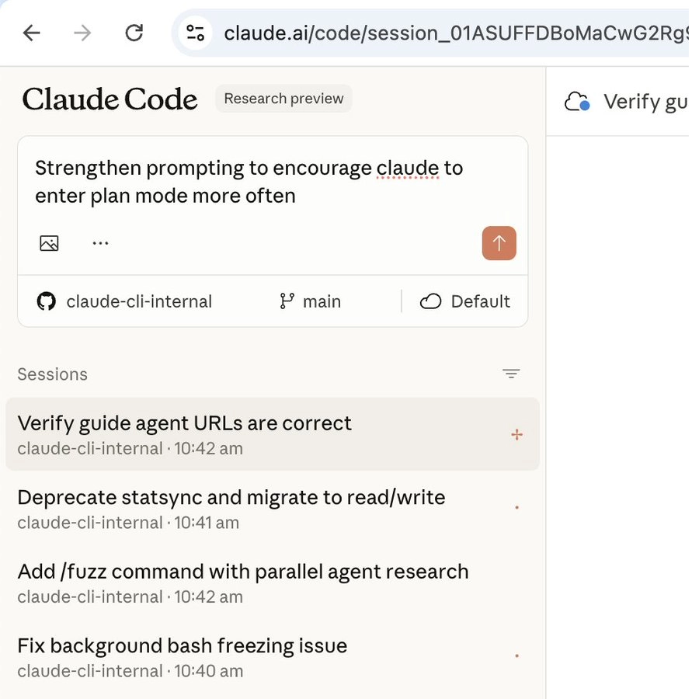
同时在 http://claude.ai/code 上运行5-10个Claude实例,与本地Claude并行工作。在终端编程时,我经常将本地会话转至网页端(使用&符号),或在Chrome中手动启动新会话,有时还会用–teleport参数在两端来回切换。每天早晨和白天工作中,我会用手机(通过Claude iOS应用)开启几个会话,稍后再来查看进度。
3、
所有任务都使用支持深度思考的Opus 4.5模型。这是我用过最好的编程模型——虽然比Sonnet版本更大、响应稍慢,但由于它几乎很少需要人工引导且具备更出色的工具调用能力,实际使用效率比小型模型更高。
4、
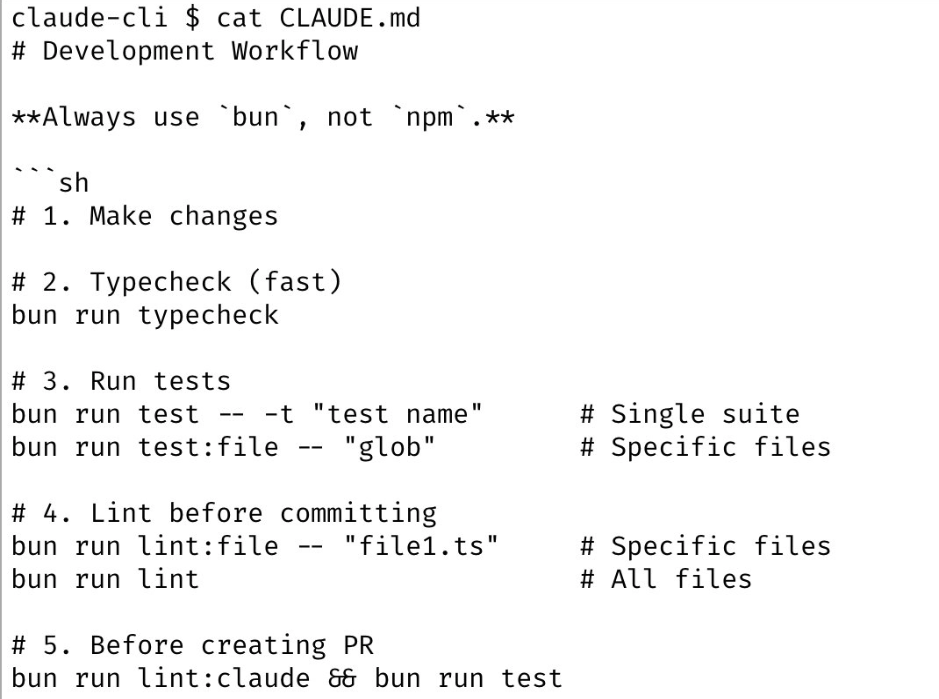
我们团队共享一个为Claude Code代码库设置的 http://CLAUDE.md 文件。并将其 check in 到git中,全体成员每周都会进行多次协作更新。每当发现Claude出现操作偏差,我们就会将其记录到 http://CLAUDE.md 中,这样Claude下次就能规避同样问题。其他团队也维护着各自的 http://CLAUDE.md 文件,及时更新内容已成为各团队的基本职责。
5、
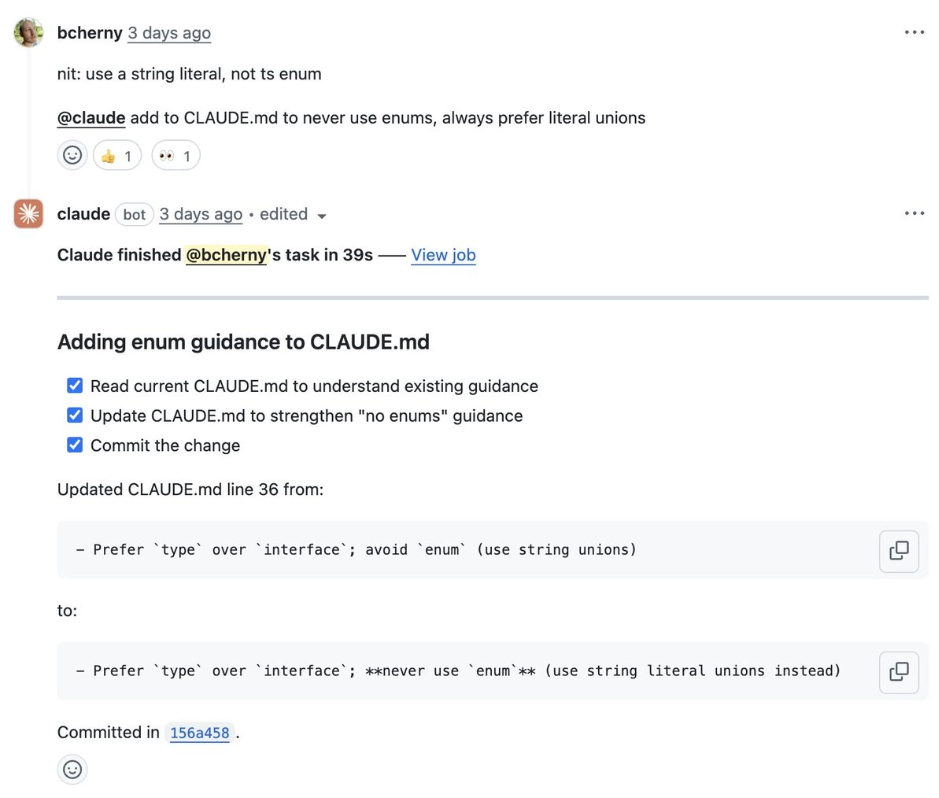
在代码审查时,我经常在同事的PR中标记@.claude,把需要补充到http://CLAUDE.md的内容作为PR的一部分。我们为此专门使用Claude Code的Github Action(通过/install-github-action安装)。这相当于我们团队对@danshipper提出的“复利式工程”(Compounding Engineering)。
6、
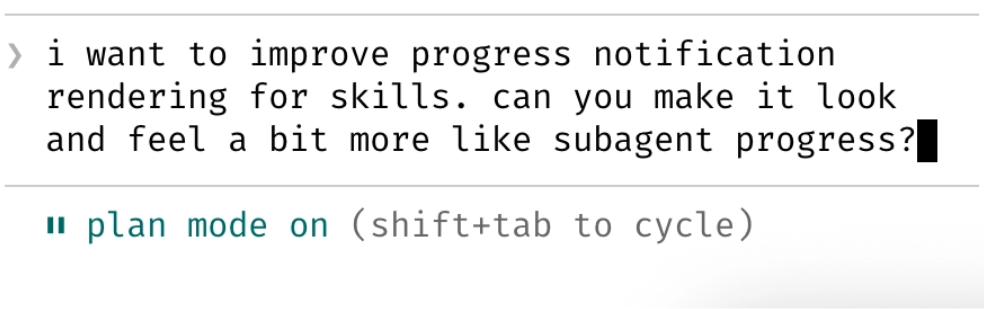
大多数会话都从规划模式开始(Plan mode,按两次shift+tab键)。如果我的目标是编写一份Pull Request,就会使用规划模式,与Claude反复沟通直到对方案满意。随后切换到自动接受编辑模式(auto-accept edits mode),Claude通常能一次搞定。一个优质的规划至关重要!
7、
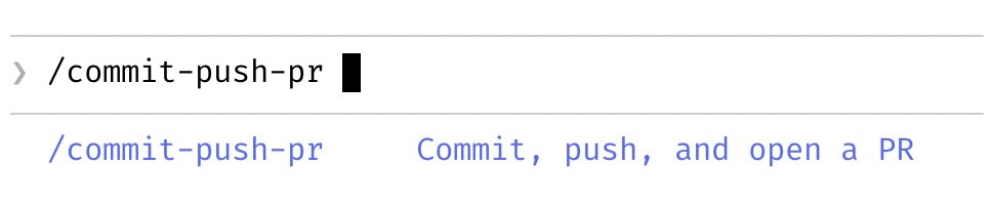
对于每天要重复多次的“内循环”(inner loop)工作流,我全部使用斜杠命令实现。这让我免于重复编写提示词,也让Claude能调用这些工作流。这些命令都通过git管理,存放在.claude/commands/目录中。例如,我和Claude每天会使用几十次/commit-push-pr斜杠命令——该命令通过内联bash预计算git状态等信息实现快速执行,避免与模型来回沟通的耗时。https://code.claude.com/docs/en/slash-commands#bash-command-execution
8、
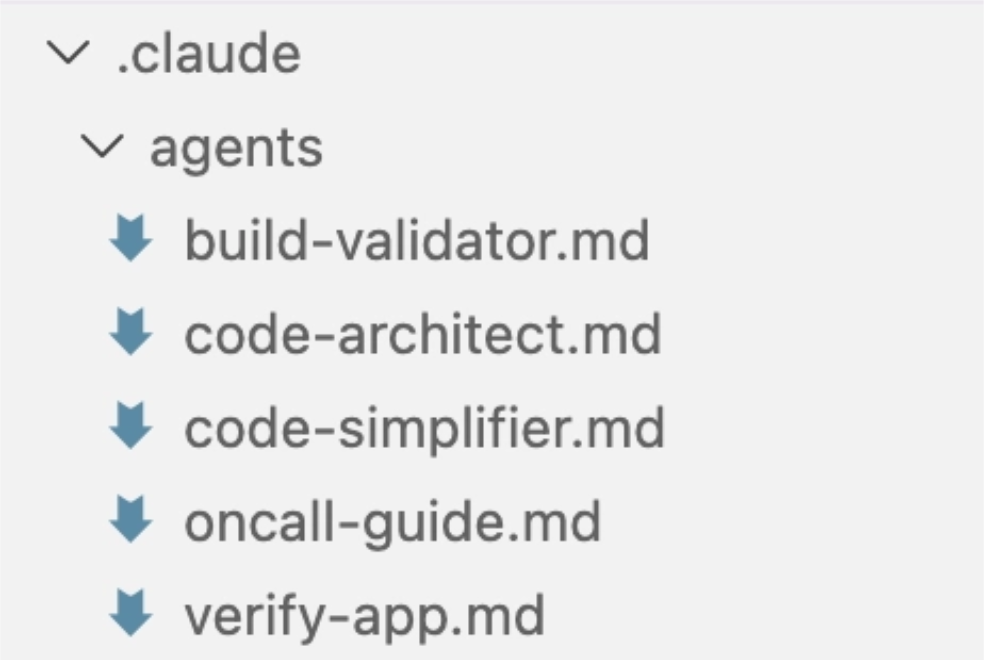
我经常使用几个子智能体:code-simplifier在Claude完成任务后对代码进行简化,verify-app包含端到端测试Claude Code的详细指令等。与斜杠命令类似,我认为子智能体能自动化处理我为大多数PR执行的最常见工作流。https://code.claude.com/docs/en/sub-agents
9、
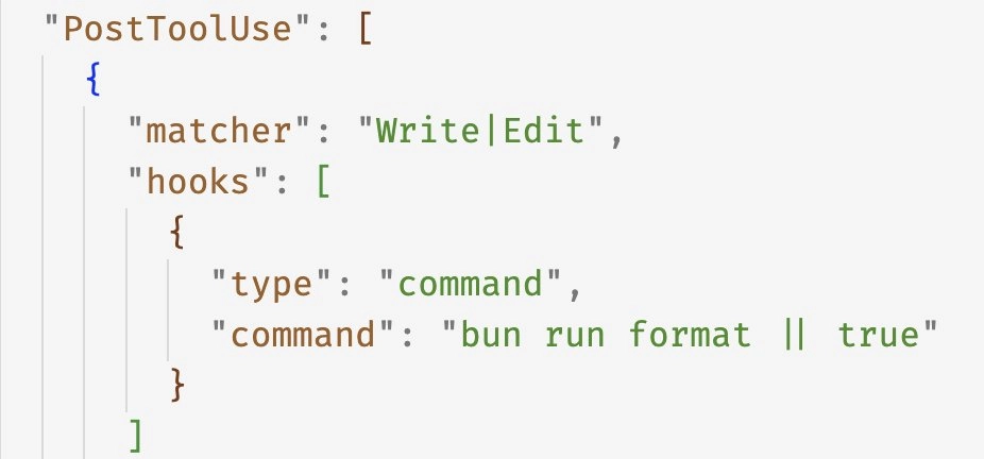
我们用PostToolUse钩子函数格式化Claude生成的代码。Claude通常能直接输出格式规范的代码,钩子会处理剩下的10%细节,避免后续CI(持续集成)流程中出现格式错误。
10、
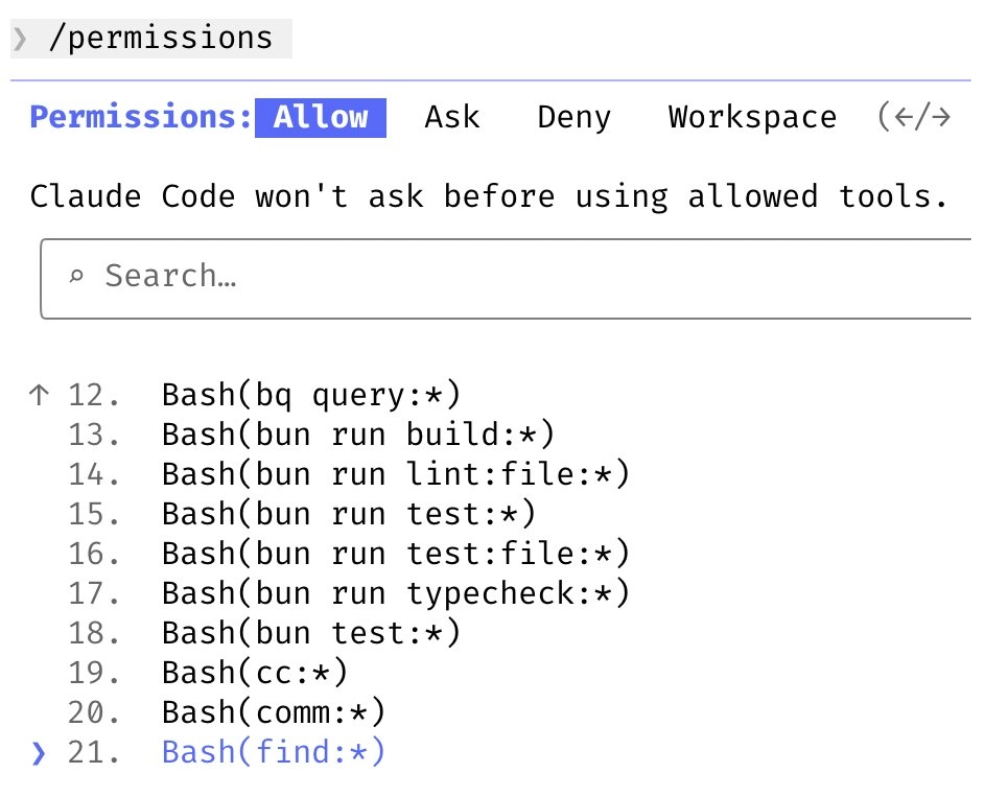
我不使用–dangerously-skip-permissions参数,而是用/permissions命令预先授权环境中确认安全的常用bash命令,避免不必要的权限提示。这些设置大多保存在.claude/settings.json文件中并与团队共享。
11、
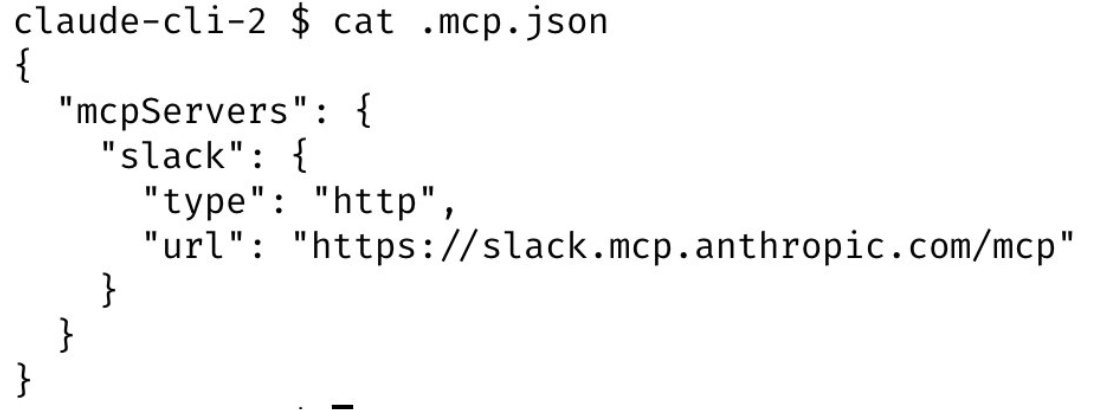
Claude Code能帮我调用所有工具:我经常通过MCP服务器搜索并发布Slack消息、运行BigQuery查询分析数据(使用bq命令行工具)、从Sentry获取错误日志等。我们的Slack MCP配置已存入.mcp.json文件供团队共享使用。
12、
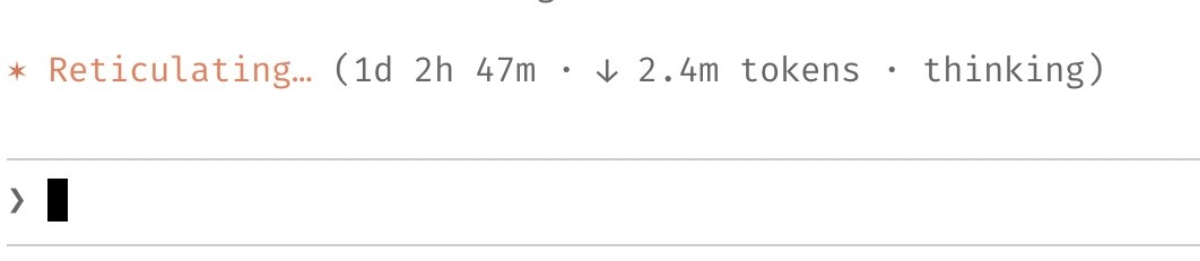
针对耗时较长的任务,我会采取以下方式之一:
- (a) 要求Claude在完成后通过后台代理自行验证工作结果;
- (b) 使用一个代理
Stop钩子,用更确定地方式执行验证; - (c) 使用ralph-wiggum插件。
同时我还会在沙箱环境中使用–permission-mode=dontAsk或–dangerously-skip-permissions参数,避免会话中的权限提示阻断Claude的连续工作流程。
https://github.com/anthropics/claude-plugins-official/tree/main/plugins/ralph-wiggum
https://code.claude.com/docs/en/hooks-guide
13、
最后一个小窍门:要让Claude Code产出卓越成果,最关键的一点或许是——为Claude建立工作验证机制。当Claude拥有这种反馈循环时,最终结果的质量能提升2-3倍。
比如我每次向http://claude.ai/code提交改动时,Claude都会通过Chrome扩展进行全流程测试:自动打开浏览器、检测用户界面,持续迭代直到代码运行无误且用户体验流畅。
验证机制因领域而异——可能是简单的bash命令执行,或是完整的测试套件运行,或是浏览器/手机模拟器中的应用程序测试。请务必投入精力打造坚实可靠的验证体系。

英文原文
I’m Boris and I created Claude Code. Lots of people have asked how I use Claude Code, so I wanted to show off my setup a bit.
My setup might be surprisingly vanilla! Claude Code works great out of the box, so I personally don’t customize it much. There is no one correct way to use Claude Code: we intentionally build it in a way that you can use it, customize it, and hack it however you like. Each person on the Claude Code team uses it very differently.
So, here goes.
1/ I run 5 Claudes in parallel in my terminal. I number my tabs 1-5, and use system notifications to know when a Claude needs input
https://code.claude.com/docs/en/terminal-config#iterm-2-system-notifications
2/ I also run 5-10 Claudes on http://claude.ai/code, in parallel with my local Claudes. As I code in my terminal, I will often hand off local sessions to web (using &), or manually kick off sessions in Chrome, and sometimes I will –teleport back and forth. I also start a few sessions from my phone (from the Claude iOS app) every morning and throughout the day, and check in on them later.
3/ I use Opus 4.5 with thinking for everything. It’s the best coding model I’ve ever used, and even though it’s bigger & slower than Sonnet, since you have to steer it less and it’s better at tool use, it is almost always faster than using a smaller model in the end.
4/ Our team shares a single http://CLAUDE.md for the Claude Code repo. We check it into git, and the whole team contributes multiple times a week. Anytime we see Claude do something incorrectly we add it to the http://CLAUDE.md, so Claude knows not to do it next time. Other teams maintain their own http://CLAUDE.md‘s. It is each team’s job to keep theirs up to date.
5/ During code review, I will often tag @.claude on my coworkers’ PRs to add something to the http://CLAUDE.md as part of the PR. We use the Claude Code Github action (/install-github-action) for this. It’s our version of @danshipper‘s Compounding Engineering
6/ Most sessions start in Plan mode (shift+tab twice). If my goal is to write a Pull Request, I will use Plan mode, and go back and forth with Claude until I like its plan. From there, I switch into auto-accept edits mode and Claude can usually 1-shot it. A good plan is really important!
7/ I use slash commands for every “inner loop” workflow that I end up doing many times a day. This saves me from repeated prompting, and makes it so Claude can use these workflows, too. Commands are checked into git and live in .claude/commands/. For example, Claude and I use a /commit-push-pr slash command dozens of times every day. The command uses inline bash to pre-compute git status and a few other pieces of info to make the command run quickly and avoid back-and-forth with the model (https://code.claude.com/docs/en/slash-commands#bash-command-execution)