
What is agents-cli
Agents CLI is the official command-line tool launched by the Google Cloud Agents platform, designed specifically to simplify the full lifecycle of AI Agents. The tool packages engineering knowledge into 7 independent skill modules, covering the complete process from project scaffolding, ADK development, and local evaluation to Cloud Run / GKE deployment and Gemini Enterprise publishing. Developers can let AI coding assistants automatically complete the entire process, or directly take over CLI commands through manual mode. Local development only requires an AI Studio API Key, and rapid prototype validation is possible without a Google Cloud project.
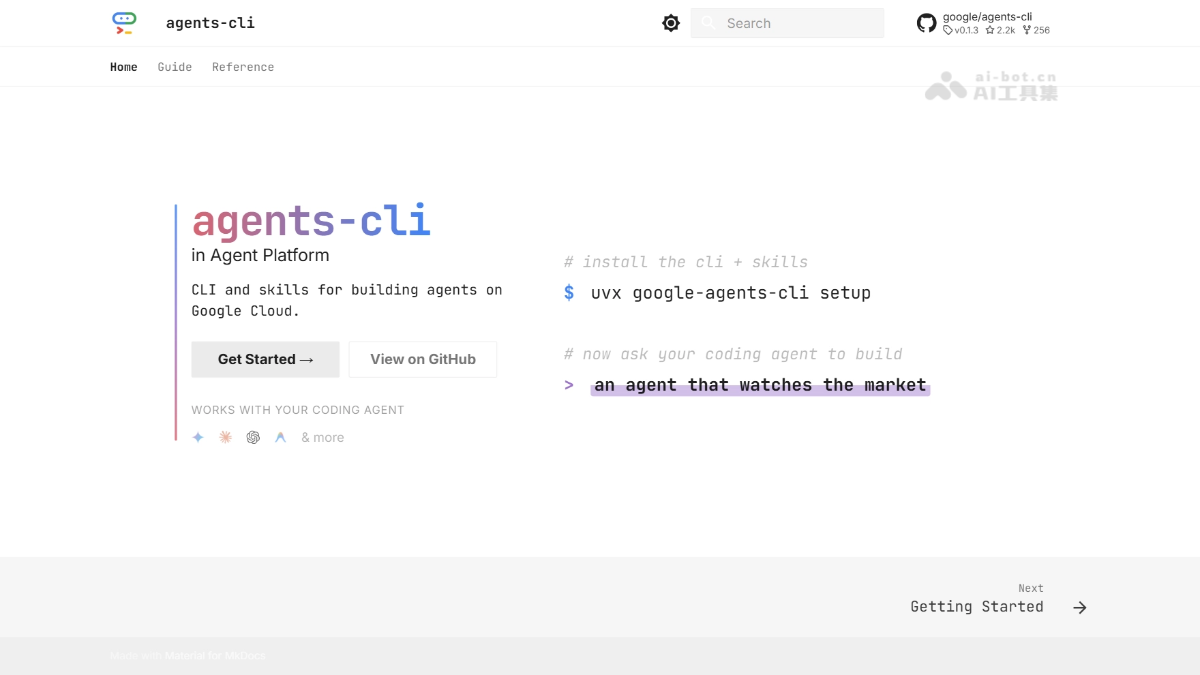
Main features of agents-cli
-
Project scaffolding: Provides the
scaffoldcommand, supporting one-click creation of standardized Agent projects, adding deployment/CI/CD/RAG capabilities to existing projects, and upgrading projects to the new specification. -
Local development and debugging: Built-in
runcommand supports quick smoke testing with a single instruction,playgroundcan launch a local web visualization interface for interactive debugging, and also providesinstallandlintcommands to manage dependencies and code quality. -
Evaluation and validation: Runs the evaluation pipeline through
eval run, testing Agent performance according to preset metrics and evaluation sets, and comparing results across different versions througheval compare, supporting LLM-as-Judge and trajectory scoring. -
Automated deployment:
deployThe command supports one-click deployment to three types of target environments: Agent Runtime (automatically handling memory and orchestration), Cloud Run (serverless containerization), or GKE (Kubernetes cluster). -
Enterprise publishing:
publish gemini-enterpriseCan register deployed Agents with the Gemini Enterprise platform, making them searchable and invocable within the organization. -
Infrastructure as code: Provides the
infraseries of commands to generate Terraform configurations, set up staging/prod CI/CD pipelines, and configure RAG data infrastructure such as vector stores and data ingestion pipelines. -
Coding assistant skill packs: Packages engineering knowledge into seven structured skill modules: Workflow, ADK Code, Scaffold, Eval, Deploy, Publish, and Observability, directly injecting them into coding assistants such as Gemini CLI, Claude Code, Codex, and Cursor.
Technical principles of agents-cli
-
Skill pack injection mechanism: agents-cli packages Google Cloud's engineering knowledge (deployment processes, evaluation methods, API specifications) into 7 structured skill modules, injecting them through
npx skills addinto the context of coding assistants such as Gemini CLI, Claude Code, and Codex, enabling them to generate accurate Agent code and configurations without having to infer cloud service connection logic on their own. -
Orchestration architecture based on ADK + A2A: agents-cli is built on Google ADK (Agent Development Kit) and the A2A (Agent-to-Agent) protocol, using ADK's Python API to define Agent behavior, tool invocation, state management, and multi-Agent orchestration, and enabling interoperability between Agents through A2A.
-
Layered cloud-native architecture: The entire technology stack adopts a layered design. The orchestration layer handles Agent logic through ADK/A2A, the model layer connects to the Gemini series large models in Model Garden, the data layer integrates Vector Store and BigQuery, and the observability layer implements full-link tracing through OpenTelemetry and Cloud Trace.
-
Context compression and deterministic interaction: By pre-encoding cloud service connection logic, deployment specifications, and best practices into structured CLI commands and skill packages, agents-cli avoids programming assistants repeatedly inferring infrastructure configurations in every interaction, significantly reducing token consumption and improving output determinism.
-
Local Evaluation and Trajectory Verification: The built-in evaluation pipeline supports running dataset-based Agent tests locally, comparing the output quality of different versions through LLM-as-Judge and Trajectory Scoring, ensuring behavioral consistency before deployment.
How to Use agents-cli
-
Environment Preparation: Ensure that Python 3.11+, uv (Python package manager), and Node.js (for skill package installation) are installed locally. This is the basic dependency condition for running agents-cli.
-
Install the CLI and Skill Packages: Execute
uvx google-agents-cli setupto install the command-line tool with one click, synchronously deploying the seven structured skill packages—Workflow, ADK Code, Scaffold, Eval, Deploy, Publish, and Observability—to your programming assistant. -
Install Only the Skill Packages (Optional): If another tool already manages the CLI, you can run
npx skills add google/agents-clito separately inject skill knowledge into Gemini CLI, Claude Code, Codex, or Cursor, with the programming assistant invoking the underlying commands on your behalf. -
Authentication: Run
agents-cli login --interactiveto complete interactive Google Cloud login through the browser, or executeexport GEMINI_API_KEY="your-key"to use an AI Studio API Key for local development authentication without a GCP project. -
Create a Project: Execute
agents-cli scaffold my-first-agentto automatically generate a new Agent project containing a standard directory structure, ADK base code, dependency files, and default configuration, and enter the project directory. -
Install Dependencies: In the project root directory, run
agents-cli installto automatically resolve and install the Python dependency packages declared in requirements.txt or pyproject.toml. -
Local Debugging: Execute
agents-cli playgroundto start the local Web visual interface (default address http://127.0.0.1:8000),在浏览器中选择 Agent and directly enter instructions for interactive debugging without writing test scripts.
Core Advantages of agents-cli
-
Lower Engineering Barrier: Packages the knowledge of more than a dozen Google Cloud CLI tools and services into skill packages, so developers can have programming assistants complete cloud deployment without having to dig through documentation.
-
Multi-Agent Compatibility: Seamlessly supports mainstream programming assistants such as Gemini CLI, Claude Code, Codex, Cursor, and Antigravity, without being tied to a single toolchain.
-
Zero-Cost Local Start: Local development requires only an AI Studio API Key, enabling rapid prototype validation without a GCP project, lowering the trial barrier.
-
Full Lifecycle Coverage: Provides an end-to-end closed loop from scaffolding creation, code development, evaluation testing to deployment and release, and monitoring and observability.
-
Manual Mode Fallback: Supports developers directly executing CLI commands and taking over the process when necessary, addressing the lack of transparency in fully autonomous systems.
-
Enterprise-Grade Reliability: Built-in evaluation pipeline, IaC, CI/CD, and multi-environment deployment capabilities meet production environment requirements.
agents-cli Project Address
- Project Official Website:https://google.github.io/agents-cli/
- GitHub Repository:https://github.com/google/agents-cli
Comparison of agents-cli with Similar Competing Products
| Dimensions | Google Agents CLI | MMX-CLI | Cursor CLI |
|---|---|---|---|
| Positioning | Google Cloud's official open-source CLI, which transforms any programming assistant into an expert tool for building, evaluating, and deploying enterprise-grade AI Agents through 7 structured skill packages. | A multimodal command-line tool launched by MiniMax, encapsulating full-modality model invocation capabilities to enable end-to-end multimedia content automation production for AI Agents. | The CLI Agent built into the AI-native IDE (a VS Code fork), designed for daily coding and large-scale codebase refactoring, providing real-time completion and multi-file editing capabilities. |
| Coverage Stages | Covers the complete lifecycle of scaffold creation, ADK development, local evaluation, Cloud Run/GKE deployment, Gemini Enterprise publishing, and production observability. | Covers the end-to-end multimedia automation workflow from information gathering, content generation, speech synthesis, and image/music selection to video production. | Covers the full coding workflow of code editing, multi-file refactoring, test generation, terminal command execution, and CI/CD integration through Cursor Actions. |
| Deployment Targets | Supports one-click deployment to three types of Google Cloud environments: Agent Runtime (automatically handles memory and orchestration), Cloud Run (serverless containerization), or GKE (Kubernetes clusters). | Executes shell commands only in local or CI environments, directly calling the MiniMax API to complete content generation, with no specific cloud infrastructure deployment target. | Primarily focused on local development, integrating with external CI/CD pipelines through Cursor Actions, with no native cloud server or containerized deployment capability. |
| Evaluation Capabilities | Built-in eval pipeline, supporting local dataset-based evaluations, and quantitatively validating Agent behavior consistency through LLM-as-Judge and trajectory scoring. | No built-in Agent evaluation framework is provided; it relies solely on the generation results returned by the MiniMax API, lacking systematic metric evaluation and version comparison mechanisms. | No built-in Agent evaluation framework is provided; it only supports generating test code for developers to run themselves, lacking LLM-as-Judge or trajectory scoring capabilities. |
| Skill Package Mechanism | Packages engineering knowledge into seven structured skill modules—Workflow, ADK Code, Scaffold, Eval, Deploy, Publish, and Observability—and injects them into programming assistants. | It does not use a skill package mechanism; after installation via npm, capabilities are exposed through standard shell commands, and programming assistants must infer the invocation logic of the MiniMax API on their own. | It does not use a skill package mechanism; through .cursorrules files, it implements project-level configuration presets, and the IDE's built-in Agent infers operations based on context. |
| Manual Mode | Supports developers directly executing native CLI commands at any step (such as agents-cli info or agents-cli deploy), bypassing the programming assistant's automated reasoning. |
Supports developers directly executing standard shell commands (such as mmx video generate), enabling manual control through pure JSON stdout output and semantic status codes. |
Supports developers directly executing Cursor CLI commands or manually taking over Agent sessions in the IDE, maintaining complete control over code changes. |
Application Scenarios of agents-cli
-
Enterprise-grade Agent Development: Complex scenarios that require building production-ready multi-Agent systems from scratch, involving orchestration, memory, evaluation, and monitoring.
-
Rapid Prototype Validation: Developers want to quickly test Agent logic locally, running and evaluating it without configuring cloud services.
-
AI Coding Assistant Enhancement: Enable the team's existing coding assistants (Cursor / Claude Code) to gain Google Cloud deployment expert capabilities.
-
DevOps Automation: Need to automatically generate Terraform configurations and CI/CD pipelines to implement infrastructure-as-code management for Agent applications.
-
Organization-Level Agent Publishing: Register internally developed Agents with Gemini Enterprise to enable unified discovery and use within the enterprise.