

What is Zion
Zion is a zero-codeAI application development platform, which greatly lowers the technical threshold for application development through visual configuration and drag-and-drop interaction. Users can quickly build mini programs, websites, and other applications without programming knowledge. Zion integrates artificial intelligence technology, provides features such as intelligent knowledge bases and data processing, supports personalized customization and business automation, and aims to improve development efficiency and operational effectiveness.
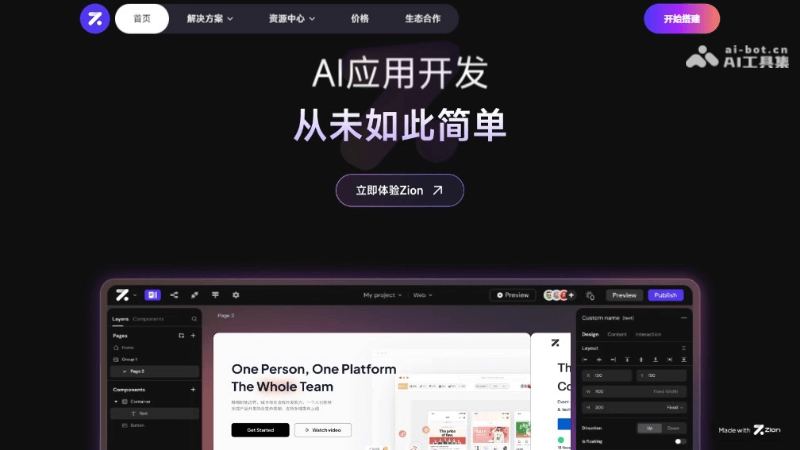
Zion's main features
- No-code development environment: Zion provides a full-chain zero-code development experience. Users can build applications by dragging and dropping components and configuring parameters without writing code.
- Visual interface design: Users can use Zion's visual interface design tool to quickly build application interfaces and achieve a what-you-see-is-what-you-get editing effect.
- Rich components: Provides a rich set of UI components and functional modules to meet the needs of different application scenarios, such as forms, lists, navigation, etc.
- Integrated AI capabilities: Zion integrates AI technologies such as natural language processing and machine learning to help users implement features such as intelligent Q&A and data analysis.
- Data model design: Users can design custom data models to organize and manage data, supporting create, read, update, and delete operations on data.
- API and database integration: Zion supports integration with external APIs and databases, making it convenient for users to connect existing systems with newly developed applications.
- Cross-platform application development: Supports the development of WeChat mini programs, web applications, mobile applications, etc., enabling development once and running on multiple platforms.
Zion's official product website
- Official product website:functorz.com
How to use Zion
- Register and log in:Visit Zion's official website to create an accountor log in with an existing account.
- Understand the interface:Familiarize yourself with Zion's user interface, including the menu bar, toolbar, and editing area.
- Choose a template or create a new project:Choose a preset template as needed or create a new project from scratch.
- Drag and drop components:Use drag and drop to add UI components to the design area and build the application layout.
- Configure component properties:Select a component and adjust its style and behavior through the properties panel on the right.
- Data binding:Bind components to data sources to achieve dynamic data display and interaction.
Zion's application scenarios and target users
- Mini program development: Quickly build WeChat mini programs, Alipay mini programs, etc., suitable for various businesses such as e-commerce, service appointments, and content display.
- Web applications: Develop cross-platform web applications, including corporate websites, online education platforms, project management tools, etc.
- Mobile applications: Create iOS and Android applications without writing native code separately, enabling development once and adaptation across multiple platforms.
- Internal tools: Provide enterprises with customized internal management tools, such as CRM systems, ERP systems, inventory management systems, etc.
- Data display and analysis: Build data visualization applications to help enterprises analyze business data.
- Automated workflows: Achieve business process automation, reduce repetitive work, and improve work efficiency.
- Non-technical entrepreneurs: Want to quickly validate their business ideas but lack programming skills.
- Product managers: Need to rapidly iterate product prototypes or build a minimum viable product (MVP) to test market response.
- Designers: Focus on user interface (UI) and user experience (UX), and hope to quickly turn designs into interactive prototypes or products.
- Marketers: Hope to create marketing campaign pages, landing pages, or promotional mini programs to enhance brand interaction.

