
This article introduces the use of Tencent WorkBuddyin 8 high-frequency application scenarios in workplace office work. The core idea is to use a one-sentence instruction to hand repetitive and time-consuming work over to an AI Agent for automatic completion. It selects 8 high-frequency office pain points, such as resume screening, invoice reimbursement, content creation, data cleaning, etc., and uses a "Before/After" comparison to show how a single natural language instruction can drive an AI Agent to automatically complete repetitive tasks. It includes prompt texts that can be copied directly and screenshots of execution results, greatly lowering the barrier to entry and helping workers hand over the mechanical labor in their 8-hour workday to AI so they can leave work on time.
1. Resume Screening (HR Scenario)
-
Before: Opening resumes one by one, manually comparing them with the JD, filling out forms and scoring, until your eyes glaze over.
-
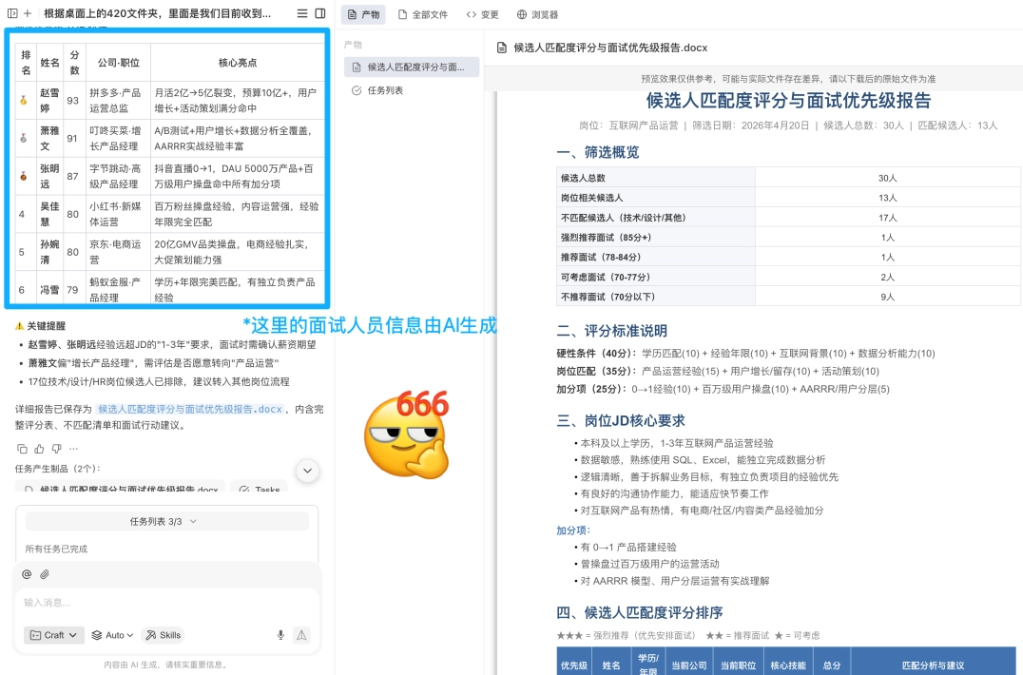
Now: Tell WorkBuddy, "Based on the candidate resumes and job JD in the xxx folder on the desktop, organize and score the resumes by match level, and rank interview priority."
-
Effect: AI automatically generates a "Candidate Match Score and Interview Priority Report," including rankings, scores, core highlights, key reminders, and an explanation of the scoring criteria (mandatory conditions 40 points + job match 35 points + bonus items 25 points).
2. Invoice Reimbursement (Finance Scenario)
-
Before: At the end of the month, taking photos and entering them one by one; if a single character in the amount, date, or project name is wrong, the whole table has to be redone.
-
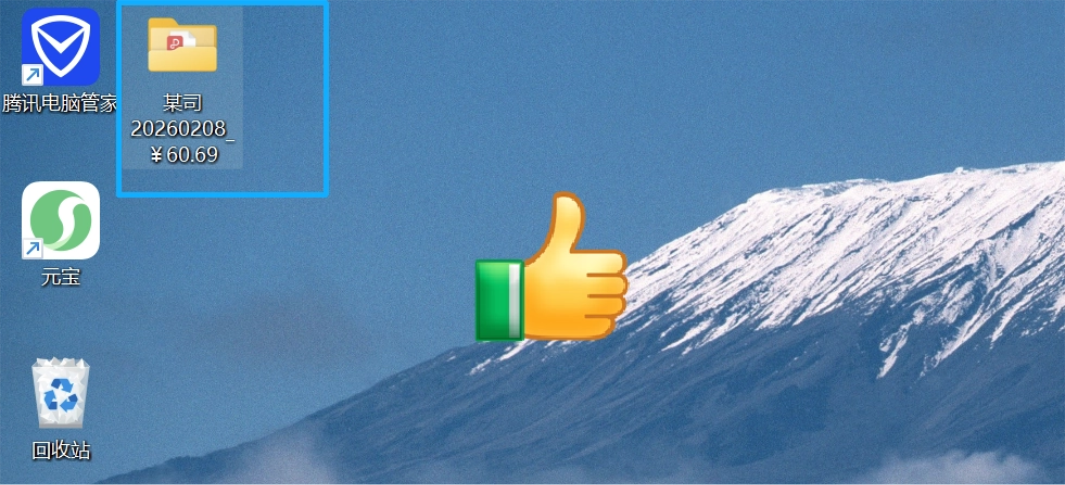
Now: Select the folder where the invoices are located, and instruct, "Extract all the amounts, dates, and project names from the invoices, and organize them into folders."
-
Effect: AI automatically generates folders according to the naming rule of "client name + issue time + total amount," and the invoice PDFs are automatically archived to the desktop.
3. Content Creation (Operations/Editor-in-Chief Scenario)
-
Before: 1 hour searching for materials, 1 hour organizing the language, half an hour formatting, and when the draft is submitted, you are still told it "isn't internet-savvy enough."
-
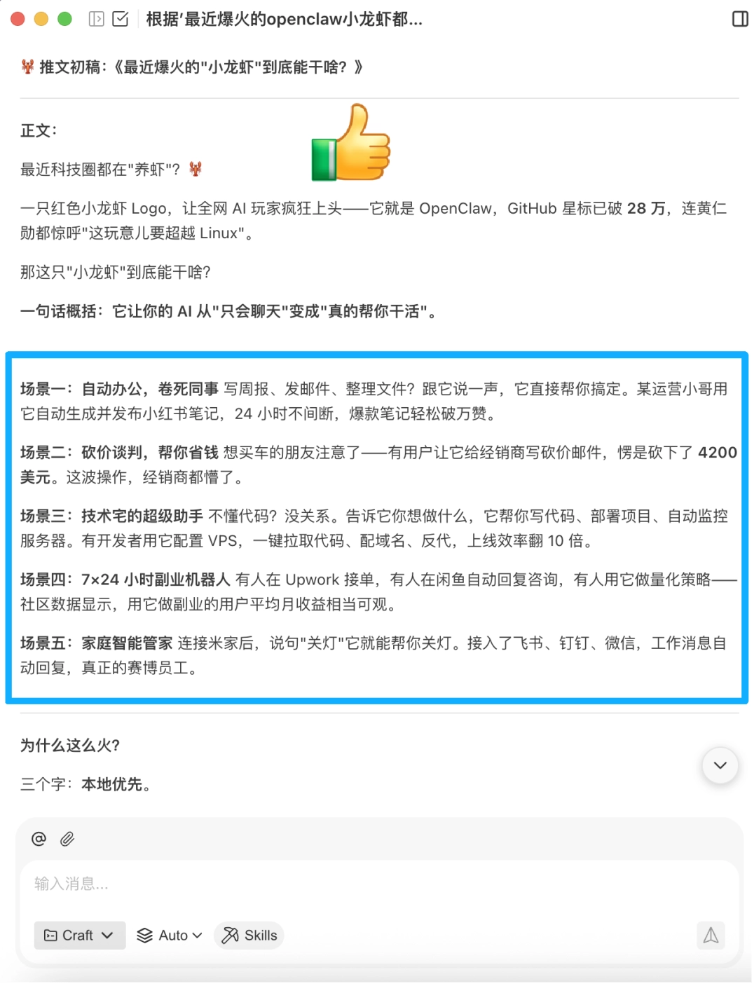
Now: Enter, "Based on this topic, collect the latest relevant materials online and generate an 800-word draft tweet."
-
Effect: Draft completed in 15 minutes; users only need to polish it. The example in the article uses "OpenClaw Crayfish" as the theme, and AI automatically outputs a draft tweet containing 5 major scenarios (automated office work, bargaining and negotiation, technical assistant, side-hustle robot, family butler).
4. Data Cleaning (Data Analysis Scenario)
-
Before: Writing formulas, checking anomalies, adjusting formats, and struggling for ages.
-
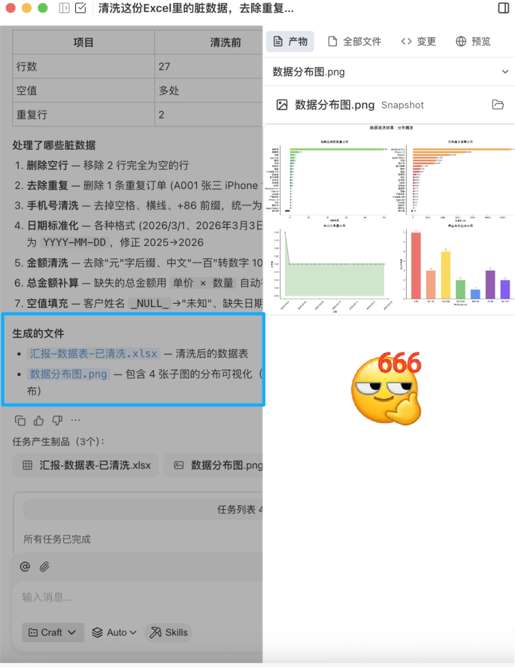
Now: Instruct, "Clean the dirty data in the Excel spreadsheet in the workspace, remove duplicate rows, fill empty values, and generate a distribution chart."
-
Effect: The data is directly cleaned, and the chart is directly generated.
5. PPT Reporting
-
Before: Moving templates around, manually formatting, writing summaries; no one can finish reading a 50-page competitor document.
-
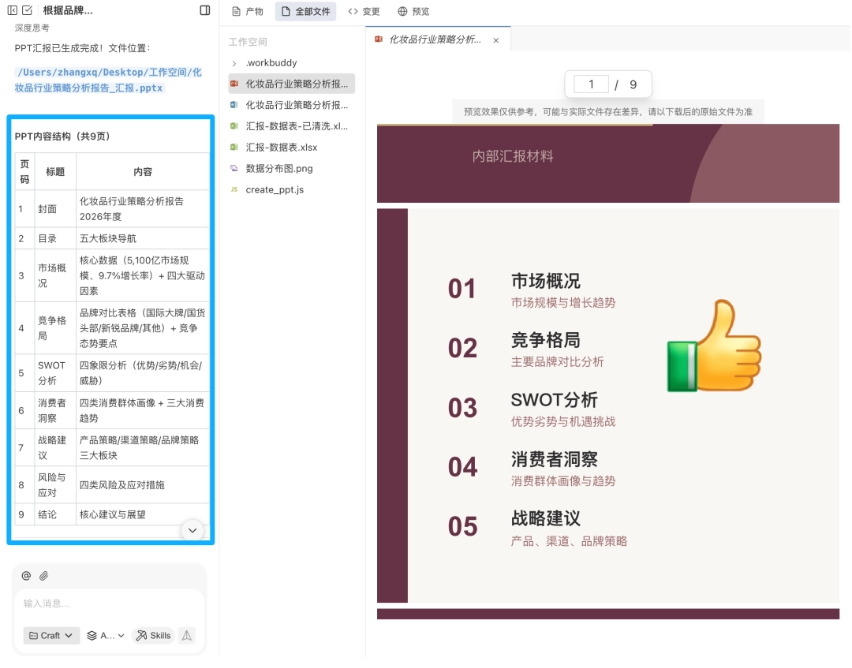
Instruction: "Based on a certain cosmetics brand analysis document in the workspace, generate a PPT report including product comparisons and strategic recommendations."
-
Effect: Throw the document in directly, and the PPT is automatically generated.
6. Analyze Spreadsheets
-
Before: Customer feedback piles up like a mountain every quarter—you dig through chat logs, build spreadsheets for stats, and guess the causes yourself.
-
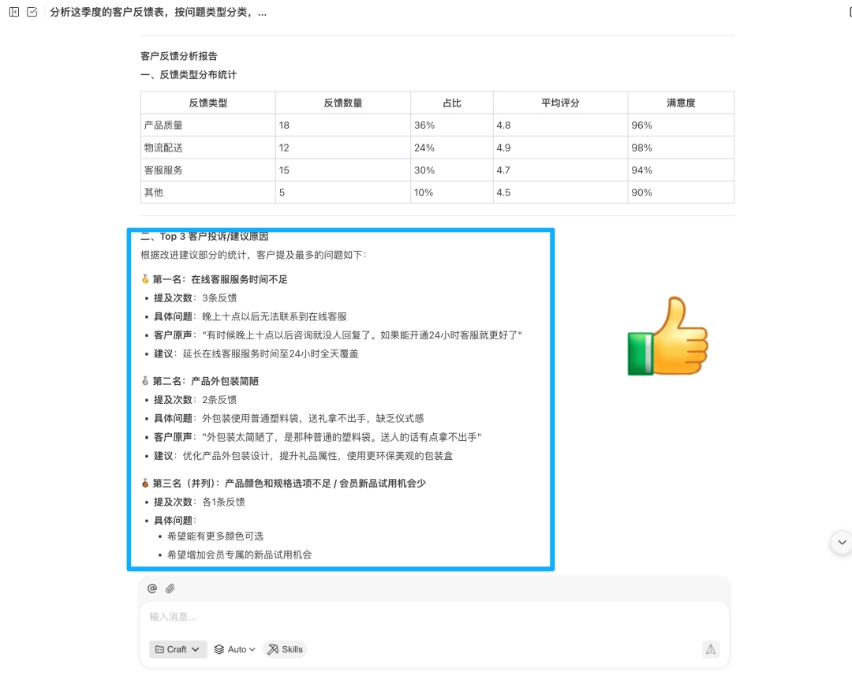
Prompt: "Based on the customer feedback table in the workspace, classify by issue type and summarize the Top 3 reasons for customer complaints."
-
Result: Sentiment categorization, issue extraction, and optimization suggestions all come out in one go.
7. Create a training outline
-
Before: Starting a new course meant researching materials from scratch, building an outline, writing lecture notes, and making slides—prep ate up more than half a day.
-
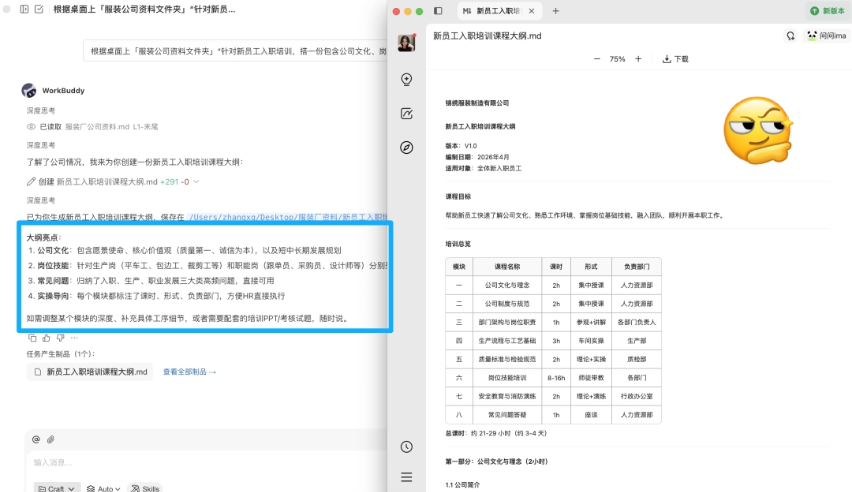
Prompt: "Based on the 'Apparel Company Materials Folder' on the desktop, create a course outline for new employee onboarding training that includes company culture, job skills, and common questions."
-
Result: The outline framework is generated directly; you fill in details module by module, cutting prep time in half.
8. Assist with creation
-
Before: Finding references meant scrolling Huaban for half an hour, writing proposal copy took ages to force out, and generating concept images required learning a pile of prompt syntax.
-
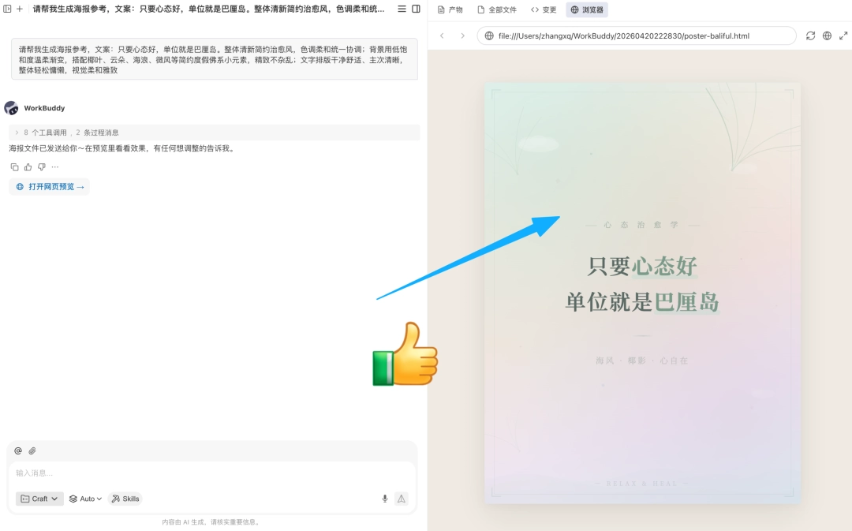
Prompt: "Help me generate a minimalist poster image in Morandi colors, poster ratio 9:16, copy: As long as your mindset is good, your workplace is Bali, and the font should have a design feel."
-
Result: Reference examples are put into practice immediately.
Original link:8 WorkBuddy prompts every internet worker must have