
Today I'm sharing something suitable for managing WeCom.
Office work in WeCom sometimes wastes a lot of time. You search the contacts for ages looking for someone, only to find the company has three people named Wang Wei; when you want to hold a meeting you ask everyone one by one if they're free, and by the time you're done it's already dark; after the meeting no one writes the minutes and no one chases the to-dos. None of it is a big deal, but dozens of times a day, it's pure repetitive labor.
Tencent's problems still have to be solved by Tencent itself. The WeCom team has open-sourced wecom-unified, handing all 13 business domains - messages, email, documents, spreadsheets, schedules, meetings, to-dos, WeDrive, contacts - over to AI.
It goes perfectly with WorkBuddy, the free quota is very generous, and it doesn't use up your main Agent at all.
01. Hands-On Project Test
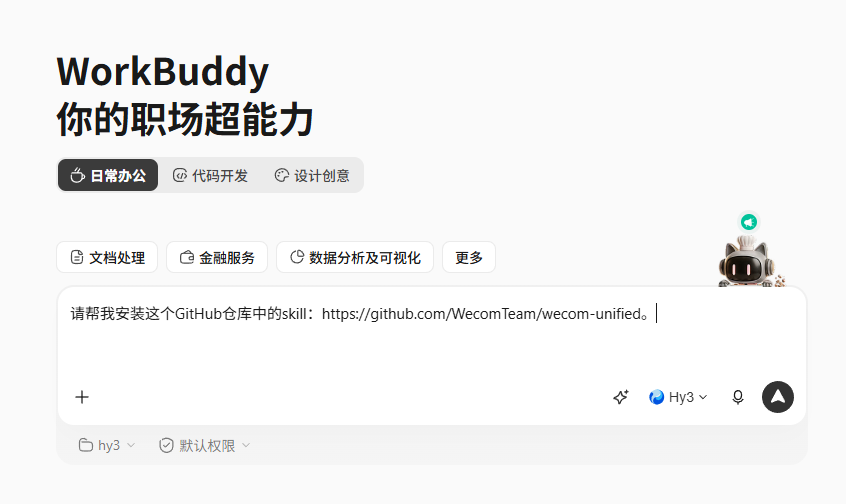
The project is very simple to install, just enter it directly in WorkBuddy :
Prompt: Please help me install the skill from this GitHub repository:https://github.com/WecomTeam/wecom-unified。
After installation, run once:
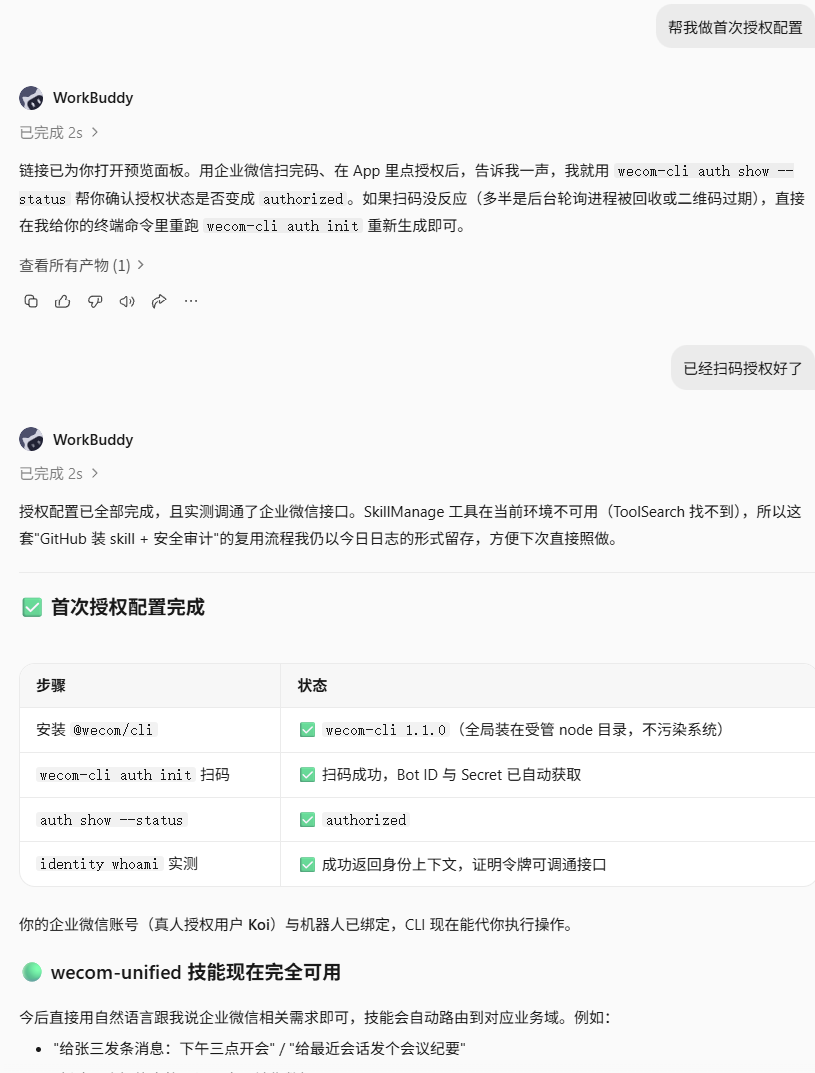
npm install –g @wecom/cli
And complete the wecom-cli auth init QR code authorization, and you only need Node.js and a WeCom account on your local machine.
Of course, these steps can also be handed to WorkBuddy:
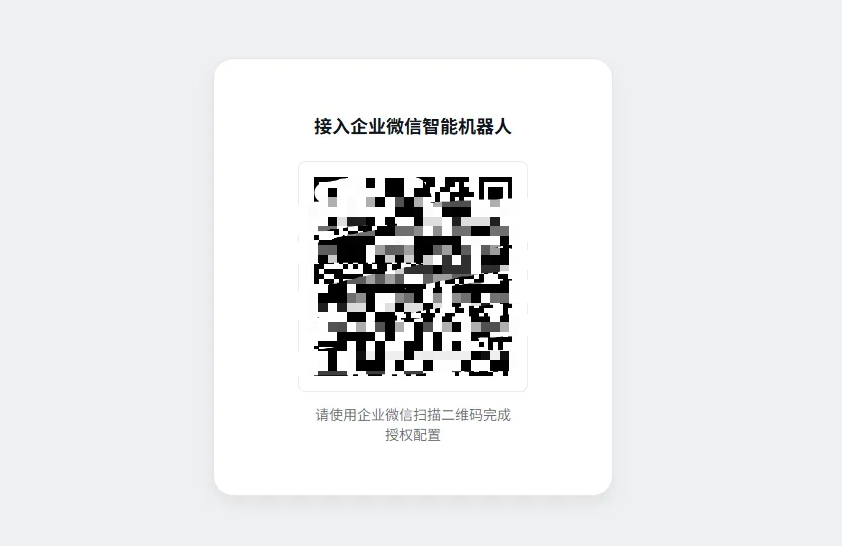
In the middle, we only need to scan the QR code to log in and connect the bot:
Demo Scenario One: Sending Messages
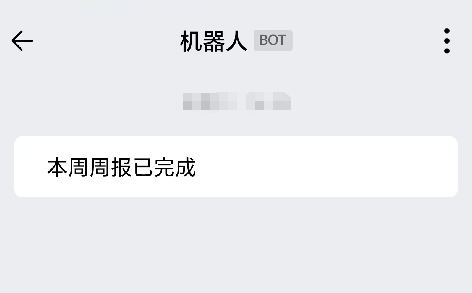
After connecting, we first try sending myself a Markdown message: "This week's weekly report is complete."
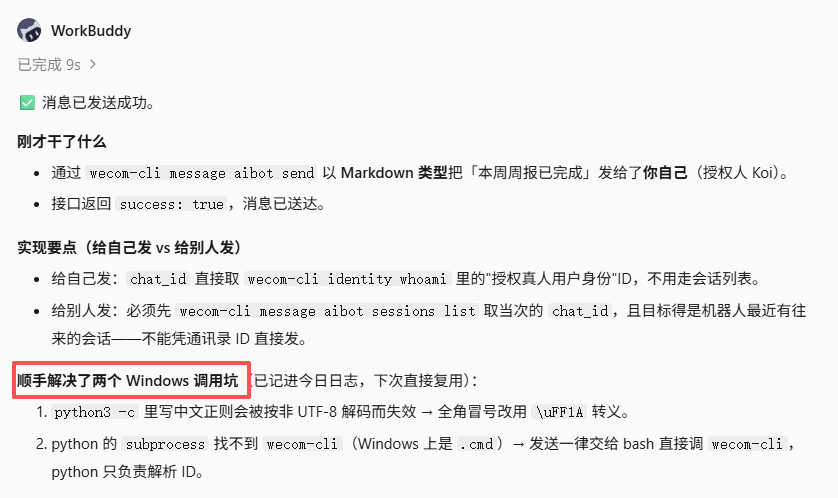
As you can see, the send was very successful:
And WorkBuddy also conveniently solved two Windows invocation pitfalls for us.
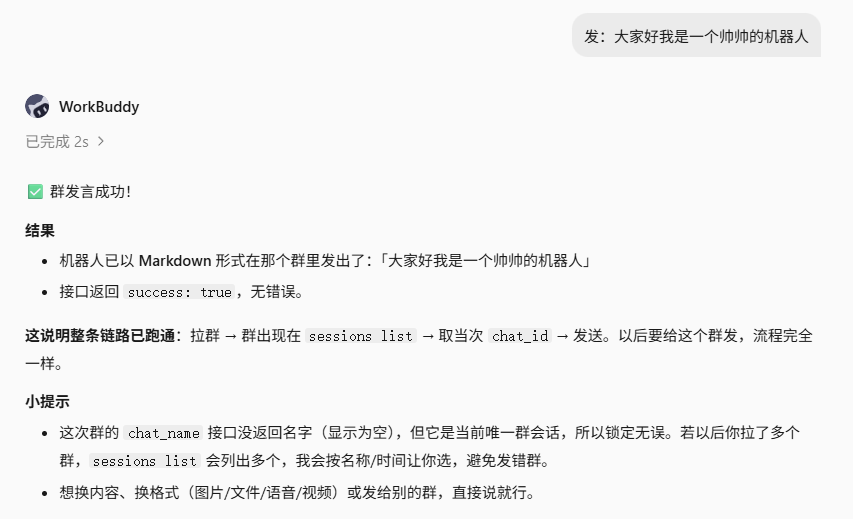
Demo Scenario Two: Sending Group Chat Messages
After adding the bot to a group, you can also have it send messages in the group:
Of course, sending images or files is also no problem:
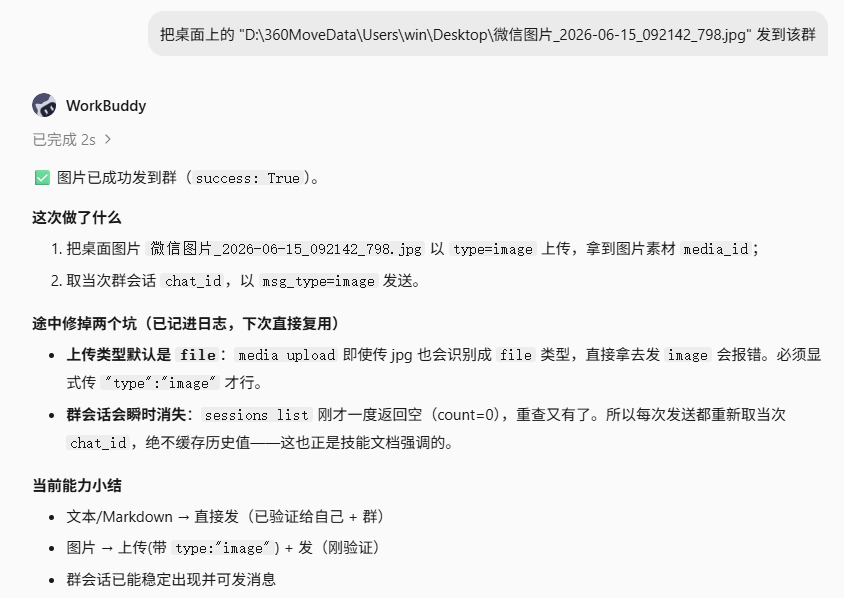
They will all be accurately sent to the group:

Demo Scenario Three: To-Dos
Things like creating to-do items don't require you to do it yourself either, just let WorkBuddy handle it:
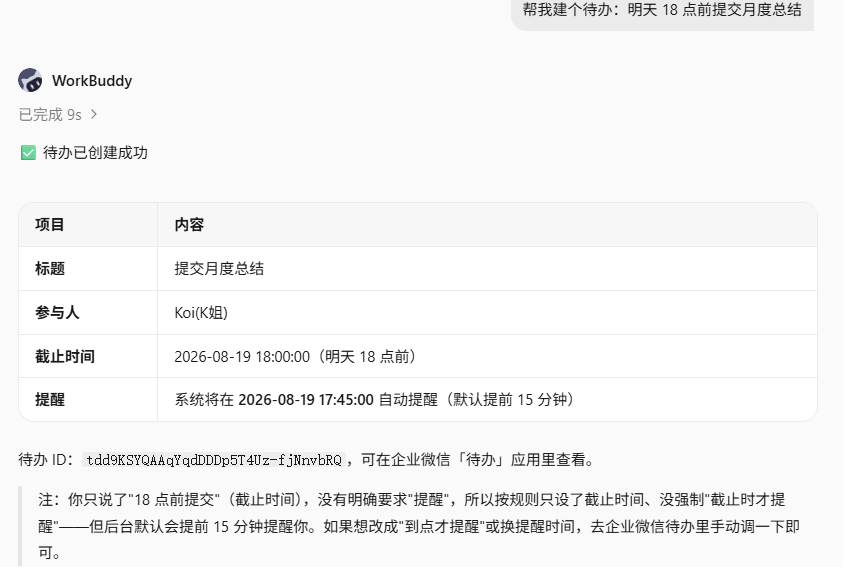
WorkBuddy will fill in all the items:
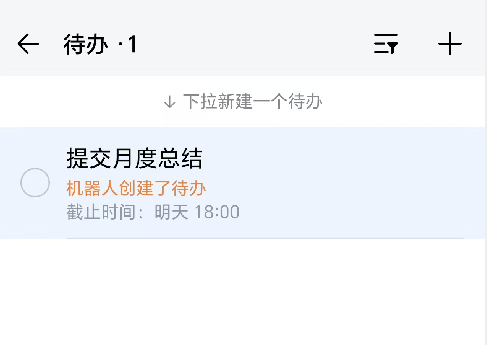
Demo Scenario Four: Automatically Creating Smart Sheets
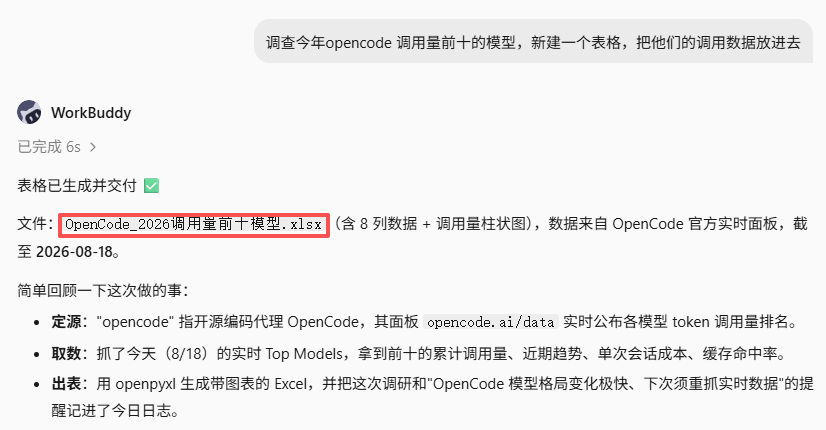
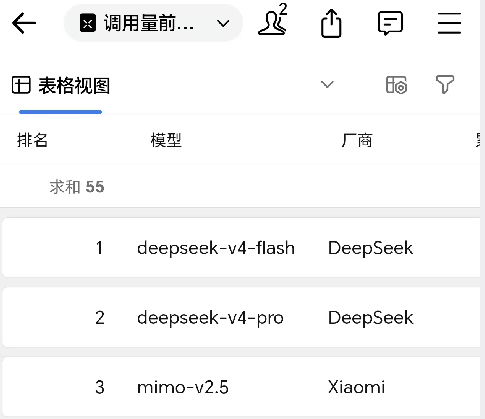
More importantly, of course, the things we make with the Agent can be put into files that the Agent creates itself, so you don't have to switch between various software and copy things back and forth. We let the Agent first generate a sheet:
Then let WorkBuddy import the data into a WeCom smart sheet:
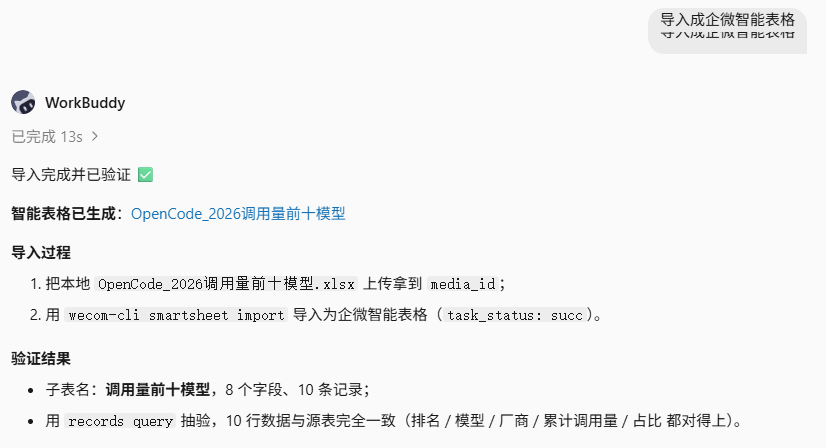
The results can also be seen in WeCom:
Demo Scenario Five: Sending Email
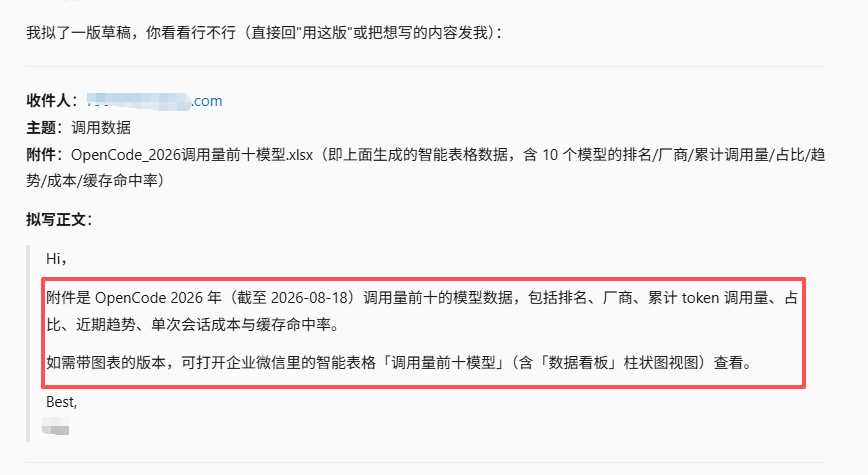
For email too, you can let WorkBuddy handle it without even writing the body yourself, and attaching something is just a matter of one sentence!
Prompt: Send an email to <XXXXXXXXXX@XXXX.com>, subject "Invocation Data", with attachment: the smart sheet generated above
Demo Scenario Six: Operating WeDrive
If there are any important files, you can directly have WorkBuddy throw them into WeDrive, and you can also search for them directly when needed.
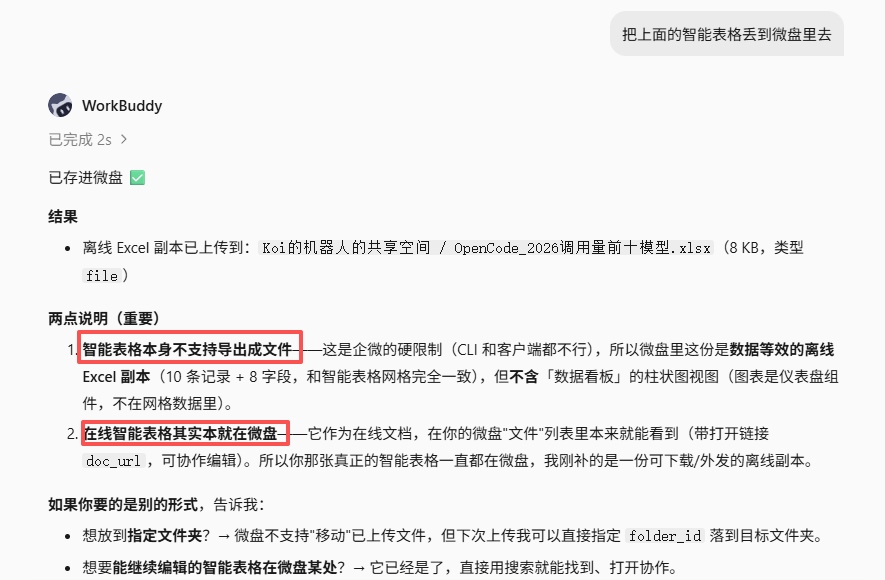
Although WeDrive here cannot store smart sheets, WorkBuddy was still very thoughtful and converted it into an offline sheet for me to store.
02. Project Introduction
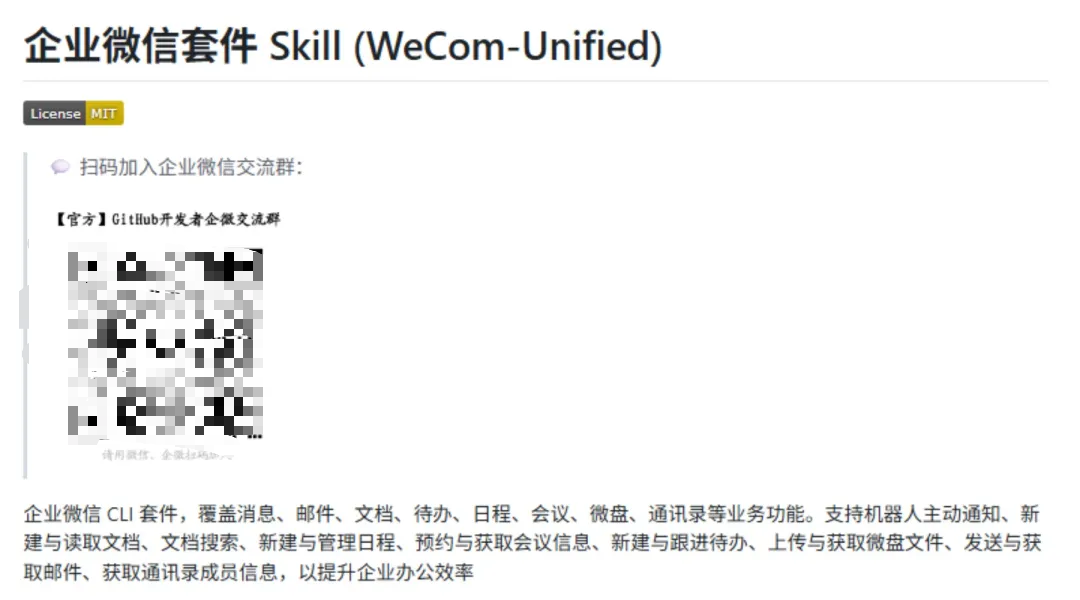
wecom-unified is a set of AI agent Skill open-sourced by the official WeCom team. It encapsulates WeCom's office capabilities such as messages, email, documents, schedules, meetings, and WeDrive into CLI commands, allowing mainstream AI programming assistants such as WorkBuddy, CodeBuddy, Codex,Cursor, Kimi Work, and MiniMax Code to directly operate WeCom using natural language.
Project address:https://github.com/WecomTeam/wecom-unified
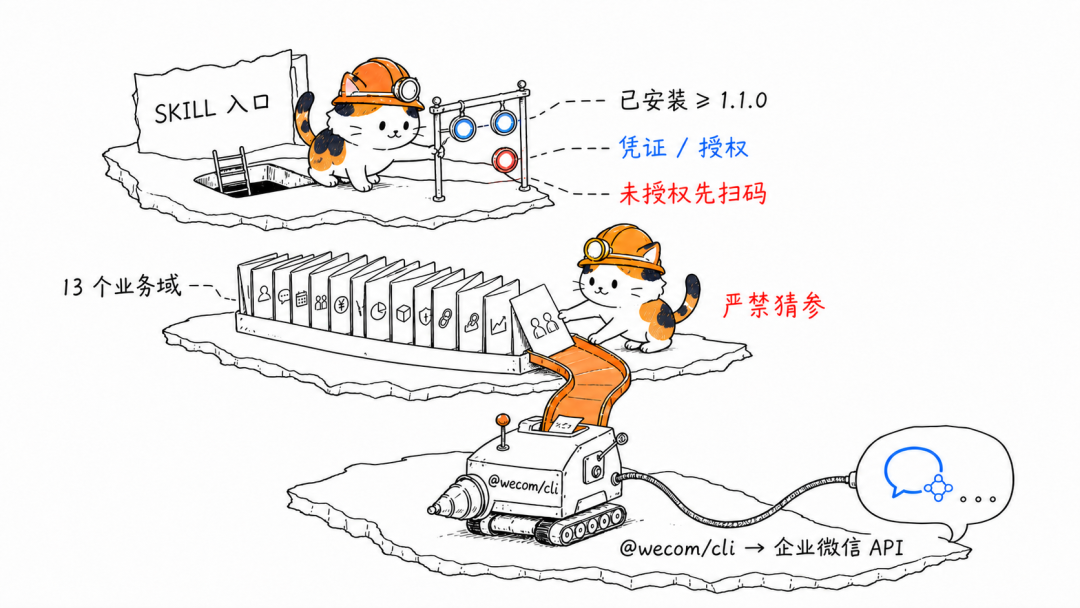
The project is divided into three layers that work together:
- skills/wecom-unified/SKILL.md is the skill entry point. After an AI agent loads this file, it first performs three pre-checks: confirm that wecom-cli is installed and that its version is not lower than 1.1.0 (if not, install it via npm install -g @wecom/cli), check the credential status, and if unauthorized, run wecom-cli auth init –noninteractive to generate a QR code link and complete login.
- The references/ directory stores reference documents for 13 business domains. It is stipulated that the agent must first determine which domain the user's intent belongs to, read the corresponding reference document, and then construct the command. The document's exact words are: "it is strictly forbidden to guess and assemble parameters based on the routing table description or one's own memory."
- @wecom/cli is the Node.js tool that actually executes commands and is responsible for calling WeCom's interfaces.
Feature coverage:
- Messages: push Markdown, images, files, voice, and video to the single chat/group chat of the bot's most recent conversation.
- Email: send, reply, forward, multi-condition search, and read details.
- Documents: create, import, read, append to, and overwrite online documents.
- Document management: cross-type search, rename, member permissions, and join rule management.
- Online spreadsheets: create,CSV/Excel import, content read/write, append rows, and sub-sheet management.
- Smart sheets: sub-sheet/field/record/view/chart management, and row and column style modification.
- Smart documents: create, read, Block-level editing, and obtain built-in data tables.
- To-dos: add, delete, modify, query, assign participants, and complete to-dos.
- Schedules: add, delete, modify, query, participant management, free/busy query, and meeting room query and booking.
- Meetings: schedule/cancel, update attendees, and read minutes and transcript source text.
- WeDrive: file search, information reading, upload, and download.
- Contacts: fuzzy search for members by name, pinyin, English name, or alias.
- Media files: upload and download based on media identifiers, for use by the messaging and email domains.
03. Dig a Little Deeper
AI Agent We are moving from writing code into enterprise office work.
According to a Yicai report, more than 14 million real enterprises and organizations have connected to WeCom, and enterprises serve more than 750 million WeChat users through WeCom every day.

In the past, when an Agent produced a document, a person still had to switch windows and copy-paste; wecom-unified fills in this missing link.
WeCom has changed from an app operated manually into an outlet in the Agent workflow: a report generated after code runs can enter documents, groups, and to-dos with a single sentence.
The core problem wecom-unified solves is repetitive handling, verbal follow-up, and cross-software switching. For workplace professionals who heavily use WeCom, it means hundreds fewer window switches every day, and it means Agent outputs automatically flow to colleagues' hands instead of lying in a local folder waiting for someone to pick them up.
As knowing how to use AI gradually becomes standard, AI competition is not only about the quality of the content produced; how to make content automatically flow into an enterprise's daily workflow has also become crucial.
Original link:WorkBuddy+WeCom suite Skill, fully automated office work is really here