
What Is WorkAny Bot
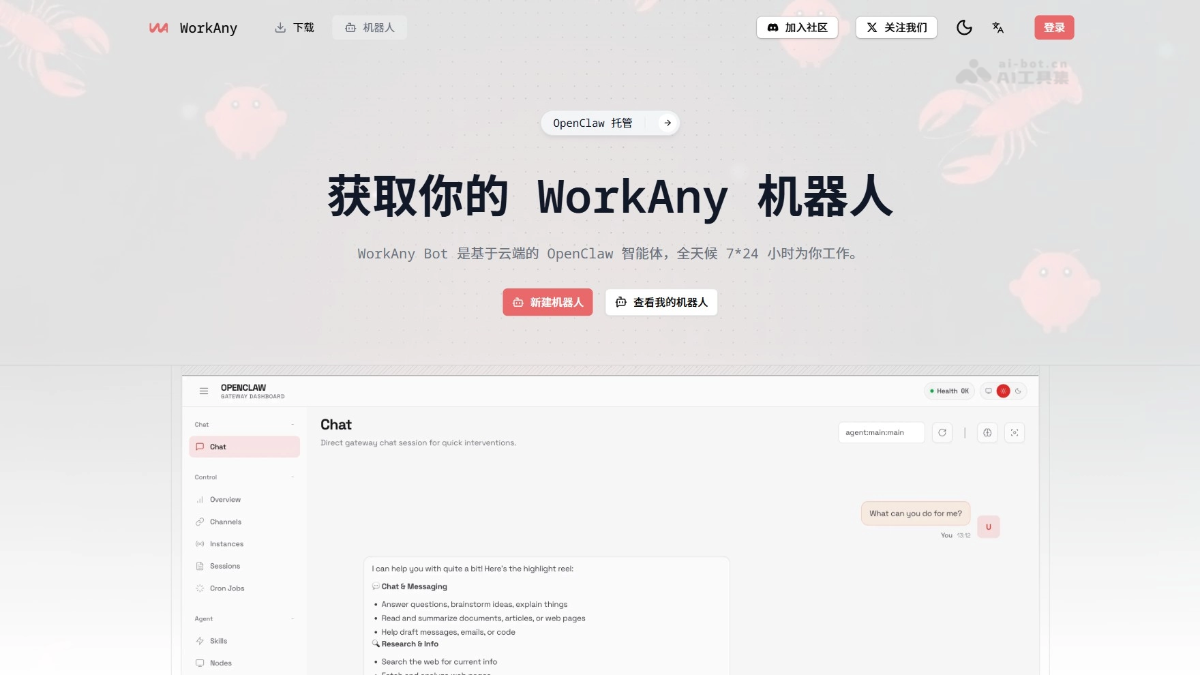
WorkAny Bot is a cloud-based OpenClaw AI agent that supports working for users online 24/7. WorkAny Bot supports integration with GPT-4, Claude, Tongyi Qianwen, and other proprietary AI models, and can be conversed with anytime through multiple channels such as Telegram, Discord, Feishu, and Slack. The tool features long-term memory, plugin extensions, and multi-skill capabilities, and can help users look up information, write reports, build web pages, and automate tasks. Data is stored in isolation, keeping it secure and private. It lets users have a dedicated AI assistant that is online around the clock, powerful, and trustworthy, without needing to buy hardware or deploy servers themselves.
WorkAny Bot's Main Features
- Always-On Availability: The bot runs on cloud servers and responds to messages and executes tasks 24/7 without needing to keep a local device powered on.
- Customizable Models: Supports integration with any OpenAI-compatible AI model, including providers such as GPT-4, Claude, Tongyi Qianwen, OpenRouter, or SiliconFlow.
- Multi-Channel Access: You can chat with the bot through the web interface, Telegram, Discord, Slack, WhatsApp, Feishu, iMessage, Line, and many other instant messaging apps.
- Long-Term Memory: With persistent storage capabilities, it automatically remembers conversation history and user preferences, providing personalized and contextually coherent interactions.
- Plugin Extensions: Supports installing plugins to extend functionality, enabling advanced capabilities such as web search, file processing, code execution, browser automation, and image generation.
- Data Security: Uses encrypted storage and an isolated architecture. User data is stored independently, and only the user can access conversation content and the bot's memory, ensuring privacy and security.
How to Use WorkAny Bot
-
Subscribe to the Service: Visit the WorkAny official website https://workany.ai/zh/bot,选择托管版套餐,完成支付后可获得云端机器人创建资格。
-
Configure the Bot: In the console, set the bot name and enter the API key for your own AI model (supporting providers such as OpenAI, Anthropic, OpenRouter, and SiliconFlow). You can optionally configure access credentials for instant messaging platforms such as Telegram and Discord.
-
Start Using It: Chat directly with the bot through the generated web link or a linked instant messaging app, and enable plugins and skills as needed to extend advanced features such as drawing, search, and automation.
WorkAny Bot Product Pricing
- Free Version: Suitable for technical users to deploy the OpenClaw bot themselves on their own machine or cloud server. It includes basic features such as a web chat interface, plugin system, agent skills, and the Moltbook community, and all OpenClaw core capabilities can be used at no cost.
- Hosted Version: Current price $24.9/month. A cloud-hosted OpenClaw bot that includes all free version features and supports using your own AI models, independent storage space, long-term memory, 24/7 operation, and multi-channel access. Billed annually and can be canceled at any time, it is the most cost-effective popular choice.
- Personal Assistant: Current price $169/month. A one-stop personal assistant service with built-in AI models and agent skills. It includes all cloud bot features, provides professional support, is billed annually, and can be canceled at any time.
WorkAny Bot Use Cases
-
Information Retrieval and Knowledge Management: 7×24 hours to help you look up information, organize literature, track industry trends, and automatically save search history to form a knowledge base.
-
Content Creation and Copywriting: The tool can write reports, emails, marketing copy, and code comments, and supports multiple rounds of revision and style adjustments.
-
Programming and Technical Support: Assists with writing code, debugging, and explaining technical documentation, and can connect to code execution plugins to run and test directly.
-
Automated Office Tasks: Through browser automation plugins, it completes repetitive work such as scheduled data collection, form filling, and email sending.
-
Multilingual Communication Assistant: The tool can perform real-time translation and cross-language content localization, and supports collaboration with overseas teams through different IM channels.