
Today I'm sharing something suitable for voice timbre replication.
To be honest, the most annoying thing about doing AI voice right now is that when you only want to change a few words in the generated audio, you have to re-record, re-dub, and re-edit.
Today this GitHub ViiTorVoice-NAR project is very suitable for this kind of scenario: given an original audio clip and the corresponding script, you can directly modify the local content inside it, while the voice timbre, tone, and rhythm can still retain the original feel.
01. Project Introduction
ViiTorVoice-NAR is a non-autoregressive speech generation system open-sourced by viitor-ai, mainly aimed at voice cloning, local speech editing, emotion control, and paralinguistic control.
Project address:https://github.com/viitor-ai/viitor-voice-nar
The core idea of ViiTorVoice-NAR is to change speech generation from token-by-token continuation to filling in the blanks of discrete audio tokens.
Traditional autoregressive TTS often generates audio tokens in order, and can only continue to the later parts after the earlier parts are generated; ViiTorVoice-NAR uses a masked language model approach to complete the masked audio segments in the discrete codebook space.
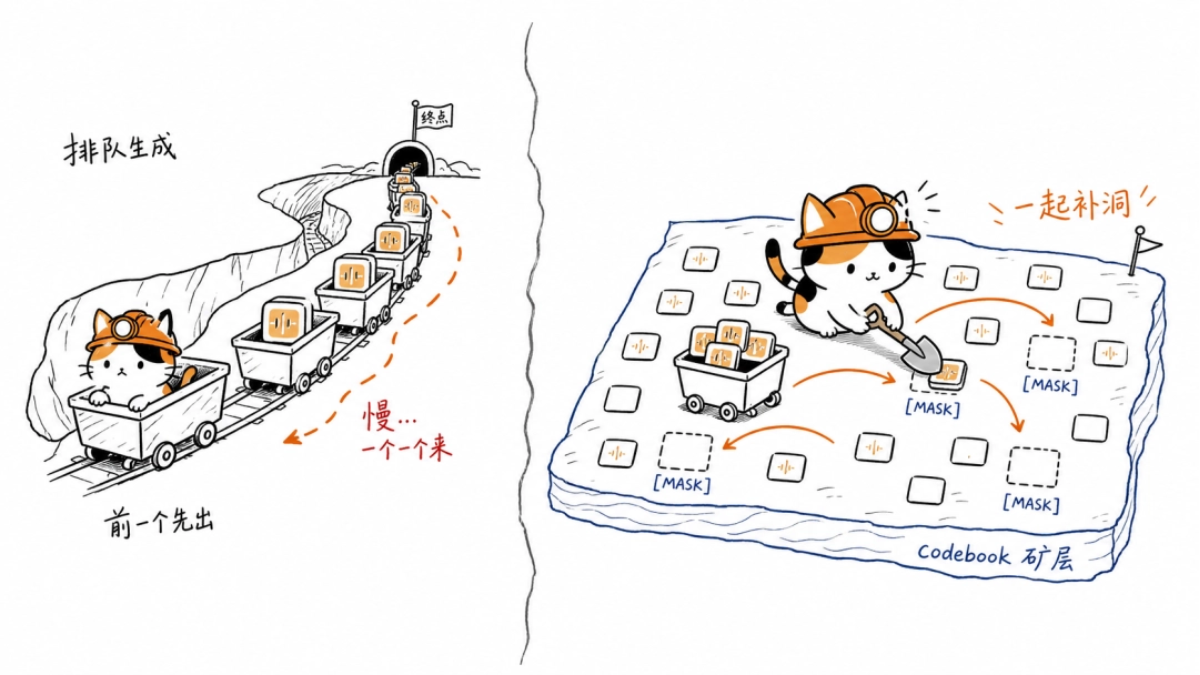
This structure is very suitable for local speech editing. For example, to change Friday in a sentence to Monday, you only need to locate and resynthesize the modified local region, without regenerating the entire audio segment.
The core capabilities of ViiTorVoice-NAR:
- Voice cloning: input a prompt audio clip, and the model generates speech corresponding to the target text, while trying to retain the speaker timbre in the prompt audio.
- Local speech editing: input the original audio, the original text, and the complete edited text. The system first performs a diff on the text, then combines the forced alignment results to find the audio region that needs to be replaced, and finally resynthesizes only that small segment of audio.
- Emotion and paralinguistic control: emotion tags or paralinguistic tags can be inserted into the text condition, such as emotions, laughter, pauses, tone, and so on.
- Low-latency inference: the project supports the first block inference mode. The model can first generate the first block of audio tokens to shorten the first-frame waiting time.
02. Project Hands-on Test
The project requires installing git, uv, and an NVIDIA graphics card. Only 8G of VRAM is enough, and 12G will run more smoothly.
After setting up the environment, directly clone the project to an English path:
1  cd D:\
2  git clone https://github.com/viitor-ai/viitor-voice-nar.git viitor-voice-nar
3  cd D:\viitor-voice-nar
Then create a Python 3.12 virtual environment and install the dependencies:
1  uv venv --python 3.12
2  uv pip install --python .venv\Scripts\python.exe -r requirements-grpc.txt
3  uv pip install --python .venv\Scripts\python.exe -r requirements-alone.txt
4  uv pip install --python .venv\Scripts\python.exe protobuf==4.25.3
Download the model. The model is more than 10 GB, so everyone should leave enough space:
1  New-Item -ItemType Directory -Force local_models
2  $env:PYTHONIOENCODING="utf-8"
3  .venv\Scripts\hf.exe download ZzWater/ViiTorVoice-NAR --local-dir local_models
Finally, start it and you can begin using it:
1  cd D:\viitor-voice-nar
2  .\run_grpc_v2.ps1 start all -- --no-warmup
case 1 Voice Cloning
1  Copy-Item "被克隆的语音位置" "D:\viitor-voice-nar\input_voice_clone.mp3" -Force
2
3  curl.exe -X POST http://127.0.0.1:7861/v1/voice-clone `
4    -F "ref_audio=@D:\viitor-voice-nar\input_voice_clone.mp3" `
5    -F "text=你好,这是一次语音克隆测试。" `
6    -F "language=zh" `
7    -F "allow_missing_ref_text=true" `
8    -F "output_format=wav" `
9    -F "num_steps=32" `
10   --output "语音克隆输出位置" `
11   --write-out "HTTP %{http_code} size %{size_download}`n"
Original version:
Cloned version:
It can be seen that the cloned version not only has a similar timbre, but also carries a bit of a rap flavor.
case 2 Local Word Replacement
1  Copy-Item "被克隆的语音位置""D:\viitor-voice-nar\input_liziming.mp3" -Force
2
3  curl.exe -X POST http://127.0.0.1:7861/v1/text-local-edit `
4    -F "source_audio=@D:\viitor-voice-nar\input_liziming.mp3" `
5    -F "original_text=请注意三年六班李子明,李子明同学,你妈妈拿了两罐旺仔牛奶要给你。" `
6    -F "edited_text=请注意三年六班克劳德,克劳德同学,你妈妈拿了两份迪普斯科要给你。" `
7    -F "language=zh" `
8    -F "input_format=wav" `
9    -F "output_format=wav" `
10   -F "align_granularity=word" `
11   -F "expand_mask_ratio=1.5" `
12   -F "num_steps=32" `
13   --output "语音克隆输出的位置" `
14   --write-out "HTTP %{http_code} size %{size_download}`n"
Original version:
Word-replaced version:
Apart from the places that needed to be changed, there are basically no changes elsewhere.
case 3 Emotion Control
1  Copy-Item "被克隆的语音位置""D:\viitor-voice-nar\input_sad_ref.wav" -Force
2
3  $Text = "你好,这是一次悲伤情绪的语音生成测试。"
4
5  curl.exe -X POST http://127.0.0.1:7861/v1/voice-clone `
6    -F "ref_audio=@D:\viitor-voice-nar\input_sad_ref.wav" `
7    --form-string"text=<|emotion-sad|>$Text" `
8    -F "language=zh" `
9    -F "allow_missing_ref_text=true" `
10   -F "emotion_guidance_scale=6.0" `
11   -F "nvv_guidance_scale=2.0" `
12   -F "output_format=wav" `
13   -F "num_steps=32" `
14   --output "语音克隆输出的位置" `
15   --write-out "HTTP %{http_code} size %{size_download}`n"
Original version:
Sad version:
The emotion is very much on point, and the timbre was not changed along with the emotion change.
03. Digging Deeper
AI voice is entering the most time-consuming and also most expensive part of content production: script revision.
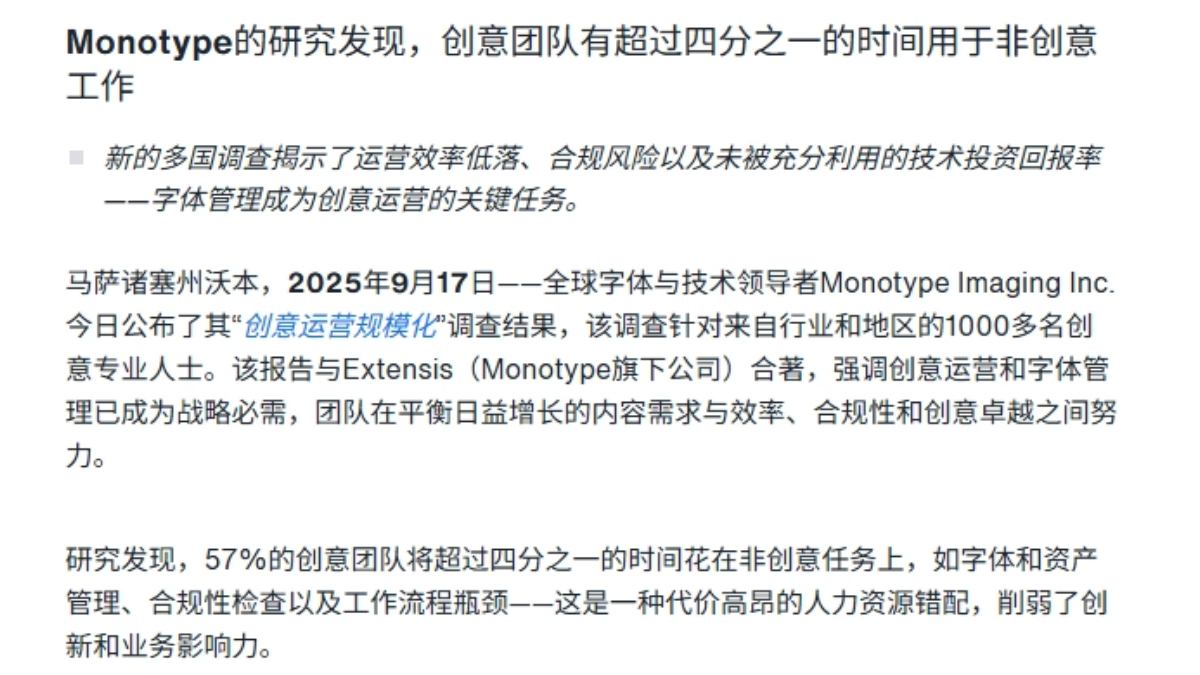
In 2025, Monotype surveyed 1,008 creative professionals. 57% of creative teams spend more than a quarter of their time each week on non-creative work, including asset management, compliance checks, and process bottlenecks.
In short-video voiceovers, advertising materials, course narration, game voice lines, and customer service announcements, often only a single name, date, brand term, or price is changed, yet the traditional workflow still requires re-recording, re-editing, and re-reviewing everything.
ViiTorVoice-NAR's voice cloning handles generating new content, local speech editing handles replacing a few words in old audio, and emotion control handles adding tone changes, making revisions much easier.
What is saved is not just dubbing costs, but also the time spent going back and forth, waiting for scheduling, and repeatedly editing.
Individual creators can use it for audio stunts and voiceover script revisions, companies can build internal dubbing tools, and they can also build a lower-cost production workflow around licensed voice assets.
For AI speech to truly enter production, it does not depend on how stunning a single generation is, but on causing a little less hassle with every script revision.
Original link:GitHub hidden gem with few stars, a free voice timbre replication project