
What is Vidu Agent
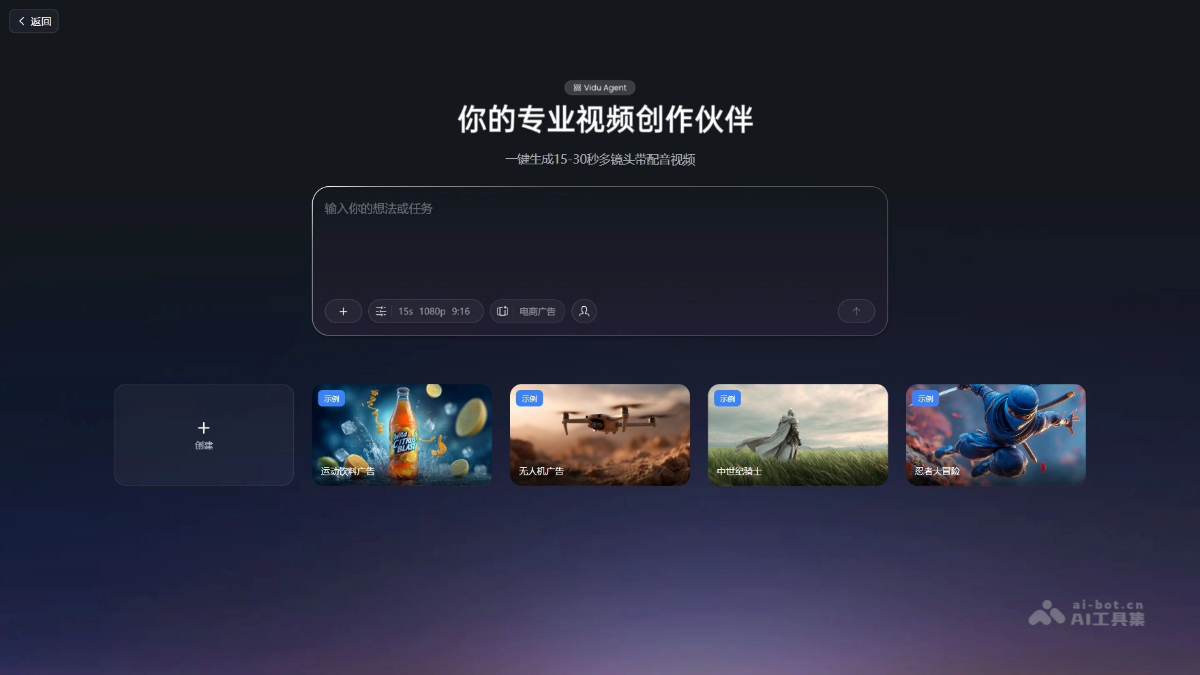
Vidu Agent isVidulaunched by AI video creation tool, supporting 20+ languages and 200+ voice tones, covering various creation scenarios such as commercial advertisements, product TVCs, feature films, and more, capable of generating high-quality videos with one click. Vidu Agent features storyboard editing, allowing users to easily adjust shot order, duration, and more. Vidu Agent lowers the barrier to video creation, enabling creators to quickly produce creative videos with simple operations, achieving efficient, low-cost content production and advancing the human-AI co-creation model.
Vidu Agent's Main Features
-
One-Click Video Creation: Users only need to input simple requirements (such as a sentence, product image, etc.) to quickly generate a complete video work.
-
Multi-Language and Multi-Voice Support: Supports 20+ languages and 200+ voice tones, meeting creation needs across different regions and scenarios, enabling global content production.
-
Multi-Scenario Adaptation: Covers various scenarios such as commercial advertisements, product TVCs, feature films, and more, optimizing algorithms according to different scenarios to generate adapted video content.
-
Storyboard Editing: Provides one-click storyboard editing capability; users can drag and drop to adjust shot order, duration, and transition effects, with real-time preview of the modified video.
-
Video Replication: Users can upload viral videos and product reference images, describe the desired effect, and quickly generate similar high-quality videos, producing viral content at scale.
-
Multimodal Creation: Supports the entire creation process from creative ideation to final video output, enabling the integrated creation of multiple modalities such as text, images, and videos.
How to Use Vidu Agent
-
Register and Log In: Visit theViduofficial website, register an account, and complete login.
-
Enter Agent: After logging in, click the "Vidu Agent" button in the left sidebar to enter the operation interface.
-
Select Scenario: Choose a creation scenario according to your needs, such as commercial advertisement, product TVC, feature film, or creative short film.
-
Upload Materials: Upload relevant materials, such as product images, reference images, or video clips.
-
Input Requirements: Enter a simple requirement description in the input box, such as "Generate an XX advertisement."
-
Generate Video: Click the "Generate Video" button and wait for the system to generate a video based on the requirements and materials.
-
Edit and Adjust: Use the storyboard editing feature to adjust shot order, duration, transition effects, or modify script content.
-
Export and Use: After adjustments are complete, click "Export" to save or publish the generated video.
Vidu Agent's Application Scenarios
-
Commercial Advertisement Production: Used to create brand promotional advertisements and product marketing videos, quickly generating high-conversion advertising content, supporting multiple language versions to meet global market promotion needs.
-
Product Television Commercial (TVC): Focuses on core product selling points, combining 3D modeling and live-action integration technology to generate high-quality product display videos and enhance product appeal.
-
Creative Short Films and Narrative Films: The tool supports long-form plot logic organization, automatically generates storyboard scripts, and adapts to cinematic-quality rendering, meeting the creative needs of creative short films and feature films.
-
E-commerce advertising: The tool quickly generates e-commerce product advertisements, supports switching between multiple subjects and multiple scenes, optimizes product display effects, and increases users' desire to purchase.
-
Social media content: Create short videos suitable for social media platforms, quickly respond to trending topics, generate creative content that attracts users, and increase traffic and interaction.