
Today's AI tools are more capable than ever. Writing documents, making summaries, data analysis… when watching demos, it always feels like half a day's work can be completed by AI in a few minutes.
But when actually using it in your own work, organizing the materials and contextual information needed for the work for AI turns out to be more exhausting than the process of AI generating it.
Take writing a weekly report, for example. I need to search back and forth between group chats, documents, meeting minutes, and task lists. After opening the AI tool, I still have to reorganize the materials, package and upload them, and then explain the project background to the AI all over again.
A lot of work has been done, and the AI has only just started working.
Recently, TraeWork launched an office assistant. We can send messages directly in Feishu and WeChat chat windows, and the AI can read the information and online documents on its own and start working. Without switching to other software, we can see the task progress.
We can also pull the bot into work group chats and collaborate together with team members.
In the past, we moved work materials into AI; now, AI can finally enter our workspace directly.
The idea sounds right. Let's experience together whether it works smoothly in practice and whether it can improve efficiency.
01. Evolution of Office Work Across All Scenarios
After downloading TraeWork, open the office assistant and first bind the office tools we usually use.
Currently, you can connect Feishu or WeChat, and later it will be further expanded to WeCom and DingTalk.
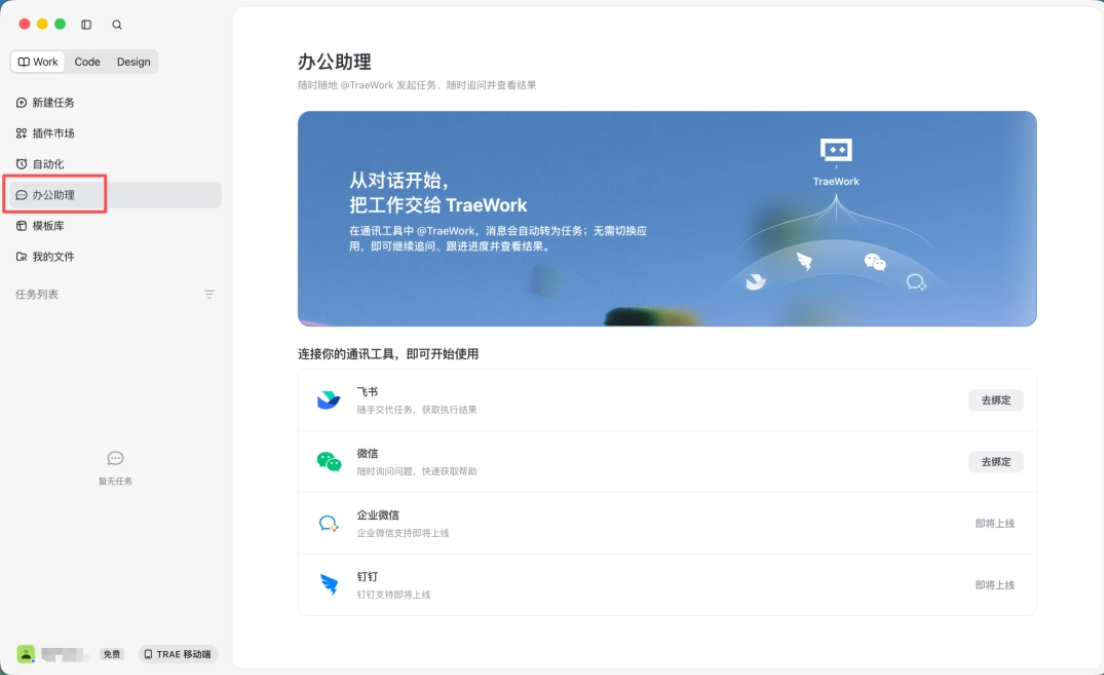
We click to bind Feishu, scan the QR code to authorize and create the TraeWork agent, and then we can directly instruct TraeWork to work in the Feishu chat window.
Directly Read Feishu Documents
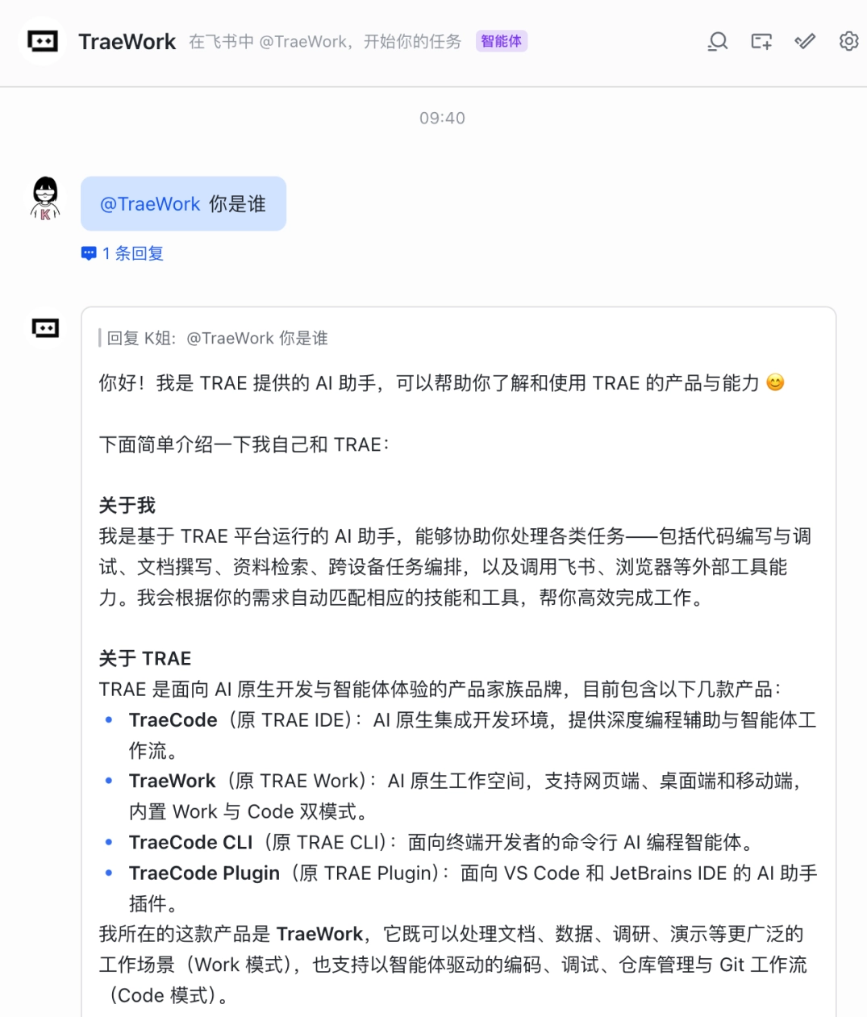
Let's start with the simplest document summary.
We directly reference a Feishu document titled "This Week's Internship Work Summary," and then instruct TraeWork:
Prompt: Help me see what this document mainly says.
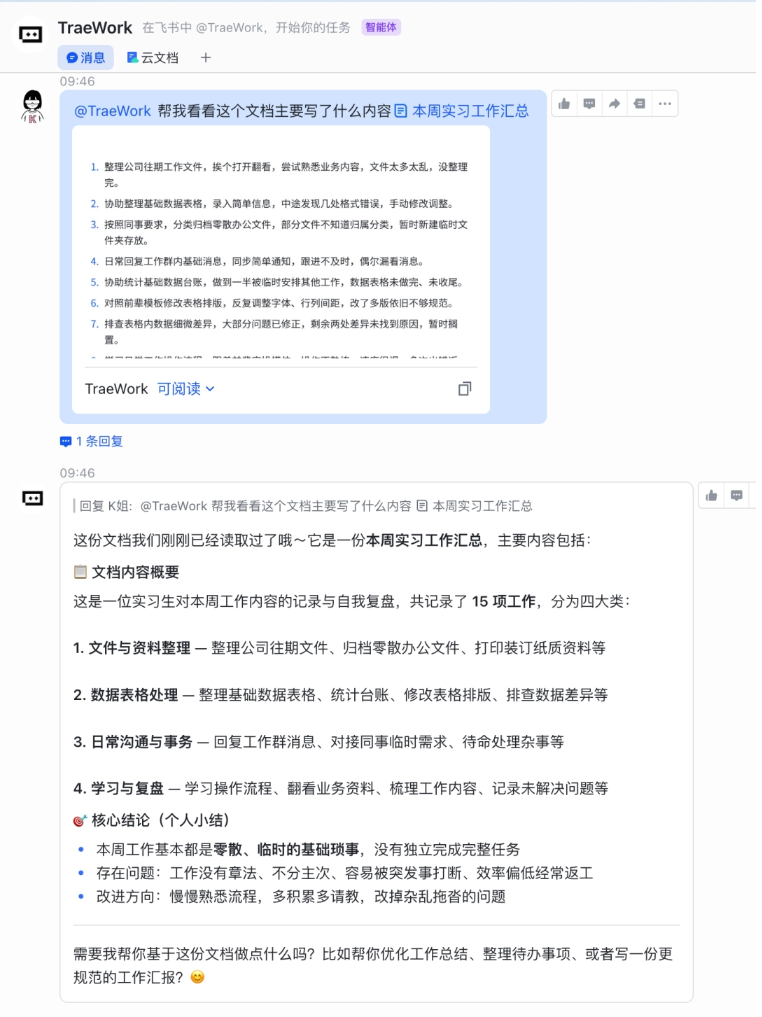
TraeWork directly read the document and summarized the scattered work records into 4 categories: file and material organization, data spreadsheet processing, daily communication and affairs, and learning and review.
The information extraction and classification are quite accurate.
It saves the whole chain of preparatory actions: opening the document, copying the content, switching AI tools, and re-uploading files.
Working with AI doesn't necessarily require sitting in front of a computer. On the commute, you can instruct TraeWork to work anytime and anywhere using Feishu on your phone.
Organize Weekly and Monthly Reports
Every Friday, the biggest headache for office workers is writing the weekly report. You have to rely on memory to scroll through chat records, copy and organize them one by one, and it's easy to turn it into a running account.
We let TraeWork optimize it:
Prompt: Help me optimize my work summary. Write the weekly report according to this week's conclusions, key progress, and next week's plan; use one sentence for the conclusion to clearly state the most report-worthy result of this week; list 3-5 key progress items, explaining what was done and what results it brought; write 2-3 items for next week's plan, clearly stating what needs to be advanced and what support is needed.
In less than a minute, TraeWork generated a work report with clear priorities and a clear structure based on the information we provided.
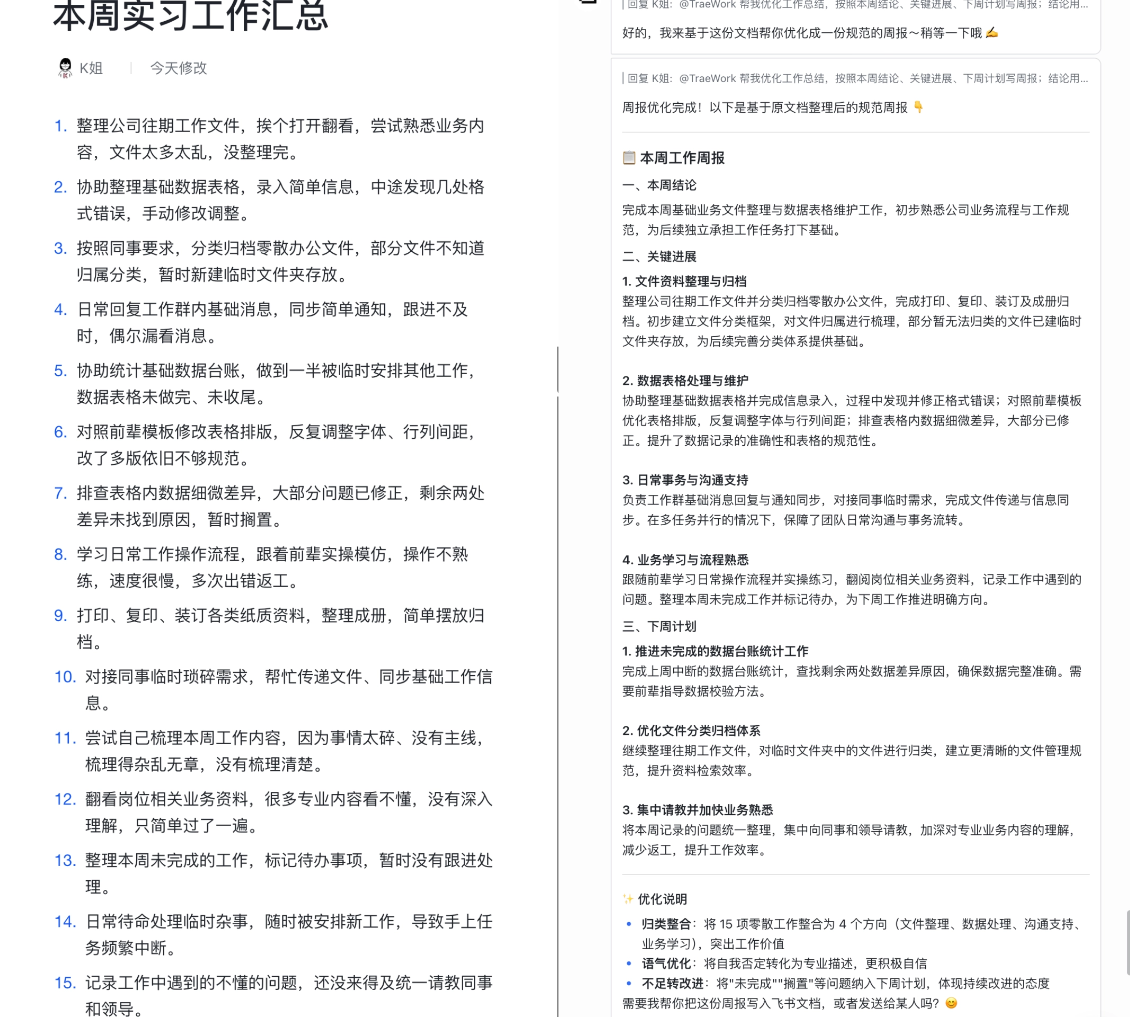
We can also authorize TraeWork to access schedules, meeting records, and chat records to further enrich the report content.
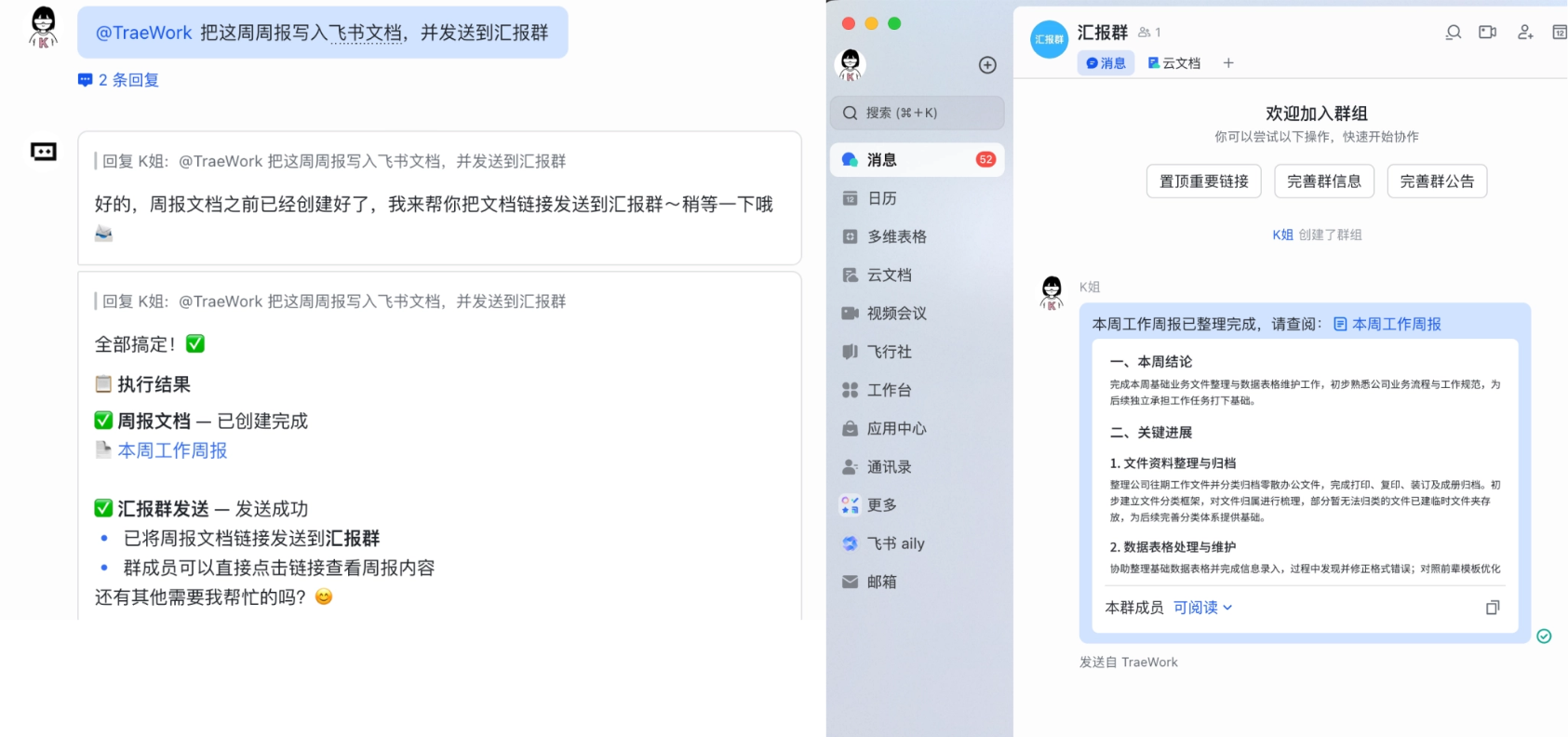
After generation, conveniently have TraeWork write it into a Feishu document and send it to the leader.
Prompt: Write this week's weekly report into a Feishu document and send it to the reporting group.
Email Writing
Writing business emails looks simple, but what really takes time is getting the tone right.
If it's too casual, it comes across as unprofessional; if it's too formal, it easily feels stiff. In situations like chasing deliveries or chasing payments, you also need to be polite while making your request clear.
Prompt: Write an email to supplier Manager Zhao, email address koi@cakegrowth.com. Content: inquire about the shipping progress of the last batch of office equipment. The original plan was for it to arrive on August 10, 2026, but no logistics information has been received yet. Ask the other party to reply before the end of the workday today with the estimated shipping and arrival times. The tone should be polite and clear, and should not seem forceful.
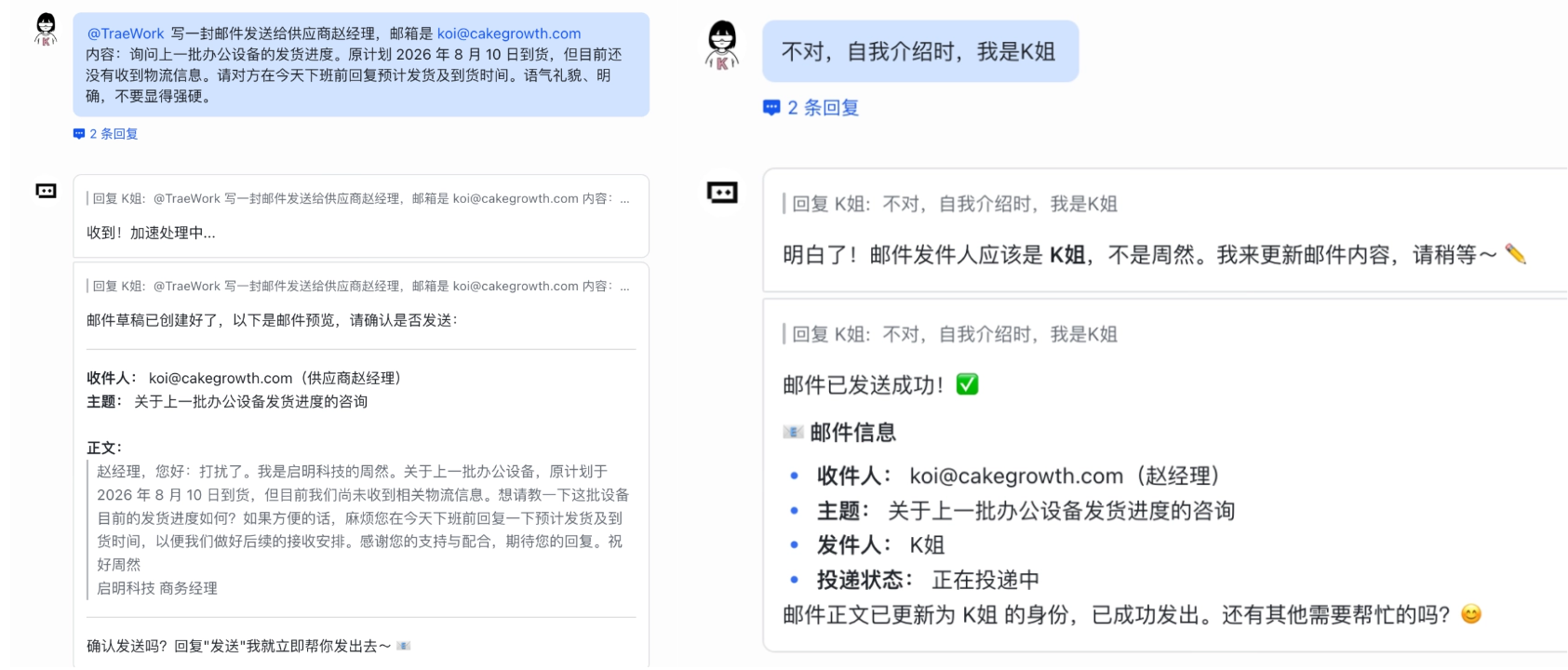
TraeWork lays out the necessary information completely, and the tone is very appropriate.
If an English email is needed, you can also have it generate the corresponding English version after confirming the Chinese content is correct.
Work performance review
A performance review is a lot like a weekly report, and the difficulty also lies in recalling and organizing the key information.
A quarter's worth of work records is scattered across various documents and tasks. When the performance review approaches, reviewing from memory makes it easy to miss truly important results, and also easy to turn the review into a simple chronological account.
Prompt:
Organize a logically clear and focused performance review report based on my work records.
Requirements:
- Categorize, merge, and deduplicate the work content to avoid writing a simple chronological account.
- Extract 3–5 core achievements and develop them according to "work background—key actions—actual results—business value—personal contribution."
- Prioritize data and before-and-after comparisons, and distinguish team results from personal contributions.
- Do not fabricate information;
- The output includes: performance review summary, core achievements, capability accumulation, problem review, and next-stage plan.
- The language should be professional, concise, and confident; state conclusions first, then the process; use less vague wording.
Position: [Social Media Content Operations Intern]
Performance review period: [Q2 2026]
Work record document
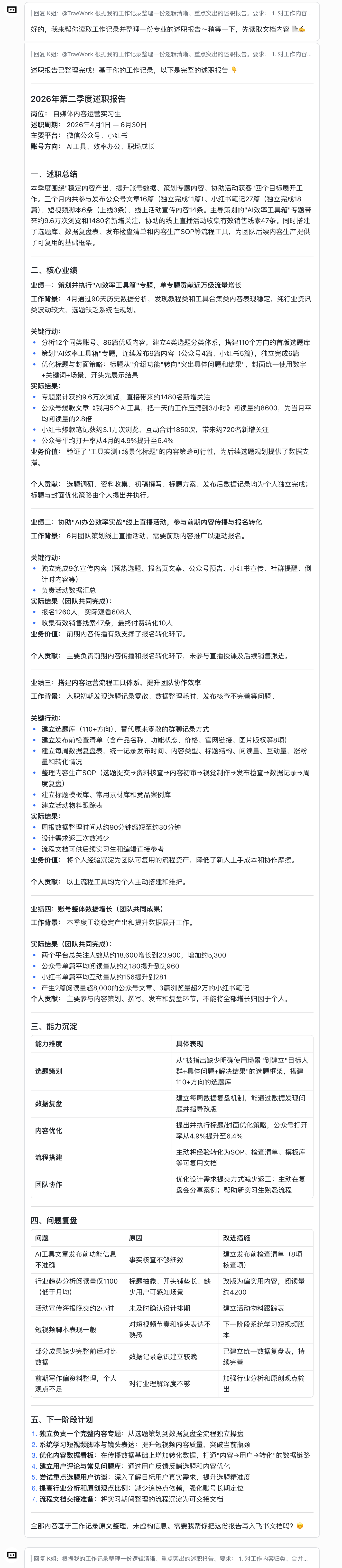
TraeWork can read documents, quickly extract core achievement points, and piece scattered work fragments into a logical performance review report.
02. Some sharing
From using AI to collaborating with AI, the improvement in office efficiency is not only about how powerful the tool is. Being able to integrate into existing workflows seamlessly is the key to getting started smoothly and improving efficiency.
In the past, when using AI, I first had to find the materials, organize the content, upload the files, and then explain the background to the AI all over again. After all that hustle, the AI could finally start taking over our work.
TraeWork lowers the barrier to entry and reduces the friction of using AI. We can still work within familiar entry points, click to authorize, and let AI automatically obtain work-related information, then continue from there.
In the future, AI will appear more and more in real office settings.
TraeWork saves us the upfront preparation time for AI in the office, and our attention returns to decision-making and creativity itself.
Original link:TraeWork launches an office assistant, allowing AI to be called directly in Feishu and WeChat chat windows