
What is Tianxi AI Claw
Tianxi AI Claw is an out-of-the-box AI agent assistant launched by Lenovo based on the OpenClaw architecture. It adopts a hybrid device-cloud deployment model and supports seamless collaboration across PC, Phone, and Pad. The tool requires no local environment configuration and can continuously execute tasks 24/7; even after the device is turned off, the cloud continues running. Tianxi AI Claw supports built-in Skill invocation and custom Skill creation, and can break down complex workflows into multi-Agent collaborative processes (such as role division among chief editor, reporter, and operations), enabling automated pipeline operations for tasks such as information scraping, content generation, and file organization.
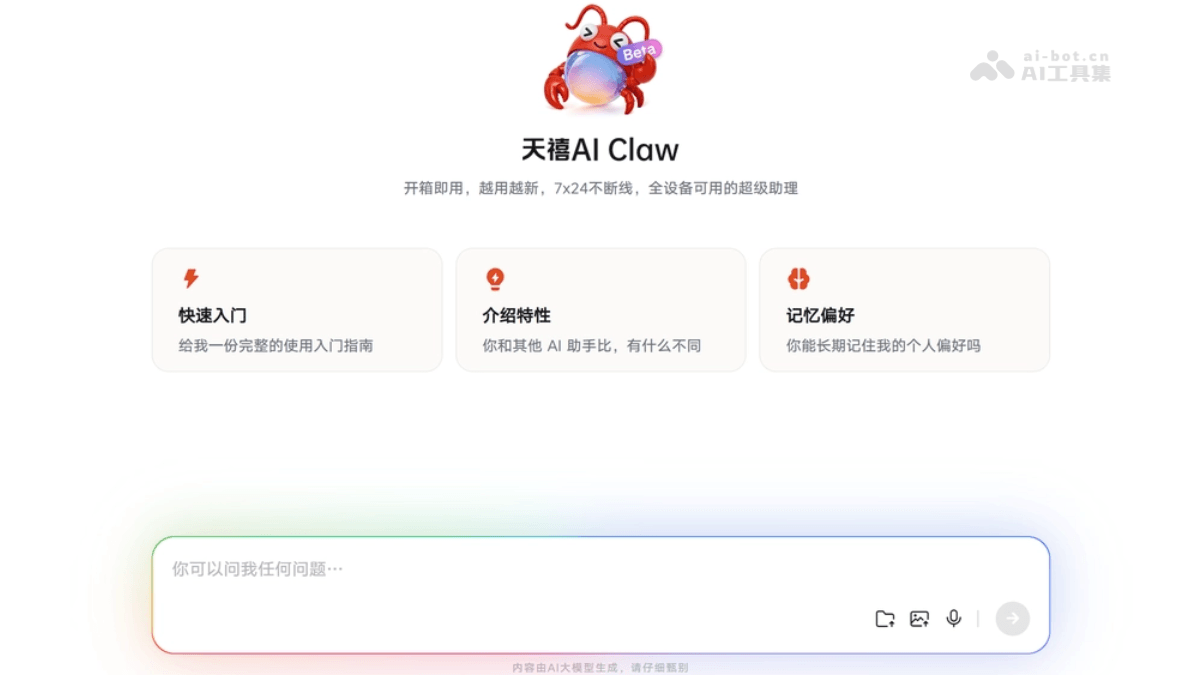
Main features of Tianxi AI Claw
-
Out-of-the-box: No environment installation or configuration is required; use it directly after activation and support natural language command input.
-
Scheduled task execution: Scheduled tasks can be set (such as scraping hot topics at a fixed time every day), and the system automatically executes them in the background.
-
Skill customization: Supports building custom Skills to solidify workflows and enable multi-Agent collaboration (such as chief editor review, reporter gathering and editing, and operations layout).
-
Cross-device collaboration: Under the same account, PC, mobile phone, and Pad are synchronized across devices; task status continues in real time, allowing progress to be checked anytime and anywhere.
-
Automatic file management: Automatically scrapes online information to generate Excel/Word documents, can save them to a specified folder, and supports local file analysis and summarization.
-
24/7 online: The device-cloud hybrid architecture ensures tasks continue running even after the device is shut down, and notifies the user when results are ready.
How to use Tianxi AI Claw
- Confirm device and software version: Ensure that the device (Lenovo PC, tablet, or mobile phone) has the latest version of the "Tianxi Personal Super Agent" application installed, with version number 3.6 or above. If it does not update automatically, you can manually upgrade via the Lenovo software store.
- Basic interaction: In the chat window, enter requests in natural language, such as "Help me write a leave request" or "Organize the files on my computer desktop," and the tool will call preinstalled skills or cloud models to handle the task.
- Cross-device operation: By logging in to different devices (PC, tablet, mobile phone) with the same Lenovo account, task synchronization and cross-device handoff can be achieved, for example initiating a task on a mobile phone and viewing the result on a PC.
- Set scheduled tasks: Scheduled tasks can be set via commands such as "Summarize tech news for me every morning at 9 and generate a Word document," and the tasks will continue running in the cloud background.
Key information and usage requirements for Tianxi AI Claw
-
Product positioning: An AI Agent assistant built by Lenovo based on the OpenClaw architecture, adopting an integrated "device-edge-cloud" architecture and positioned as a zero-cost-deployment, out-of-the-box 24/7 all-device super assistant.
-
Core architecture: Device-cloud hybrid deployment model; core tasks are executed on an independent cloud host in the cloud, while the local device serves only as the interaction entry point. Tasks continue running after the device is shut down and actively push results when completed.
-
Core capabilities: Supports natural language command-driven complex workflows, allows custom Skills to enable multi-Agent collaboration (such as role division among chief editor, reporter, and operations), comes preinstalled with more than ten types of skills including document processing, design creation, and system control, and also supports one-click installation of third-party Skills from ClawHub.
-
Multi-device collaboration: Supports full-end coverage across PC, Motorola phones, and Lenovo Pads. Task status is synced in real time under the same account, allowing workflows to be handed off and completed across devices.
-
Device Requirements: Supports access on Windows PCs, Android/iOS phones, and tablets. Non-Lenovo devices can use it via a browser or general client, while Lenovo PCs/phones/tablets enjoy deeper system-level integration (such as one-click Python installation and in-depth file management).
Core Advantages of Tianxi AI Claw
-
Zero Deployment Barrier: No need to install or configure an environment or set up WSL2. After activation, the first command can be issued within 5 minutes, truly delivering out-of-the-box usability.
-
7×24 Continuous Execution: Adopts a device-cloud hybrid architecture. After the device is powered off, tasks continue running independently in the cloud environment, and results are proactively pushed upon completion, with no need to wait in front of the chat window.
-
Multi-Agent Collaboration: Supports building custom Skills via natural language, breaking complex workflows into multiple role-based Agents such as chief editor, reporter, and operations for parallel processing, improving execution precision and automation.
-
Strong Ecosystem Scalability: Preinstalled with more than ten dedicated Skills such as document processing and system control, while also supporting one-click installation of third-party Skills from ClawHub, continuously expanding functional boundaries.
-
Seamless Collaboration Across All Devices: PCs, phones, and Pads sync in real time under the same account. Tasks can be initiated on a phone and results viewed directly on a PC, delivering a consistent cross-device office experience.
Comparison of Tianxi AI Claw with Similar Competing Products
| Comparison Dimension | Tianxi AI Claw | TencentQClaw | AlibabaJVS Claw |
|---|---|---|---|
| Development Background | Lenovo Tianxi ecosystem, based on the OpenClaw architecture | Tencent Hunyuan team, minimalist encapsulation of OpenClaw | Alibaba Cloud Wuying team, enterprise-grade Agent platform |
| Deployment Method | Device-cloud hybrid, out-of-the-box, zero environment configuration | Requires PC client installation + WeChat QR code binding, and the local device must stay online | Pure cloud deployment, web-based operation, requires configuring a sandbox environment |
| Operational Continuity | 7×24-hour continuous cloud execution; powering off the device does not affect tasks | Tasks pause after the device goes offline; the PC must remain running | Runs continuously in the cloud but is limited by Credits quota (8000 Credits/14 days) |
| Multi-Agent Collaboration | Supports custom multi-role Skills (such as chief editor + reporter + operations collaboration) | A single Agent executes multi-step tasks; multi-Agent collaboration capability is relatively weak | Supports complex task decomposition by a single Agent; multi-Agent parallel processing capability is limited |
| Terminal Coverage | Native full-end coverage across PC/Phone/Pad, seamless handoff under the same account | WeChat entry point (Mini Program) + PC client, with emphasis on mobile triggering | Mainly web-based, with limited mobile experience |
| Skill Ecosystem | A large number of preinstalled Skills + support for one-click installation of third-party Skills from ClawHub | "Inspiration Square" presets common tasks; the ecosystem is relatively closed | More enterprise-grade tool integrations; the threshold for personal Skill customization is relatively high |
| Usage Barrier | No programming required; Skills can be created in natural language, getting started in 5 minutes | Requires installation and configuration, completed in three steps (download → scan QR code → log in) | An invitation code must be requested, a sandbox environment must be configured, and the technical threshold is relatively high. |
| Core Advantages | Consistent cross-platform collaboration experience, with tasks continuing to run in the background. | Deep integration with the WeChat ecosystem and strong social attributes. | Enterprise-grade secure sandbox, suitable for complex office automation. |
Application Scenarios of Tianxi AI Claw
-
New Media Content Production: Automatically scrape trending technology news, filter duplicate topics and select high-popularity items, and generate a structured Excel or Markdown daily report containing summaries and source links, supporting direct publishing format output.
-
Multi-Agent Collaborative Review: Create an "Editorial Department" Skill to break down the workflow into three roles: editor-in-chief (topic review), reporter (first draft writing), and operations (layout and delivery), automatically completing the full-process content production from information collection to finished draft output.
-
Scientific Research Literature Management: Automatically search for and download papers in a specified field, archive them by topic into local folders, extract core viewpoints to generate review reports, and support scheduled monitoring of the latest preprints on academic platforms such as arXiv.
-
Cross-Device Office Collaboration: Initiate complex analysis tasks on a mobile phone (such as "summarize this paper"); during cloud execution the device can be offline, and when returning to the PC you can directly view the generated Word document or data analysis results, achieving seamless task handoff.
-
Automated File Organization: Monitor the Download folder to automatically classify and archive files by file type/project/date, regularly clean up expired caches, or back up specified directories to the cloud, keeping local storage organized.