

It is hard to imagine that the cost of enterprises using AI has already far exceeded the cost of hiring employees.
Last week, an Axios report mentioned that an AI consultant revealed that one of his enterprise clients spent an astonishing $500 million in just one month because they did not set usage limits on employees' Claude licenses.

When miHoYo employees were testing AI Agents, because they set up dozens of Agents and did not shut them down in time, they burned through about 2 million RMB worth of Tokens in one night.
In production pipelines where multiple Agents collaborate, the Token consumption and latency overhead brought by multi-turn calls and high-frequency tool triggering are becoming an unbearable burden for enterprises.

So this is also why everyone has been pushing Flash models recently.
Flash models are now no longer just faster, cheaper alternatives to flagship models. Instead, they can be placed into Agent workflows to make every step faster, more stable, and more economical.
Recently, StepFun launched a new-generation high-efficiency Flash open-source model Step 3.7 Flash. According to the official introduction, Step 3.7 Flash is a 198B-parameter sparse MoE multimodal model, activating about 11B parameters per token, supporting a 256K context, with maximum throughput reaching 400 tokens/s, and also supporting three reasoning intensity levels: low, medium, and high.
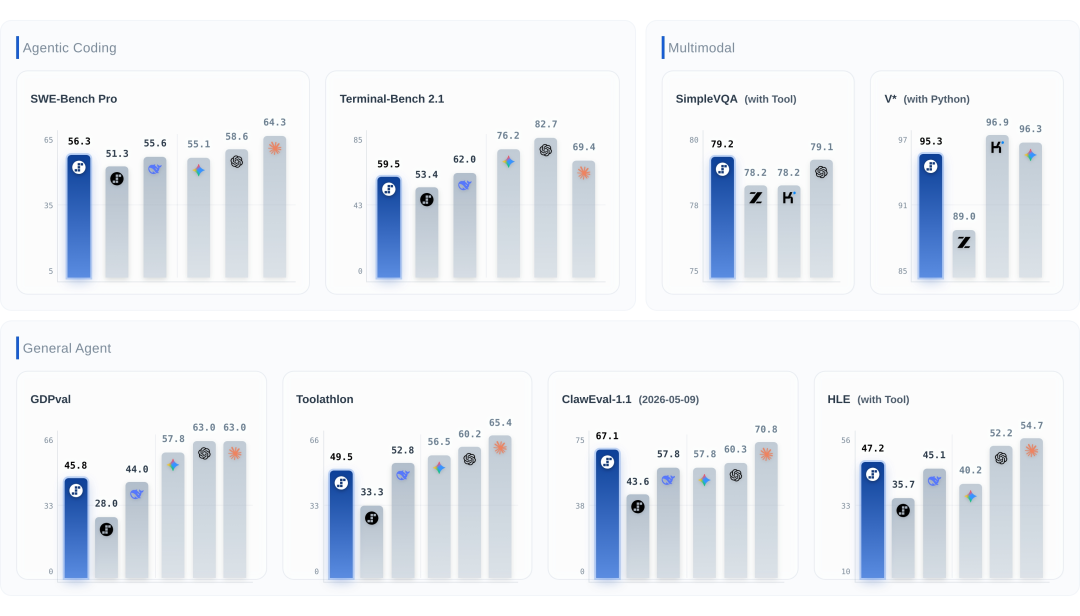
We are more concerned with its Agent pipeline efficiency in real complex scenarios. Today, let's set aside scores and leaderboards and run a real-world hands-on test
01. Hands-on test of a Coding Agent's one-shot performance
This hands-on test used Claude Code + StepFun's Coding Plan.
Case 1 Multimodal perception and UI execution capability
I casually drew a sketch and asked Step 3.7 Flash to make an e-commerce operations review dashboard.
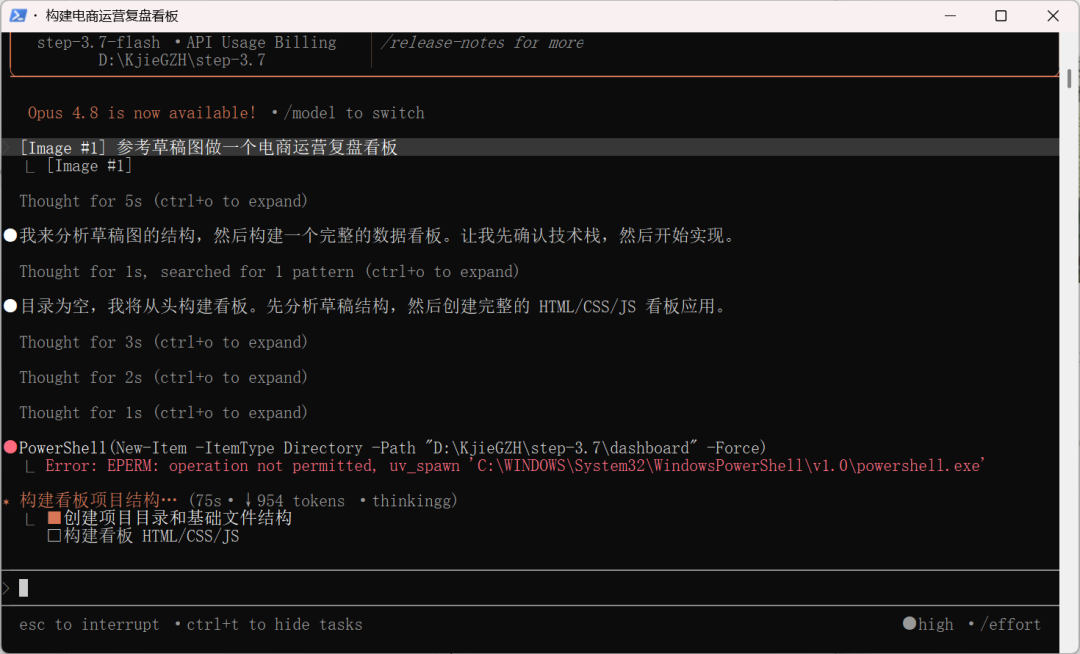
Make an e-commerce operations review dashboard based on the reference draft image.
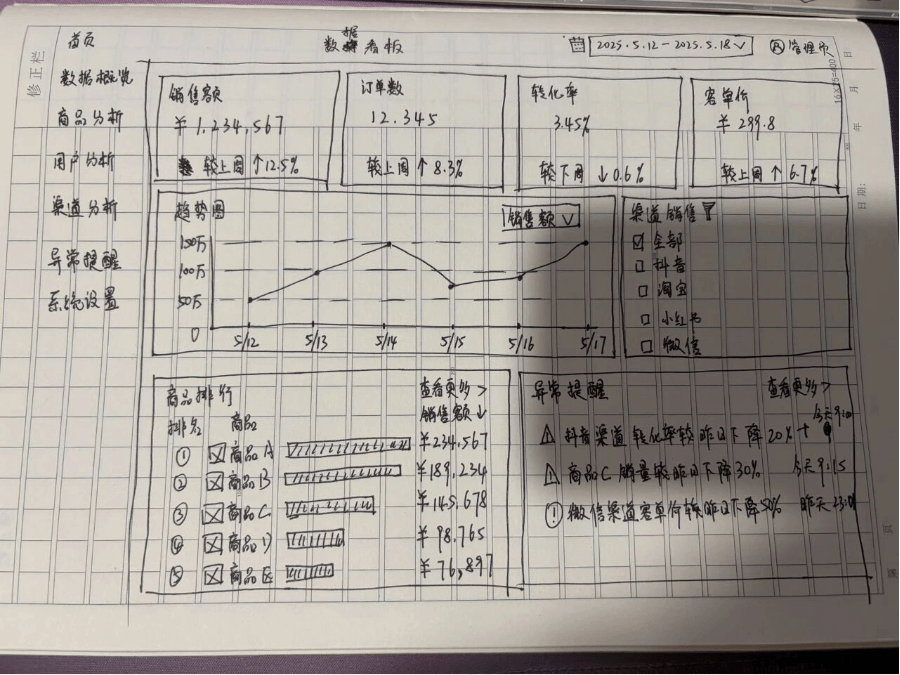
Step 3.7 Flash builds visual understanding into the Agent workflow, and the model can accurately recognize the handwritten text and spatial layout in the sketch.Convert the sketch into an HTML/CSS/JS dashboard application that fits modern aesthetics and has adaptive responsiveness.
The generated webpage has an extremely high degree of restoration, almost exactly the same as my hand-drawn draft. The page sections and text were recognized very accurately, and the small arrows and small icons I drew were all restored.
However, at the very top of the channel sales section there should have been an "All" option, which Step 3.7 Flash missed.
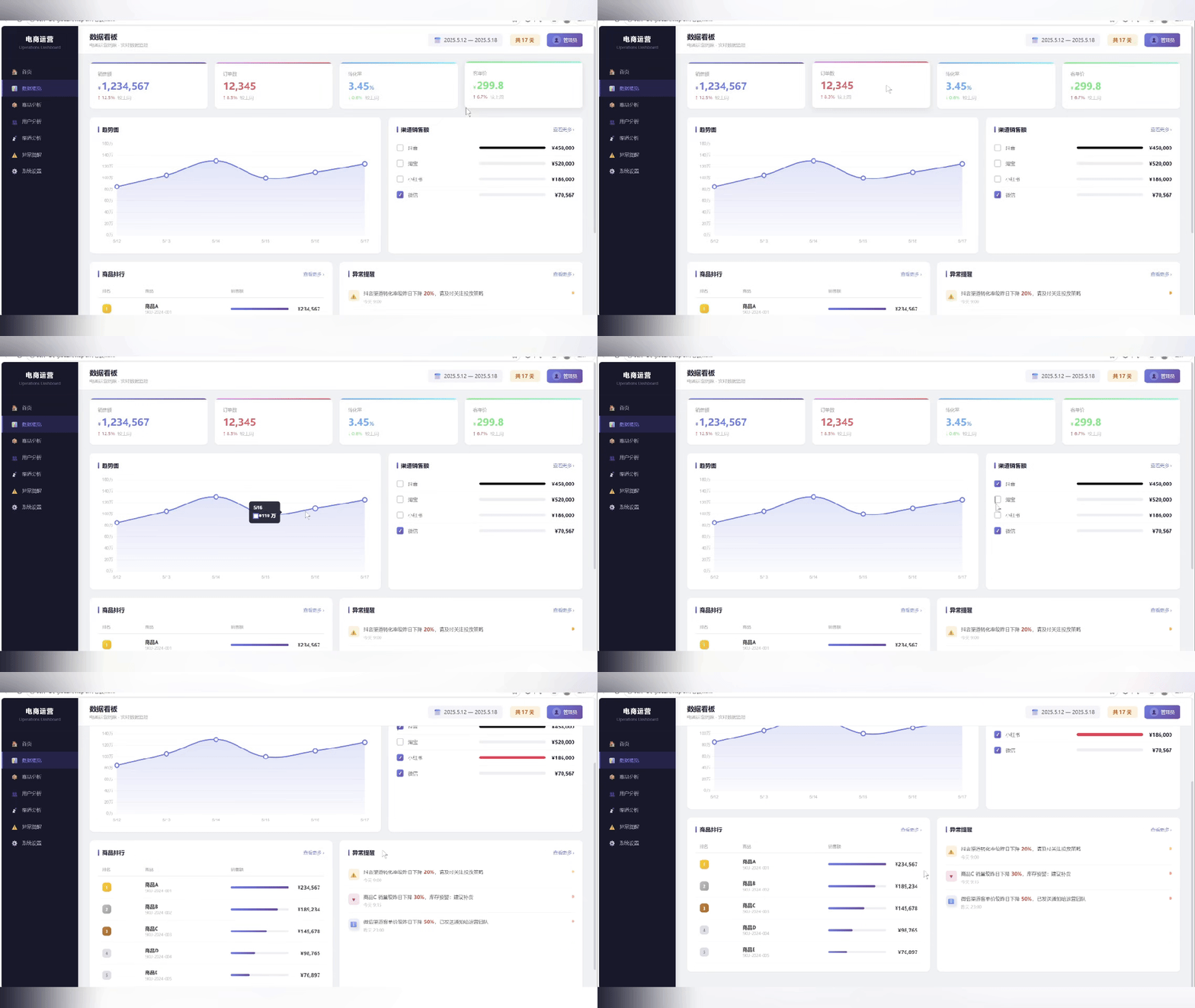
We continued to ask it to optimize the page based on the sketch:
Continue optimizing the page. The channel sales section differs from the original image. According to the original image layout, add an [All] option at the top.
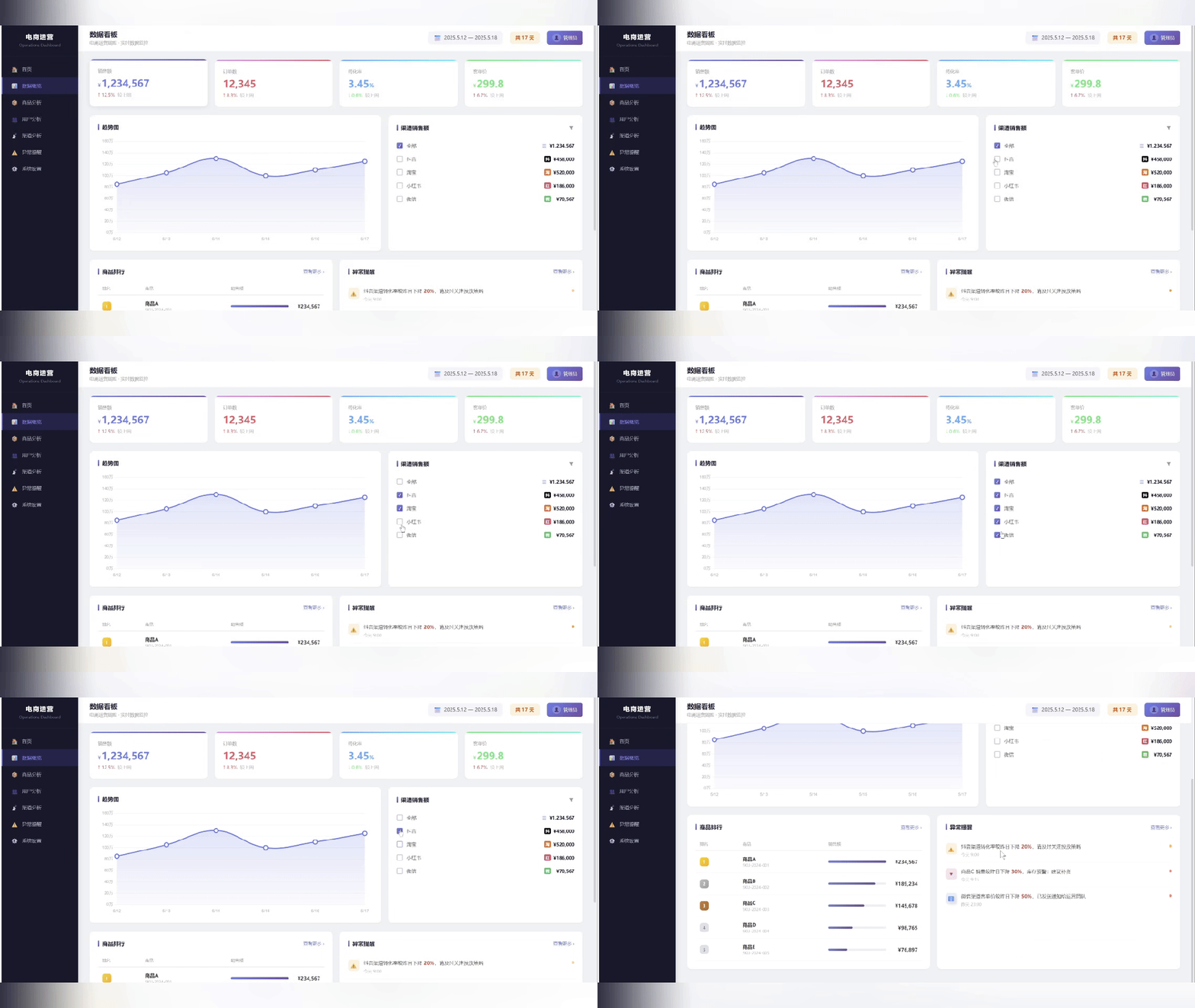
Step 3.7 Flash's multimodal capability does not stop at understanding the image; it can directly locate the place that needs modification and make the change accurately.
Case 2 Visual search and tool-augmented reasoning
Today BYD announced its May production and sales express report. Let's have Step 3.7 Flash recognize it and see:
Read the key information in the image and generate an analysis report online.
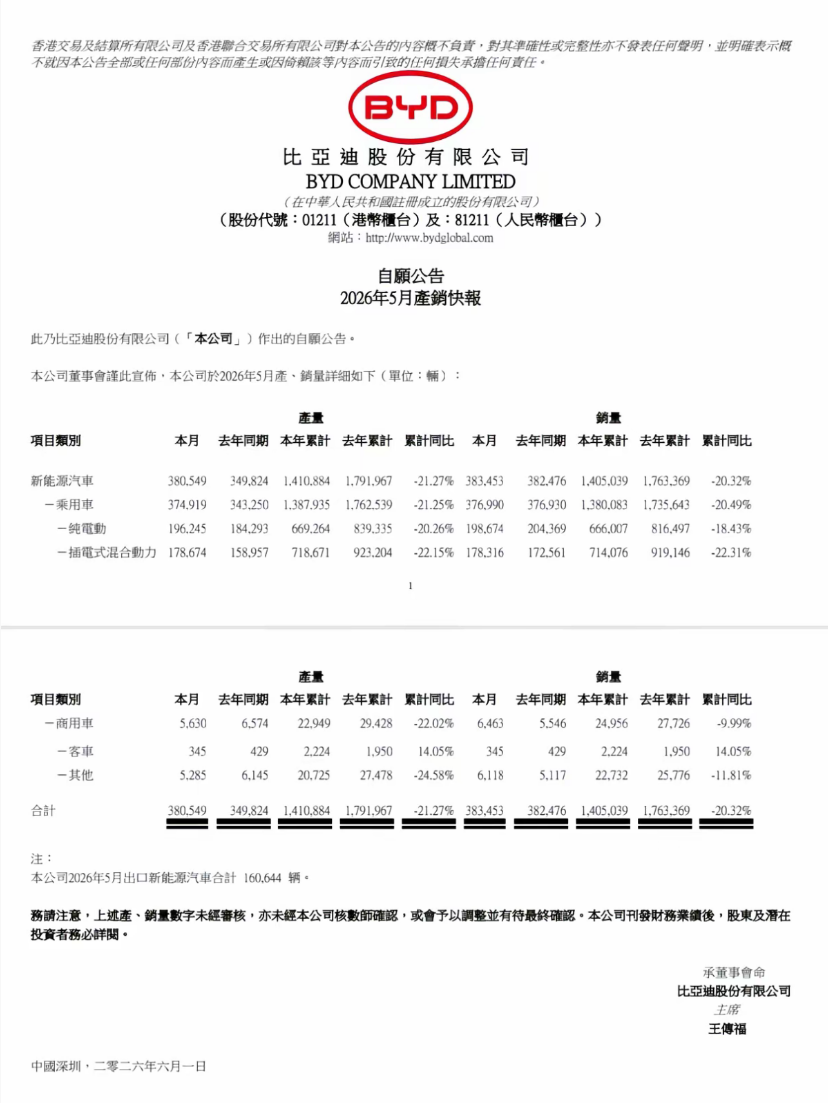
This task is not simply OCR text recognition, but rather seeing whether Step 3.7 Flash can first extract key data, then verify the background online, and finally output a readable analysis report.
Step 3.7 Flash recognized the information very accurately.
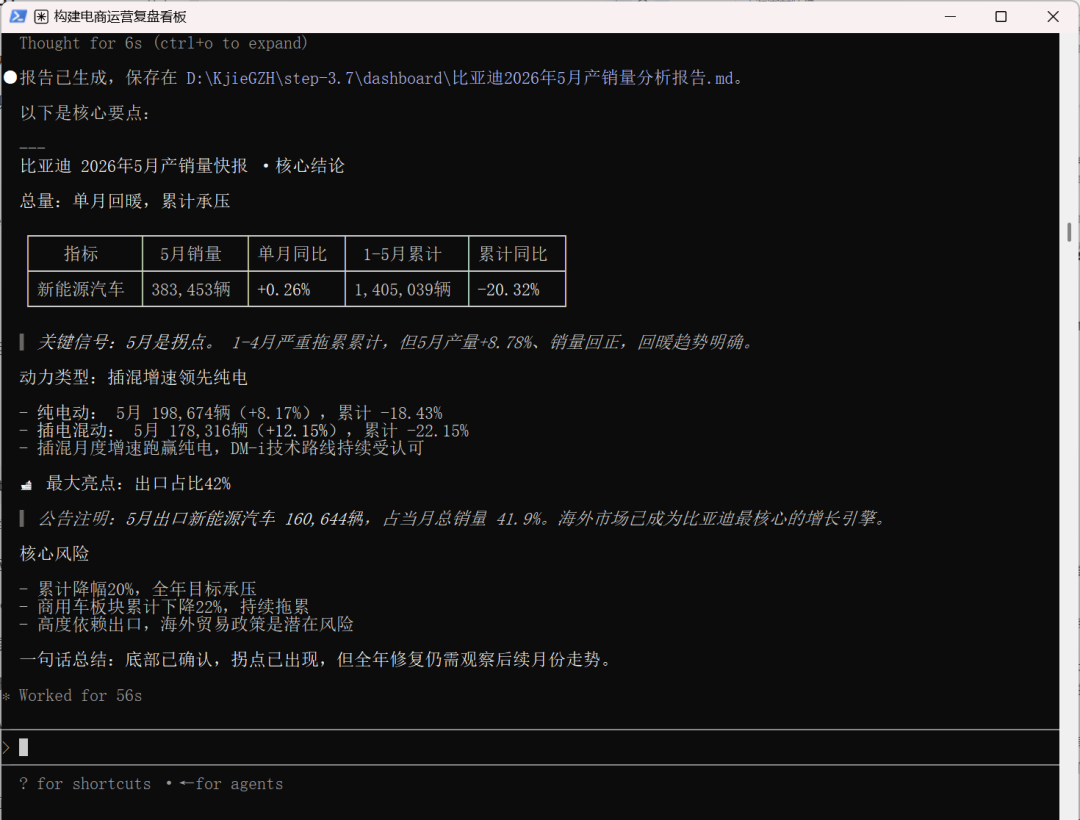
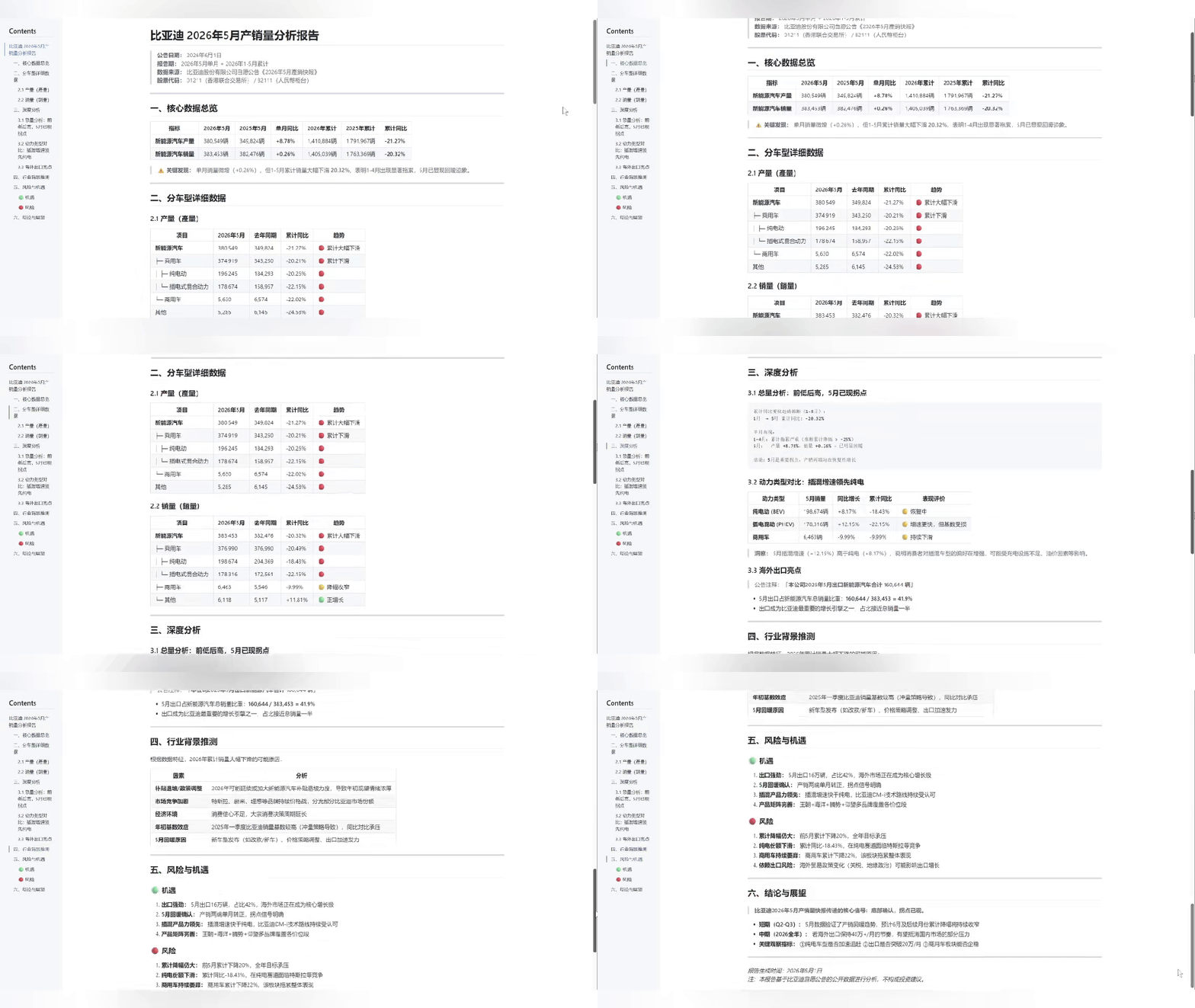
Let's look at the generated report together. Step 3.7 Flash captured several key points, and the content is all very accurate:
BYD's May 2026 new energy vehicle sales were 383,453 units, and new energy vehicle production was 380,549 units.
From January to May, the cumulative year-on-year decline was 20.32%. In May, production increased by 8.78% and sales increased by 0.26%, showing a clear rebound. This is an important turning point, with both production and sales recovering.
In May, exports accounted for 41.9% of total new energy vehicle sales, making exports one of BYD's most important growth engines.
Case 3 Visual Understanding
I uploaded a photo of a mixing console and asked it:
How do I adjust the microphone?
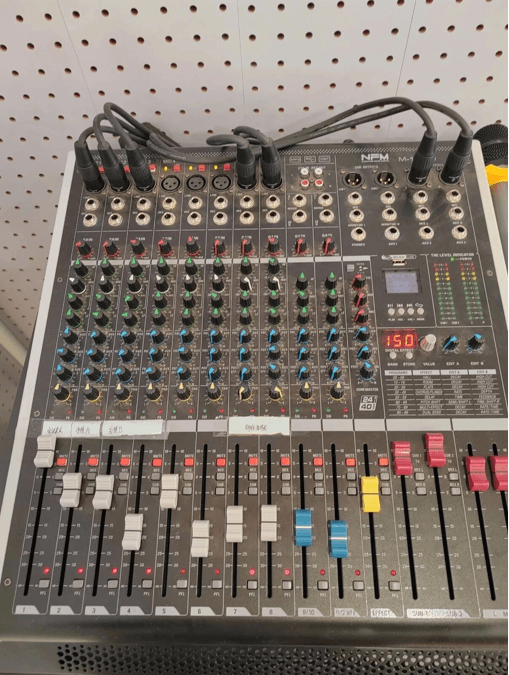
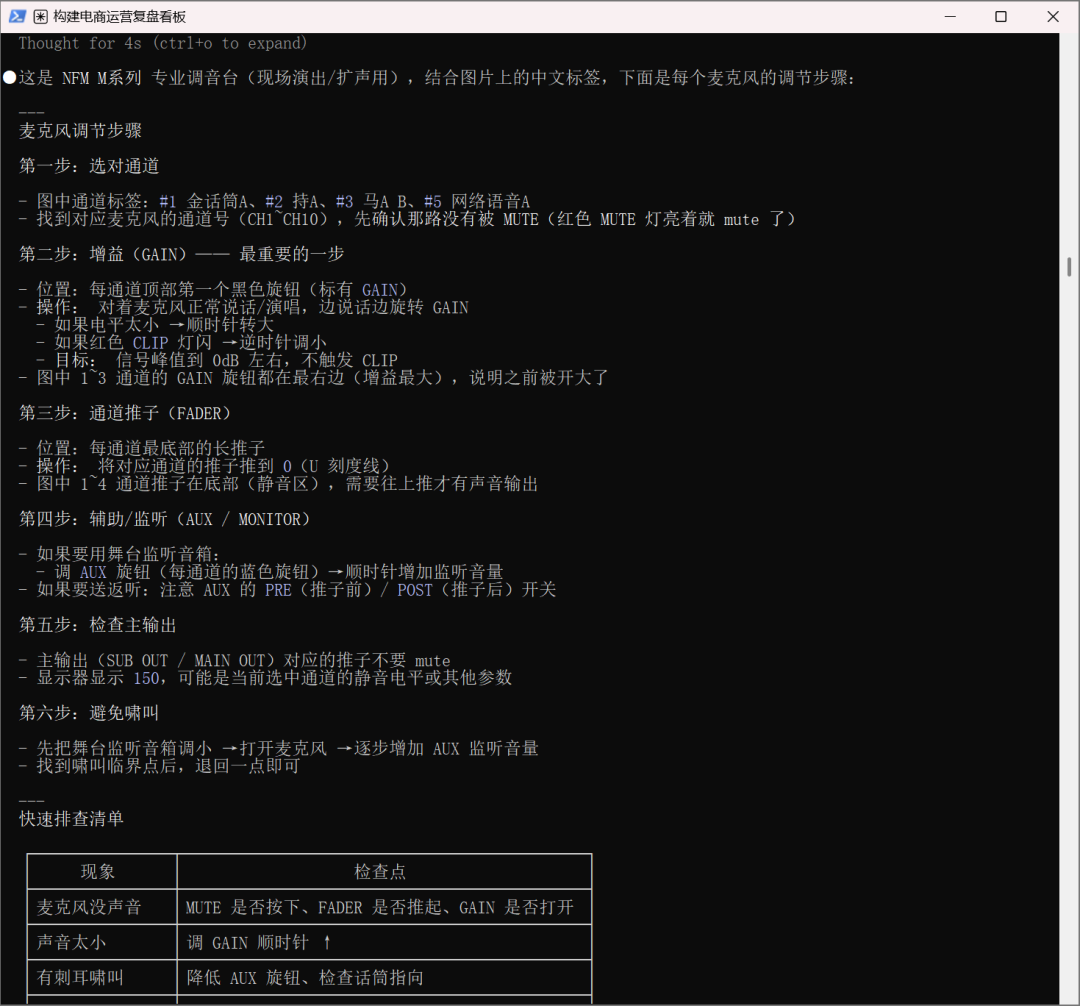
Step 3.7 Flash recognized that this is an NFM M-series professional mixing console, and also understood that adjusting the microphone requires looking at key positions such as the channel, GAIN, FADER, MUTE, AUX, and main output.
For ordinary beginners, the process provided by Step 3.7 Flash can basically guide people in troubleshooting issues such as "why is there no sound from the microphone," "the sound is too quiet," and "there is howling."
In particular, it reminds users to first check MUTE, then check the gain, then push up the channel fader, and then check the main output. Its visual understanding is very strong, and the logic is correct.
Case 4 Image to Interactive Map
Please use the images in the folder directly as input without providing additional background explanation. Please complete the entire workflow in one go.
Goal: Create a complete, demonstrable single-page HTML city tour page named ucsd-tour.html. The page should be able to:
1. Identify the landmarks in the provided images.
2. Verify the recognition results through web search.
3. Copy the images to the current working directory and save them with appropriate names.
4. Build a beautiful, interactive map-style city tour guide.
Important input rules:
- Use only the directly provided images as input.
- Do not scan folders or directories for additional images.
- Do not import unrelated images from the current directory.
- Treat the provided images as the complete image set.
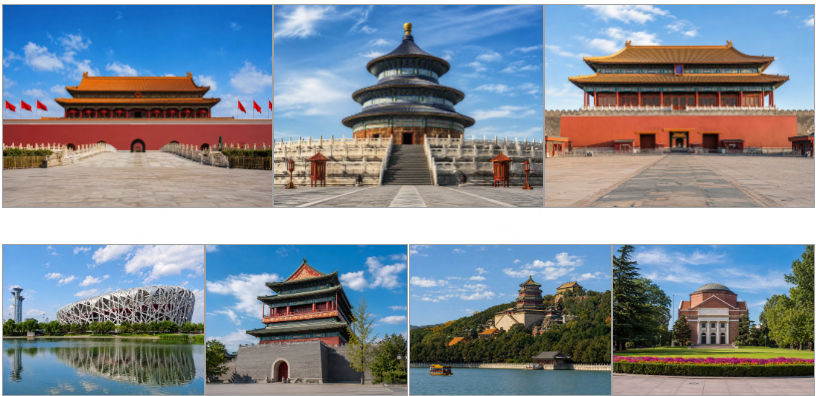
Overall, the webpage looks decent, with a homepage, map, location introductions, and a tour route map, and the layout is also not bad.

Step 3.7 Flash was able to accurately identify 7 locations, indicating that its visual understanding and web search capabilities are up to standard.
However, upon closer inspection, the landmark names do not correspond to the images. The model may not be rigorous enough in multi-file management, path mapping, and resource naming.
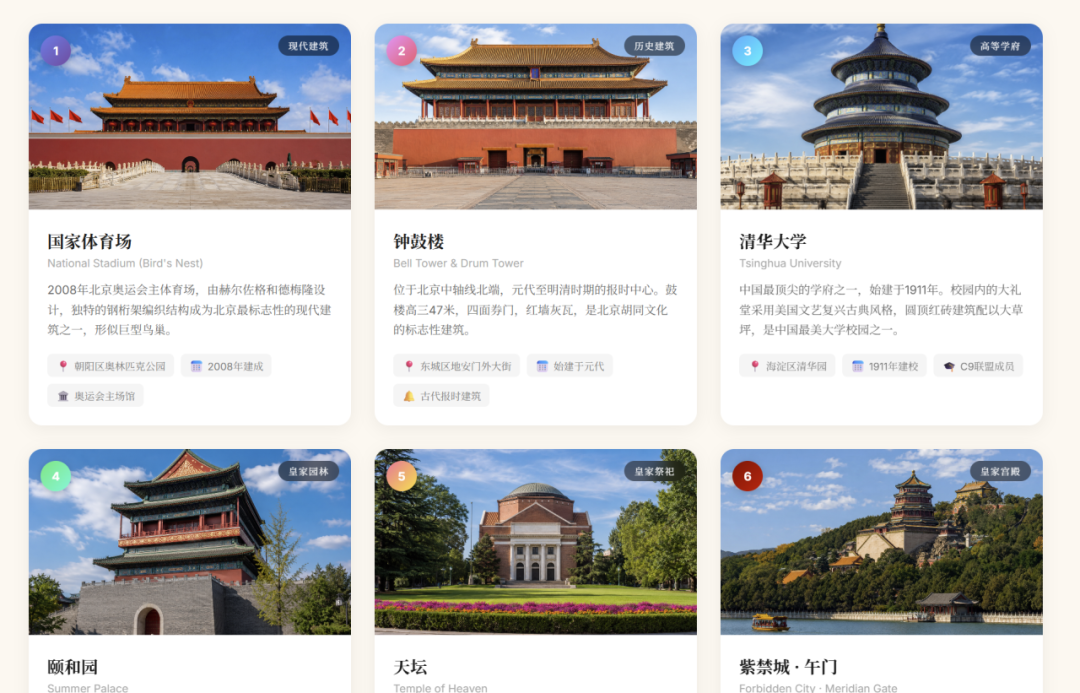
Looking again at the map generated by Step 3.7 Flash, it only drew a preliminary sense of direction and did not produce an actual map. The directions of the landmarks also deviate from the actual geographical directions.
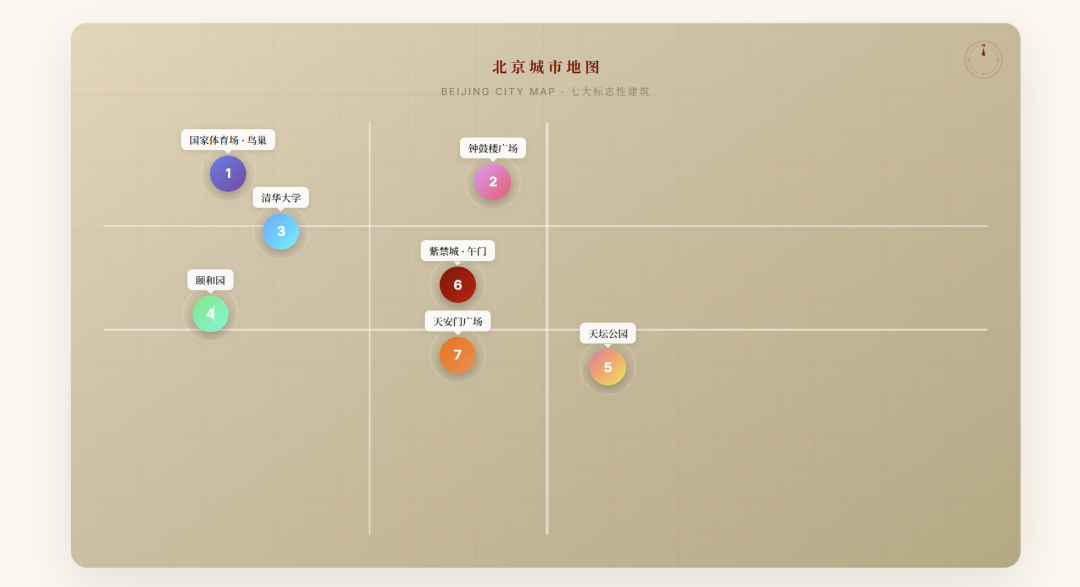
Overall, Step 3.7 Flash only completed the core recognition task, and there is still room for improvement in detailed handling.
02. Some Sharing
In actual interaction, the most intuitive impression Step 3.7 Flash gave me is its fast response speed.
Although there is occasionally room for improvement in details when facing complex tasks such as multi-file mapping and precise spatial logic, the combination of Step 3.7 Flash's high response speed and multimodal perception showed efficient error-correction capability in multi-turn interactions,thereby exchanging greater fault tolerance for complex Agent chains at lower latency and cost.
The actual Token consumption in this evaluation accounted for only about 15% of the weekly quota of the Coding Plan package.Thanks to the cost advantage of the MoE architecture, even if an Agent faces high-frequency multi-turn iteration, retrieval, and error correction in long workflows, its computing cost can still remain within a range that enterprises can fully afford.
With an efficient Flash model like Step 3.7 Flash built for production-grade Agents, Agents can run through the entire workflow faster, more stably, and more economically when handling real tasks, instead of being a daunting token-devouring monster.
Large model applications are becoming pragmatic. When enterprises no longer have to feel anxious about high bills and latency, AI can truly transform from a toy for single-point demonstrations into a productivity tool that runs stably on industrial-grade production lines.
Original link:Hands-on test of Step 3.7 Flash: a more stable, faster, and more economical Agent brain