

What is Clipfly
Clipfly is a one-stop AI video production platform developed by Chengdu Hengtu Technology (the company behind the AI image tool Fotor), designed to provide users with a complete solution from idea generation to video completion. The product integrates multiple functions, including AI video generation, AI video enhancement, video editing, etc., enabling users to complete text-to-video conversion and editing on one platform. Clipfly's goal is to simplify the video production process so that any user, whether or not they have professional video editing skills, can easily create high-quality video content.
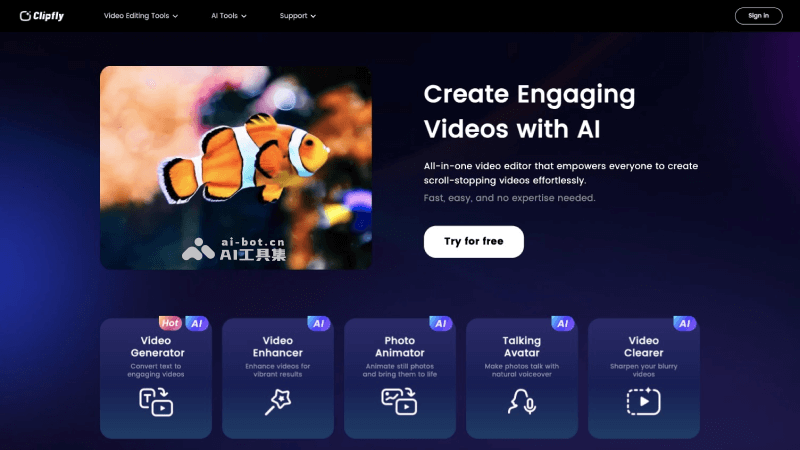
Clipfly's main features
- AI video generation: Users can generate video frames (Frame) by entering text prompts (Prompt). Clipfly will generate corresponding video content based on these text prompts, supporting video generation in different styles such as photography, animation, concept style, and film.
- Video editor: Clipfly has a built-in video editor that allows users to edit generated video clips, add subtitles, music, etc., as well as perform other conventional video editing tasks, such as adjusting video length and cropping the image.
- Video enhancement: This feature can help users improve video image quality by automatically adjusting parameters such as video brightness, saturation, and contrast, making the video look more vivid and professional.
- Photo animation: Users can use this feature to make static photos move, adding dynamic effects to photos to make them more attractive and interesting.
- Talking avatar: Clipfly provides a unique feature that can convert the head portrait of a person in a photo into a talking virtual person, using natural voice overlay to make the photo look like it is speaking.
- Video clarity enhancement: For videos with low quality or unsatisfactory shooting conditions, Clipfly provides a video clarity enhancement tool that can improve video clarity and enhance the viewing experience.
- Media library resources: Clipfly provides a rich media library of resources, including stickers, images, music, transition effects, and text effects. Users can directly use these resources to enrich and personalize their videos.
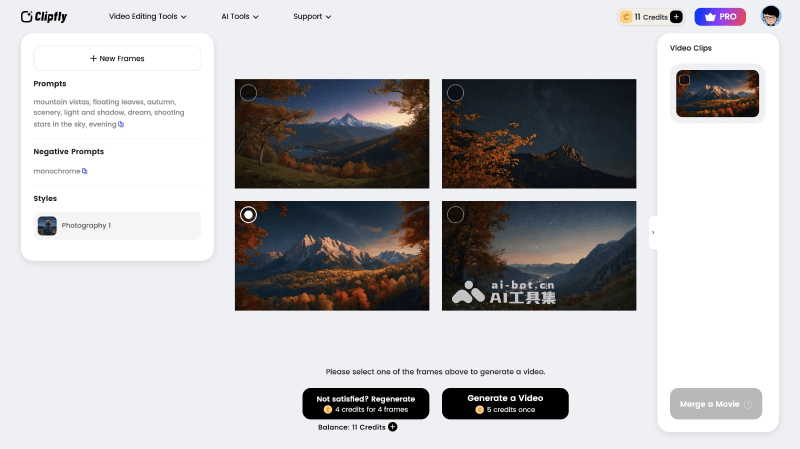
How to use Clipfly to generate videos
- Visit Clipfly's official website (clipfly.ai), click Try for free, and then register/log in
- Click the AI Tools menu bar at the top, select AI Video Generator, and then click Get Started
- Enter the prompt in Prompts, select the number of video frames (Frames), and then click Geneate Frame
- Finally, select the video frame image, click Generate a Video to generate the video, and wait for the video to be generated
- After the video is generated, you can download it, or continue generating video clips and merge them into a long video
Clipfly's product pricing
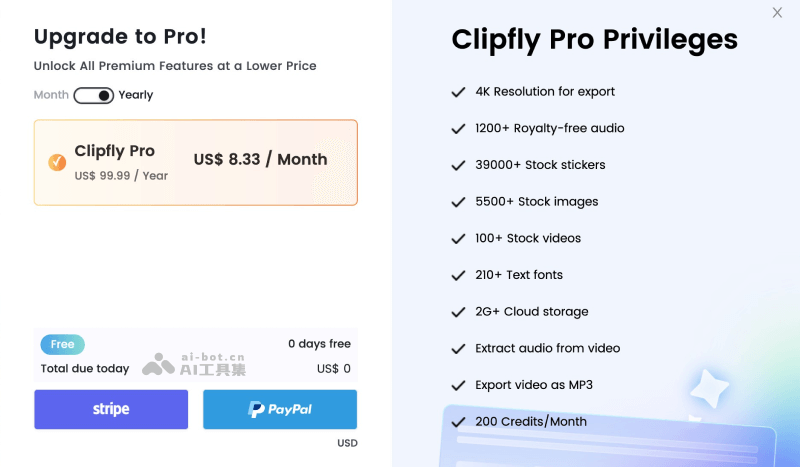
- Free version: After new users register, they can get 20 free AI credits. Generating 1 video frame consumes 1 credit, generating 1 video consumes 5 credits, and video quality enhancement consumes 5 credits per minute of video.
- Pro paid version: $14.99 per month ($99.99 per year), providing 200 credits per month, and supporting 4K quality video export, 1200+ audio materials, 39000+ copyright stickers, 5500+ copyright images, 100+ copyright videos, 210+ fonts, 2G+ cloud storage, audio extraction, exporting videos as MP3, and other benefits.


