

What is Haiper
Haiper AI video generator is an intelligent tool designed to simplify the video creation process, founded by Chinese engineers/scientists formerly from Google DeepMind and TikTok, supporting functions such as text-to-video, image-to-video, and video redrawing. Haiper AI's goal is to build a perceptual foundation model, providing a solid foundation for the future of content creators, helping them quickly turn creative ideas into reality and making video production more convenient and efficient.
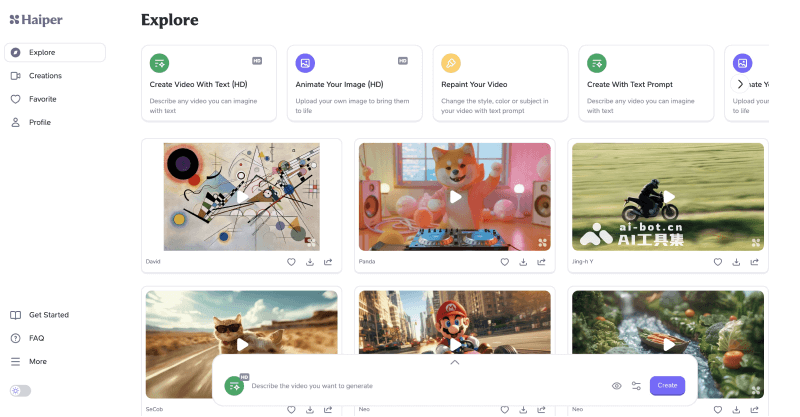
Haiper's main features
- Text-to-video generation: By entering a short text prompt description, Haiper AI can understand the user's idea and turn it into video content. This feature makes creative expression more direct, without the need for complex video editing skills.
- Video generation in multiple styles: Supports video generation in various styles such as cinematic, watercolor, cyberpunk, impressionist, cartoon animation, steampunk, and more, meeting the aesthetic needs and creative expression of different users.
- Animating static images: Simply upload an image to Haiper AI to add dynamic effects to a static image, making it more vivid and interesting. The conversion process is simple and quick, making the image story more engaging.
- Video style redrawing: Haiper AI also provides a video redrawing feature, allowing users to add new elements to old videos or change their style. Users can easily adjust the video's color, texture, and other visual elements, bringing a brand-new visual experience.
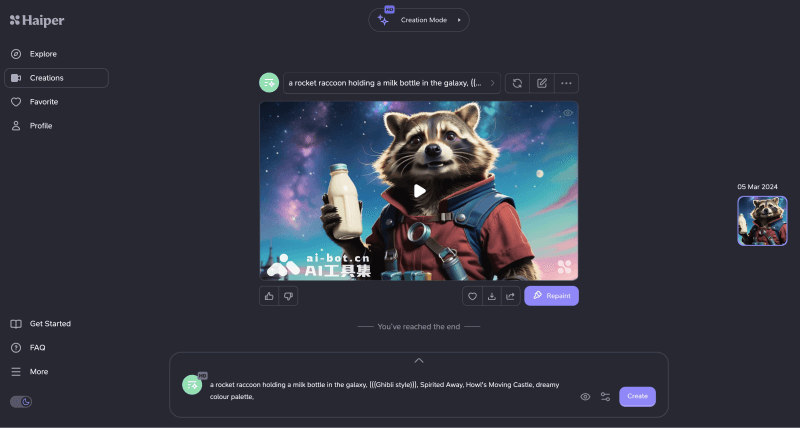
How to use Haiper to generate videos
- Visit the Haiper AI official website (haiper.ai), click the Try For Free button, and then register/log in
- After logging in successfully, in the video creation backend interface, choose the feature you want to use, taking text-to-video as an example
- Click Create Video with Text, then enter the text description, set the Seed value, and choose the video duration
- Finally, click the Create button to create, and wait for the video to be generated
- In addition, you can also choose to joinHaiper AI's Discord channelto generate videos
Frequently Asked Questions
Is Haiper free?
Haiper is currently free to use, and a paid version may be launched later.
How long a video can Haiper generate?
Haiper currently supports generating 2-second or 4-second videos, and an Extend Video feature will be launched later to extend video duration.
What is the resolution of videos generated by Haiper?
Haiper supports generating high-definition videos with a resolution of 1280*720.
Which platforms does Haiper support for use?
Haiper AI currently supports use through the online web version, Discord server, and iOS mobile app.


