

What is Mootion
Mootion is a creative platform focused on rapidly generating video content based on AI technology. Through a simple and easy-to-use interface, it helps users transform ideas into visual stories without professional video editing skills. Users can generate high-quality video content through various forms of input such as text, scripts, videos, or audio. The platform provides a rich library of elements, including popular effects, transitions, realistic voiceovers, and dynamic AI music, supports multiple languages, and can create videos in different visual styles, such as photorealism, 3D cartoon, and comics. Mootion supports precise pose and motion control, as well as 3D animation generation. Users can generate videos with transparent backgrounds or FBX format files for use in various 3D modeling software.
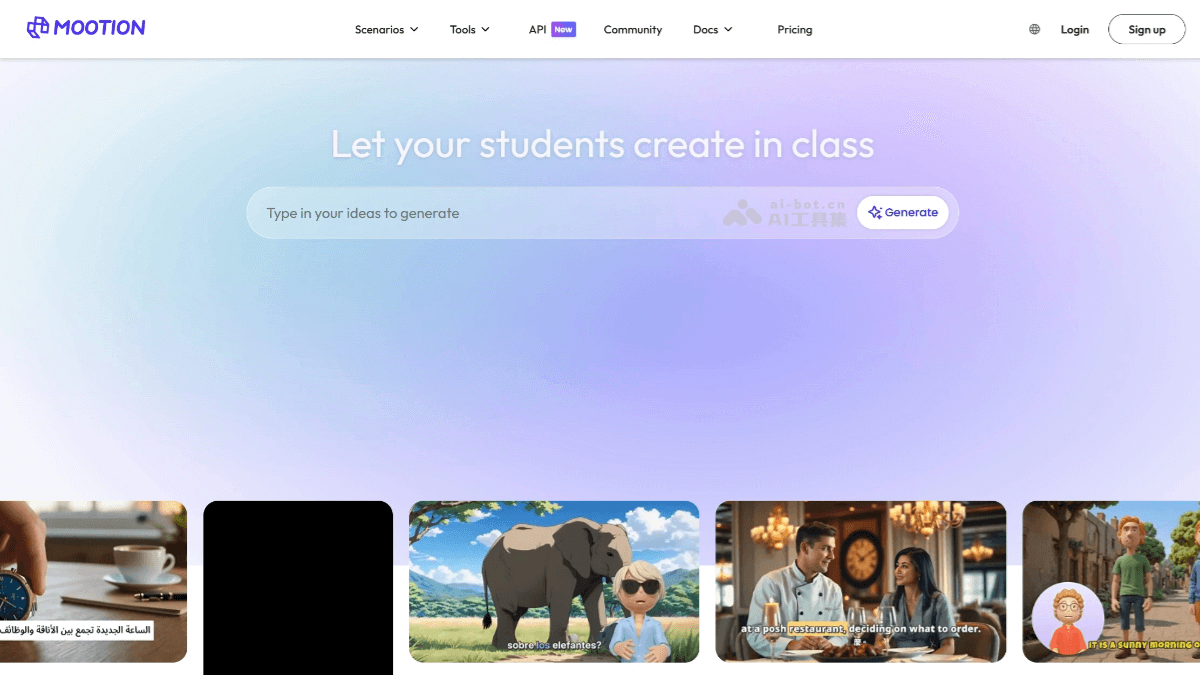
Mootion's main features
-
One-click video generation: Users only need to enter a sentence, and AI will automatically complete the entire process from script conception, storyboard design, animation production, to video editing, generating a complete video work.
-
Multiple input support: Supports multiple input forms such as text, scripts, videos, and audio to meet the creative needs of different users.
-
Rich element library: Provides various elements such as popular effects, transitions, realistic voiceovers, and dynamic AI music to help users quickly synthesize high-quality videos.
-
Multiple language support: Supports more than 10 languages, including English, Spanish, Arabic, Chinese, Japanese, etc., making it convenient for global users.
-
Video animation: Can create videos in different visual styles, such as photorealism, 3D cartoon, comics, etc.
-
Precise control: Users can precisely control the poses and movements of characters in AI-generated images and videos.
-
Enterprise-level API support: Provides API interfaces for enterprise users with needs, making it convenient to integrate into other systems.
How to use Mootion
-
Register and log in: Visit the Mootion official website and register using a Google account, Discord, or email.
-
Choose generation method:
-
Generate from prompt: Enter simple text or a story prompt in the input box, select parameters such as video style (e.g., realistic, 3D cartoon, etc.), output ratio, and language, then click the "Generate" button to generate a video script and storyboard frames.
-
Use my content: Upload your own materials such as images, videos, or audio, and Mootion will generate a video based on these materials.
-
-
Edit and adjust:
-
In the scene list on the left, you can edit text, add, split, merge, or delete scenes.
-
In the editing area on the right, you can regenerate images, adjust character poses, and add animation effects to images (each animation generation costs 8 credits, and the animation duration is 6 seconds).
-
-
Composite and export: After completing all edits, click the "Composite" button to composite the video, and finally you can download storyboard images, thumbnails, or the complete video.
- Advanced tips
-
Instruction generation: By entering specific instructions, such as "[Character: Name, Personality, Background]", "[Scene: Location, Atmosphere]", "[Plot Development]", etc., AI can more accurately generate content that meets the requirements.
-
Mixed instructions: Combine multiple instructions, such as "[Fantasy Adventure]", "[Character: Ling Xiao, legendary swordsman, once wrongfully accused of killing a friend]", "[Scene: a mysterious underground dungeon in ruins, full of traps and unknown creatures]", etc., to generate more complex stories.
-
Optimize prompts: According to the prompt optimization guide provided by Mootion, write more precise prompts to achieve better generation results.
-
Mootion's application scenarios
-
Instructional video production: Teachers use Mootion to create bilingual instructional videos to help students learn subjects such as English, history, and science.
-
Student assignment showcases: Students can also use Mootion to create videos to showcase their assignment results, enhancing the fun and interactivity of learning through the practice of the "learning by doing" concept.
-
Advertising and marketing: Enterprises can use Mootion to quickly generate advertising videos. By inputting simple text descriptions, they can generate attractive video content for social media promotion or advertising campaigns.
-
Internal training: Enterprises can create internal training videos and use Mootion's AI features to quickly generate high-quality training content, improving employees' learning efficiency.
-
Short video creation: Individual users can use Mootion to create short videos such as travel and life records.
-
Creative stories and animations: Users can generate 3D animations through simple text descriptions for creating creative story videos.


