
What is Jingtiao Translate
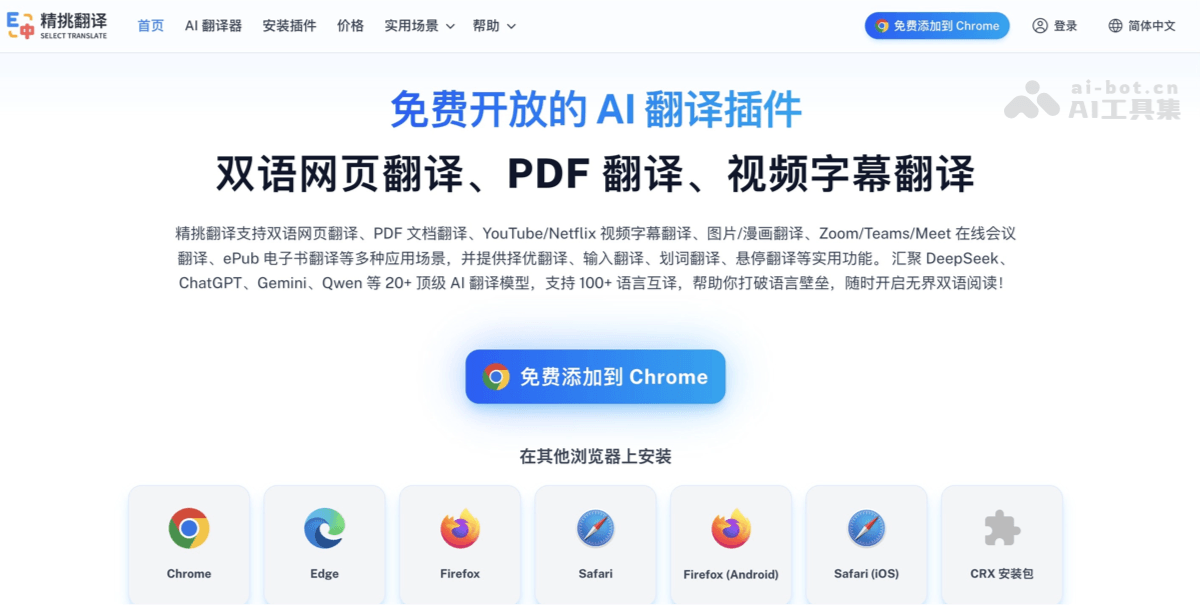
Jingtiao Translate is a free browser AI translation extension designed for foreign language reading, learning, and cross-language office scenarios. It provides bilingual side-by-side web page translation, PDF and scanned/formula document translation, ePub e-books, image and comic translation, as well as YouTube, Netflix, TED video subtitles and real-time translation for Zoom, Google Meet, Microsoft Teams meetings; it also supports fine-grained features such as text selection, input, hover, and best-choice translation. It aggregates 20+ models including DeepSeek, ChatGPT, Gemini, Qwen, supports translation between 100+ languages, and can be installed on Chrome, Edge, Firefox, Safari and mobile browsers.
Main features of Jingtiao Translate
-
Bilingual web page translation: Intelligently translates web page content and displays the translation below the original text, suitable for reading foreign language news, documents, and papers.
-
PDF document translation: Provides free PDF translation; complex layouts, scanned documents, formulas, and academic documents can use PDF Plus.
-
Video subtitle translation: Supports real-time subtitle translation on platforms such as YouTube, Netflix, and TED. AI subtitles can instantly generate bilingual subtitles for videos without subtitles.
-
Online meeting translation: Supports real-time subtitle translation for Zoom, Google Meet, and Microsoft Teams, used for cross-language meeting communication.
-
E-book and document translation: Supports ePub e-books, as well as formats such as PDF, EPUB, DOCX, TXT, HTML, Markdown, and subtitle files.
-
Image and comic translation: Supports uploading and translating local images such as screenshots, posters, and product images. Web page images can also be quickly translated via right-click or mouse hover, with the translation presented in place; comic translation is adapted for specific comic websites and supports multi-image batch and continuous translation for smoother reading.
-
Input and text selection translation: Supports lightweight operations such as input translation, text selection translation, and hover translation, making it convenient to look up while reading and translate while writing.
-
Best-choice translation: An industry-first multi-model parallel translation mechanism that calls multiple translation models at the same time, then uses a best-choice model to intelligently score the results and automatically select the best translation.
-
Multiple models and multiple languages: Brings together 20+ AI translation models including DeepSeek, ChatGPT, Gemini, Qwen, and supports translation between 100+ languages.
-
Multi-platform installation: Supports Chrome, Edge, Firefox, Safari, Firefox Android, Safari iOS, and provides a CRX installation package; compatible with all Chromium-based browsers.
How to use Jingtiao Translate
-
Install the extension: Go to the Jingtiao Translate official website https://selecttranslate.com/ , choose Chrome, Edge, Firefox, Safari, Firefox Android, Safari iOS according to your browser, or manually install with the CRX installation package.
-
Choose how to use it: Features such as web page translation, PDF translation, video subtitle translation, online meeting translation, input translation, best-choice translation, and text selection translation can all be used for free, and multiple free translation models are provided. When using advanced models, you can configure your own API Key, or activate a Plus membership to directly use models such as DeepSeek, GPT, Gemini, Claude, Qwen, Grok, Seed, Kimi, and GLM.
-
Translate web pages: After opening a foreign language page, enable bilingual web page translation, and the translation will be displayed below the original text, suitable for side-by-side reading.
-
Translate documents: Open PDF, EPUB, DOCX, TXT, HTML, Markdown, or subtitle files from the "AI Translator/Document Translation" entry; for scanned versions, formula-heavy documents, and academic papers, choose PDF Plus first.
-
Translate video subtitles: Enable subtitle translation when playing videos on platforms such as YouTube, Netflix, and TED; for videos without subtitles, AI subtitle generation can create bilingual subtitles.
-
Translate online meetings: Enable real-time meeting subtitle translation in Zoom, Google Meet, and Microsoft Teams meetings for cross-language communication.
Core Advantages of Jingtiao Translation
-
Full scenario coverage: One plugin covers web pages, PDF/documents, ePub e-books, images/comics, video subtitles, online meetings, and input writing, reducing the need to switch between multiple translation tools.
-
Strong document capabilities: In addition to ordinary PDF translation, PDF Plus is designed for academic papers, scanned PDFs, and formula-heavy documents, making it closer to learning and research scenarios.
-
Real-time video and meetings: Supports real-time subtitles on YouTube, Netflix, and TED; AI subtitles can handle videos without subtitles; Zoom, Google Meet, and Microsoft Teams support real-time meeting translation.
-
Many model choices: Brings together 20+ top AI translation models such as DeepSeek, ChatGPT, Gemini, and Qwen, supports mutual translation across 100+ languages, and offers a best-translation-selection feature to choose more accurate translation results.
- Flexible usage: Jingtiao Translation provides multiple free translation models that can meet daily translation needs; if you need to use advanced models, you can configure an API Key yourself, or subscribe to Plus membership to directly use models such as DeepSeek, GPT, Gemini, Claude, Qwen, Grok, Seed, Kimi, and GLM.
-
Easy to install on multiple platforms: Supports Chrome, Edge, Firefox, Safari, Firefox for Android, and iOS Safari, and also provides a CRX package covering Chromium-based browsers such as Opera, 360 Extreme Explorer X, and QQ Browser.
Comparison of Jingtiao Translation with Similar Competitors
| Comparison Dimension | Jingtiao Translation | Immersive Translate | Caiyun Xiaoyi |
|---|---|---|---|
| Product Positioning | A free and open AI translation plugin covering bilingual reading across all scenarios such as web pages, documents, video subtitles, meetings, and input | A veteran bilingual comparison translation extension that emphasizes immersive reading that "preserves the original context," with strong user scale and browser store endorsement. | A translation tool under Caiyun Technology, covering text, documents, online PDFs, images/graphics, web page translation, and a browser plugin, and supporting terminology bases and multi-model modes. |
| Core Scenarios | Web pages, PDF, ePub, images/comics, YouTube/Netflix/TED subtitles, Zoom/Meet/Teams meetings, input/word selection/hover/best-translation selection. | Bilingual web pages; documents such as PDF/ePub/subtitles; subtitles on 100+ video sites; meeting translation; images/comics; input box and hover translation. | Text, documents, web pages, online PDFs, and image translation; the App side also supports PDF/docx/doc/PPT/xls, photo translation, and Chinese-Japanese-English simultaneous interpretation. |
| PDF/Document Capabilities | PDF Plus uses OCR visual technology to accurately parse formulas, complex charts, code snippets, and scanned documents, and supports recognition of two-column and three-column layouts, solving the pain points of inaccurate recognition and disordered formatting when general translation tools handle academic PDFs. | Free includes basic PDF and BabelDOC; paid tiers provide advanced capabilities such as PDF Pro and BabelDOC layout-preserving PDF translation. | The official website lists entry points such as Document and Online PDF; the App supports translation of PDF/docx/doc/PPT/xls documents and offers bilingual comparison. |
| Video/Meeting | For Zoom, Teams, and Meet, it provides three capabilities: real-time voice subtitles, chat message translation, and input translation, covering the complete information chain of meeting communication. It is one of the few browser extensions that deeply embeds translation capabilities into online meeting scenarios. | Supports 100+ video sites and Zoom/Google Meet/Teams; free includes YouTube bilingual subtitles, and paid includes benefits such as YouTube bilingual subtitle downloads. | The browser extension is more focused on webpages/PDF/subtitles; the App is stronger in voice/video simultaneous interpretation and photo translation, but public pages say less about online meeting subtitle support. |
| Models and Languages | Claims 20+ models and 100+ languages; Plus provides access to DeepSeek, GPT, Gemini, Claude, Qwen, Grok, Seed, Kimi, GLM, etc. | Supports DeepSeek, DeepL, OpenAI, Claude, Gemini, etc.; paid tiers provide advanced/top-tier model quotas by Token. | The official website shows Lingocloud V4, multi-model mode, terminology base, and style adjustment; plugin channel information says it is equipped with models such as Caiyun Xiaoyi V4, DeepSeek, and GLM. |
| Platforms/Installation | Chrome, Edge, Firefox, Safari, Android Firefox, iOS Safari, CRX; for domestic Chromium-based browsers, CRX is recommended. | Chrome, Edge, Firefox, Safari, and mobile; the official website claims tens of millions of users and recommends multiple browsers. | Has a web version and browser extension; the App supports iOS/Android, and documents can be browsed and downloaded on computers and phones under the same account. |
Carefully Selected Translation Application Scenarios
-
Foreign-language News and Webpage Reading: When browsing English news, blogs, forums, and official documents, enable bilingual webpage translation, with the original text retained and the translation displayed below for comparison.
-
Academic Research and Intensive Paper Reading: When reading arXiv, journal PDFs, scanned documents, or documents containing formulas, use PDF Translation/PDF Plus to preserve the layout and handle complex content.
-
E-books and Long Document Translation: Translate ePub, PDF, DOCX, TXT, HTML, Markdown, and subtitle files, suitable for producing bilingual e-books or batch-processing materials.
-
Binge-watching, Online Courses, and Talks: Watch bilingual subtitles on platforms such as YouTube, Netflix, and TED; for videos without subtitles, use AI subtitles for instant translation.
-
Cross-border Meetings and Remote Collaboration: During Zoom, Google Meet, and Microsoft Teams meetings, generate real-time meeting subtitles to reduce cross-language communication costs.
-
Cross-border E-commerce and Foreign Trade Communication: Use input translation to write outreach emails, customer service replies, and product copy, and use optimized translation to compare multi-model results for more natural expression.

