

What is Lawbot Redaction Cat
Lawbot Redaction Cat is an AI legal document redaction tool for legal practitioners, positioned as the "security layer for legal AI." It first identifies 15 categories of sensitive information on the local computer, including names, organizations, ID numbers, addresses, amounts, case numbers, seals, etc., in contracts, complaints, judgments, letters, and screenshot evidence, then exports according to the project using unified pseudonyms, asterisks, or masks, and then hands it over to Kimi、DeepSeek、ChatGPT and other cloud AI for analysis, and finally uses an authorization key to backfill and restore locally. It supports Word, PDF, images, and Markdown, emphasizes zero upload, zero external network requests, cross-file pseudonym consistency, and manual review, and is suitable for law firms, corporate legal departments, and compliance teams to use AI within privacy boundaries.
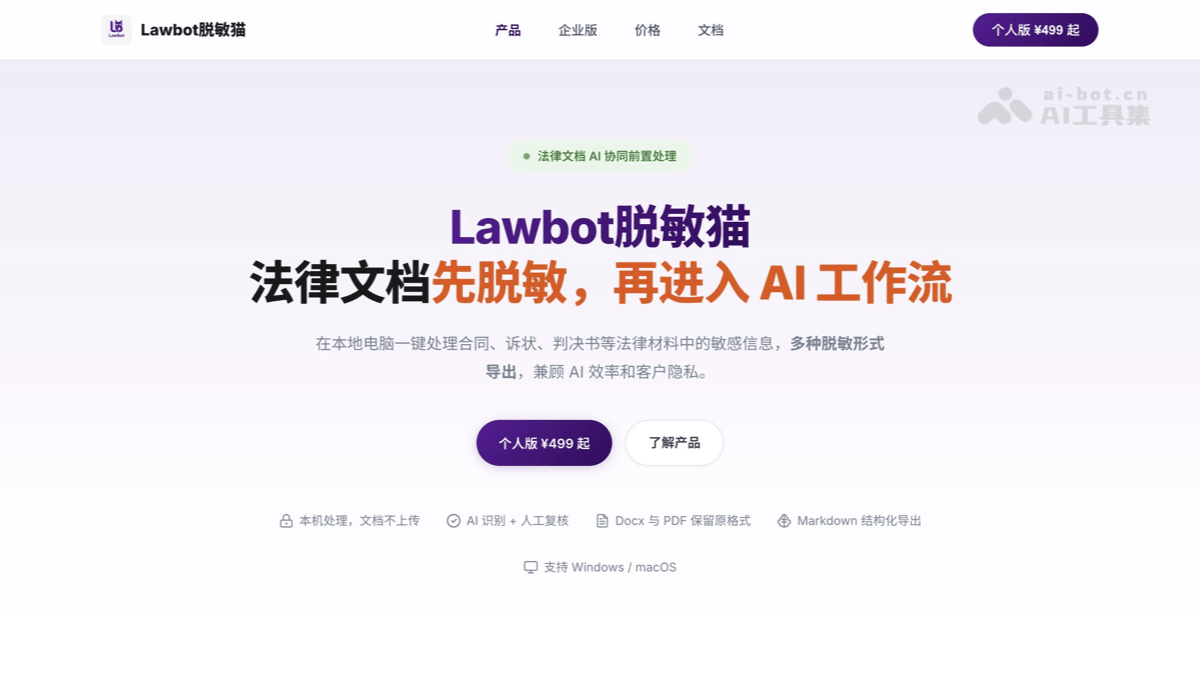
Main features of Lawbot Redaction Cat
-
Local offline redaction processing: Completes sensitive information identification, review, redaction, export, and backfill on the local machine, without going through the web, uploading documents, or calling external model APIs; supports Windows 10/11 x64 and macOS, works with 8GB memory for ordinary text, and 16GB or more is recommended for scanned documents/OCR/batch processing.
-
Automatic identification of 15 categories of sensitive information: Covers names, company/organization names and abbreviations, ID numbers, phone numbers, bank cards, addresses, amounts, dates, emails, case/official document numbers, license plate numbers, seals, WeChat IDs, unified social credit codes, and URLs; core sensitive information identification accuracy is about 95%, with manual review to fill gaps.
-
Three redaction methods can be mixed: Supports asterisk replacement, colored masking (black/gray/white/purple), and pseudonymization replacement; Word focuses on preserving layout, PDF/images can use masking to make content uncopyable and unselectable, and pseudonymization is more suitable for handing off to AI for further analysis.
-
Project-level memory and pseudonym reuse: Through
.tmmmemory files, it saves original files, OCR results, pseudonym mappings, blacklists/whitelists, mask marks, and review progress; multiple materials in the same case share one set of pseudonyms, so adding materials, changing one place, or continuing the next day does not require starting over. -
Batch review pipeline: Multiple DOCX/PDF/images can be dragged in and queued for parsing, and review can begin as soon as one is identified; switch documents on the left, modifications are saved automatically, and batch export is available at the end, suitable for multi-file scenarios such as case files, due diligence, and contract packages.
-
Specialized routing for legal material types: After import, automatically identifies or manually selects the material type, matching specialized identification strategies by category such as judicial documents, litigation documents, contracts and agreements, disclosure and company documents, letters and certifications, and evidence screenshots/vouchers, improving hit rate.
-
High-fidelity Word processing: After redaction, preserves layout such as fonts, paragraphs, tables, headers, and footers; can penetrate and track sensitive words in tracked changes/comments, and when exporting can delete comments, anonymize commenters, or retain them as-is, and can also clear header and footer content.
-
PDF/scanned document OCR and physical masking: Text-based PDFs are directly extracted and identified, while scanned/mixed PDFs are OCRed page by page; performs pixel-level physical hole-punch erasure on scanned documents, supports right-click OCR text correction and supplemental entry, and page-based breakpoint resumption to reduce the risk of being copied and restored.
-
Pseudonym backfill and key-level restoration: After AI processes the pseudonymized document, it can be verified locally with an authorization key to restore code names such as "Party A/Organization 001" back to the real information with one click; the pseudonym mapping never leaves the computer, forming a "redaction—AI analysis—restoration" closed loop.
-
Custom solutions and blacklists/whitelists: You can save different masking intensities and recognition scopes by case type; the blacklist enforces masking, the whitelist enforces skipping, and xlsx import/export is supported, making it easy for law firms or legal teams to share the same set of rules.
-
Export and Delivery Integration: You can export Word/PDF/image results that retain the original format, or export structured Markdown for AI summarization, translation, review, risk lists, and draft generation; the docs also mention that a processing report recording entity types, counts, and masking methods is generated on export.
How to Use Lawbot Masking Cat
-
First Confirm the Device and Environment: Prepare a Windows 10/11 x64 or macOS computer; for everyday Word/text-based PDFs, 8GB of memory or more is recommended, while for scanned documents, image evidence, and large batches of materials, 16GB of memory + SSD is recommended. It is pure offline desktop software; the installer includes recognition models and an OCR engine, so it works even with the network cable unplugged.
-
Purchase and Obtain the Installer: Visit the Lawbot official website https://www.lawbotai.cn/ , choose the Personal Single-Device Edition at ¥499 or the Dual-Device Edition at ¥599, and obtain the download and activation links.
-
Install and Activate Offline: After installation, open the software, copy the machine code displayed in the interface, and complete local offline activation using the activation link/invitation link obtained after purchase; the license is bound to the machine code and verified locally via an offline License, with no need to log in to an account online.
-
Import Materials: Drag contracts, pleadings, judgments, letters, announcements, chat screenshots, transfer receipts, etc.
.docx、.pdf、.jpg/.jpeg/.pnginto the software; multiple materials can be imported in batches at once, parsed in a background queue, and as soon as one is recognized you can review it. -
Confirm the Document Type: After import, the software automatically recommends the material type, such as judicial documents, litigation documents, contracts and agreements, information disclosure and corporate documents, letters and certificates, evidence screenshots and vouchers; choosing the correct type will significantly improve recognition accuracy, and if you are unsure, choose manual classification and fill it in during review.
-
Run Automatic Recognition: The software uses local models to label 15 categories of sensitive information, including names, organizations/abbreviations, ID cards, phone numbers, bank cards, addresses, amounts, dates, emails, case/official document numbers, license plates, seals, WeChat IDs, unified social credit codes, and URLs; the official figure for recognition precision on core items is about 95%, but do not assume 100%.
-
Manual Review Checklist: First look at the sensitive information list on the right and check it grouped by type; delete obvious false positives, such as mistaking "house sale contract" for an address; then use the mouse to select missed content and add it; use search to quickly finish up with the logic of "hit = green, missed = red"; pay special attention to tables, headers and footers, attachments, comments, and tracked changes.
-
Set the Masking Scheme and Blacklist/Whitelist: Choose the recognition scope and intensity by case, for example "mask only ID cards/mobile numbers" or "also mask amounts and case numbers"; add client codes and project names that must be masked to the blacklist, and add institution words such as "Shenzhen Stock Exchange" that should not be misjudged to the whitelist; the lists can be imported and exported as xlsx, and the team can share one set of rules.
-
Choose the Masking Method: If part of the information needs to be retained, use asterisks; for PDFs/images sent externally, use black/gray/white/purple colored masks, which cannot be copied or selected after export; if handing them to AI for analysis, prefer pseudonymization, replacing real names with "Name 001/Party A" and organizations with "Organization 001", and keep the same entity consistent throughout the document.
-
Save
.tmmMemory File: If processing is halfway done or there are multiple materials for the same project, be sure to save the review file;.tmmIt records the original file, OCR results, pseudonym mapping, blacklist and whitelist, mask markers, and progress. When adding materials later, just drag them in, and old pseudonyms are automatically applied; if you find one place in the exported PDF that needs to be changed, open.tmmchange that one point and re-export. -
Preview and Export: Preview page by page before exporting to confirm there are no omissions and no mistaken redactions; Word export preserves the original layout, PDFs/scanned documents use physical masking, and structured Markdown can also be exported for AI to do summarization, translation, review, risk lists, and first-draft generation. The official disclaimer requires: the compliance of the final exported data must be reviewed and confirmed by the user.
-
Handing Over to Cloud AI for Use: Send the de-identified Markdown/text to tools such as Kimi, DeepSeek, ChatGPT; at this point the AI only sees codenames such as “Company A, Party A, Amount 001” and does not come into contact with real identities, account numbers, amounts, or case numbers, and sensitive data does not leave the local machine.
-
AI Result Backfill and Restoration: After the AI returns analysis, translation, or a first draft, select “Pseudonym Backfill” in the software and import the AI result document; the system will preferentially recommend the matching pseudonym table; after verifying the authorization key, restore the codenames to real names, organizations, and amounts with one click, and the backfill process is still completed locally.
-
Special Handling for Scanned Documents: Scanned PDFs/images automatically undergo page-by-page OCR, and the recognition results are presented page by page, so you do not need to wait for everything to finish; if characters are recognized incorrectly, you can right-click to correct the text and add missing entries; on low-spec machines, processing multi-page scanned documents may be very slow, so it is recommended to add memory first, or first use WPS or similar to convert the scanned document into editable text before importing it into Lawbot Shumimao.
The Core Advantages of Lawbot Shumimao
-
Secure, fully offline, zero upload, zero external network requests: It is not a web page and does not rely on external model APIs; recognition, OCR, review, export, and backfill are all completed on the local machine; for highly sensitive documents such as contracts, case files, and due diligence materials, it reduces the surface for external transmission from the architectural level.
-
Born for legal scenarios:Recognition items cover 15 categories of high-frequency legal sensitive information, including case numbers/official document numbers, parties, organization abbreviations, seals, unified social credit codes, amounts, and addresses, with specialized strategies for judgment documents, litigation documents, contracts and agreements, publicly disclosed company documents, letters and certificates, and evidence screenshots and vouchers.
-
Completing the AI workflow into a closed loop: It emphasizes “local de-identification → safely feed to Kimi/DeepSeek/ChatGPT → AI generates results → local authorized pseudonym backfill and restoration,” making use of cloud AI capabilities while keeping real identities, amounts, and account numbers from leaving the local machine.
-
Project-level memory:
.tmmThe memory file saves pseudonym mappings, blacklist and whitelist, OCR results, mask markers, and review progress; pseudonyms remain consistent across multiple materials in the same case, and adding materials, changing one place, or continuing after a few days can all pick up where you left off. -
Recognition does not promise miracles, but review cost is low. The official statement is that the recognition accuracy for core sensitive information is about 95%, while also providing grouped lists, search verification, deletion of mistaken marks, selection-based supplementary entry, and a batch review panel, making the “last mile” of manual confirmation executable.
-
More stable at the delivery end: Word preserves layout, PDFs/scanned documents use physical masking. After de-identification, Word retains fonts, paragraphs, tables, headers and footers, and can handle comments/revisions; PDFs and images can undergo pixel-level hollowing and erasure, reducing the risk of being copied, seen through, or restored.
-
Rules can be accumulated, and teams can reuse them: The masking strength can be saved as a scheme by case; the blacklist and whitelist support mandatory masking/mandatory skipping, and xlsx import/export, allowing law firms or legal teams to standardize "what must be hidden and what must not be mistakenly affected".
Application scenarios of Lawbot Masking Cat
-
AI-assisted case handling and document drafting: Before handing judgments, complaints, statements of defense, and evidence materials to Kimi, DeepSeek, or ChatGPT for similar-case analysis, identification of points of dispute, and preliminary legal opinions, first mask them locally; after the results are returned, use the authorization key to locally restore the real parties, institutions, and amounts.
-
External exchange or sending of confidential materials: Before sending contracts, letters, or case file excerpts to other law firms, arbitration institutions, regulatory authorities, or external consultants, replace or mask parties, account numbers, amounts, case numbers, etc., reducing the risk of secondary dissemination during collaboration.
-
Public release of cases and content compliance: When lawyers write public account case studies, training courseware, summaries of adjudication rules, or client notices, use interception of 15 categories of sensitive fields + manual review to quickly export a publicly releasable version and avoid bringing identifiable party information out.
-
Internal due diligence and project collaboration: Projects such as investment, mergers and acquisitions, equity, loans, and confidentiality usually have multiple agreements and supplementary materials; use project-level pseudonyms to keep the same entity consistent across all documents, making it convenient to track relationships among people, institutions, and funds across documents.
-
Cross-border contract translation and clause summarization: Before handing contracts to AI for translation or summarization in cross-border business, first pseudonymize them as "Company A/Party B/Amount 001"; the AI can still understand the transaction structure but does not come into contact with the real parties, account numbers, and transaction amounts.
-
Processing of evidence screenshots and fund vouchers: For image evidence such as chat records, text messages, transfer receipts, invoices, and certificates/licenses, use image masking and rectangular/elliptical masks to process mobile phone numbers, bank cards, WeChat IDs, and ID numbers, suitable for processing before case filing, evidence presentation, and archiving.

