
What is Paiban Xiaoxing
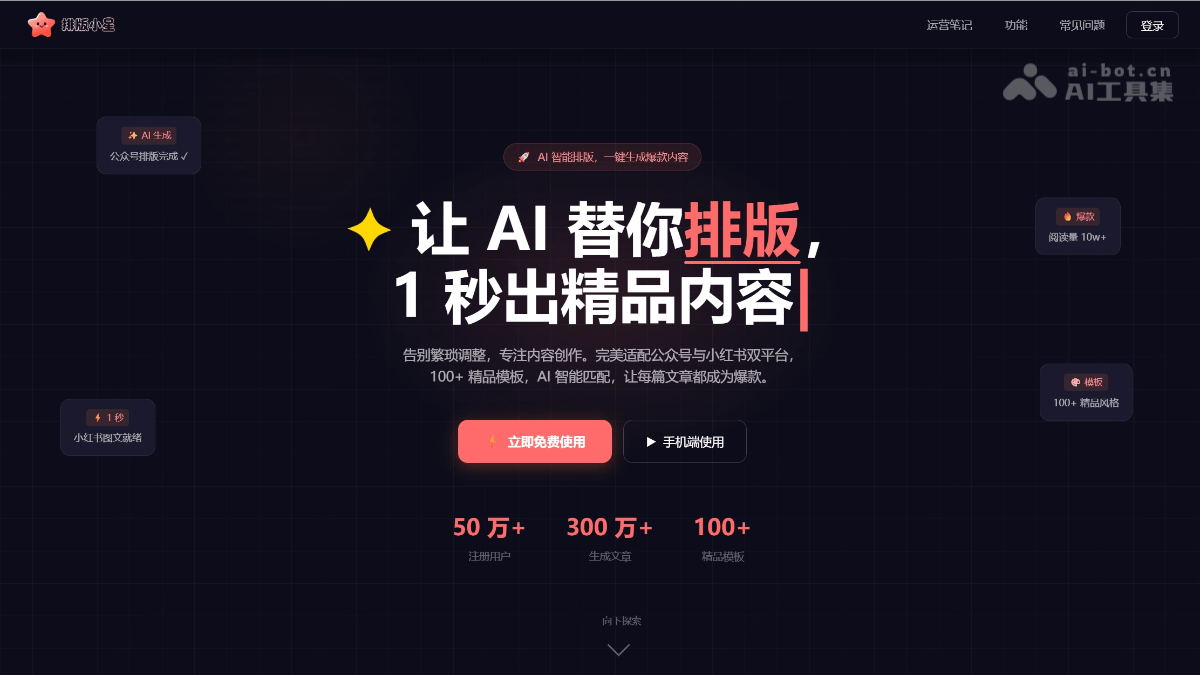
Paiban Xiaoxing is an AI smart creation + typesetting + image matching + publishing tool focused on both WeChat Official Accounts and Xiaohongshu platforms. It supports one-click import of documents and links, and AI automatically identifies content types and matches 100+ premium templates, generating professional-grade graphics and text within 1 second. AI smart writing, video-to-article conversion (supporting platforms such as Douyin and Bilibili), style cloning, AI automatic image matching, and one-click adaptation for both platforms. Users can create anytime and anywhere via the desktop web version or WeChat Mini Program. All typesetting features are completely free, and AI image generation is limited to 4 images per day. All images come from authorized stock libraries or are AI-generated, with zero copyright risk, letting creators say goodbye to tedious typesetting and focus on the content itself.
Main features of Paiban Xiaoxing
-
AI one-click typesetting: Just paste text, and AI automatically identifies the content type and intelligently selects the most suitable typesetting style, generating professional-grade graphics and text within 1 second.
-
100+ premium templates: Covering mainstream content types such as knowledge popularization, emotional stories, product recommendations, and workplace insights, with continuous updates.
-
Dual-platform adaptation: One-click switching between WeChat Official Account long images and Xiaohongshu vertical images, intelligently adjusting proportions and font sizes for perfect presentation on each platform.
-
Smart image matching: AI analyzes article semantics and automatically matches high-quality copyright images, with no infringement risk, making graphics and text more eye-catching.
-
One-click link-to-typesetting: Enter any article link, and AI automatically captures the content and re-typesets it, making citing materials and reposting/adapting easier than ever.
-
Supports document/link import: Supports directly pasting text, entering article links (automatically capturing the main text), and uploading Word documents (.docx) and TXT text files.
-
Multi-device use: Supports the desktop web version and WeChat Mini Program. No App download required. Search "Paiban Xiaoxing" Mini Program on WeChat to use it. Content is synced in the cloud, allowing seamless switching between phone and computer.
-
AI smart writing: Supports AI smart writing, generating viral WeChat Official Account articles and Xiaohongshu graphics and text with one click.
-
Video-to-article: Supports one-click conversion of videos from platforms such as Douyin, Xiaohongshu, and Bilibili into WeChat Official Account articles.
-
Style cloning: Supports cloning any style for WeChat Official Account and Xiaohongshu typesetting.
-
AI automatic image matching: AI automatically matches high-quality images based on article content.
How to use Paiban Xiaoxing
-
Enter content: Open the Paiban Xiaoxing official website https://paibanxiaoxing.com/,或微信小程序,粘贴文章文字,或输入任意文章链接(AI automatically capture the main text), or upload Word documents (.docx) and TXT text files.
-
Choose a typesetting style: Choose a suitable style from 100+ premium templates, or let AI automatically identify the content type and intelligently recommend the best typesetting solution.
-
AI one-click generation: Click "Start Typesetting", and AI automatically completes the typesetting within 1 second, generating professional-grade graphics and text.
-
Fine-tune and optimize: After generation, supports real-time adjustment of font size, color, spacing, image positions, etc., with WYSIWYG. Switching template styles also requires only one-click re-typesetting.
-
Smart image matching: AI automatically matches high-quality copyrighted images based on the article's semantics, or you can manually replace them with AI-generated exclusive images (limited to 4 per day).
-
Export and Publish: One-click copy to the WeChat Official Account editor and paste to preserve the layout; or export as HTML source code or high-definition images. Xiaohongshu vertical images can be saved directly to the album for publishing.
-
Multi-device Sync: Content is synced to the cloud between the computer and the WeChat mini program, so you can create anytime, anywhere, with seamless switching between phone and computer.
Core Advantages of Paiban Xiaoxing
-
Completely Free: All layout features are free of charge and can be used unlimited times.
-
AI Image Generation Public Beta: The AI image generation feature is currently in public beta, and up to 4 AI images can be generated per day.
-
Zero Copyright Risk: All accompanying images come from licensed commercial image libraries or AI-generated images, and can be safely used for commercial publishing.
-
What You See Is What You Get: After generation, you can fine-tune the font size, color, spacing, accompanying images, etc., with real-time preview of the adjustments.
-
One-click Publish: Supports one-click copy to the WeChat Official Account editor, and pasting preserves the layout format; it can also be exported as HTML source code or high-definition images.
Comparison of Paiban Xiaoxing with Similar Competitors
| Comparison Dimension | Paiban Xiaoxing | Xiaomoying Editor | Youyiyun AI |
|---|---|---|---|
| Product Positioning | AI intelligent layout tool, focused on the dual platforms of WeChat Official Account + Xiaohongshu | All-in-one AI WeChat Official Account layout tool, an industry benchmark | Integrated AI content creation + layout + distribution platform |
| AI Layout Capabilities | AI automatically identifies content types, generates professional layouts in 1 second, and supports style cloning | AI quick layout feature, completes layout within 30 seconds, with 98% accuracy | 30-second one-click layout, millisecond-level skin changing, AI full-process writing + layout |
| Template Materials | 100+ premium templates, covering mainstream content types | 250,000+ single materials, 10,000+ full-text templates, 3,000+ SVG animations, updated daily | Massive template library, 360+ AI intelligent marketing agents |
| Platform Support | One-click adaptation for the dual platforms of WeChat Official Account + Xiaohongshu, supporting switching between vertical images and long images | Focused on the WeChat Official Account ecosystem, deeply adapted to WeChat specifications | Supports one-click distribution to 20+ platforms, automatically adapting to each platform's format |
| Content Import | Paste text, import links, upload .docx / TXT | Supports document import, link scraping, AI-generated accompanying images | Supports document import, web page capture and reconstruction, AI writing generation |
| Video to Article | ✅ Supports one-click conversion of videos from Douyin, Xiaohongshu, Bilibili and other platforms into WeChat Official Account articles | ❌ Not supported | ❌ Not supported |
| AI Image Matching | AI automatically matches high-quality copyrighted images, with AI image generation limited to 4 per day | AI-generated accompanying images, one-click replacement of 3,000+ SVG animations | AI image matching is integrated into the layout process, reducing copyright anxiety |
| Special Features | Style cloning, video to article, WeChat mini program client | SVG motion graphics lab, government version compliance templates, 100-person team collaboration | GEO MAX large model ranking optimization, multi-account management, 360+ intelligent agents |
Use cases of Paiban Xiaoxing
-
WeChat Official Account long-form article creationKnowledge popularization, emotional stories, workplace tips, product recommendations, and other types of articles. AI identifies the content type with one click and matches professional formatting, saying goodbye to the tedious process of manually adjusting formats.
-
Xiaohongshu note generationOne-click adaptation for vertical image-text posts, intelligent adjustment of font size and proportions, direct export of high-definition images to save to the album, and quick publishing of eye-catching notes.
-
Video content to image-textConvert popular videos from platforms such as Douyin, Xiaohongshu, and Bilibili into WeChat Official Account articles with one click, automatically extract key information and reformat it, enabling cross-platform content reuse.
-
Article reposting and adaptationEnter any article link, and AI automatically captures the main text and reformats it, making it convenient to cite materials, repost and adapt, and quickly produce original content.
-
Style cloning and replicationWhen you see a formatting style you like, clone and apply it to your own content with one click, quickly unifying your account's visual tone and building personal brand recognition.
-
Multi-platform matrix operationOperate WeChat Official Account and Xiaohongshu accounts at the same time. Through the dual-platform one-click switching function, the same content can quickly generate adapted versions in different sizes and styles, saving repetitive work.
Frequently asked questions about Paiban Xiaoxing
A: Paiban Xiaoxing is currently completely free to use. All formatting functions are free of charge and can be used unlimited times. The AI image generation function is in public beta, and up to 4 AI images can be generated per day. If there are paid functions in the future, users will be informed in advance, and the rights and interests of existing users will not be affected.
A: It supports directly pasting text, entering an article link (automatically capturing the main text), and uploading Word documents (.docx) and TXT text files. Speech-to-text import will also be supported in the future.
A: There are no copyright issues. The images used by Paiban Xiaoxing all come from authorized commercial image libraries or are AI-generated images, and can be safely used for commercial publishing. The copyright of all image-text content you generate belongs to you.
A: Yes! After generation, you can fine-tune the font size, color, spacing, images, and more, and you can also switch to other template styles and regenerate. What you see is what you get, and adjustment results are previewed in real time.


