

What is Xiaomoying Editor
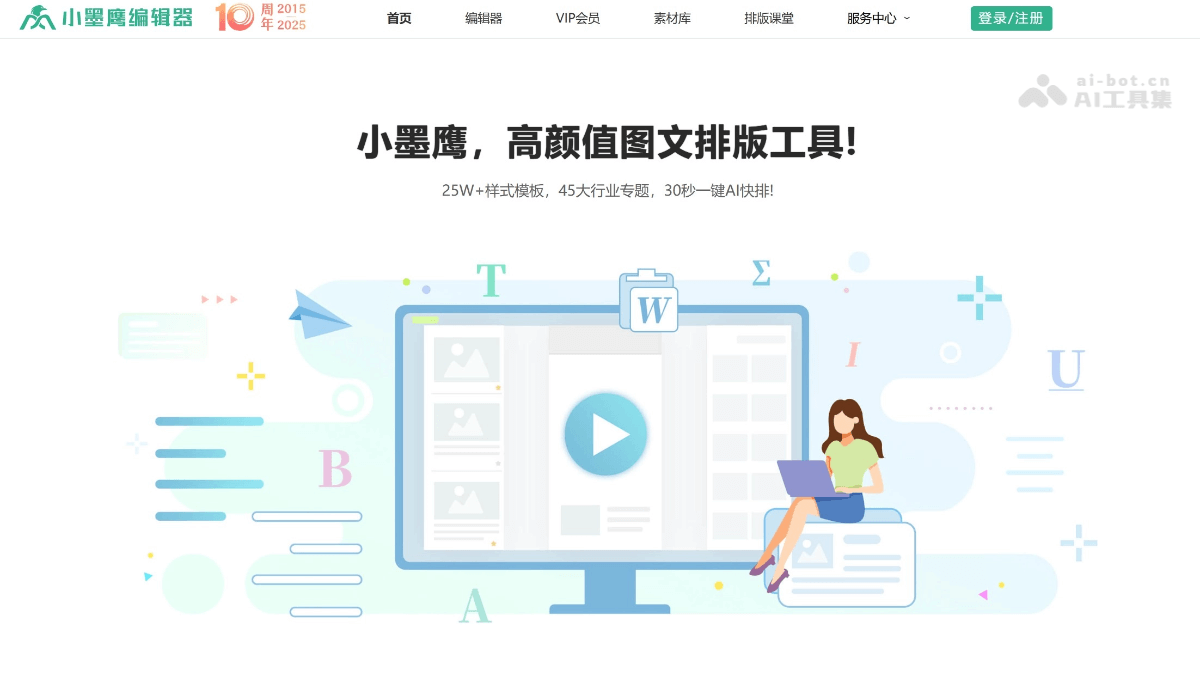
Xiaomoying Editor (formerly Xiaomayi Editor) is a professional AI WeChat official account formatting tool that has been deeply rooted in the WeChat ecosystem for 10 years and has served 5 million users cumulatively. It is the industry's first AI fully automatic formatting platform. AI Quick Format can complete the entire process from document import to beautiful formatting within 30 seconds, and AI automatically recognizes article structure (titles, introductions, image-text relationships, etc.) with an accuracy rate of 96%. Xiaomoying Editor has 250,000+ single materials, 10,000+ full-text templates, and 3,000+ SVG dynamic effect materials, ranking first in the industry in scale, covering 45 major industry scenarios and updating hotspot templates daily. It supports WeChat official account operation tools such as multi-account management, scheduled mass sending, and custom menus. It is an "operations assistant" that improves work efficiency by 300%. All materials are licensed and can be used commercially, suitable for users in government and enterprises, education, healthcare, and many other fields.
Main functions of Xiaomoying Editor
-
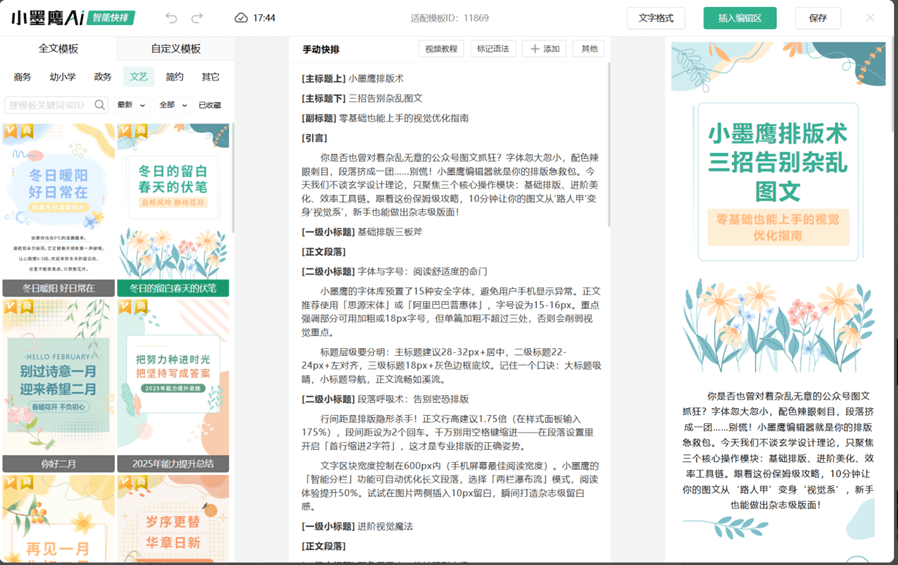
AI Quick Format Fully Automatic Version: Supports import of Word/Excel/PPT/PDF. AI automatically analyzes document types and breaks down the structure (titles, introductions, image-text combinations, conclusions, etc.), with a recognition accuracy rate of 96%. It completes fully automatic beautiful formatting within 30 seconds and supports saving personal commonly used style combinations for one-click adaptation.
-
AI Writing and Generation Suite: Provides AI title optimization (increases click-through rate), AI article generation (generates copy from one sentence, dual-model adversarial output), AI writing assistant (continuation, expansion, polishing, summarization, intelligent proofreading, multilingual translation), and AI material generation (automatically generates hundreds of millions of new materials based on the original 250,000+ materials).
-
AI Drawing and Image Processing: Generates WeChat official account cover images, secondary images, and body illustrations (provides simple formula prompts), as well as practical tools such as AI one-click watermark removal, six-image stitching, and image compression.
-
Massive Material Library: 250,000+ single materials (styles such as titles, paragraphs, images, dividers, QR codes, etc.), 10,000+ full-text templates (covering 45 major industries), 3,000+ SVG dynamic effect materials (click to expand, carousel, etc.), 1,000,000+ article illustrations, and 3,000+ commercial stickers, continuously updated daily.
-
Foolproof SVG Dynamic Effect Editing: The lowest setup difficulty in the industry, pop-up operation. Interactive effects can be completed by simply replacing text and images, with no need to learn complex parameters, and beginners can get started directly.
-
WeChat Official Account Operation Management: Supports WeChat third-party functions such as multi-account binding (3-20), scheduled mass sending, custom menu settings, keyword auto-replies, follow replies, parameter QR code generation, and data analysis.
-
Content Extraction and Reuse: One-click extraction of images, videos, audio, and all content from other people's WeChat official account article links. After extraction, modify the text and images to quickly reuse them as your own template.
-
Intelligent Editing Tools: Drag to insert/move/delete content blocks, one-click transfer format to the same style, DIY collection of custom-modified materials, extract content format records for next application, style second brush one-click template application, and automatic draft saving in the editing area to prevent loss.
-
Special Effects and Formatting Enhancement: Supports inserting mathematical formulas such as fractions/radicals/functions, special effect text such as fancy text/gradient text/sweating sprouting heart, and freely combining layout styles to arrange image-text content.
-
Multi-format Export and Cross-device Collaboration: Supports export to long images (up to 100,000 pixels), PDF, HTML, Word, and other formats, and supports collaborative editing between PC and mobile and multi-device cloud synchronization.
How to use Xiaomoying Editor
-
Access, Registration, and Login: Visit the official Xiaomoying Editor website https://www.xmyeditor.com/ . It supports cross-device use on PC and mobile. New users can try basic features for free. The template library contains a large number of free materials to meet daily needs.
-
Fully Automated AI Quick Formatting Process: Click the AI Quick Formatting feature, import Word/Excel/PPT/PDF documents or enter a topic. AI automatically analyzes the article structure and automatically generates a beautiful layout within 30 seconds. Adjust details or change templates as needed, save, and sync to the WeChat official account.
-
Combined Use of Custom Templates: In the material library, select individual materials such as title styles, content paragraph styles, image styles, and QR code styles, combine them into a commonly used full set of templates, and save them. Later, directly import documents, and AI will automatically adapt to the saved style combinations without applying them one by one.
-
Foolproof Material Application: Browse the template library covering 45 major industries and choose a style. Use the "One-Click Instant Refresh" feature to quickly change color schemes. For SVG animated materials, directly replace text and images through pop-up windows. Click DIY to save modified materials for direct use next time.
-
AI Intelligent Assisted Creation: Use "AI Article" to generate copy by entering one sentence (supports custom article structure). Use "AI Title" to optimize the original title and increase the click-through rate. Use "AI Painting" to generate cover images/illustrations by entering a simple formula. Use "AI Watermark Removal" to remove image watermarks with one click.
-
Content Extraction and Reuse: Copy the link to someone else's WeChat official account article, use the extraction feature to obtain the images, videos, audio, and all content in the article with one click, modify the text and replace images in the editing area, and quickly convert it into your own formatted content.
-
WeChat Official Account Management and Publishing: Bind multiple WeChat official accounts in the backend (supports 3-20 accounts), set scheduled mass sending, custom menus, keyword auto-replies, and follow replies, generate parameterized QR codes to track data sources, and optimize operational strategies through data analysis.
-
Cross-Device Collaboration and Export: After completing detailed editing on PC, you can preview the effect on mobile. It supports export to multiple formats such as long images (up to 100,000 pixels), PDF, HTML, and Word. The editing process automatically saves drafts to the cloud and supports historical version recovery to prevent content loss.
Application Scenarios of Xiaomoying Editor
-
Corporate Brand Promotion: Suitable for business scenarios such as corporate new product launches, company introductions, and corporate culture promotion. Use grand business-style templates with SVG animations to enhance the brand's professional image and reading experience.
-
Government Information Publishing: Adapts to serious content such as government department policy interpretations, announcements, and party building publicity. It provides red government-style templates and licensed commercial fonts to ensure content compliance and authoritative visual effects.
-
Educational Institution Operations: Covers educational scenarios such as kindergartens, primary schools, and middle schools, including campus news, admissions brochures, holiday notices, and event reviews. It provides cartoon-cute or literary-fresh style templates to reduce the cost of home-school communication.
-
Medical and Health Popular Science: Suitable for content such as hospital department introductions, health knowledge popularization, and traditional Chinese medicine wellness. It is equipped with vertical industry templates such as blue medical style and ancient-style traditional Chinese medicine to improve content readability and professionalism.
-
Self-Media Content Creation: Meets the daily posting needs of vertical bloggers in food, travel, fashion, maternal and infant, and other niches. AI quick layout completes formatting in 30 seconds and supports a trending calendar to quickly follow up on holiday marketing moments.
-
Holiday Trending Marketing: Covers all kinds of holidays throughout the year (including niche holidays) and social trending events. The platform updates themed templates daily to help businesses and individuals respond quickly to trends and seize traffic opportunities first.


