

What is QMuse
QMUSE is anAI no-code application generation platformlaunched by Ant Group. It is aimed at users with zero foundation, who can turn ideas into runnable web works through natural language descriptions. The product supports click-to-edit, talk-while-doing, skill package invocation, and community cloning, and integrates data management, allowing creators to complete application development without writing code.
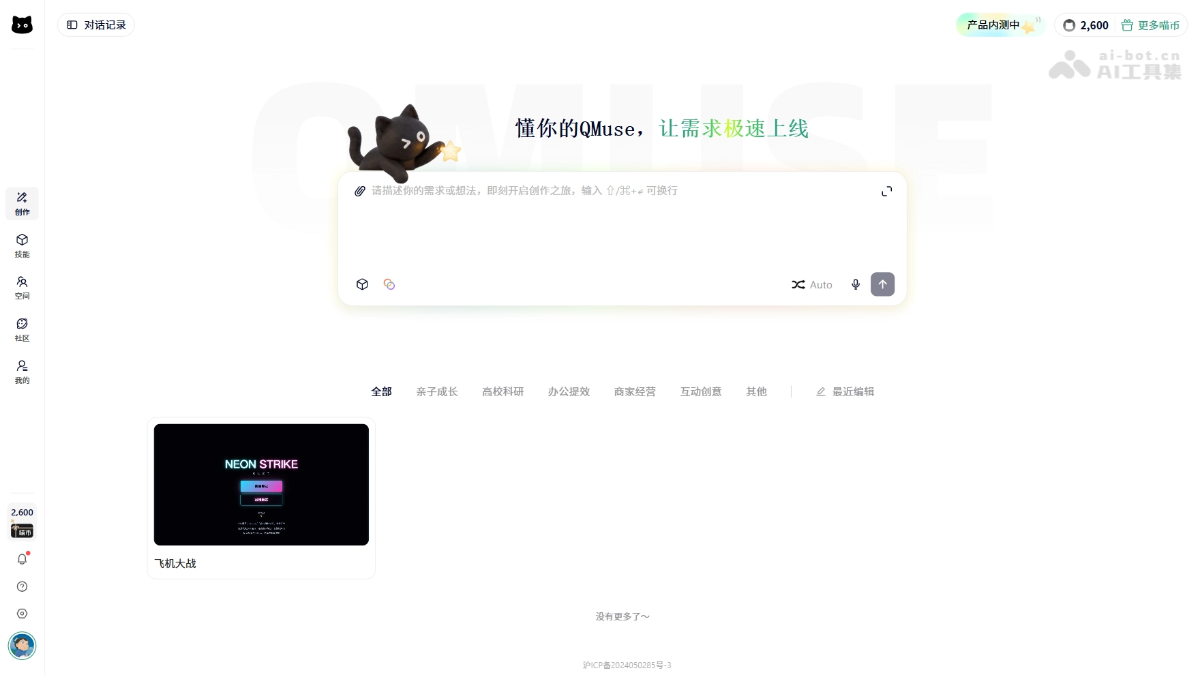
QMuse's main features
-
AI-generated applications: Enter a natural language description, and the system automatically parses it and generates a runnable web work.
-
Click-to-edit: Select any area on the page to modify content, styles, and interaction details through natural language or parameter adjustments.
-
Talk while doing: Enable screen sharing and recording, operate the page while verbally explaining issues, and automatically generate video feedback when finished.
-
Skill marketplace: Package commonly used functions such as login, particle effects, 3D effects, and file upload as skill packages that can be invoked with one click.
-
Style system: Built-in multiple visual styles, while also supporting users to import custom style templates and reuse them.
-
Community cloning: Browse other people's works and creation processes in the community, and clone them to your personal space with one click for secondary creation.
-
Data management: Supports adding, deleting, modifying, and querying data fields, batch import and export, real-time editing, and multi-dimensional query statistics.
How to use QMuse
-
Register and log in: Visit the QMUSE official website https://www.qmusespace.com/ and complete authorized login with an Alipay account.
-
Create an application: Enter a natural language description of your requirements in the input box on the homepage, and click the generate button to obtain a runnable work.
-
Fine editing: Select page elements and modify text, images, buttons, and style details through click-to-select or natural language descriptions.
-
Skill integration: Go to the skills page, search for the required function package, and install and configure it into the current application with one click.
-
Talk while doing: Enable screen sharing and the microphone, operate while verbally explaining modification suggestions, and the system automatically generates a feedback video.
-
Data configuration: Enable data collection and management in three ways: one-click startup, dialog box description, or manual activation via forms.
-
Publish and share: Publish works to the community or personal space, and you can also browse and clone other people's works for Remix creation.
QMuse's core advantages
-
Zero-code threshold: Completely aimed at users without a programming background, complete applications can be generated through natural language interaction.
-
Fine-grained control: Supports click-to-select specific areas for pixel-level editing, meeting precise visual and interaction needs.
-
Intuitive feedback: The talk-while-doing feature combines screen recording with voice, greatly reducing the cost of textual description of visual details.
-
Modular expansion: The skill marketplace and style system support modular reuse of functions and visuals, improving building efficiency.
-
Data closed loop: Built-in data management functions allow application data lifecycle management to be completed without third-party tools.
Comparison of QMuse with similar competing products
| Dimension | QMUSE | Lovable | BaiduMiaoda |
|---|---|---|---|
| Product positioning | AI no-code application generation platform | AI full-stack application generation tool | Intelligent page building platform |
| Core interaction | Natural language description + point-and-click editing | Generate full-stack applications through natural language dialogue | Drag-and-drop components + AI-assisted generation |
| Target users | Creators with absolutely zero foundation | Overseas entrepreneurs, product managers | Operations, marketing, and business personnel |
| Generation scope | Web applications, mini-games, data tools | Full-stack web applications (frontend and backend + database) | Marketing pages, forms, official website pages |
| Editing method | Natural language/parameter modification after selecting an area | Conversational iterative code modification | Visual drag-and-drop + code fine-tuning |
| Special features | Build while talking, skill marketplace, data management | GitHub integration, one-click deployment, complex databases | Baidu ecosystem access, SEO optimization |
| Ecosystem integration | Alipay login, Ant ecosystem | Vercel、Supabase、GitHub | Baidu Search, Baidu Analytics |
| Community gameplay | One-click cloning, Remix secondary creation | Community sharing, Fork modification | Template marketplace, component library |
| Applicable scenarios | Personal works, lightweight tools, event pages | SaaS products, complex web applications | Marketing campaigns, corporate official websites, form collection |
| Current stage | Closed beta period, skill ecosystem in early stage | Mature, rich ecosystem | Launched, relying on Baidu traffic |
QMuse application scenarios
-
Personal portfolio display: Creators can quickly generate personal blogs, portfolios, or resume websites through natural language descriptions, and can go live without any coding foundation.
-
Campus event implementation: In scenarios such as university orientation and club recruitment, quickly build mobile service pages including check-in lists, campus navigation, and schedule reminders.
-
Lightweight tool development: Teams can quickly create internal tools such as Snake-style interactive mini-games, OKR management systems, or data entry dashboards.
-
Merchant business sites: Small and medium-sized merchants can generate official websites or store landing pages with appointment, contact, and product display functions without code, and integrate data collection.
-
Teaching experiment prototypes: Teachers and students can quickly build runnable application prototypes or experimental data collection platforms in course projects, validate ideas, and iterate.

