

What is DevChat
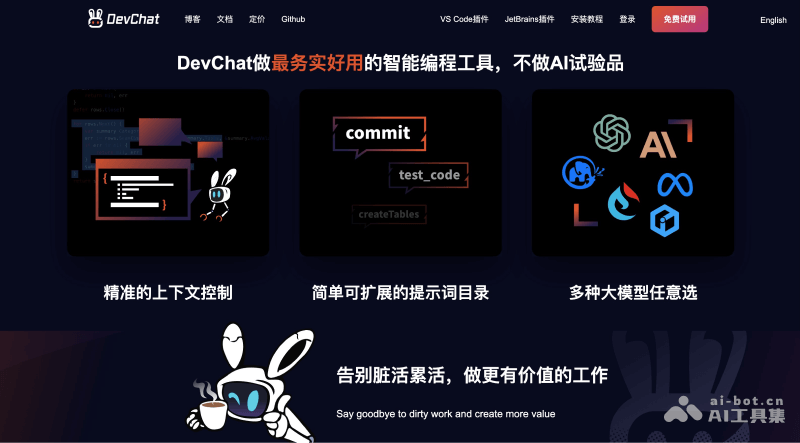
DevChat is a AI programming assistant toolfocused on developers, improving development efficiency through natural language interaction. It supports multiple mainstream AI models (such as GPT-4, Claude 2, etc.), and developers can flexibly switch according to their needs to obtain the best code generation, debugging, and documentation writing experience. Core features include intelligent code completion, test case generation, real-time syntax checking, and rapid querying and generation of technical documentation. DevChat provides precise context control and an extensible prompt library to help developers better manage the development process. DevChat supports team collaboration, can help developers quickly generate high-quality code and documentation, and provides intelligent error debugging capabilities.
Main Features of DevChat
-
Intelligent Code Generation: Through natural language descriptions, quickly generate code snippets, test cases, algorithm implementations, etc., significantly improving development efficiency.
-
Real-time Syntax Checking and Debugging: Check syntax errors in real time while writing code, analyze error stack information, and provide detailed error causes and solutions.
-
Technical Documentation Assistance: Automatically generate technical documentation, comments, and API descriptions based on code context, reducing documentation workload.
-
Multi-model Integration: Supports multiple mainstream AI models (such as GPT-4, Claude 2, etc.), and developers can freely switch according to their needs.
-
Context Management: Provides fine-grained context control, avoiding interference from irrelevant information and ensuring the accuracy of generated results.
-
Team Collaboration and Knowledge Sharing: Supports team members in sharing code snippets, error solutions, and technical documentation, improving overall team development efficiency.
-
Extensible Prompt Library: Developers can customize prompt templates, create efficient workflows, and share them with the team.
-
Intelligent API Testing: Helps developers quickly generate API test cases and supports test coverage for complex scenarios.
How to Use DevChat
-
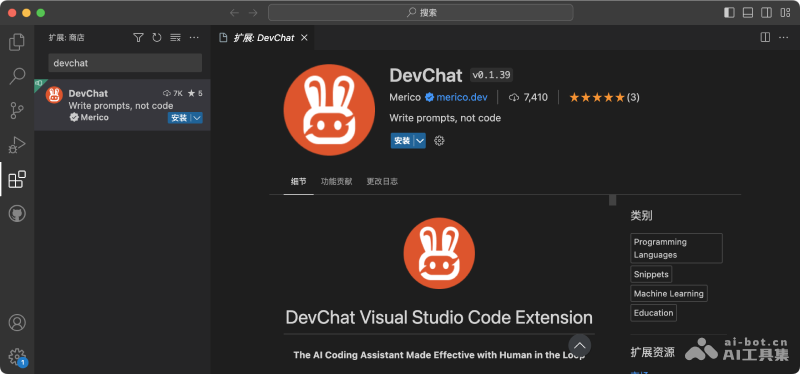
Install the Plugin: Install the DevChat plugin in VS Code or JetBrains IDE.
-
Register and Configure: Visit the official website https://www.devchat.ai/ to register an account, obtain an API key, or configure your own model key.
-
Launch the Plugin: Open the DevChat chat interface in the IDE sidebar.
-
Describe Your Needs: Describe your programming needs in natural language, or use preset prompt templates.
-
Review and Optimize: Review the code generated by AI, optimize it as needed, and integrate it into the project.
-
Team Collaboration: In a team environment, share code snippets, solutions, and documentation to improve collaboration efficiency.
DevChat Application Scenarios
-
Rapid Prototyping: Quickly generate project framework code through natural language descriptions, accelerating development efficiency during the product validation stage.
-
Complex Algorithm Implementation: When encountering unfamiliar algorithm problems, describe your needs in natural language to obtain runnable code implementations.
-
Code Refactoring Assistance: Analyze existing code and provide optimization suggestions, automatically generating a refactored code version.
-
Automated Test Writing: Automatically generate unit test cases based on business code to improve test coverage.
-
Technical Documentation Generation: Automatically generate supporting documents such as API documentation and usage instructions based on code context, reducing the workload of documentation writing.
-
Real-time Problem Solving: When encountering problems during development, obtain solutions by asking questions in natural language.

