

What is EasyClaw
EasyClaw is an open-source one-click installation tool for AI assistants, allowing non-technical users to deploy a complete OpenClaw ecosystem within seconds. EasyClaw integrates them into a minimalist one-command installation experience. Users only need to paste a single curl command to automatically complete the installation of OpenClaw / ClawdBot / MoltBot, without dealing with dependency errors or permission issues throughout the process. EasyClaw supports macOS, Windows, and Linux across all platforms. All data runs locally to ensure privacy and security, while also supporting multiple AI choices such as Claude, GPT, and local models.
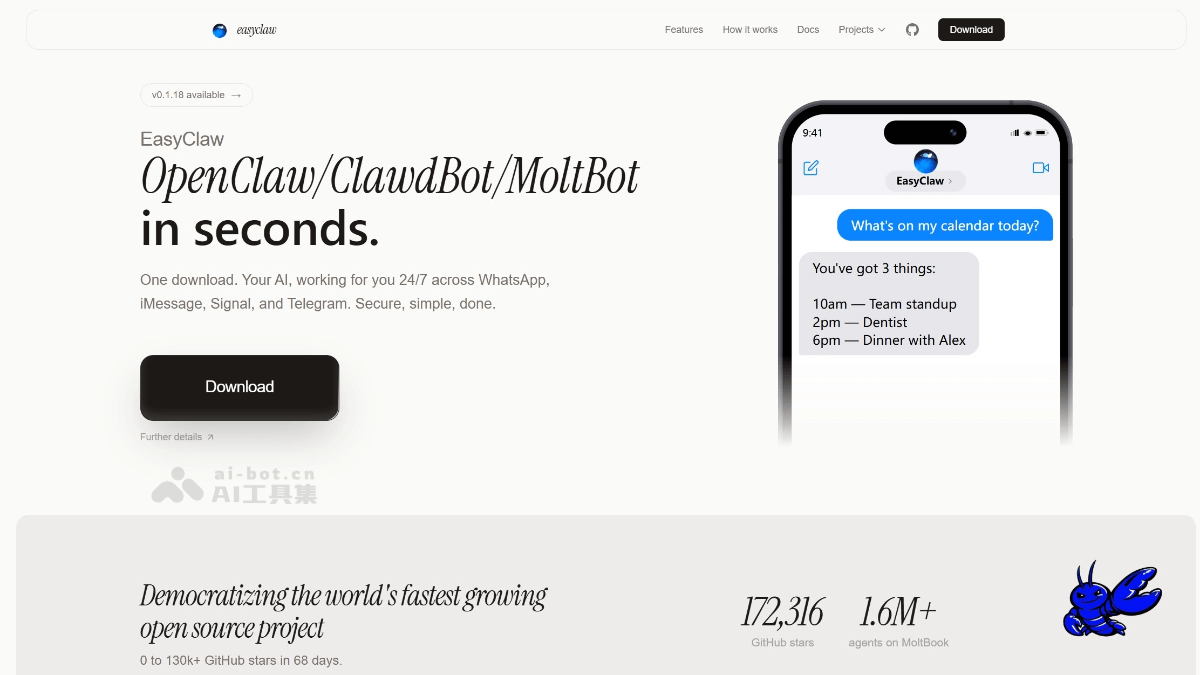
Main features of EasyClaw
-
One-click installation: A single curl command automatically completes the full-stack deployment of OpenClaw / ClawdBot / MoltBot in seconds without manual configuration.
-
Cross-platform support: Automatically detects and adapts to macOS, Windows, and Linux systems, with no need to handle dependency errors or permission issues.
-
Communication integration: Connects WhatsApp, Telegram, Discord, and Slack through MoltBot, allowing users to interact with AI in their commonly used chat apps.
-
Local operation: All data and AI inference are executed entirely on local hardware, with no cloud dependency, ensuring privacy and security.
-
Flexible models: Supports cloud models such as Claude and GPT as well as fully local models, allowing users to choose as needed.
-
Extensibility: Supports community skill plugins, custom plugins, and browser control, freely extending AI assistant capabilities.
How to use EasyClaw
-
Download and install: Visit the EasyClaw official website https://www.easyclaw.app/ , download the version for the corresponding system, and after opening the app, environment detection and initialization settings are completed automatically.
-
Execute command: Paste a single curl command provided officially into the terminal to automatically install the complete technology stack of OpenClaw, ClawdBot, and MoltBot.
-
Connect accounts: Follow a few clicks in the interface guidance to complete account authorization for communication platforms such as WhatsApp, Telegram, Discord, or Slack.
-
Choose a model: Select an AI model in settings (Claude, GPT, or a local model), and switch freely according to needs and budget.
-
Start chatting: Send messages directly in the connected communication app to interact intelligently with the AI assistant.
Application scenarios of EasyClaw
-
Personal intelligent assistant: Deploy AI in commonly used chat apps such as WhatsApp and Telegram to answer questions, manage schedules, or assist with daily tasks at any time.
-
Customer support automation: Quickly build cross-platform intelligent customer service bots for enterprises, automatically responding to inquiries and handling common requests.
-
Team collaboration enhancement: Integrate into Discord or Slack workspaces to provide instant information queries, document organization, and project assistance services.
-
Privacy-sensitive scenarios: Meets the data security requirements of industries such as healthcare and finance. All AI processing is completed locally, avoiding the risk of cloud leaks.
-
Rapid developer prototyping: Helps technical personnel set up an OpenClaw development environment in seconds, quickly test AI application ideas and custom plugins.
-
Multilingual communication services: Through scalable AI model support, achieve cross-language real-time translation and multilingual customer communication.

