
What is ChatTOC
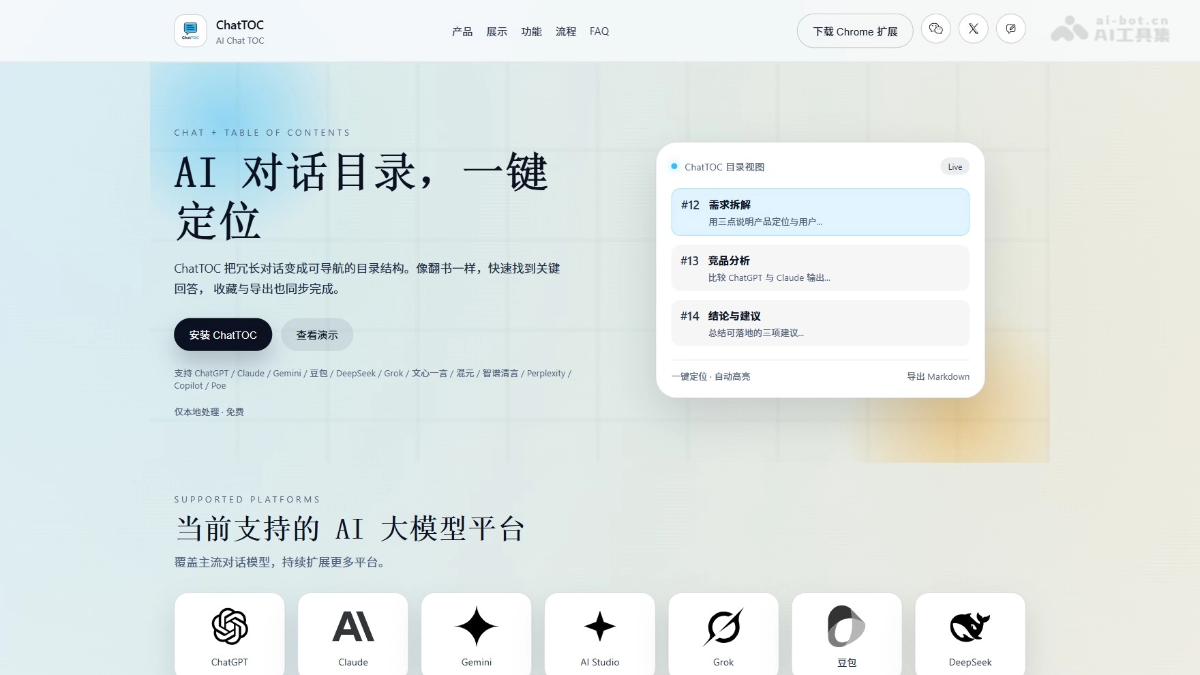
ChatTOC is a browser extension that turns AI conversation content into a navigation table of contents, supporting ChatGPT、Claude、Gemini、DeepSeek and other mainstream platforms. ChatTOC can automatically generate a message table of contents on the right side of the conversation page, enabling features such as one-click locating and highlighting of the original text, real-time search, message filtering, and bookmark marking, allowing users to quickly locate key information just like flipping through a book. ChatTOC greatly improves the efficiency of information retrieval and knowledge accumulation, and is a practical tool for efficiently managing chat records.
Main Features of ChatTOC
- Table of Contents Navigation: Automatically generates a structured table of contents for AI conversations. Clicking any entry locates the original text with one click and highlights it, with no need to manually scroll to search.
- Search and Locate: Supports real-time search of conversation content. After entering a keyword, matching messages are automatically filtered and highlighted, and clicking a search result jumps to the corresponding location.
- Message Filtering: Provides quick filtering, allowing you to choose to view only user questions, only AI answers, or only bookmarked key messages.
- Bookmark Marking: Allows users to add key messages to bookmarks, and at any time locate the original text with one click through the bookmark list, making later review and citation convenient.
- Reading Progress: Automatically records the user's last reading position, so the next time the conversation is opened, you can return to where you left off with one click, with no need to browse from the beginning.
- Export for Review: Supports exporting conversation content in JSON or Markdown format, making it convenient to organize notes, write articles, or accumulate knowledge.
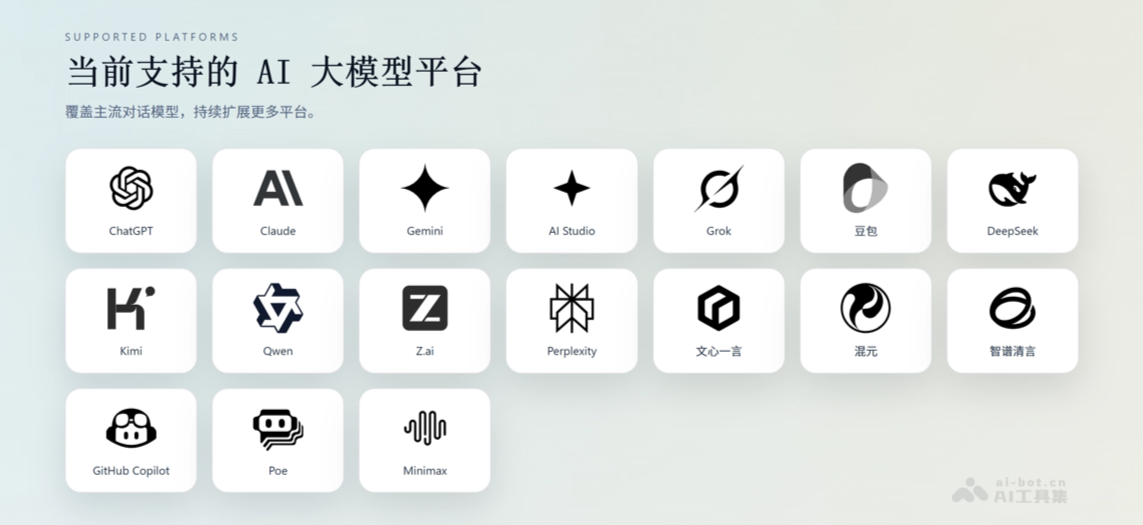
- Cross-site Adaptation: Natively supports mainstream AI platforms such as ChatGPT, Claude, Gemini, DeepSeek, and Kimi, and also supports users in customizing and adding rules for other sites.
How to Use ChatTOC
- Install the Extension: Visit the ChatTOC official website https://chattoc.aichris.cc/ to download and install the extension. After installation is complete, pin the plugin icon to the browser toolbar.
- Open a Conversation: Enter a conversation page on a supported AI platform such as ChatGPT, Claude, Gemini, or DeepSeek, and the ChatTOC sidebar will automatically appear on the right side of the page.
- Browse the Table of Contents: View the automatically generated conversation table of contents structure. Click any message entry, and the page will automatically scroll to the original text location and highlight that message.
- Search Content: Enter keywords in the search box at the top of the sidebar, and the system will filter and highlight all matching message content in real time. Click a search result to jump to the corresponding location.
- Filter Messages: Use the filter buttons to switch between viewing all messages, only user questions, only AI answers, or only bookmarked key messages.
- Bookmark Key Points: Click the bookmark button next to a message to add key content to the bookmarks, and locate the original text at any time with one click through the bookmark list.
- Record Progress: ChatTOC automatically records the last reading position, so the next time the same conversation is opened, you can return to where you left off with one click and continue browsing.
- Export for Review: Click the export button and choose to save the conversation content in Markdown or JSON format, making it convenient for later note organization or knowledge accumulation.
- Custom Settings: If you need support for an AI platform that is not built in, you can add custom site rules on the settings page, and after configuration the ChatTOC features can be used normally.
Application scenarios of ChatTOC
-
Long conversation management: During technical consultations, academic research, or discussions of complex issues, ChatTOC helps quickly locate key information and avoids manually paging through to find it.
-
Knowledge organization and review: After accumulating a large amount of information in conversations with AI, use ChatTOC's export function to organize the conversation records into notes or articles, making it convenient for later review and summary.
-
Unified multi-platform management: For users who use multiple AI platforms at the same time (such as ChatGPT, Claude, Gemini, etc.), ChatTOC provides a consistent table-of-contents management experience, making it convenient to manage conversation records across platforms.
-
Teaching and learning: In educational scenarios, teachers and students can use ChatTOC to quickly review course content and find key knowledge points, improving learning efficiency.
-
Writing and creation: Writers can use ChatTOC to collect inspiration, organize ideas, and quickly locate AI answers related to their writing topic, assisting the creative process.

