

What is Visual Factory
Visual Factory is an online AI creation tool that supports AI image generation and video generation services. It packages top-tier image generation and video large models into "idiot-proof buttons," making it easy for non-professional users to get started.Nano Banana ProThe large model supports ultra-fast image generation. Users can input a single sentence to generate 4K commercial images, with features such as local redrawing, one-click image imitation, lossless text editing, and model outfit changes. In terms of video generation, Visual Factory aggregatesSora, Veo, Grok, Tongyi Wanxiang, and other models, supporting text-to-video, image-to-video, video face swapping, and many other functions. It can quickly generate professional prompts through the video reverse-engineering feature.
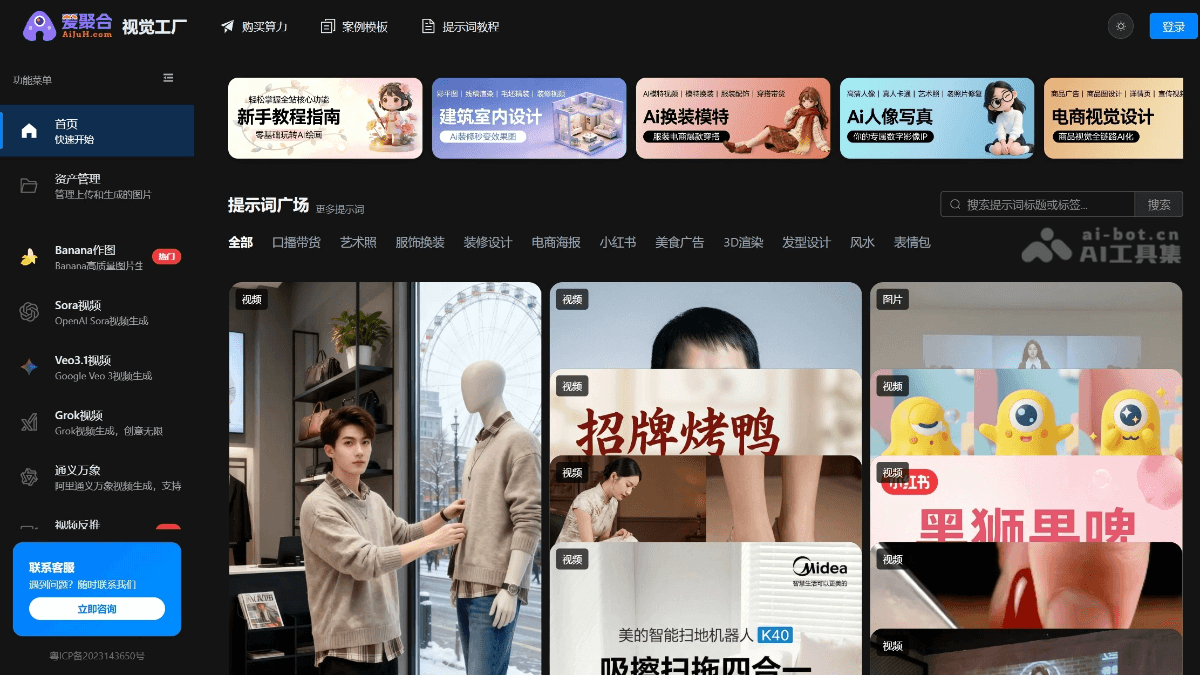
Main Features of Visual Factory
-
Professional Image Generation: Integrated with the Banana Pro large model. Input a single sentence to generate 4K commercial images, with features such as local redrawing, one-click image imitation, lossless text editing, and model outfit changes.
-
Video Generation: Aggregates top-tier video models such as Sora, Veo, Grok, and Tongyi Wanxiang, supporting text-to-video, image-to-video, video face swapping, image-to-motion, and other functions. It also provides batch queues and automatic retries on failure.
-
Video Reverse-Engineering: Upload a video link or local video, and the system breaks down the shots, color tone, and rhythm in seconds, generating professional prompts to help quickly replicate viral content.
-
One-Click Video Production: Input a product image and brief selling points, and AI automatically writes the storyboard, adds subtitles, and applies effects to generate a commercial advertisement video. Suitable for quickly producing marketing videos.
-
Professional Prompt Library: Built-in massive collection of verified industry templates, covering scenarios such as e-commerce, architecture, and beauty. Users can apply them with one click to quickly generate high-quality content.
How to Use Visual Factory
-
Register and Log In: Visit the Visual Factory official website https://d.aijuh.com/,注册账号并登录。
-
Select a Function Module: Choose image generation, video generation, video reverse-engineering, or one-click video production, etc., according to your needs.
-
Input Requirements: In the corresponding module, input text descriptions and upload image or video materials. For example, input a one-sentence description when generating images, or upload a script or image when generating videos.
-
Adjust Parameters: Select a model (such as Banana Pro, Sora, etc.) and adjust parameters (such as resolution, style, perspective, etc.) to optimize the generation results.
-
Generate Content: Click the generate button and wait for the system to process. After the results are generated, you can preview, download, or further edit them.
-
Save and Manage: Generated images and videos can be viewed, downloaded, or shared in asset management for convenient future use.
Core Advantages of Visual Factory
-
Efficient Generation: Integrated with top-tier image generation and video large models. Input simple descriptions to quickly generate high-quality images and videos, greatly shortening the creation cycle.
-
Multi-Model Integration: Aggregates multiple models such as Banana Pro, Sora, Veo, and Grok, supporting various generation needs such as text-to-video, image-to-video, and video face swapping, meeting diverse creation scenarios.
-
Intelligent Reverse-Engineering: Through the video reverse-engineering feature, upload a viral video link or local video, and the system breaks it down in seconds to generate professional prompts, helping users quickly replicate the same viral content.
-
One-Click Video Production: With just one product image and a brief selling point, AI automatically completes storyboarding, subtitles, special effects, and more, exporting a commercial advertisement in one click, ideal for quickly producing marketing content.
-
Massive Templates: Built-in massive professional prompt library and industry templates, covering high-frequency scenarios such as e-commerce, architecture, and beauty, allowing users to apply them with one click without a professional design background.
-
Technical Guarantee: Multi-line hot backup switching ensures generation success rate; supports perspective-level control for flexible adjustment of generation effects; deeply localized Chinese prompt library, more suitable for domestic users.
Application Scenarios of Visual Factory
-
Architectural Interior Design: Import CAD floor plans into the platform, AI generates 3D roughcast rooms and adds decoration elements with one click, quickly generating renovation effect animations, helping clients intuitively experience the design plan.
-
E-commerce Marketing: Input product keywords or upload product images to generate high-quality e-commerce posters, detail page images, or short videos, enhancing product appeal.
-
Voice-over Product Sales Videos: Input product selling point copy, AI matches realistic voice tones to generate vertical-screen short films with lip-sync and gestures, suitable for live streaming or short video sales on e-commerce platforms.
-
Model Outfit Changes and Clothing Display: Upload clothing images, AI generates model outfit effects in different styles, supports dynamic display, saving shooting costs.
-
Advertisement Production: Input brand information and product selling points, AI quickly generates advertising storyboard scripts and produces videos, supporting one-click export for placement.
-
Portrait Photography and Artistic Creation: Upload selfies, AI optimizes makeup and hair, lighting and shadow, and depth of field, generating studio-grade artistic portraits, suitable for personal social media or artistic creation.


