

What is YouWare
YouWare is a one-stop AI programmingcommunity and development platform that helps users easily bring their ideas to life. Simply describe your requirements in natural language to generate responsive, SEO-optimized web pages and applications. YouWare supports voice-command development, automatic database management, enterprise-grade security, and one-click publishing, providing full-process support from design to launch. Whether you are an individual developer, a small or medium-sized business, or a creative team, you can use its powerful AI features and full-platform adaptability to quickly realize your ideas and monetize them. YouWare has recently introduced the CoView feature, allowing users to interact with AI through screen recording, mouse pointer, and voice descriptions, enabling the AI to accurately see and understand the interface issues the user wants to fix. YouWare's goal is to make development simple and efficient, allowing everyone to easily turn ideas into actual products.
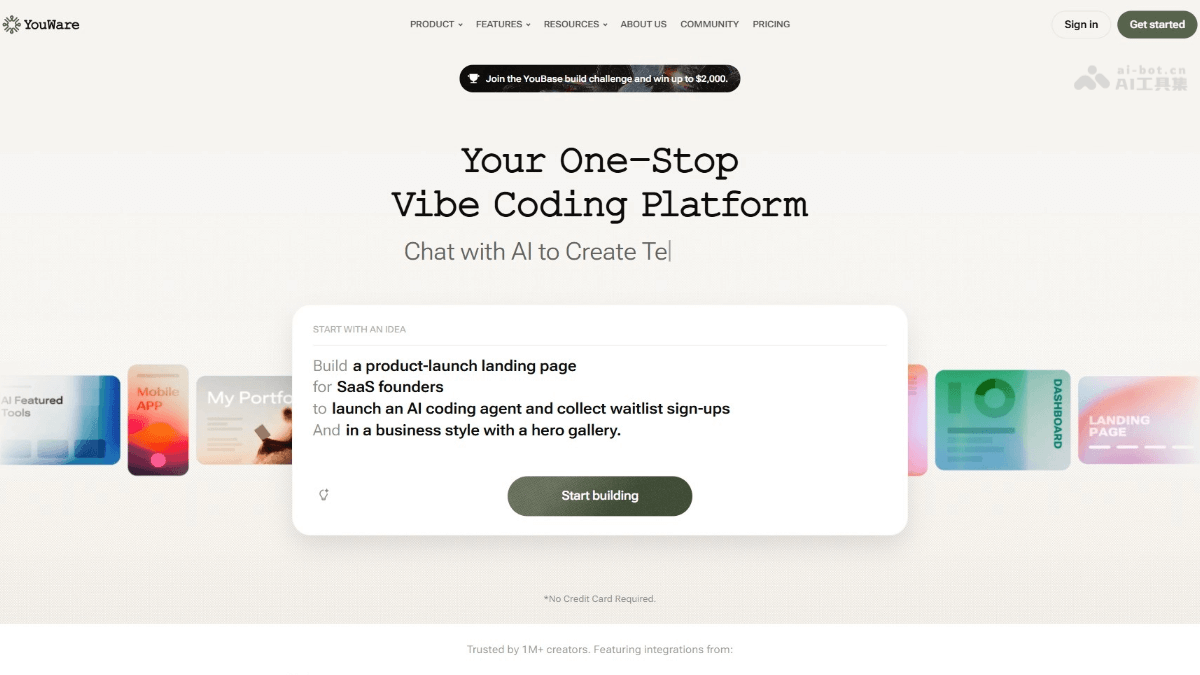
Main features of YouWare
- AI Web Builder: Users only need to describe their requirements to generate fully responsive and SEO-optimized landing pages, without relying on templates, and directly obtain customized designs.
- Voice-command development: Through the mobile app, users can describe their ideas by voice, and the AI will instantly turn them into editable projects, supporting efficient creation anytime and anywhere.
- Advanced coding agent: Provides instant access to cutting-edge AI models and supports development across multiple project types without switching between multiple platforms, improving development efficiency.
- Automatic error fixing: Automatically tests and resolves code issues, reducing frustration during development and ensuring projects proceed smoothly.
- CoView: Through screen recording and voice instructions, the AI can intuitively see and understand the problems users encounter, enabling a more efficient, natural, and precise interactive programming experience.
- Credit care (Rewind): Supports users in undoing operations without losing credit points, making it convenient to try and adjust, and reducing trial-and-error costs.
- Built-in AI API: Build powerful websites directly without configuring API keys, simplifying the development process.
- Automatic database management: Simplifies data storage and management processes, allowing users to focus on creativity rather than technical details.
- Enterprise-grade security: Ensures the security of every project and provides reliable infrastructure.
- Full-platform support: Supports multiple platforms such as iOS, Android, Mac, and Windows, and also supports PWA progressive web apps, providing an experience similar to native apps.
- AI feature integration: Automatically adds tags to content, identifies to-dos, and supports multiple AI models, improving development efficiency.
- Design and UI improvements: Through the Coview feature, users can record the screen and give voice guidance to modify the UI, reducing the difficulty of description.
- Monetization and distribution: Supports integrating payment services such as Stripe, making it easy to set up paid models and bind custom domains.
- Content export: Supports exporting content as Markdown files, making it convenient to interact with AI models.
How to use YouWare
-
Register an account: Visit the YouWare official website https://www.youware.com/ and register for free with an email or social media account to create a personal account.
-
Create a project: After logging in, enter the Creative Command Center, clearly describe your project requirements (such as features, design requirements, etc.), and choose "New Project" or "Remix Existing Project".
-
Generate Initial Project: Press the "Enter" key or click the generate button, and YouWare's AI will generate an initial project based on the description.
-
Edit and Refine: Continue the conversation through the AI chat interface for complex modifications, or use visual editing tools to directly modify elements, and you can enter the code view for in-depth customization.
-
One-Click Publish: After completing edits, click the "Publish" button in the upper right corner, and YouWare will immediately deploy the project and provide a shareable URL.
-
Custom Settings: Before publishing, customize the project title and upload a project cover image to optimize the project presentation.
-
Share and Use: Share the generated link with others, and anyone can access and use the Web app through the link.
YouWare Usage Examples
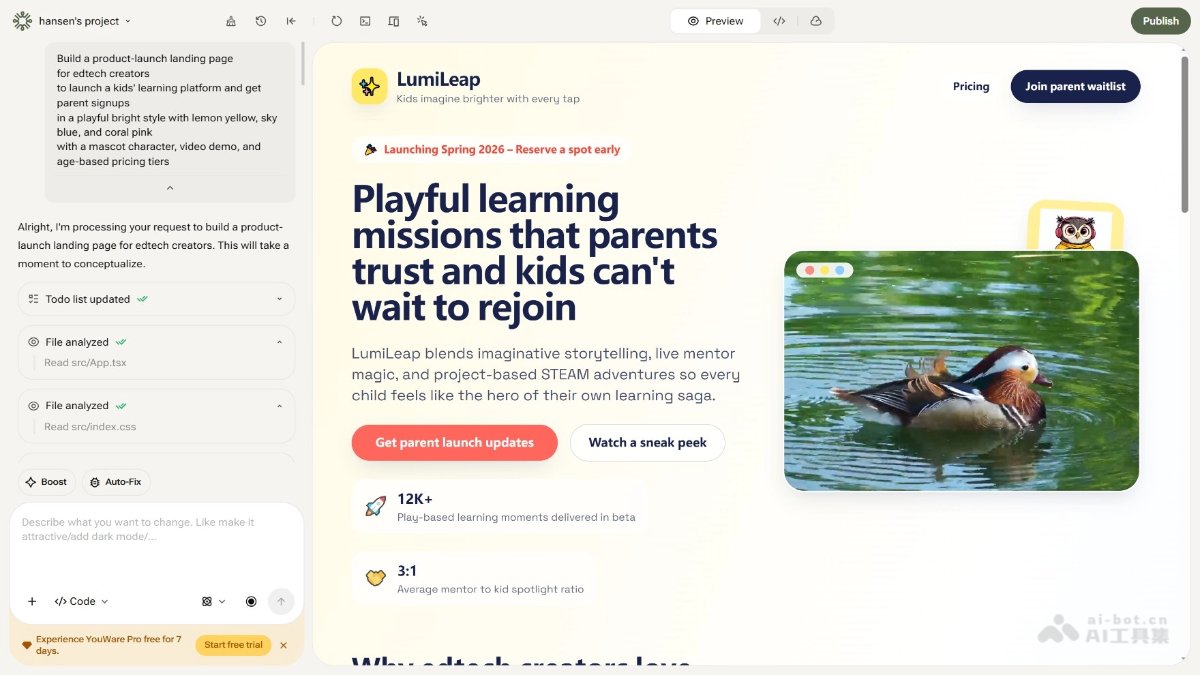
Build a product-launch landing page for edtech creators to launch a kids’ learning platform and get parent signups in a playful bright style with lemon yellow, sky blue, and coral pink with a mascot character, video demo, and age-based pricing tiers.
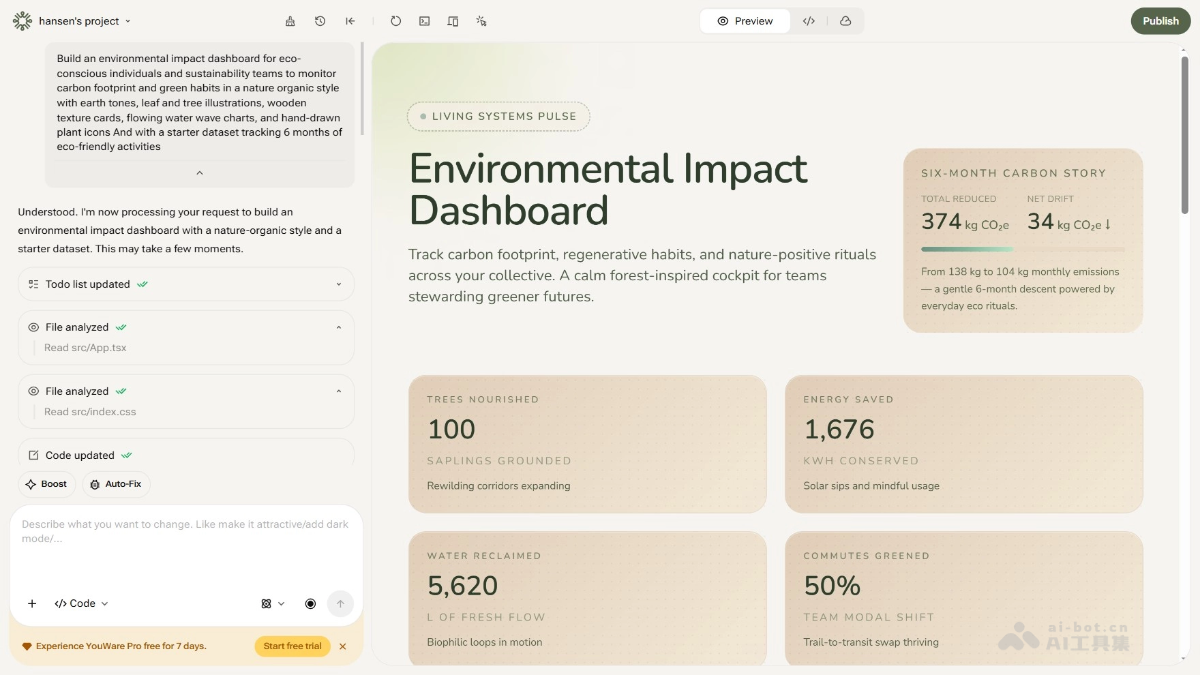
Build an environmental impact dashboard for eco-conscious individuals and sustainability teams to monitor carbon footprint and green habits in a nature organic style with earth tones, leaf and tree illustrations, wooden texture cards, flowing water wave charts, and hand-drawn plant icons And with a starter dataset tracking 6 months of eco-friendly activities.
YouWare Product Pricing
- Free Plan: $0 per month, provides an automated coding agent, up to 300 daily credits per month, 5 projects, 1 GB of storage space, and a youware.app domain.
- Pro Plan: $13 per month, billed annually, provides 2,000 + 1,000 credits per month, YouBase (database, authentication, etc.), unlimited storage (limited time), custom domains, code download and editing, 30 YouWare credit care per month, credit top-ups, removal of the YouWare logo, 100 projects, and 20 GB of asset storage.
- Super Plan: $40 per month, provides 6,000 + 3,000 credits per month, YouBase (database, authentication, etc.), unlimited storage (limited time), custom domains, code download and editing, private access, 100 YouWare credit care per month, credit top-ups, removal of the YouWare logo, unlimited projects, 100 GB of asset storage, opt out of data training, and dedicated support.
YouWare Application Scenarios
-
Individual Developers: Quickly build personal projects based on the platform, such as personal blogs, portfolios, or utility applications, without requiring a deep programming background.
-
Small and Medium-Sized Enterprises: Use the platform to quickly build corporate official websites, product display pages, or internal management tools to improve operational efficiency.
-
Education: Create online course platforms, learning management systems, or educational interactive applications to support online education.
-
E-commerce Industry: Develop e-commerce websites, product recommendation systems, or online shopping cart features to accelerate the launch of e-commerce projects.
-
Creativity and Design: Use the platform to quickly realize creative prototypes, such as design concept validation, visual design showcases, or interactive prototypes.

