

What is MochiAni
MochiAni is anAI animation video creation tooldesigned specifically for creators, providing a one-stop solution from creation to going global. It simplifies the animation production process through intelligent means and lowers the creation threshold. Users only need to input text, and MochiAni can automatically generate multi-panel storyboards, provide more than 10 style templates, and support character image locking to ensure consistency of content across multiple episodes. MochiAni supports one-click translation of Chinese videos into multiple languages, automatically matches the original BGM and intelligently removes the original subtitles, making it easy to generate international versions of videos. MochiAni can quickly parse novel copy into dynamic comic drama videos, achieving zero-threshold creation. It has a creative reconstruction function that can quickly generate video versions with different perspectives and art styles, meeting the content matrix needs of multiple platforms.
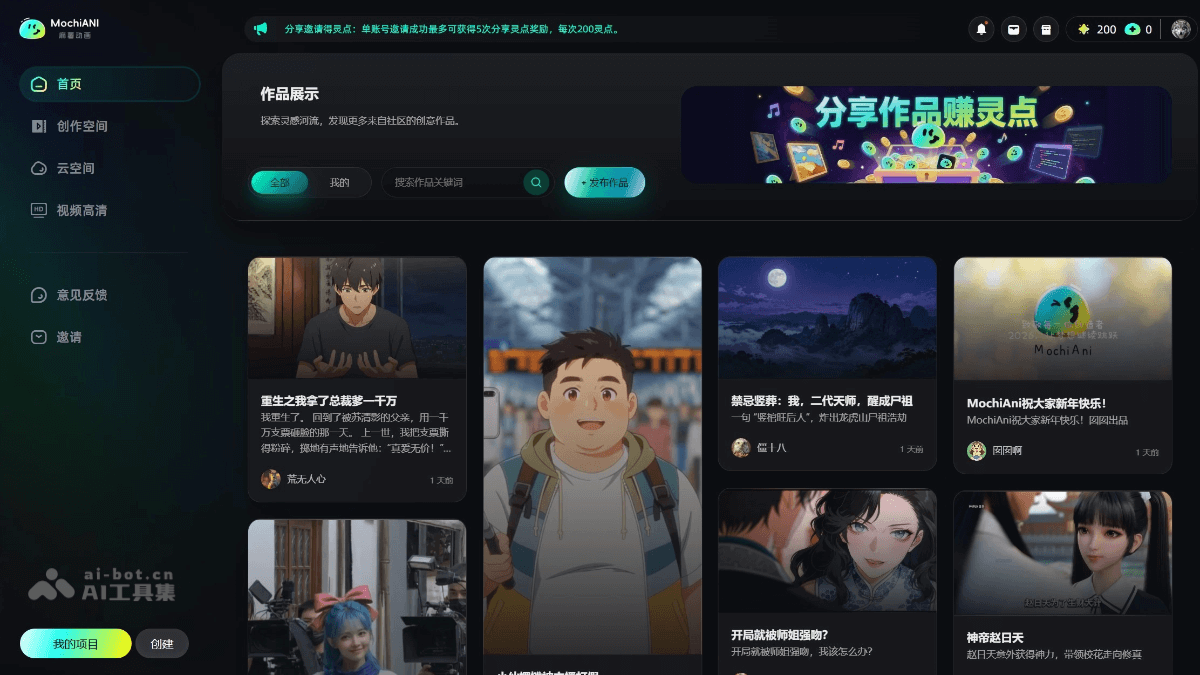
Main Features of MochiAni
- Text-to-Animation: Users only need to input a text script, and AI can automatically generate multi-panel storyboard animations, greatly reducing the workload of early-stage design and production.
-
Multiple Style Templates: Provides more than 10 different styles of animation templates to meet the needs of different scenarios and users.
- Intelligent Repair and Optimization: Automatically detects and fixes audio and visual desynchronization issues, ensuring smooth video playback. Dynamically optimizes static images to improve overall video smoothness.
-
Multi-Scenario Adaptation: Supports multiple application scenarios such as short videos, comic dramas, advertisements, and education. It can export both landscape and portrait formats to adapt to publishing needs on different platforms.
-
Character Image Locking: Supports character image locking to ensure consistency of character appearances across multiple episodes.
-
Cloud-Based Real-Time Collaboration: Supports cloud collaboration, making it convenient for team members to create and modify together.
-
Video Translation: Supports one-click translation of Chinese videos into English and other languages, automatically matches the original BGM and intelligently removes the original subtitles, generating professional international versions of videos.
-
Rapid Creation Loop: Can parse novel copy with one click to generate dynamic comic drama videos, supports batch generation of characters, scenes, and storyboards, achieving zero-threshold creation.
-
Creative Reconstruction and Fission: Through the creative reconstruction function, quickly generate video versions with different perspectives and art styles to meet the content matrix needs of multiple platforms.
-
Audio-Visual Synchronization Repair: Provides an emotion cloning function to unify character voices, supports image watermark removal and subtitle purification, ensuring video audio-visual quality.
-
Editor Upgrade: The operating feel is fully upgraded, supports full-domain clipboard operations, integrates a drawing board, and allows freer and more flexible manipulation of elements.
-
AI Generation and Control Optimization: Adds beginner/professional mode switching, supports batch addition of characters/scenes and keyword replacement, improving generation stability.
-
Team Collaboration and Project Management: In shared project mode, when the project owner has membership privileges, team members can download videos without watermarks; supports member management optimization and enhanced data export.
How to Use MochiAni
-
Register an Account: Visit the MochiAni official website https://www.mochiani.com/ to register and log in to your account.
-
Choose a Template: Choose a suitable animation style template according to your needs. The platform provides a variety of styles to choose from.
-
Input Script: Enter the text script in the creation interface; this is the basic content for generating animations.
-
Segmentation: Divide the script into segments to facilitate the generation of multi-panel storyboard animations.
-
One-Click Generation: Click the generate button, and the AI will automatically generate a multi-panel storyboard animation based on the input text.
-
Smart Repair: The system automatically fixes audio and visual desynchronization issues and optimizes the animation effect.
-
Adjust Storyboard: Adjust parameters such as the order and duration of the storyboard as needed.
-
Add Effects: Add subtitles, effects, and other elements to the animation to enhance its expressiveness.
-
Export Format: Choose a suitable video format (such as MP4) and resolution (such as 1080P) to export the animation.
-
Publishing Platform: Upload the generated animation to short video platforms, social media, etc., and set the title and tags according to the platform's requirements.
MochiAni Application Scenarios
-
Short Video Creation: Quickly generate fun and personalized short video content, suitable for platforms such as Douyin and Kuaishou, improving users' creation efficiency and content appeal.
-
Comic Drama Production: Provide an efficient solution for adapting comics into animations, support character image locking for multi-episode content, ensure consistency, and accommodate multi-episode serialization.
-
Advertising and Marketing: Quickly produce advertising animations such as brand promotion and product promotion, reduce production costs, and increase ad click-through and conversion rates.
-
Educational Content: Used to create educational animations, presenting complex knowledge through vivid animation forms, enhancing learning interest and course completion rates.
-
Social Media: Generate animation content suitable for social media such as Weibo and Xiaohongshu, enhancing user interaction and dissemination.


