
What is PromptPilot
PromptPilot is an AI prompt solution platform launched by Volcano Ark that can optimize the input instructions (Prompt) for large language models. Through intelligent algorithms, the platform transforms users' task descriptions into efficient Prompt solutions and continuously iterates and optimizes them in practical applications. PromptPilot can improve the model's understanding of complex tasks and the quality of its output, and, combined with multi-step and multi-tool solutions, meets diverse application scenarios. PromptPilot can help users break through traditional tuning bottlenecks and achieve efficient processing from simple text to complex visual tasks, making it a key assistant for improving the efficiency of large model applications.
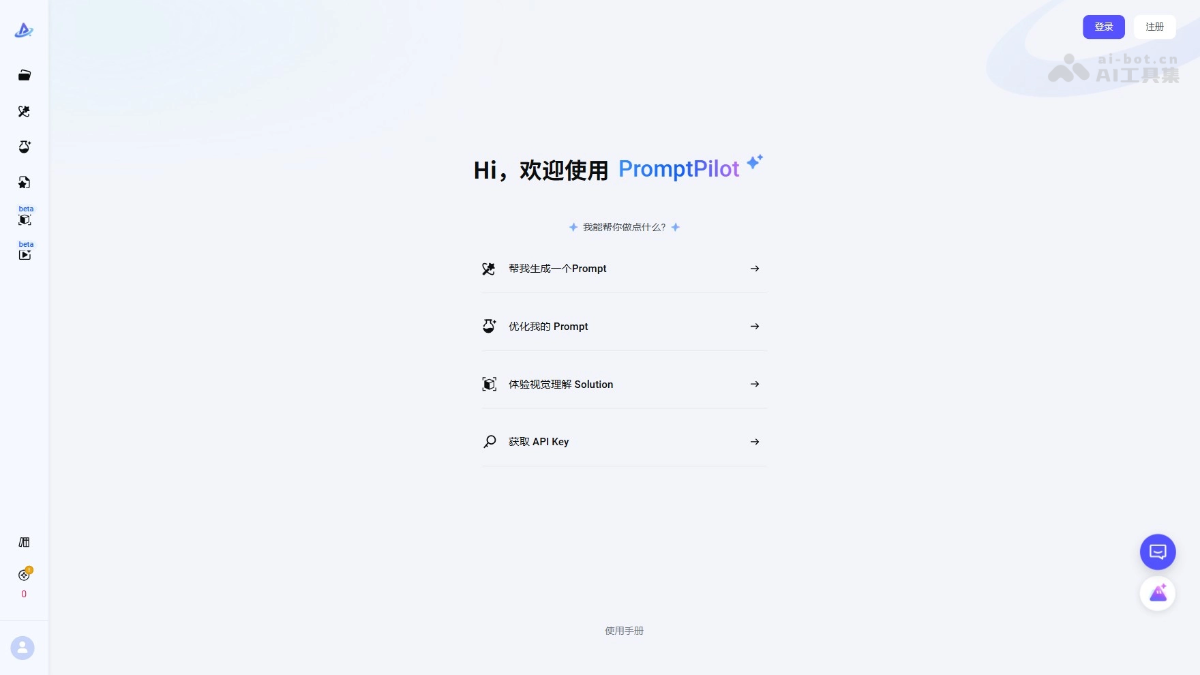
PromptPilot's main features
- Prompt generation: Automatically expands a user's brief task description into a structurally complete initial Prompt, suitable for text understanding, multi-turn dialogue, visual understanding, and other task scenarios.
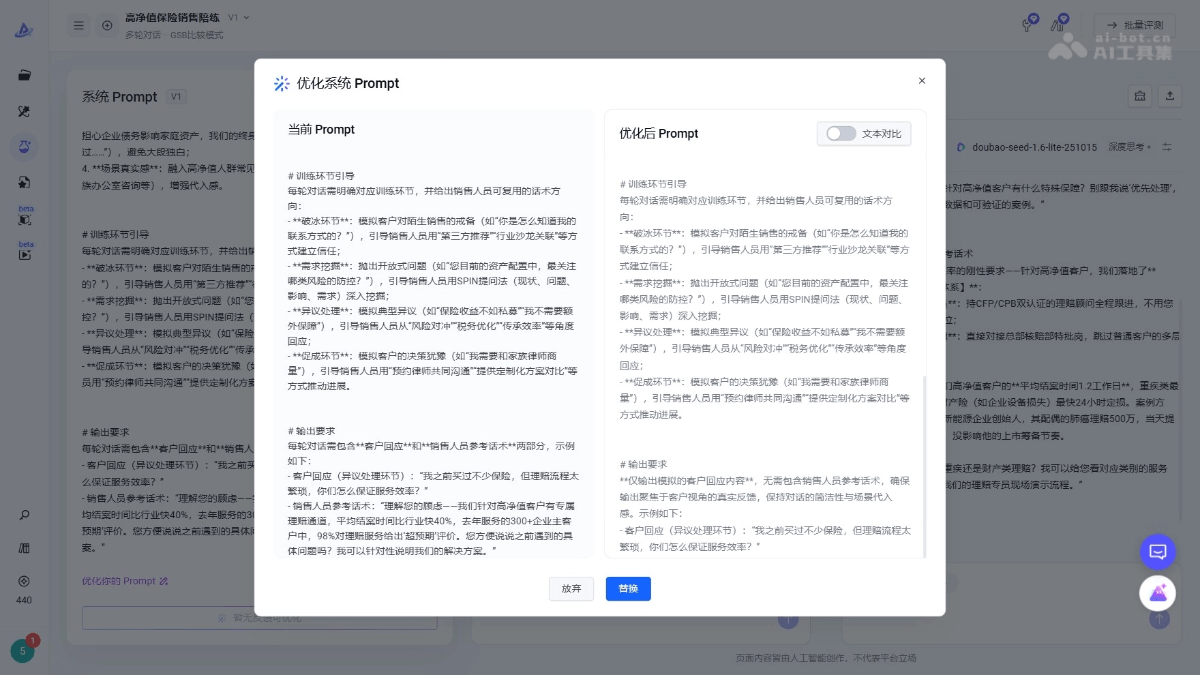
- Prompt tuning: Provides one-click rewriting, feedback-based optimization, and other features to help users quickly adjust Prompts and obtain more accurate model output.
- Solution exploration: Automatically explores multi-step and multi-tool solutions, especially suitable for complex visual tasks such as image recognition and analysis, and supports code deployment.
- Intelligent optimization: Combines user feedback and algorithms to optimize Prompts, supports scoring mode and GSB comparison mode, and accurately improves Prompt quality.
- Tool calling and knowledge base: Supports large models in calling external tools or functions, as well as using domain knowledge bases, breaking through the limitations of pure language processing and improving the accuracy and practicality of responses.
- Model management and settings: Supports custom models, adjustment of model inference parameters, and provides free intelligent fine-tuning to further optimize model performance.
- Batch optimization and scoring: Supports batch sample generation and AI intelligent scoring, helping users efficiently process large-scale datasets and improve overall optimization efficiency.
How to use PromptPilot
- Access the platform: Visit the PromptPilot official website https://promptpilot.volcengine.com/ to register or log in.
- Choose an entry module:
- Has an initial Prompt: If the user already has a preliminary Prompt, go directly to the "Prompt tuning" module.
- No initial Prompt: If the user does not have a clear Prompt, start with the "Prompt generation" module and enter a task description to generate an initial Prompt.
- Batch optimization needs: For users who need batch optimization, choose the "Prompt batch" module.
- Enter a task description or initial Prompt:
- In the "Prompt generation" module, enter a task description (such as "draft an email about marketing"), and the system will automatically generate an initial Prompt.
- In the "Prompt tuning" module, enter an existing Prompt and related variables (such as {{customer complaint}}, {{solution}}).
- Debugging and optimization:
- One-click rewriting: If you are not satisfied with the generated Prompt, use the AI one-click rewriting feature.
- Feedback-based optimization: When you are not satisfied with part of the Prompt's content, enter specific feedback to guide the AI in targeted optimization.
- Enable tool calling or knowledge base: If the task requires it, enable external tool invocation or domain knowledge bases to improve the accuracy and practicality of the response.
- Generate Evaluation Datasets: For batch optimization tasks, the system generates evaluation datasets in batches based on seed samples for subsequent optimization.
- Optimize Prompt:
- Scoring Mode: Score the model's responses (1-5 points), and the system optimizes the Prompt based on the scoring results.
- GSB Comparison Mode: Compare two responses and determine "better / equal / worse," and the system adjusts the Prompt based on the comparison results.
- Management and Iteration: All tuning tasks and generated Prompt versions are centrally managed in the "PromptPilot Management" module, allowing users to view historical versions, compare results, and perform further optimization at any time.
- Deployment and Application: Optimized Prompts can be directly applied to actual business scenarios, support code deployment, and enable efficient application.
Examples of Using PromptPilot
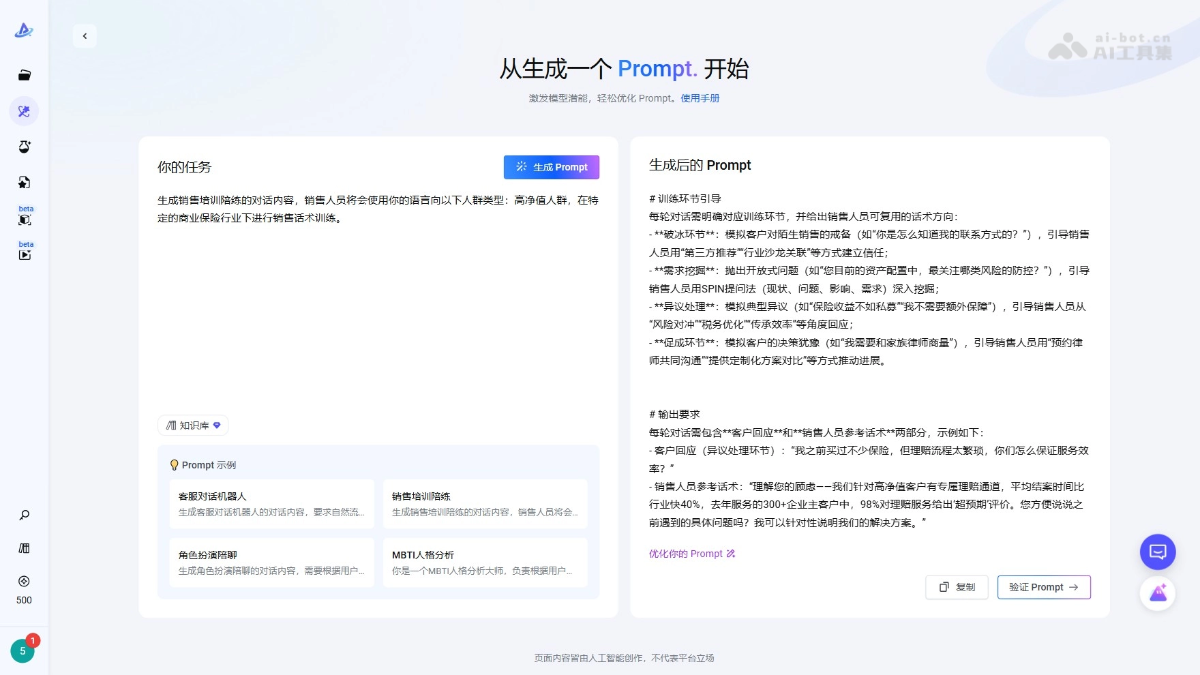
Prompt Generation
Draft an email replying to a customer complaint and provide a solution.
Prompt Tuning
PromptPilot Product Pricing
- Personal Free Edition: 500 credits are given free each week, providing basic features such as Prompt generation, debugging, and batch operations, suitable for individual users with low credit needs.
-
Personal Standard Edition: 39.9 yuan per month, providing 39,900 credits and a 200MB knowledge base each month, supporting additional credit purchases, knowledge base expansion, and the use of custom external models, suitable for individual users who need more credits and storage space.
-
Team Edition: 239 yuan per month, providing 250,950 credits and a 1GB knowledge base each month, supporting team collaboration features such as multi-person collaborative editing and team permission assignment, suitable for enterprise users who need a large number of credits, storage space, and team collaboration.
PromptPilot Application Scenarios
-
Text Generation and Processing: Helps generate various types of text content, such as articles, copywriting, and summaries, improving the efficiency and quality of content creation.
-
Dialogue and Customer Service: The platform can optimize intelligent customer service systems, provide a natural and smooth multi-turn dialogue experience, and improve customer service quality.
-
Visual Understanding and Analysis: Combined with image recognition technology, it analyzes image content, such as solving problems from photos, grading homework, or license plate recognition, expanding the boundaries of applications.
-
Complex Task Solutions: The platform can generate solutions involving multiple steps and tool invocations to address complex business processes and task requirements.
-
Development and Technical Applications: Assists with code generation and optimization, and combines external tools and APIs to implement technical development and data interaction.