
What is Yingbo Cloud AI Computing Power
Yingbo Cloud AI Computing Power is a cloud platform launched by Yingbo Digital Technology that focuses on GPU intelligent computing services. It mainly serves universities, enterprises, and research institutions, providing efficient and diverse GPU computing power solutions. It adopts a K8S Native architecture, offers bare-metal-level control and SaaS-level ease of use, and seamlessly connects with the K8S ecosystem. Through its self-developed Dynamic Isolation Control Plane (DICP), Yingbo Cloud provides each user with an independent API Server and CRD space, ensuring security and isolation.
Yingbo Cloud's series of intelligent computing power products and services coverfour major sectors: intelligent computing center construction and operations, GPU container services, advanced computing power laboratories, and industrial incubators.Among them, Yingbo Cloud GPU Container Service (Ebcloud Kubernetes Service, EKS) is a fully managed Kubernetes container management service for enterprise-level applications. Through EKS, users can deploy workloads without purchasing nodes. The GPU container service also extends support for products such as parallel file storage and block storage, helping users quickly build containerized applications.
Main functions of Yingbo Cloud AI Computing Power
-
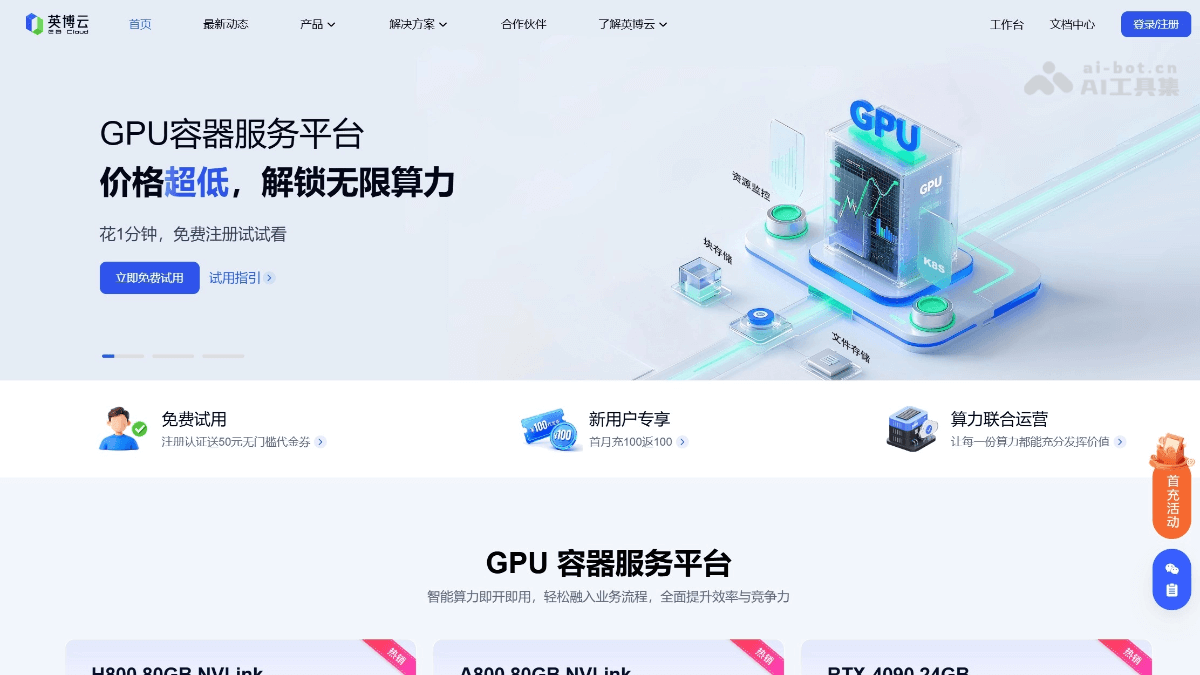
GPU Container Service: Provides a fully managed Kubernetes container management service, supports users in deploying workloads without purchasing nodes, and extends support for parallel file storage and block storage, helping quickly build containerized applications.
-
Development Machine Function: Provides a full-process work environment for AI R&D, driven by a high-performance GPU computing power cluster, pre-installed with mainstream deep learning frameworks and development toolchains, and supports creating and managing development machine instances through the page or K8S commands.
-
Cluster Management: Users can create and manage Kubernetes clusters through the page, and it supports connecting to and operating clusters through kubectl commands, enabling flexible resource management and scheduling.
-
Multiple Billing Modes: Supports multiple payment methods such as On-Demand, Reserved (annual/monthly subscription), Spot (bidding), and Booking (reservation), meeting the needs of different users and helping users flexibly control costs.
-
High-Performance Storage: Adopts storage plane front-loading technology, connecting storage and compute nodes through IB network and RDMA protocol, avoiding VPC network congestion and ensuring high storage performance.
-
Secure Isolation: Based on the self-developed Dynamic Isolation Control Plane (DICP), allocates an independent API Server and CRD space to each user, ensuring the security and isolation of user resources.
Core advantages of Yingbo Cloud AI Computing Power
-
Friendly Development Experience: K8S Native native experience, supports SSH and kubectl multi-channel access, Pod-level direct public network IP, flexible management and technical convenience, making deployment more direct and access more efficient, allowing users to focus more on business development.
-
Fast Delivery: Rich data and image resources, supports image saving and reuse, reduces environment reconstruction costs, and improves debugging and deployment efficiency.
-
Efficient Computing Power Foundation: GPU + CPU hybrid Kubernetes cluster, enterprise-level parallel storage, high-speed direct storage and networking, easily and stably supports large model parallel training and multi-task collaboration.
-
Fine-Grained Billing, second-level start and stop: billing is accurate to the second, pay for what you use, making GPU usage costs more controllable and improving effective GPU utilization.
Yingbo Cloud provides a rich set of prebuilt images, open-source models, and standard datasets. Researchers can quickly set up experimental environments, conduct algorithm validation and innovative research, and accelerate the iteration of research outcomes. The computing power reservation model ensures centralized course usage, while alliance accounts and shared data support multi-user collaboration, enabling teachers to flexibly manage GPU resources and improve teaching and experimental efficiency.
How to use Yingbo Cloud AI Computing Power
-
Register and log in: Visit the Yingbo Cloud AI Computing Power official website at www.ebtech.com, register, and log in to the platform.
-
Create a cluster: Create a Kubernetes cluster through the platform interface, select the appropriate configuration and resource specifications, and complete cluster initialization.
-
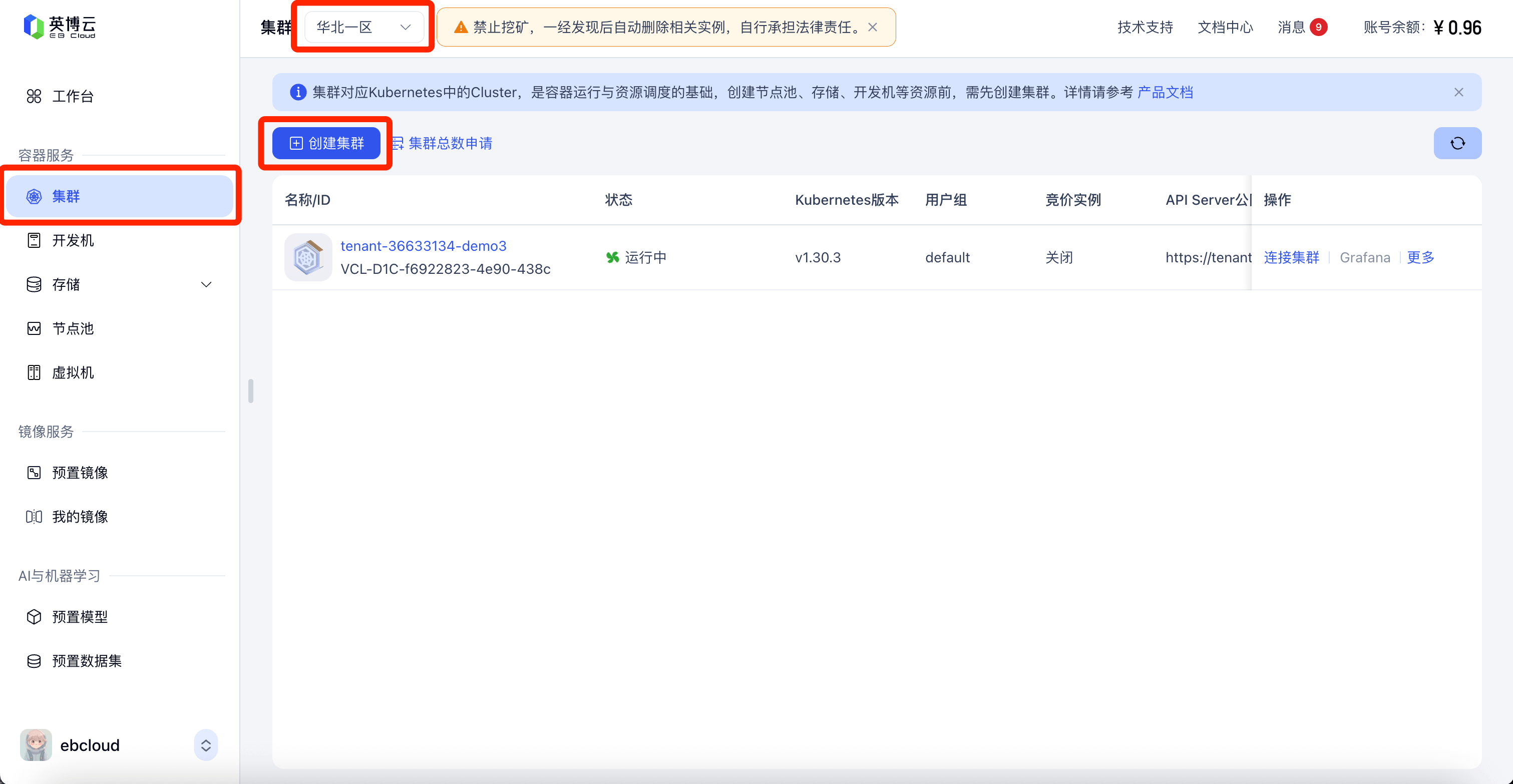
In the side navigation, select the [Clusters] menu, and switch the partition in the upper left corner to[North China Region 1]
-
Click [Create Cluster], enter thecluster name, and click [Confirm] to complete cluster creation. Cluster creation takes about 2 minutes, so please wait patiently.
-
- Create shared storage
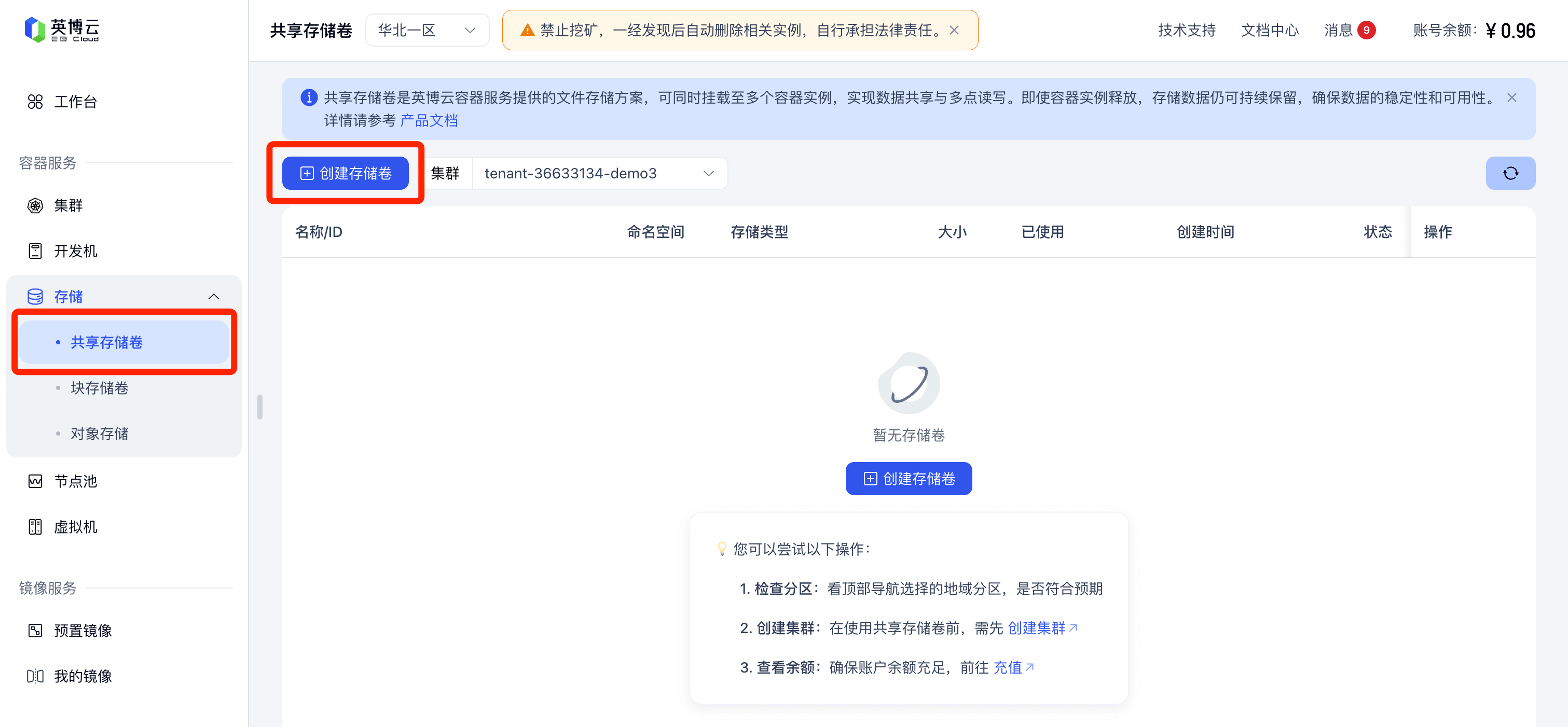
- In the side navigation, select the [Storage] - [Shared Storage Volumes] menu, and select the partition as [North China Region 1]
- Click [Create Storage Volume], enter the storage name, select the storage space size, and click [Confirm] to complete creation
-
Create a development machine
-
In the side navigation, select the [Development Machines] menu, and select the partition as [North China Region 1]
- Click [Create Development Machine] and complete the basic information configuration to finish creating the development machine. Generally, creating a development machine takes a few minutes, so please wait patiently. After successful creation, you can use it through jupyterlab access or ssh public network access.
-
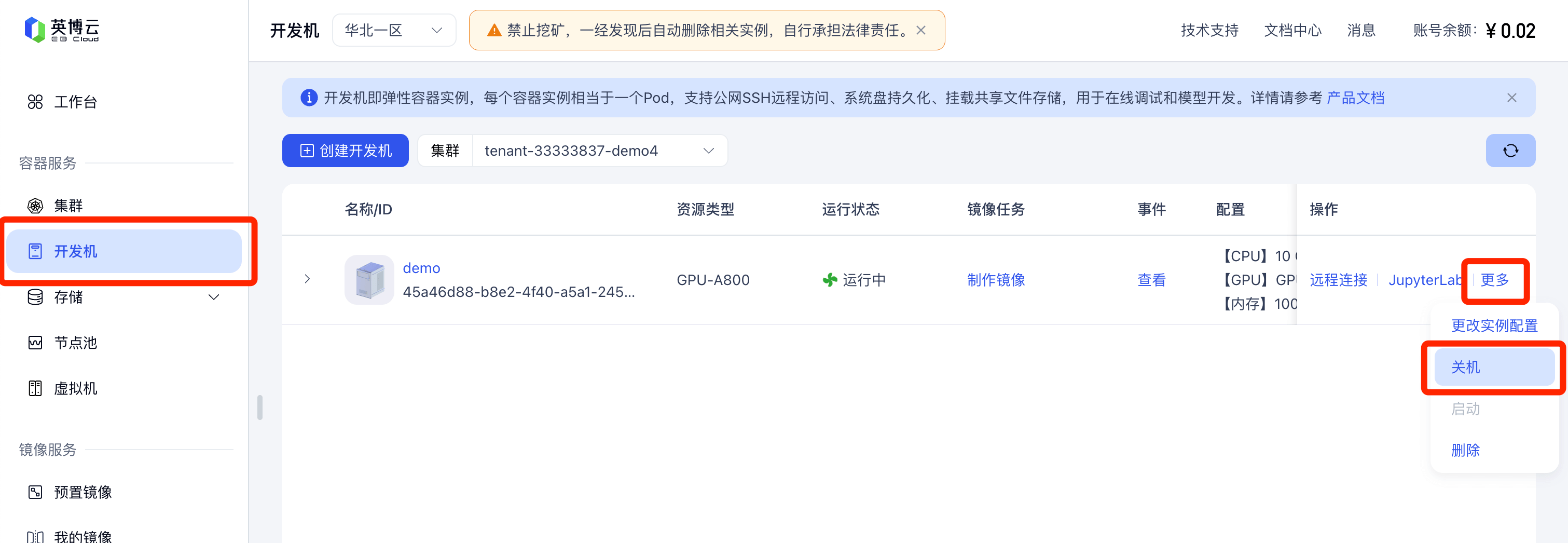
- Configure the development environment: Create a development machine instance in the cluster, select the required GPU computing power configuration and preinstalled deep learning framework, and set up the development toolchain.
- Deploy applications: Use kubectl commands or deploy applications to the cluster through the platform interface, supporting rapid deployment and management of containerized applications.
- Choose a billing mode: Choose billing modes such as On-Demand, Reserved, Spot, or Booking according to your needs to optimize costs.
- Monitoring and management: Use the monitoring tools provided by the platform to view cluster status, resource usage, and performance metrics in real time, and perform dynamic resource management and adjustment.
- Data storage and management: Use the platform's high-performance storage services to configure storage resources and ensure efficient read/write and secure storage of data.
- Security and isolation: Use Dynamic Isolation Control Plane (DICP) technology to ensure secure isolation of user resources and protect the security of data and applications.
- Technical support and services: If you encounter problems during use, you can contact the Yingbo Cloud technical support team for help to ensure the stable operation of the platform.
Application scenarios of Yingbo Cloud AI Computing Power
-
Multi-machine training: Supports large-scale distributed training tasks, suitable for deep learning model training scenarios that require multiple GPUs to work together.
-
Application inference: Provides efficient computing power support for online inference of AI models, suitable for application scenarios with high real-time requirements.
-
Scientific research experiments: Help researchers quickly set up experimental environments, conduct algorithm validation and innovative research, and accelerate the iteration of research results.
-
Course Teaching: Support AI teaching at universities and training institutions, provide stable GPU resources, ensure concentrated course usage, and improve teaching and experimental efficiency.
-
Enterprise Application Development: Help enterprises quickly deploy and manage containerized applications, and support the development, testing, and deployment of enterprise-grade applications.
-
Data Processing and Analysis: Provide high-performance computing resources, suitable for big data processing and complex data analysis tasks.

