

What is Cherry Studio
Cherry Studio is an open-source all-in-one AI client assistant that integrates multi-model dialogue, knowledge base management, AI drawing, translation, and other functions. Cherry Studio supports Windows, macOS, and Linux systems, lowers the technical threshold so that users with no prior experience can get started quickly, and at the same time provides developers with powerful extensibility. Cherry Studio's core features include multi-answer for one question, automatic grouping, conversation export,AI Drawing、Translationand other functions. Cherry Studio supports unified management of multiple providers, highly customizable interface and layout, and a local knowledge base system to ensure data security. Cherry Studio is committed to improving users' work efficiency and creativity.
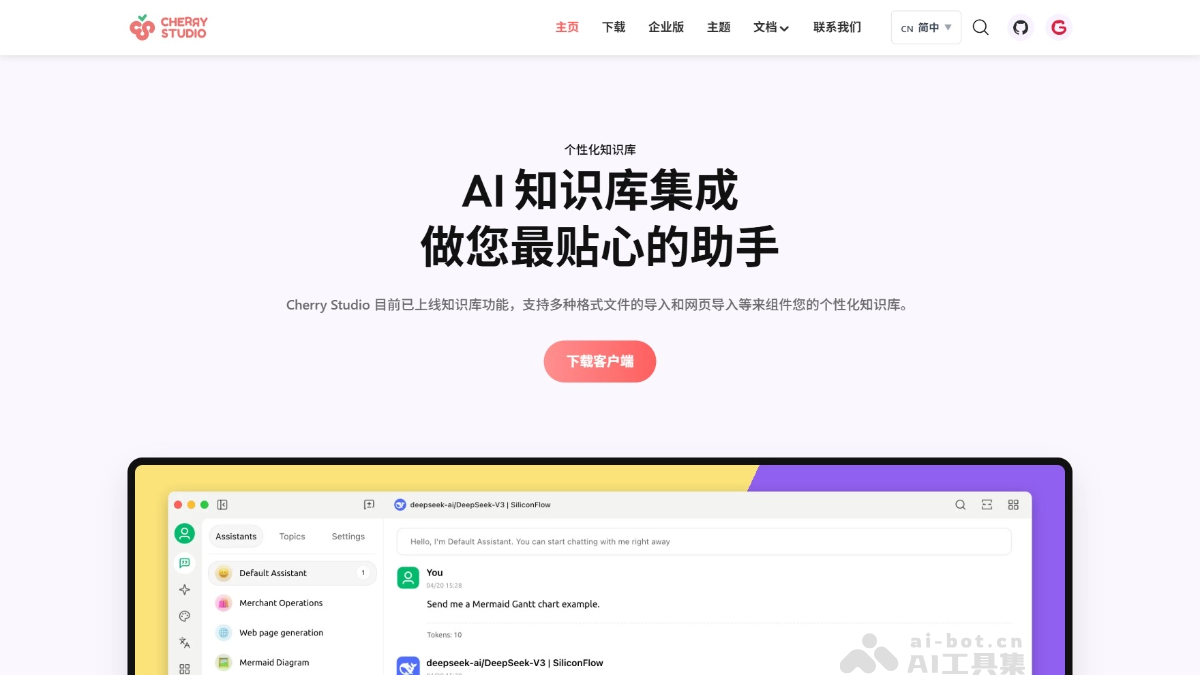
Cherry Studio's Main Features
- Basic Dialogue Features:
- Multi-answer for one question: Supports generating replies to the same question simultaneously through multiple models, making it easy for users to compare the performance of different models.
- Automatic grouping: The conversation records of each assistant are automatically grouped and managed, making it easy for users to quickly find historical conversations.
- Conversation export: Supports exporting complete conversations or partial conversations in multiple formats (such as Markdown, Word, etc.), making storage and sharing convenient.
- Highly customizable parameters: Supports users in filling in custom parameters to meet personalized needs.
- Assistant market: Built in with over a thousand industry-specific assistants, covering fields such as translation, programming, and writing, while also supporting user-defined assistants.
- Multiple format rendering: Supports Markdown rendering, formula rendering, real-time HTML preview, and other functions to enhance content presentation.
- Integration of Multiple Special Features:
- AI Drawing: Provides a dedicated drawing panel and supports users in generating high-quality images with natural language descriptions.
- AI Mini Apps: Integrates multiple free web-based AI tools that can be used directly without switching browsers.
- Translation function: Supports multiple translation scenarios such as a dedicated translation panel, conversation translation, and prompt translation.
- File management: Files in conversations, drawing, and the knowledge base are uniformly classified and managed to avoid cumbersome searching.
- Global search: Supports quickly locating historical records and knowledge base content, improving work efficiency.
- Unified Management Mechanism for Multiple Providers:
- Provider model aggregation: Supports unified invocation of models from mainstream providers such as OpenAI,Gemini, Anthropic, Azure, etc.
- Automatic model retrieval: One-click retrieval of the complete model list, with no manual configuration required.
- Multi-key rotation: Supports rotating the use of multiple API keys to avoid rate limit issues.
- Precise avatar matching: Automatically matches a dedicated avatar for each model to improve recognizability.
- Custom providers: Supports access by third-party providers that comply with specifications such as OpenAI, Gemini, Anthropic, etc.
- Highly Customizable Interface and Layout:
- Custom CSS: Supports global style customization to create a unique interface style.
- Custom conversation layout: Supports list or bubble style layouts, and allows customizing message styles (such as code snippet styles).
- Custom Avatars: Supports setting personalized avatars for the software and assistants.
- Custom Sidebar Menu: Users can hide or reorder sidebar features according to their needs, optimizing the user experience.
- Local Knowledge Base System:
- Multiple Format Support: Supports importing multiple file formats such as PDF, DOCX, PPTX, XLSX, TXT, MD, and more.
- Multiple Data Source Support: Supports local files, URLs, sitemaps, and even manually entered content as knowledge base sources.
- Knowledge Base Export: Supports exporting the processed knowledge base and sharing it with others for use.
- Supports Search Checking: After importing a knowledge base, users can perform real-time retrieval tests and view the processing results and segmentation effects.
- Featured Focus Functions:
- Quick Q&A: Call up the quick assistant in any scenario (such as WeChat or a browser) to quickly get answers.
- Quick Translation: Supports quickly translating words or text in other scenarios.
- Content Summarization: Quickly summarizes long text content, improving information extraction efficiency.
- Explanation: No need for complex prompts; explain questions you do not understand with one click.
- Data Protection:
- Multiple Backup Solutions: Supports local backup, WebDAV backup, and scheduled backup to ensure data security.
- Data Security: Supports fully local usage scenarios, combined with local large models, to avoid the risk of data leakage.
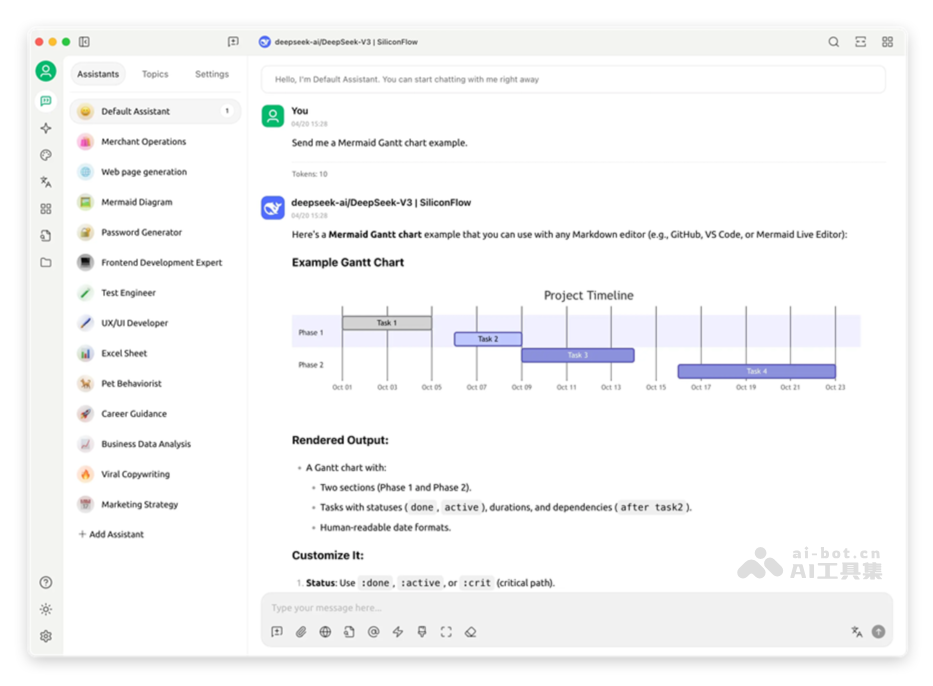
How to Use Cherry Studio
- Download the Client: Visit the Cherry Studio official website (https://www.cherry-ai.com/)。根据操作系统(Windows、macOS、Linux)选择合适的客户端版本进行下载。
- Install the Client:
- Windows: After downloading the installation package, double-click to run the installer and complete the installation by following the prompts.
- macOS:
- After downloading the installation package, double-click to open the .dmg file.
- Drag Cherry Studio into the “Applications” folder.
- Open the “Applications” folder and launch Cherry Studio.
- Linux: Download the .deb or .rpm installation package, choose the appropriate package type according to your Linux distribution, and run the installation command in the terminal.
- Configure the API Key: After launching Cherry Studio, configure the API key to use the features. In Cherry Studio's settings, enter the API key.
- Use Core Features:
- Multi-Model Chat: Enter questions in the chat interface and choose different models to answer.
- Knowledge Base Management: Create a local knowledge base by importing files or URLs, and use the search function to quickly find content.
- AI Drawing: Enter a description in the drawing panel to generate high-quality images.
- Translation Function: Enter text in the translation panel to translate it.
- More Features:
- GitHub: Visit the Cherry Studio GitHub repository (https://github.com/CherryHQ/cherry-studio)获取最新代码和参与贡献。
- GitCode: Visit the Cherry Studio GitCode repository (https://gitcode.com/CherryHQ/cherry-studio)获取国内镜像和社区支持。
Application Scenarios of Cherry Studio
- Knowledge Management and Learning: Students and researchers can quickly organize and retrieve literature and materials, improving learning and research efficiency.
- Creative Design and Drawing: Designers and artists use natural language descriptions to generate high-quality images, sparking creativity and quickly completing design concept drawings and artworks.
- Cross-Language Communication and Office Work: Users can quickly obtain accurate translations during international communication, when reading foreign-language literature, or when processing multilingual documents, improving office efficiency.
- Content Creation and Writing: Content creators quickly generate copy, stories, code snippets, etc., compare the outputs of different models, and choose the most suitable content.
- Personal Efficiency Improvement: In daily life, users quickly obtain information, translate text, and summarize long articles, improving personal efficiency and quality of life.

