

What is Wujie Future
Wujie Future is an AI applications and elastic computing network platform, dedicated to providing users with powerful computing support and a rich array of AI application services. Wujie Future offers multiple types of GPU resources, allowing users to choose suitable resources for AI application training and deployment according to their needs. The elastic computing network service supports users to power on and off on their own, adopts a flexible billing model, and users only pay for the resources they actually use.
Wujie Future covers a variety of popular AI applications such as AI writing, AI painting, AI voice, AI video, and more, meeting the needs of different users. The AI painting feature supports multiple powerful models such as Flux, StableDiffusion, and more, providing creators with an endless stream of inspiration; the AI video feature supports multiple generation methods such as text-to-video and image-to-video, making it easy to produce high-quality video content. The platform provides features such as data transmission, instance monitoring, and image management, making it convenient for users to manage and use resources.
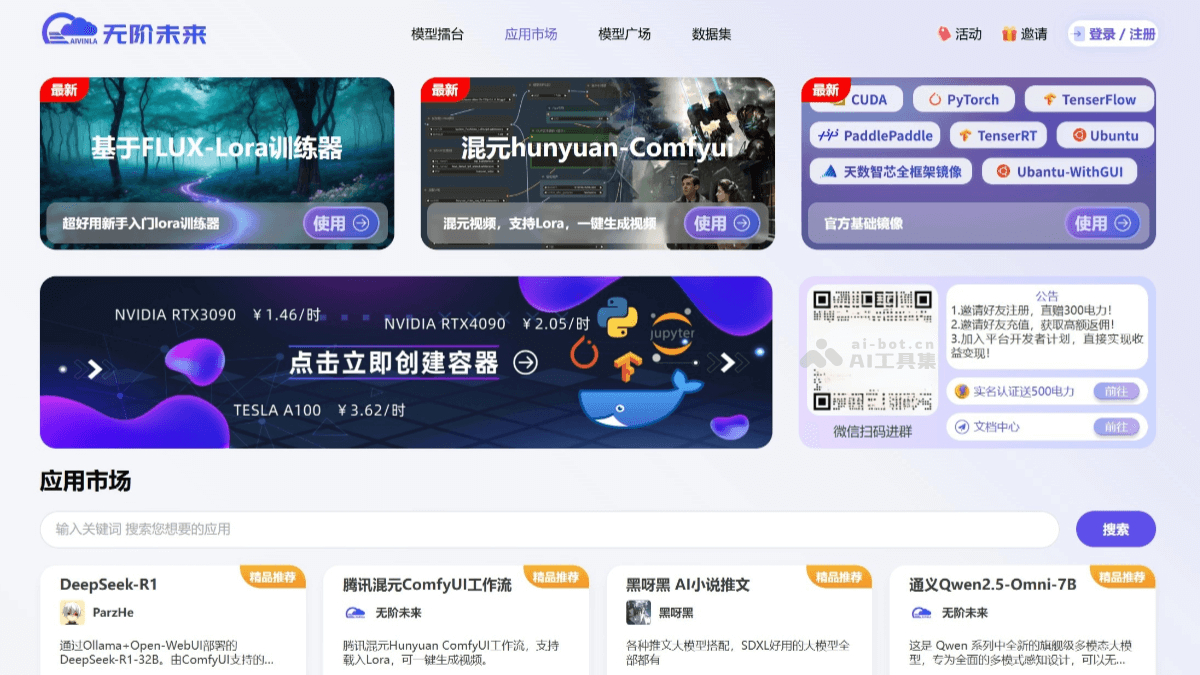
Main Features of Wujie Future
-
AI Painting: Supports multiple powerful models such as Flux, StableDiffusion, and more, providing creators with an endless stream of inspiration.
-
AI Video: Provides diverse generation methods, supports text-to-video, image-to-video, and more, making it easy to produce high-quality video content.
-
AI Dialogue: Supports multiple dialogue models such as Llama, ChatGLM2-6B, and more, helping users create rich and colorful content.
-
AI Voice: Provides voice cloning and text-to-speech conversion tools such as GPT-SoVITS-v2, enabling quick "replication" of desired voices.
-
Elastic Computing Network Service: Provides abundant image resources and cloud deployment environments. Users can choose suitable resources or use built-in image models to start training according to their needs. The platform provides containerized support, K8S scheduling system, and distributed heterogeneous computing network to ensure platform stability and security, ensuring seamless cloud operation.
-
Powerful Computing Support: Equipped with powerful GPU computing resources, capable of efficiently processing large-scale datasets and better handling complex Lora tasks, making it easy for non-professionals to get started.
-
Flexible Billing Model: Users can choose to power on and off on their own, adopting an elastic billing model, supporting file transfer and instance monitoring, effectively improving training efficiency.
-
Data Transmission and Storage: Supports space expansion and contraction, with maximum disk space up to 5000GB, and provides 20GB of free storage space.
-
Instance Monitoring: Real-time detection of instance operation status, making it convenient for users to monitor and manage deployed instances.
-
Image Management: Supports editing, publishing, sharing, and downloading of images, enabling independent creation of custom images and sharing.
How to Use Wujie Future
-
Register: Visit the Wujie Future official website, click the "Login/Register" button in the upper right corner, enter the "Account Login" page, click "Register", and enter your mobile phone number and verification code to complete registration.
-
Login: Supports three login methods, including account password login, SMS verification code login, and WeChat scan code to follow the official account login.
-
Application Selection: Wujie Future provides a rich array of AI applications such as AI painting, AI video, AI voice, and more. Users can choose the corresponding application according to their needs. For example, select ComfyUI for AI painting.
-
Image Selection: The platform provides a variety of image resources, and users can choose the appropriate image according to their needs. For example, select Tencent Hunyuan LoRA Training Furnace for video model training.
-
Launch Application: After selecting the application and image, click "Launch Now" to create an instance.
-
Enter the Operation Interface: Taking ComfyUI as an example, after entering the application, the interface provides a wealth of functional nodes, such as "Save" for saving workflows, "Load" for loading workflows, and "Refresh" for refreshing model files or nodes.
-
Perform Training or Creation: For AI painting, images can be generated after filling in the prompt words; for video model training, enter the Jupyter operation interface, view the txt file on how to use it, and perform training according to the tutorial.
Application Scenarios of Wujie Future
-
Educational Resource Generation: Teachers can use Wujie Future's AI tools to quickly generate teaching courseware, lesson plans, exercises, and other content, improving lesson preparation efficiency.
-
Personalized Learning: Through AI dialogue and large language models, provide students with personalized learning tutoring to meet the learning needs of different students.
-
Medical Data Management: Through Wujie Future's data management function, efficiently store and analyze medical data, enhancing the value of medical data utilization.
-
AI Painting and Design: Creators can use Wujie Future's AI painting tools to quickly generate artworks and inspire creative inspiration.
-
AI Video Creation: Supports multiple generation methods such as text-to-video and image-to-video, making it easy to produce high-quality video content.
-
System Development and Management: Enterprises can use Wujie Future to quickly build business management systems, such as inventory management, customer relationship management, administrative asset management, and more.

