

What is Poe
Poe is a multi-model AI chat platform launched by the well-known foreign Q&A community Quora, supporting multiple AI models (such as ChatGPT, Claude, Gemini, etc.). Users can interact with different AI models through a single interface to achieve chatting, writing, translation, and many other functions. Poe provides a rich set of preset models and supports allowing users to create and customize their own AI assistants to meet personalized needs. Poe supports cross-device synchronization, and users can seamlessly switch between the web version, iOS, and Android apps. Poe's goal is to make it easy for users to unlock the potential of AI through a simple and easy-to-use interface, improving work and learning efficiency.
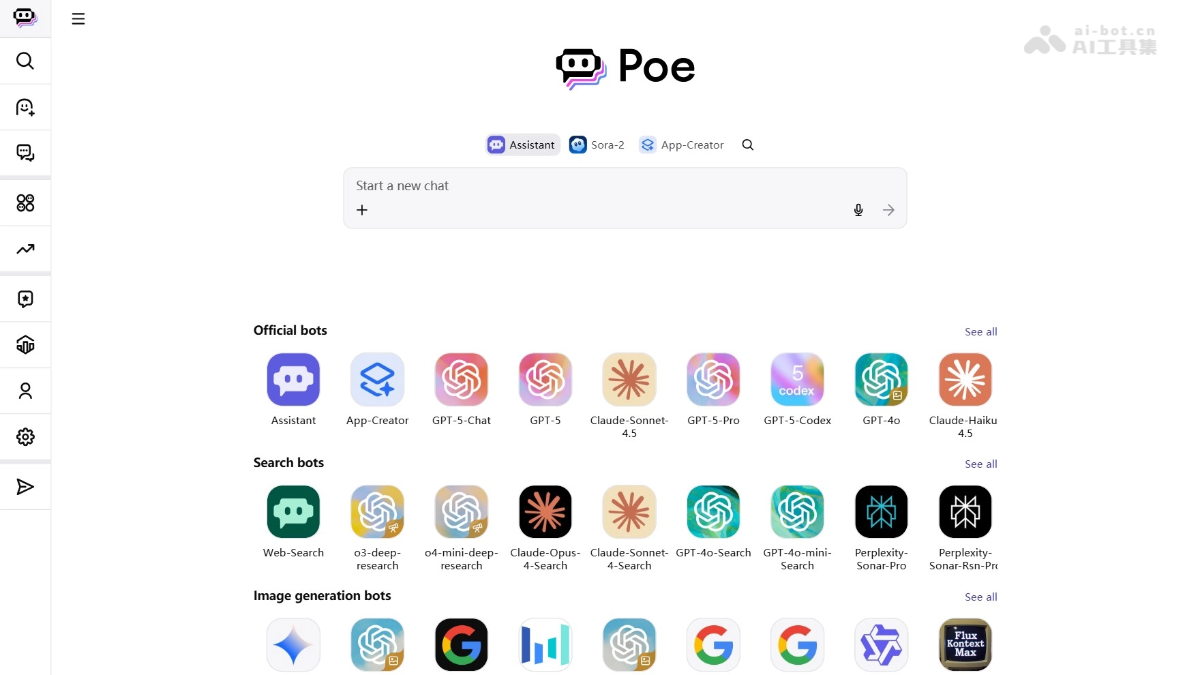
Poe's main features
-
Multi-model integration: Users can switch between and use multiple AI models such as Claude, GPT, Gemini, and others on one platform, choosing the most suitable model according to their needs.
-
Instant conversation: Users can enter questions or instructions, and the selected model provides contextually relevant and accurate answers, supporting real-time interaction.
-
Creative and writing support: Helps users with creative writing, copy generation, story creation, and more, sparking inspiration.
-
Programming assistance: Provides code suggestions, debugging help, and programming ideas, supporting multiple programming languages.
- Translation function: Supports text translation between multiple languages, helping users quickly overcome language barriers, suitable for document translation and instant translation.
- Create custom AI assistants: Users can create their own AI assistants (Bots), customize their functions and behavior, generate exclusive links to share with others, and meet personalized needs.
- Multi-platform support: Poe provides a web version, iOS, and Android apps, supports cross-device synchronization, and makes it convenient for users to use anytime and anywhere.
How to use Poe
- Register an account: Visit the Poe official website https://poe.com/或下载Poe App, and complete account registration and login.
- Choose an AI model: After logging in, from multiple available AI models (such asGemini-2.5-Pro、GPT-5、Claude-Haiku-4.5 , etc.), choose one to converse with according to your needs.
- Start a conversation: Enter a question or instruction, click send, and the AI immediately gives an answer. Continue the conversation to get more information.
- Create a custom AI assistant: Click "Create a bot" in the left menu, fill in the Bot name and initial instructions (Prompt), choose a model, and generate an exclusive link to share with others.
- Use other functions: Use functions such as translation, writing assistance, and educational applications to meet different needs, such as grammar checking, text polishing, and speaking practice.
- Synchronization and cross-device use: After logging in to your account, chat history can be synchronized across all devices, and it supports use on the web version, iOS, or Android apps.
Poe's application scenarios
- Education: Teachers can create writing teaching assistants, speaking practice partners, or reading comprehension tools to help students improve learning outcomes.
- Writing: Writers and content creators use AI to assist writing, performing grammar checking, text polishing, and creative generation.
- Language learning: Learners practice conversations with AI to improve speaking and listening skills, and the platform supports multiple languages.
- Content creation: Creators can generate image, video and audio content, supporting creative design and multimedia production.
- Programming assistance: Developers use the programming suggestions and code generation features provided by AI to improve development efficiency.
- Daily conversation: Users engage in daily communication with AI to get advice, entertainment or answers to questions.

