

What is Tusi AI HD
Tusi AI HD isTusiTusiArtan intelligent image upscaling/restoration tool launched by Tusi, based on advanced models such as Stable Diffusion and FLUX, capable of upscaling low-resolution images to high-definition quality. Users can upload images and select an appropriate model to quickly generate high-resolution images, suitable for scenarios requiring high-quality images, such as printing and commercial use.
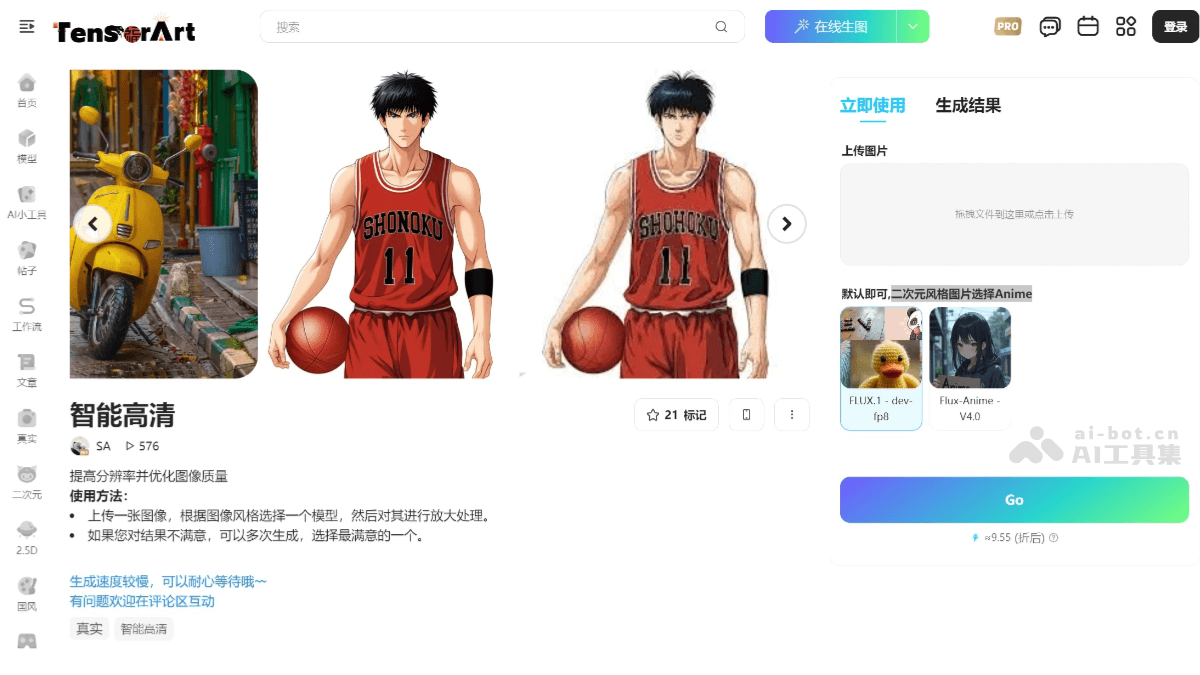
Main features of Tusi AI HD
- High-definition image generation: Users can upload low-resolution images and select an appropriate model for upscaling to generate high-resolution images. The generated images have richer details and are suitable for printing and commercial use.
- Detail restoration and enhancement: Supports automatic restoration of facial and hand details in images, improving the naturalness and clarity of the image.
- Multi-model support: The platform provides a variety of base models, such as FLUX.1 and Anime for anime-style images, meeting different styles and needs.
- Image-to-image functionality: Users can provide a base image for the AI to use as a generation reference, and by adjusting parameters or applying different models, generate stylized high-quality images.
- Community sharing and collaboration: Users can share generated high-definition images or models with the community, interact with other creators, and foster creative inspiration.
How to use Tusi AI HD
- Register and log in: Visit the official TusiTusiArt website to register and log in.
- Select the smart HD tool: Enter the workspace and select the smart HD tool.
- Upload an image and select a model: Upload the image that needs to be upscaled, and select a suitable AI model (FLUX.1, Anime), which can be used to generate images in different styles, including realistic, anime, or artistic styles.
- Adjust parameters: Adjust image generation parameters as needed, including aspect ratio, resolution, sampling method, CFG scale, etc.
- Generate the image: After completing the settings, click the "Generate" button, and the platform will generate a high-definition image based on the input image and parameters.
Application scenarios of Tusi AI HD
- Old photo restoration: For blurry, low-resolution, or damaged old photos, the smart HD tool can improve image quality and restore details, making them clearer and more vivid.
- Image denoising: Noise generated during shooting or scanning can be removed with the smart HD tool to obtain cleaner and clearer images.
- Digital art creation: Artists can use the smart HD tool to transform sketches or low-resolution ideas into high-definition artworks, quickly generating high-quality visual effects.
- High-quality advertising materials: Upscale low-resolution advertising images to high definition to meet the display needs of printing or high-resolution screens.
- Character and scene generation: Quickly generate high-definition images of characters, scenes, or props in games, improving the game's visual effects.


