

What is Tusi AI Matting
Tusi AI Matting is an intelligent matting tool launched byTusiArt, implemented based on ComfyUI Workflow, helping users quicklyremove image backgrounds, while maintaining the integrity of the subject. Users only need to upload an image, and Tusi AI Matting will automatically identify and separate the subject from the background, generating a clear background-removed image. If unsatisfied with the result, users can try multiple times to optimize the effect. It is suitable for designers, e-commerce practitioners, and users who need to process images quickly.
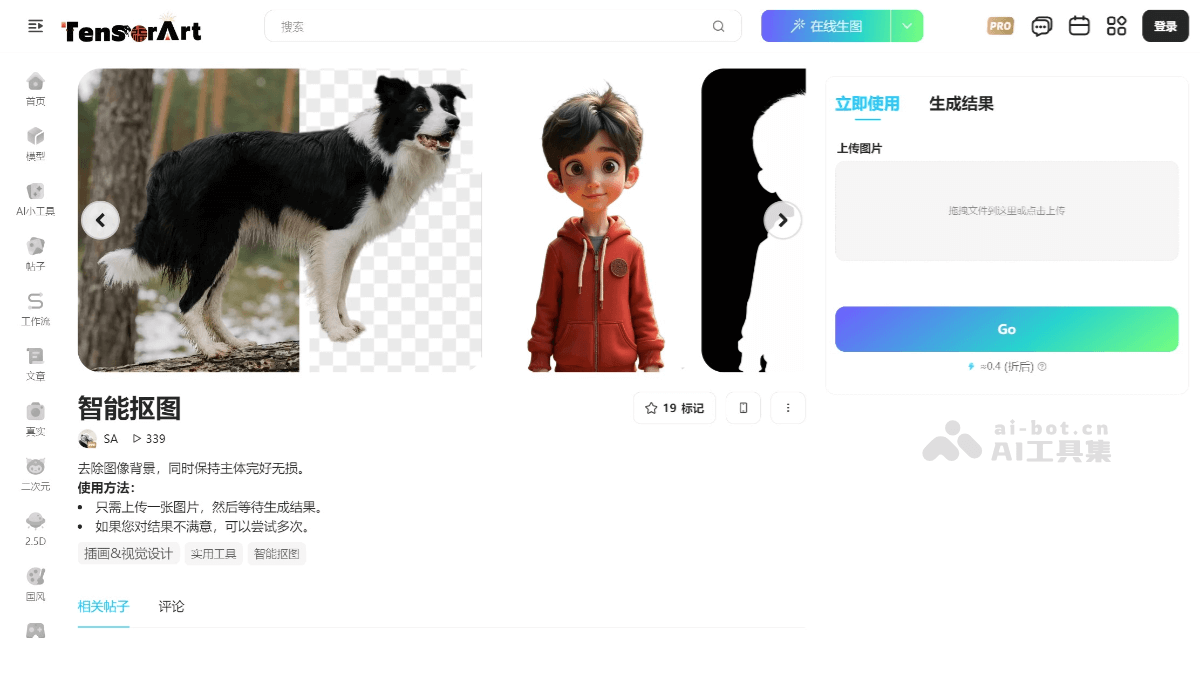
Main Features of Tusi AI Matting
-
Automatic recognition and precise matting: Based on AI technology, it automatically identifies the subject in an image, generates a transparent background with one click, and precisely handles subject edges, suitable for complex backgrounds or images with rich details.
-
Batch processing capability: Supports batch uploading and processing of images, can process multiple images at the same time, greatly improving work efficiency.
-
Background replacement and editing: Can remove the background, replace the background as needed, and supports selecting from a material library or customizing the background.
-
Intelligent removal and repair: Provides an intelligent removal function. Users can remove flaws, extra objects, or text in an image by smearing, and AI automatically completes the background.
-
Suitable for multiple scenarios: Suitable for multiple scenarios, including e-commerce product image processing, ID photo matting, social media image preparation, etc., meeting the needs of different users.
-
No professional skills required: Users do not need to master professional image processing software such as Photoshop, and can complete high-quality matting through simple operations.
-
HD export and no watermark: Supports HD lossless export of matted images, with no watermark, ensuring image quality.
How to use Tusi AI Matting
-
Register/Log in: Visit TusiArt – Intelligent Matting, register and log in.
-
Select the intelligent matting tool: Find the "Intelligent Matting" function in the workspace and click to enter.
-
Upload an image: Click the "Upload Image" button and select the image to be matted. Supports dragging files or clicking to upload.
-
Wait for the processing result: The platform will automatically identify the subject of the image and remove the background. If unsatisfied with the result, you can try uploading again or adjusting the image.
-
Adjustment and optimization (optional)
-
If needed, you can manually adjust the matting area, for example, by using a smearing tool to mark the parts to keep or delete.
-
You can also choose to replace the background, selecting a background from the material library provided by the platform or uploading a custom background.
-
-
Download or share the result: After processing is complete, click the "Download" button to save the matted image, or share it to the Tensor.Art community.
-
Batch processing (optional): If you need batch matting, you can upload multiple images for batch processing to improve efficiency.
Product Pricing of Tusi AI Matting
A certain number of free credits can be obtained every day for generating or processing images.
Application Scenarios of Tusi AI Matting
-
Artistic creation: Designers can use smart cutout tools to quickly extract the main subject of an image and create unique works of art, such as illustrations, oil paintings, watercolor paintings, etc.
-
Advertising and Content Production: Marketers and content creators can use the tool to remove or replace the background in advertising images, generate more attractive visual content, and improve advertising effectiveness.
-
E-commerce and Product Design: E-commerce practitioners can quickly remove the background from product images and generate transparent-background images suitable for display on e-commerce platforms, while designers can use the cutout function to generate product design prototypes.
-
Social Media Content Creation: Social media bloggers and content creators can use smart cutout to generate unique images and visual content.
-
Game Development: Game developers can use smart cutout tools to quickly extract characters or scene elements for in-game asset generation and concept design.


