

What is Modelers Community
Modelers Community is an artificial intelligence community launched by China Telecom's Tianyi Cloud. Modelers Community provides AI tools, models, data hosting, demonstration, and application collaboration services, building an open platform for learning and exchange for AI developers and enthusiasts. Through the operation of a council, the community is jointly built, operated, and enjoyed by the entire industry chain, promoting the prosperity and development of the domestic AI ecosystem. Modelers Community provides free computing power, making it easy for users to experience AI resources and application effects.
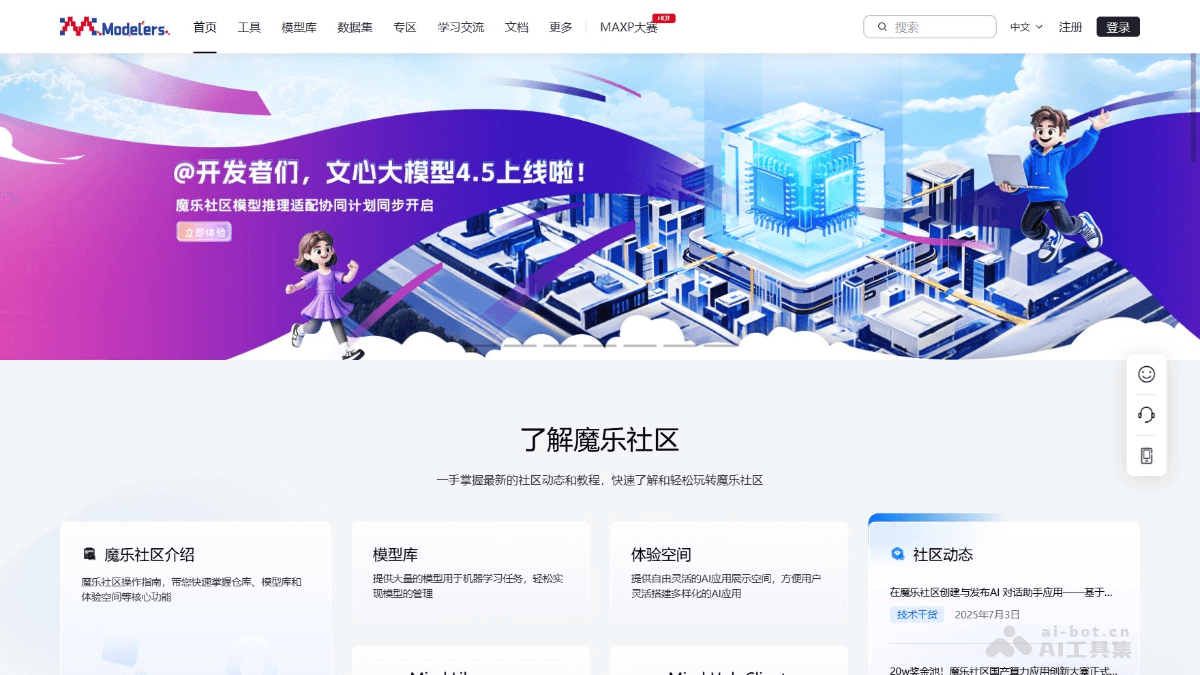
Main features of Modelers Community
- Model hosting and management:Provides a model library where users can host and share AI models for natural language processing, vision, and audio tasks.
- Dataset hosting:Hosts datasets used for various AI tasks, including translation, speech recognition, and image classification, for training, evaluation, and testing.
- Experience space:Provides application cases of machine learning and deep learning algorithms, supporting users to directly experience interactive applications of models in the browser.
- Git repository service:Hosts Git-based repositories, supporting users and organizations to collaboratively develop models and code.
- Tool suite integration:Integrates tool suites such as openMind Library and openMind Hub Client for convenient model development and management.
- Collaboration and exchange: Users can publish projects, participate in discussions, ask questions, or answer questions in the community, forming a good atmosphere for learning and collaboration. Supports team collaborative development and promotes knowledge sharing.
How to use Modelers Community
- Registration and login: Visit the Modelers Community official website https://modelers.cn/ to complete login and registration.
- Get models
- Visit the model library to obtain all public models on the platform.
- Filter the required models according to model tags or tasks.
- Taking the PyTorch-NPU/qwen1.5_7b_chat model as an example, filter or search to find the model.
- Click the model card to enter the model details page and view the model introduction and operation guidance.
- According to the guidance on the model details page, experience the model effects online or download the model files.
- Refer to the environment installation documentation for detailed installation steps.
- Browse and use more community resources
- Datasets: Access and download datasets used for AI training.
- Experience space: Use the online environment provided by the community for model testing and application development.
- Participate in community activities
- Courses and seminars: Participate in courses and seminar exchanges provided by the community.
- Competitions and challenges: Participate in AI competitions and peak challenges held by the community.
- Use the toolchain: Install and use the toolchain provided by the community for model development and inference.
- Contribute and share:
- Share models and applications: Share your own AI models and applications in the community.
- Feedback and suggestions: Provide feedback and suggestions based on the community's help center.
Application scenarios of Modelers Community
- Intelligent customer service system: Develop chatbots that can understand user queries and provide instant responses.
- Autonomous Vehicles: Use computer vision technology to recognize road signs, pedestrians, and obstacles, improving driving safety.
- Health Monitoring Applications: Analyze data collected by wearable devices, monitor users' health conditions, and provide health recommendations.
- Personalized Recommendation Systems: On e-commerce websites or streaming services, recommend products or content based on user behavior and preferences.
- Intelligent Voice Assistants: Create virtual assistants that can understand and execute voice commands, such as controlling smart home devices.

