
What is Zhishe
Zhishe is a professionalAI image generationplatform that provides users with efficient design solutions based on AI technology. Zhishe covers multiple design categories such as print advertising, poster design, web UI, and e-commerce design, meeting the needs of different scenarios. Through features such as adding LoRA models and generating images, users can quickly generate high-quality design works based on prompts, improving design efficiency. Zhishe helps users Zhishe is a professional AI image generation platform easily achieve design goals, and is an efficient design assistant for designers and non-professionals.
Main Features of Zhishe
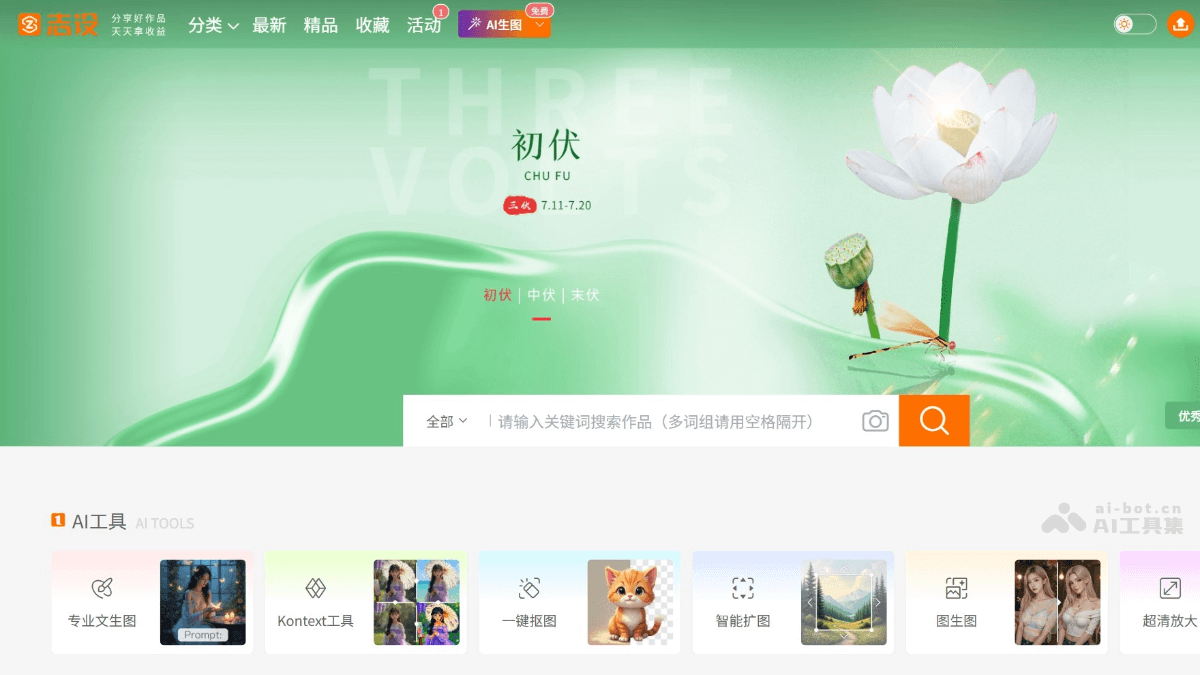
- AI Image Generation: Users input prompts, and AI quickly generates high-quality images, illustrations, design drafts, etc., supporting multiple image ratios and sizes.
- Prompt Tool: Assists users in writing more precise prompts, supports Chinese-English translation, and improves the accuracy and diversity of generated content.
- HD Restoration: Supports HD restoration functionality, further optimizing the quality of generated images and enhancing design details.
-
AI Images: Provides a rich collection of AI-generated images, covering multiple styles and themes.
- AI Models: Provides multiple AI models, supporting design needs for different styles and scenarios.
- Style Transfer: With just one sentence, easily change people, objects, backgrounds, and styles.
- Local Redraw: Customize local areas and precisely redraw image details.
- Ultra HDUpscale: Intelligently enhances image quality and upscales images in HD without loss.
- Image to Image: Intelligently recognizes the original image and generates a new image in a similar style.
- Smart Outpainting: Smart algorithm outpainting, exquisitely and perfectly extending the image.
- One-ClickCutout: Precisely identifies the subject and quickly removes the background with one click.
How to Use Zhishe
- Register and Log In: Visit the Zhishe official website:https://www.zs9.com/,点击注册按钮并填写相关信息完成注册。
- Use Features: Select the corresponding feature module as needed.
- Text to Image: Input clear prompts, select an appropriate AI model, and set parameters to quickly generate images that meet your needs.
- AI Tools: Enter the AI tools page, select Local Redraw, Ultra HD Upscale, Image to Image, Smart Outpainting, or One-Click Cutout according to your needs, and follow the prompts to generate results.
- AI Models: Browse the AI model library, select an appropriate model, enter a description or prompt, set parameters, and click generate; AI will generate an image based on the model.
- AI Images: On the AI images page, find suitable images through search keywords or filter conditions, and download or use them according to the authorization method.
Application Scenarios of Zhishe
- Print Advertising Design: The platform is used to generate posters, flyers, packaging designs, etc., quickly creating attractive visual effects to meet advertising and promotional needs.
- E-commerce Page Creation: Helps design e-commerce homepages, detail pages, promotional long images, etc., enhancing the store's visual appeal and sales conversion rate.
- Web UI Design: Generate web interfaces, mobile app interfaces, icons, etc., optimize user experience, and improve the efficiency and quality of interface design.
- Visual Merchandising and Decoration Design: Design event setups, wedding scenes, store decorations, etc., to create a creative and attractive atmosphere.
- PPT Office Design: Quickly generate PPT templates, charts, covers, etc., improve office efficiency, and make presentations more attractive.


