

What is Colossyan
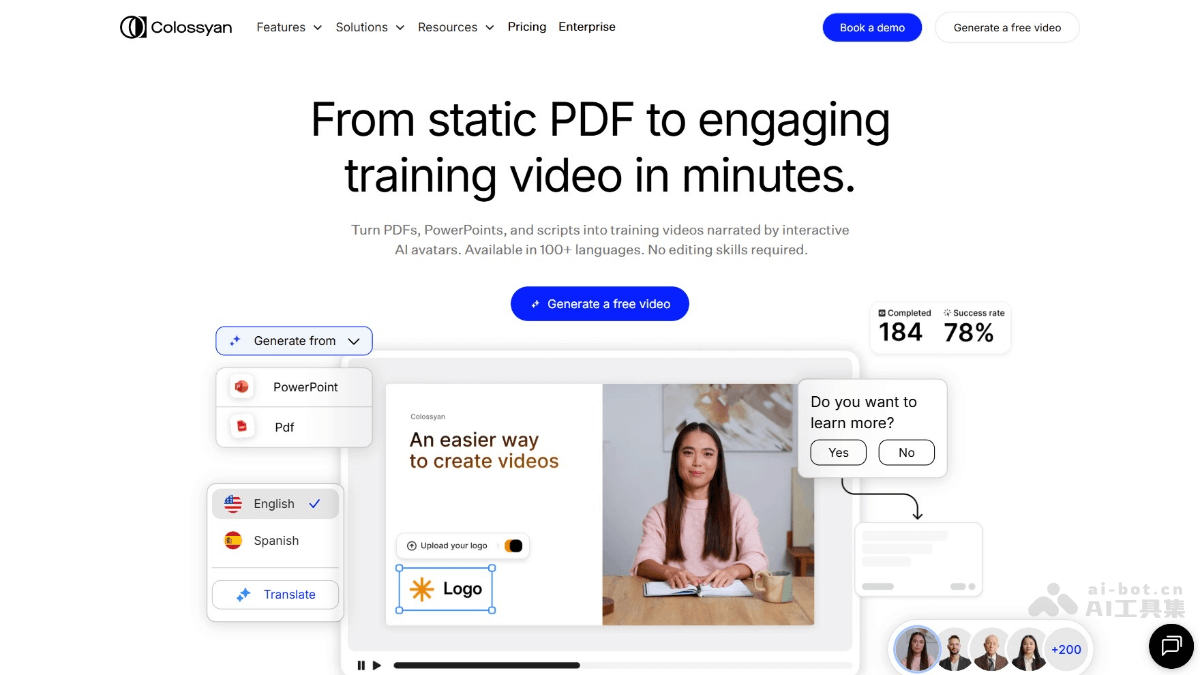
Colossyan is an AI digital humanvideo generation platform that supports quickly converting PDFs, PPTs, and scripts into videos voiced by AI avatars, with support for over 100 languages. The platform requires no professional editing skills, is easy to use, offers a variety of digital human avatars, voice options, and video design features, and can add interactive elements and automatictranslation. It is suitable for product introductions, training, and many other scenarios, significantly saving production time and cost, and helping enterprises and teams efficiently produce personalized, multilingual video content.
Colossyan's Main Features
- Document Import and Conversion: Supports importing documents such as PDF, PPT, and Word into the platform and quickly converting them into video scripts and slides.
- Text to Video: Users enter text, and the platform automatically generates a video with voiceover and visual effects.
- Instant Avatar: Users can upload photos or videos to create personalized digital human avatars for use in videos.
- Diverse Avatar Library: Provides a variety of avatars of different genders, ethnicities, and styles to choose from.
- Voice Cloning and Multilingual Support: Supports more than 600 preset voices in over 100 languages.
- Emotion Control and Voice Effects: Some voices support emotion control, allowing adjustment of the emotional expression of the voice.
- Custom Design: Users can freely add animations, shapes, background music, and other elements to enhance video appeal.
-
Automatic Translation: Quickly generate video versions in different languages.
How to Use Colossyan
- Create a Video Draft:
- Upload Documents: Import existing documents or presentations into Colossyan, choose "Import" to directly use existing slides, or choose "Document-to-Video" to have AI generate scripts and slides based on the document content.
- Instant Avatar: Use the "Instant Avatar" feature to create an avatar based on yourself, and use voice cloning in more than 30 languages.
- Start from Scratch: Choose "Start from Scratch" to build a video from a blank canvas.
- Use Templates: Choose pre-designed templates to help design the video.
- Prompt-to-Video: Generate a complete video based on a specific text prompt.
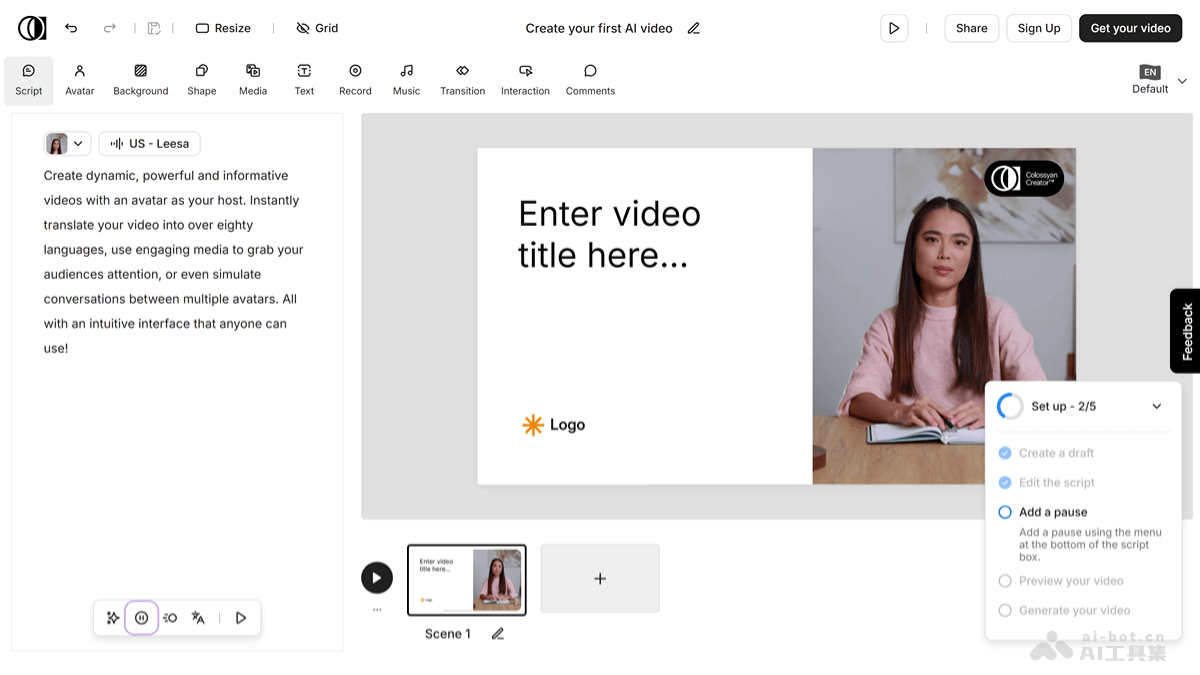
- Write a Script: Enter text in the script box on the left to add narration. Assign different avatars and voices to each part of the script to simulate a conversation.
- Choose an Avatar: Select or create a new avatar in the "Avatars" tab at the top.
- Select and Preview Voices: Choose the language and accent, and pick the voice that best matches the video style. If you want to use your own voice for text-to-speech, clone your own voice through a quick voice recording.
- Design Scenes: Use templates to help with design, or design the video's visuals and layout completely freely.
- Interactivity: Add multiple-choice questions and branching paths to the video to make it interactive.
- Automatic Translation: Use the automatic translation feature to quickly create language versions of the video.
- Preview and Generate the Video: Select the desired resolution and start generating the video. If needed, you can add subtitles.
- Download or share the video: After the video is generated, download, share, or embed the video.
Colossyan use cases
- Product introductions: Convert product scripts into videos with AI avatars and voiceovers, quickly produce product introduction videos, and enhance product presentation.
- Training and education: Convert training materials (such as PDFs and PPTs) into interactive videos, support multiple languages, and improve training efficiency and participation.
- Internal communication: Produce videos such as internal notices and meeting summaries, convey information through avatars, and enhance employees' acceptance and understanding.
- Marketing: Create marketing videos, such as advertisements and brand stories, and attract global audiences with multilingual support and interactive features.
- Customer service: Produce frequently asked questions (FAQ) videos, provide 24/7 customer support through avatars, and improve the customer experience.


