

What is Flow Studio
Flow Studio is launched by FlowGPTAI long video generation tool, which can generate 3-minute long videos with cinematic quality in one click. Flow Studio can automatically create engaging plots, maintain character consistency, automatically match background music and sound effects, greatly simplifying the video production process. Flow Studio supports a variety of video styles and types, suitable for multiple scenarios such as marketing, education, and social media. It eliminates the tediousness of post-editing and makes video creation fast and simple.
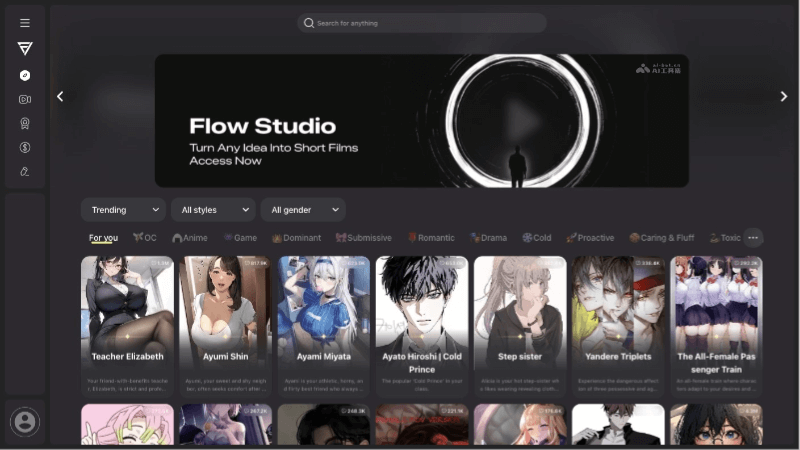
Main features of Flow Studio
- AI-driven storytelling: Automatically generates engaging plots, maintains character consistency, and ensures that the video content is coherent and attractive.
- Cinematic production: Provides professional-grade visual effects and audio quality, including background music and sound effects, improving the overall viewing experience.
- Seamless one-click creation: Simplifies the video creation process. Users only need to provide a basic text description, and Flow Studio can automatically complete the video generation.
- Diverse video styles: Supports a variety of video styles, such as anime, realistic, 3D, 2.5D, line art, etc., meeting the needs of different users.
- Wide range of video types: Suitable for many video types, including horror, romance, stand-up comedy, etc., providing a broad creative space.
- Character and voice matching: Ensures consistency of characters throughout the entire video and automatically generates matching dialogue and sound effects.
- Fast video generation: Compared with traditional video production, Flow Studio can generate videos quickly and save time costs.
How to use Flow Studio
- Register and log in: You need to log in to Flow Studio with a Google, Discord, X, or LinkedIn account.
- Choose a character: After logging in, you can choose a character from the character library. The public character library contains well-known anime or movie figures. If the character does not meet your needs, you can also generate a character yourself or upload your own image.
- Enter text: Enter text of less than 500 characters in the text box. The text should include the name of the protagonist and should only be related to the story plot. Note that the text should not include prompt words such as video style, music style, or technical terms.
- Choose a video style: Flow Studio provides different video styles for users to choose from, such as "General" and "Horror". Choose the appropriate style according to your story plot.
- Generate the video: After completing the above steps, click the generate button, and Flow Studio will generate the video based on the provided text and the selected style.
- Watch and download: The generated video can be watched online, and if you are satisfied, you can download the video. Newly registered users can generate two videos for free. After the trial ends, you have to purchase them at $0.99 per video.
Flow Studio product pricing
- Free trial: Newly registered users can generate two videos for free.
- Paid subscription: After the free trial ends, users need to purchase at $0.99 per video.
Application scenarios of Flow Studio
- Marketing and advertising: Create engaging product introduction videos, advertising promotional films, or brand stories to increase brand awareness and attract potential customers.
- Education and Training: Create educational videos, such as course explanations, concept demonstrations, or training materials, making learning content more vivid and easier to understand.
- Social Media Content: Create high-quality video content for social media platforms, increasing user engagement and enhancing the brand's social media influence.
- Film and Video Production: Assist filmmakers in quickly previewing storyboards or producing short films, saving time and cost in pre-production.
- News and Reporting: Quickly generate news report videos, improving the efficiency of news production, in breaking news reports that require rapid response.


