

What is Humva
Humva is an innovativeAI digital human generation tool, focused on providing users with personalized digital avatars and video content production services. Through a simple and easy-to-use interface, users can quickly create their own exclusive digital human, with support for multiple background, gender, industry, and clothing options to meet the needs of different scenarios. Humva's core advantage lies in its powerful customization features and efficient content generation capabilities. Users can input a script to quickly generate high-quality video content, suitable for social media, product promotion, education and training, and many other scenarios.
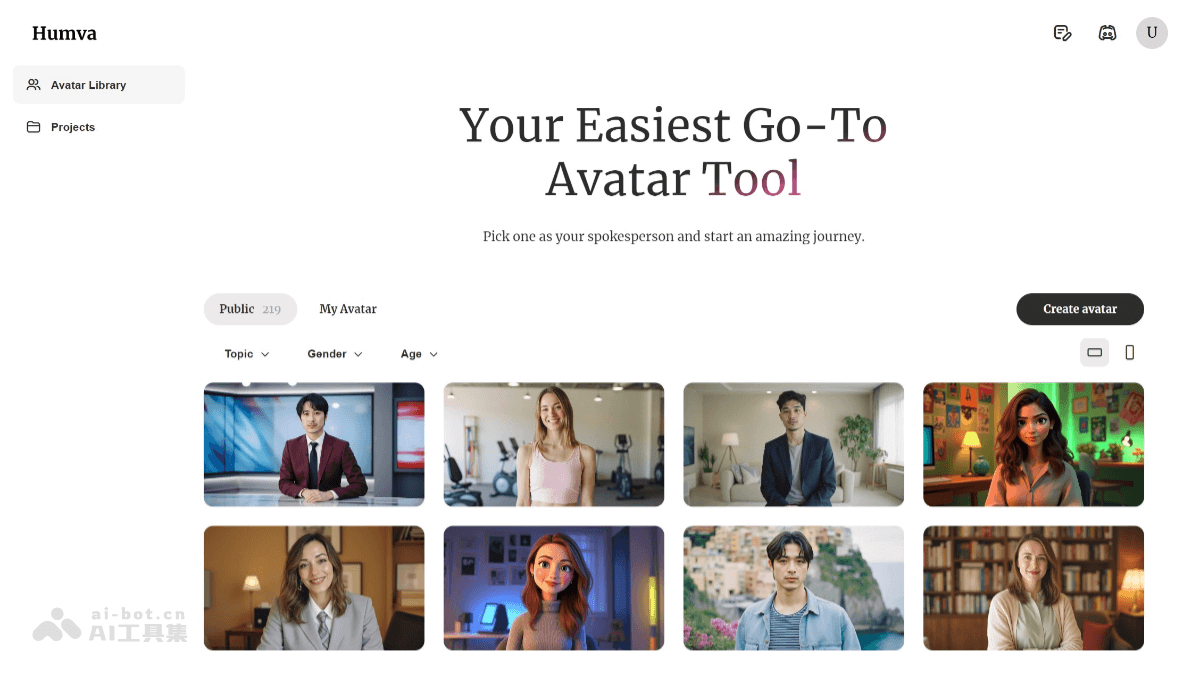
Humva's main features
-
Custom digital human generation: Users can quickly generate a personalized virtual avatar by uploading a photo or selecting a preset template. The platform provides a wealth of customization options, including hairstyle, clothing, skin tone, pose, and actions, to meet the needs of different users.
-
One-click video content generation: Humva supports converting text scripts into video content. Users only need to input a script and select a virtual character to generate high-quality videos.
-
Video presenter generation: Provides thousands of video presenter options, suitable for social media content, product introductions, and many other uses.
-
Customized video content: Users can input scripts and generate customized video content, with support for multiple languages and multiple accents.
-
Multilingual support and global applications: Humva supports multiple languages, can meet the needs of users in different countries and regions, and helps enterprises and creators promote content globally.
How to use Humva
- Visit the official website and register: Visit Humva'sofficial website, register an account, and log in.
- Create a digital human: On the platform, select "Create Digital Human." Choose an avatar template, such as cartoon style or realistic style. Use the customization features to adjust the virtual avatar's appearance, including hairstyle, clothing, skin tone, and more. Adjust the virtual avatar's pose and actions to match the usage scenario.
- Generate video content: Choose a virtual avatar as the video spokesperson. Input a script or lines, and adjust the virtual avatar's emotion and tone as needed. Click "Generate Video," and Humva will generate a video based on the input content.
- Download and share: After the video is generated, click the "Export Video" or "Download" button. Share the generated video to social media or other platforms.
Humva's application scenarios
-
Social media content creation: Enrich content through personalized digital avatars and attract more followers.
-
Product introduction and promotion: Use virtual presenters for product introductions to enhance the display effect.
-
Education and training: Create virtual instructors and produce lively teaching videos.
-
Corporate promotion: Customize corporate image spokespersons and produce brand promotional videos.


