

YiqijianWhat is it
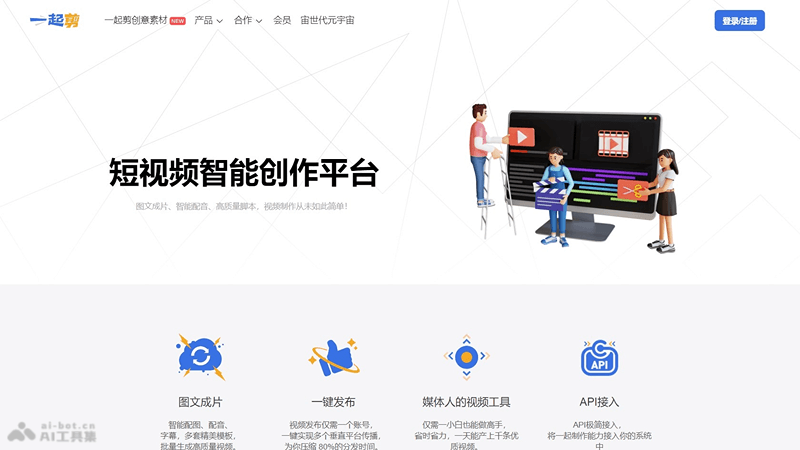
Yiqijian is an AI short video creation platform launched by Guangzhou Zhimei Cloud Technology. It offers image-and-text-to-video, intelligent voiceover, and subtitle features, along with multiple sets of beautifully designed templates, helping users easily create high-quality videos. It supports one-click publishing to multiple platforms, greatly reducing video distribution time. In addition, it provides API access, making it convenient for users to integrate video creation capabilities into their own systems. It is suitable for a variety of content creation scenarios such as news, entertainment, and commentary, improving video production efficiency and creative expression.
YiqijianMain Features
- Image-and-text-to-video: Intelligent image matching and voiceover, automatically generating videos.
- Intelligent voiceover: Provides high-quality voiceover services for videos.
- Subtitle generation: Automatically adds subtitles to improve video readability.
- Template use: Provides multiple sets of beautifully designed video templates for quickly creating professional videos.
- One-click publishing: Supports one-click publishing of videos to multiple platforms, saving distribution time.
How to use Yiqijian
- Register and log in: Visit the "Yiqijian" official website (yiqijian.com), register an account and log in.
- Choose a template: Browse the platform and choose a template that suits your video theme.
- Upload materials: According to the requirements of the selected template, upload images, video clips, or other related materials.
- Edit content: Use the editing tools provided by the platform to add or edit text, and adjust voiceover and subtitles.
- Intelligent voiceover: Use the platform's intelligent voiceover feature to add suitable voice narration to your video.
- Adjust subtitles: Automatically or manually add subtitles to ensure synchronization with the video content.
- Preview and adjust: After completing the edit, preview the video and make final adjustments as needed.
- One-click publishing: Once satisfied with the edit, use the one-click publishing feature to share the video to multiple platforms.
YiqijianTarget Users
- Self-media creators: Individuals or teams who need to quickly create and publish video content.
- News organizations: Media workers who need to respond quickly to breaking events and produce news report videos.
- Corporate marketing departments: Corporate marketing personnel who produce commercial videos such as product introductions and event promotions.
- Educational institutions: Educators and students who produce teaching videos or course content.
- Entertainment industry practitioners: Practitioners who need to produce video content such as entertainment news and celebrity interviews.


