
What is Quark
Quark is launched by AlibabaAI searchapplication, integratingAI browsersearch, cloud drive, practical tools, and other functions. Quarksupports mobile version, Pad version, Windows PC version,one-click asset synchronization.It provides intelligent services such as 6T extra-large space, AI summaries, and AI generation. Users can quickly log in by scanning a QR code with their phone and enjoy a seamless multi-device collaboration experience. Quarkis ultra-fast, secure, efficient, and highly attractive, and is your efficient partner for study, work, and life.
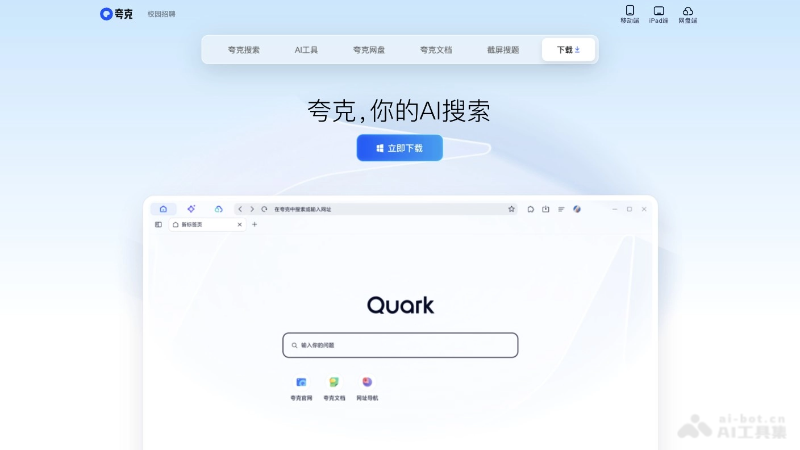
Quark's feature highlights
- Smart Search: Quark is based on AIintelligent engineto provide fast and accurate search results, making information lookup faster and enabling precise search of work and study documents.
- Quark Cloud Drive: 6T extra-large space, ultra-fast downloads; store computer files with peace of mind, multi-device backup; super player, free 5x speed.
-
File Tools Center: Supports conversion of PDF to Word, Excel, PPT, txt, images, and other formats,high fidelityrestores formatting, making it easy to view and edit documents online.
-
Quark Quick Transfer: Multi-device sharing, ultra-fast file transfer; documents, images, videos, and large files can be transferred losslessly in one click, making it easy to connect phones and computers.
- Multi-device Collaboration: Quark supports seamless collaboration between phones, tablets, and PCs, making it convenient for users to view and edit files on different devices.
-
Comprehensive Protection, Ultra-Fast and Secure: Powerful security and privacy protection functions, highcompatibility; rich intelligent web tools improve your browsing efficiency and experience.
How to use Quark
- Download and Install: Visit the official website quark.cn , download the Quark PC version for free and install it.
- Quark Windows client download:https://download.quark.cn/download/quarkpc
- Quark Mac client download:https://download.quark.cn/download/quarkmac
- Open Quark: Find Quark on the desktop icon or in the system launcher, and double-click to open it.
- Account Login: Log in by scanning a QR code with the Quark APP or by entering your account and password to enable cross-device synchronization.
- Smart Search: Enter keywords in the address bar and use Quark's smart search to quickly find the information you need.
- Access Cloud Drive: Click the cloud drive icon in the browser interface to directly enter Quark Cloud Drive and upload, download, and manage files.
- Browsing Experience: Open a new tab, enter a URL to visit a webpage, or quickly open frequently used websites through bookmarks.
- Use Widgets: Explore and use various practical widgets provided by Quark, such as scanning and translation.
Who Quark is suitable for
- Student Group: Students who need to quickly find study materials, documents, and online resources, especially university and high school students.
- Office Workers: Workplace professionals who need to handle a large number of files and use cloud drives for storage and collaborative office work.
- Tech Enthusiasts: Tech enthusiasts interested in the latest browser technologies and AI functions.
- Multi-device users: Users who need to sync data and information across mobile phones, tablets, and PCs.
- Teachers and educators: Teachers who need to find educational resources and create teaching materials.