

What is OneStory
OneStory is an innovativeAI story generation assistant, where users only need to input a text description, and AI can help you generate coherent images and videos without professional skills. Whether it's character design, scene layout, or animation production. OneStory is like an intelligent story machine; you just tell it your story, and it can help you draw characters, scenes, and even make animated videos. OneStory makes creating stories and videos as easy as speaking.
Main Features of OneStory
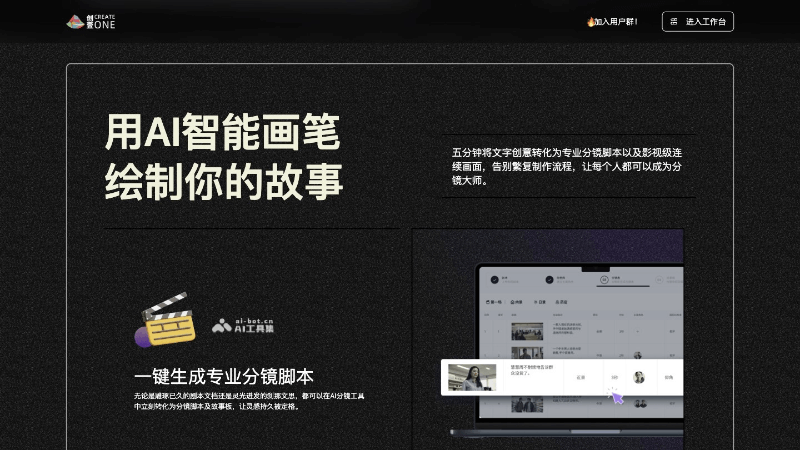
- AI Smart Brush: Using AI text-to-image and text-to-video technology to transform users' text descriptions into images and videos, allowing ideas to be visualized quickly.
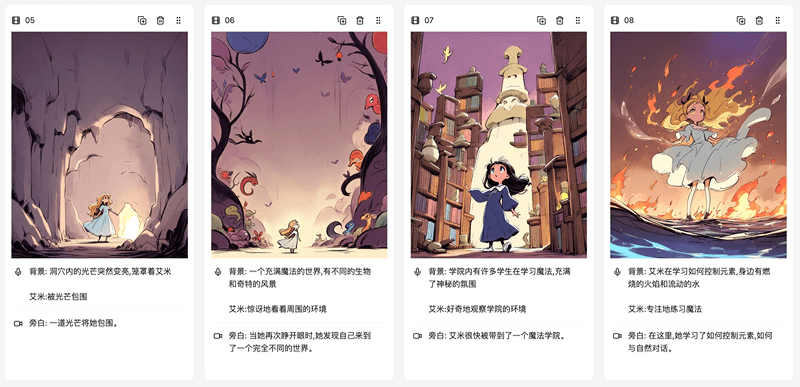
- One-Click Storyboard Script Generation: Automatically converts scripts or creative manuscripts into professional storyboard scripts and storyboards, simplifying the production process.
- Cinematic-Level Image Creation: Even without an art background, users can quickly create high-quality image stories through AI.
- Element-Level Control of the Image: Provides text prompts and an image editor, supporting users to precisely control and modify individual elements in the image.
- Character Asset Library Construction: Supports users in creating personalized character libraries through prompts and character image pictures, building unique IP images.
- Multi-Scenario Applicability: Suitable for a variety of different creative scenarios and cases, meeting the personalized needs of different users.
How to Use OneStory
- Product Official Website: Visit onestory.art , scan the WeChat QR code to register and log in to your account.
- Clarify the Creative Goal: Before starting, think clearly about the theme and style you want to create, such as a cartoon character, sci-fi warrior, or ancient-style fairy.
- Input Description: In OneStory's input box, describe your character or scene in detail, including appearance features, clothing, expression, action, and environment.
- Use Keywords: Try to use specific and rich keywords for description, so AI can understand more accurately and generate the image you want.
- Adjust Parameters: As needed, adjust the parameters for image generation, such as resolution, aspect ratio, etc.
- Generate Image: After inputting the description and adjusting the parameters, click the generate button, and AI will create an image based on your description.
- Filter and Optimize: You may need to generate multiple times, choose the most satisfactory image from multiple results, and use the local editing function to adjust unsatisfactory details.
- Serialized Creation: To maintain consistency of characters or scenes, try to keep keywords and descriptions consistent in subsequent creations, and only fine-tune the details.
- One-Click Video Generation: If you want to connect images into a video, OneStory supports video generation and can create animated videos with one click based on the generated images.
How Does OneStory Charge
OneStory offers multiple subscription plans, mainly including:
- Free User: Basic trial service.
- Regular Member: 18 yuan/month, 180 yuan/year, providing 100 projects, 600 redraws, 8000 characters, and priority experience of the AI editor.
- Premium Member: 38 yuan/month, 380 yuan/year, providing 500 projects, 2,000 redraws, and 15,000 characters.
- Team Membership: Custom pricing, including team collaboration features such as multi-person editing and image annotation.
OneStory's application scenarios
- Personal Creation: Individual artists and enthusiasts can use OneStory to quickly turn ideas into visual works, whether paintings, illustrations, or animations.
- Education: Teachers and students can use OneStory for storytelling, character design, and scene-building teaching activities, improving students' creativity and imagination.
- Film and Television Production: Filmmakers and television producers can use OneStory to generate story outlines and storyboards, speeding up the pre-production process.
- Game Development: Game developers can use OneStory to design game characters, environments, and animations, improving development efficiency.
- Virtual Reality and Augmented Reality: VR and AR developers can use OneStory to create visual effects for immersive experiences.
- Corporate Promotion: Enterprises use OneStory to produce promotional materials, such as product introduction videos and company stories, to present their corporate image more vividly.
- Publication Design: The publishing industry can use OneStory to design book covers, illustrations, and comics, enhancing the appeal of publications.
- Art Exhibitions and Galleries: Artists can use OneStory to create digital artworks for online or offline art exhibitions.


