
What is Mejorar Imagen
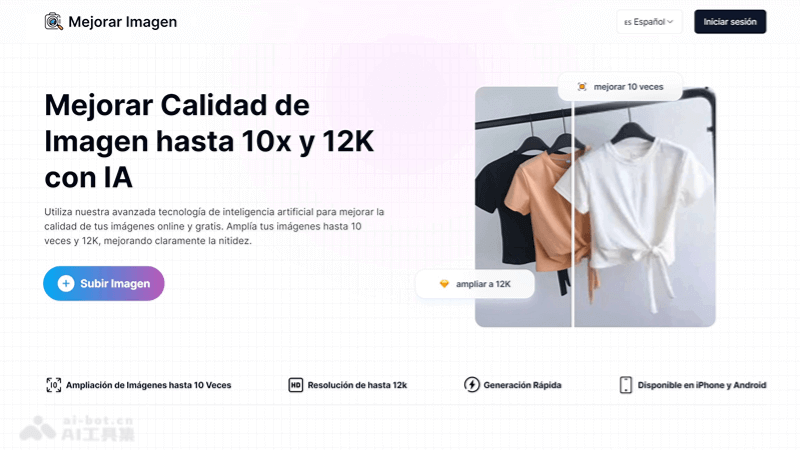
Mejorar Imagen is launched by Better Image AIAI image upscaling tool, quickly upscales images to 10x or 12K resolution, significantly improving image clarity and quality. Suitable for photographers, designers, and social media users, helping them improve the visual effect of their work. Users only need to upload an image and select the upscaling level, and the AI will automatically process and generate a high-resolution image. It supports multiple image formats, and is easy and safe to use.
Main features of Mejorar Imagen
-
High-multiple upscaling: capable of upscaling images up to 10x, far exceeding the 2x or 4x upscaling capability of ordinary tools.
-
High-resolution support: supports upscaling to 12K resolution, providing higher clarity than 4K.
-
AIClarityimprovement: while upscaling images, AI technology can significantly improve image clarity.
-
Local face enhancement: performs local enhancement and repair specifically for faces, optimizing the quality of portrait images.
-
Fast processing: the AI algorithm quickly generates processed images, saving users time.
How to use Mejorar Imagen
-
Visit the official website: open a browser and enter the URL of the Mejorar Imagen official website (mejorarimagen.org)。
-
Upload an image: find the option to upload an image on the website and select the image file you want to improve.
-
Select the upscaling factor or resolution: according to your image improvement needs, select the appropriate upscaling factor or resolution option. Mejorar Imagen supports up to 10x upscaling and 12K resolution.
-
Start processing: click the start processing button, and the AI will automatically start working to improve the image quality according to the settings you selected.
-
Wait for processing to complete: processing time varies depending on the size and complexity of the image.
-
Download the result: once AI processing is complete, you can preview the improved image. If satisfied, click the download button to save the high-resolution image to your device.
-
Free trial and paid plans: Mejorar Imagen offers a limited number of free trials. If you need more image processing, you can choose a suitable paid subscription plan.
Application scenarios of Mejorar Imagen
-
Professional photography: photographers can use Mejorar Imagen to upscale and improve photo quality for high-quality printing and display.
-
Graphic design: designers can use this tool to create high-resolution images, suitable for projects such as posters and advertising banners, ensuring that designs remain clear and professional regardless of size.
-
Social media: social media users can make content more attractive on social platforms by improving image quality, increasing visibility and engagement.
-
Old photo restoration: Mejorar Imagen can improve the quality of old photos, restore details and clarity, and help preserve precious memories.
-
Screenshot quality improvement: It can improve the quality of screenshots, making them look clearer and more detailed in presentations and documents.
-
PDF Image Optimization: For images in PDF documents that require high-quality visual effects, Mejorar Imagen can also provide quality improvement.


