

What is Changci
Changci is an AI video subtitle production tool launched by Xinpianchang. Using advanced speech recognition technology, it can quickly convert spoken content in videos into text, with an accuracy rate of up to 97.5%. It features one-click subtitle addition, multi-track production, quick subtitle proofreading, and more. It supports multiple video and subtitle file formats, provides real-time previews and innovative subtitle editing tools, and helps users easily complete subtitle production. Changci also supports exporting SRT, ASS, XML, and other formats, seamlessly connecting with third-party video production tools, making it an ideal choice for video production personnel.
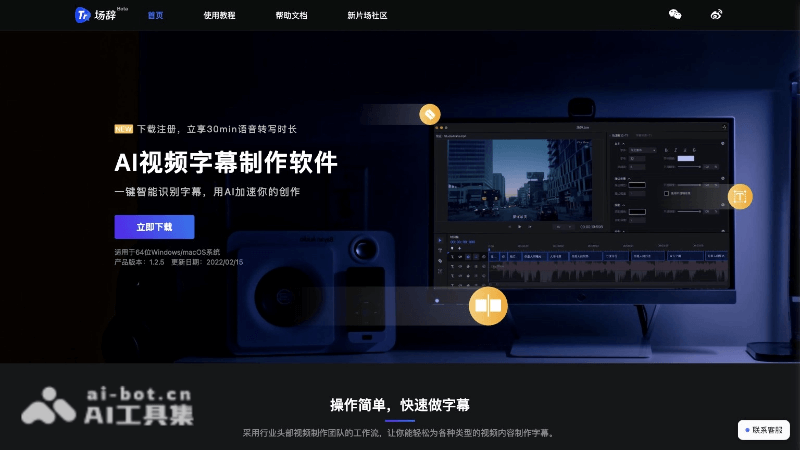
Main features of Changci
- Speech-to-subtitle: Uses deep learning technology to automatically recognize speech in videos and convert it into text.
- One-click subtitle addition: Simplifies the operation process, allowing users to add subtitles to videos with just one click.
- Video subtitle addition: Supports importing existing video or audio files and automatically generating subtitles.
- Visual timeline editing: Users can intuitively edit subtitles on the timeline, improving editing efficiency.
- Multilingual and dialect recognition: Features powerful multilingual models and supports more than 99 languages and dialects.
How to use Changci
- Download and install: First, download the software from Changci's official website (trans.xinpianchang.com) and follow the prompts to complete the installation.
- Register and log in: After installation is complete, open the software and register an account, or log in with an existing account.
- Import video: After logging in, you can import the video file that needs subtitles. Changci AI supports multiple video formats.
- Speech recognition: After selecting the video file, the software will automatically begin the speech recognition process and convert the speech in the video into text.
- Subtitle generation: After speech recognition is complete, Changci AI will generate a subtitle file. You can view the automatically generated subtitles and make necessary edits and proofreading.
- Edit subtitles: Using the editing tools provided by Changci AI, you can adjust the subtitle text content, timeline, style, and more.
- Multi-track production: If the video contains multiple audio channels or languages, you can use the multi-track production feature to add subtitles for each channel separately.
- Real-time preview: During editing, you can preview the subtitle effects in real time to ensure the subtitles are synchronized with the video content.
- Export subtitles: After editing is complete, you can export the subtitles as SRT, ASS, XML, and other formats to meet the needs of different uses.
Who Changci is suitable for
- Video production personnel: Directors, editors, and post-production personnel who need to add subtitles to videos.
- Self-media creators: Bloggers, Vloggers, and short video creators who produce and publish video content.
- Online educators: Teachers and educators who produce instructional videos and need to add subtitles.
- Corporate publicity departments: Corporate employees who produce corporate promotional videos and product introduction videos and need subtitles.


