

What is KreadoAI
KreadoAI is an AIGCdigital marketing video creation platform, focused on using artificial intelligence technology to simplify and optimize the video content creation process. Users only need to input text or keywords, and Kreado AI can create video content with real or virtual characters. The platform provides over 700 digital human avatars and more than 1,600 voice options, supports over 140 languages, and is widely used in marketing, education, training, healthcare, and other fields. The latest version of KreadoAI adds real-personvoice cloning, real-person image cloning, PPT file-to-digital-human talking-head video generation, and other features. It provides AI copywriting generation,AI models、AI smart cutoutand other tools to help users improve content creation efficiency.
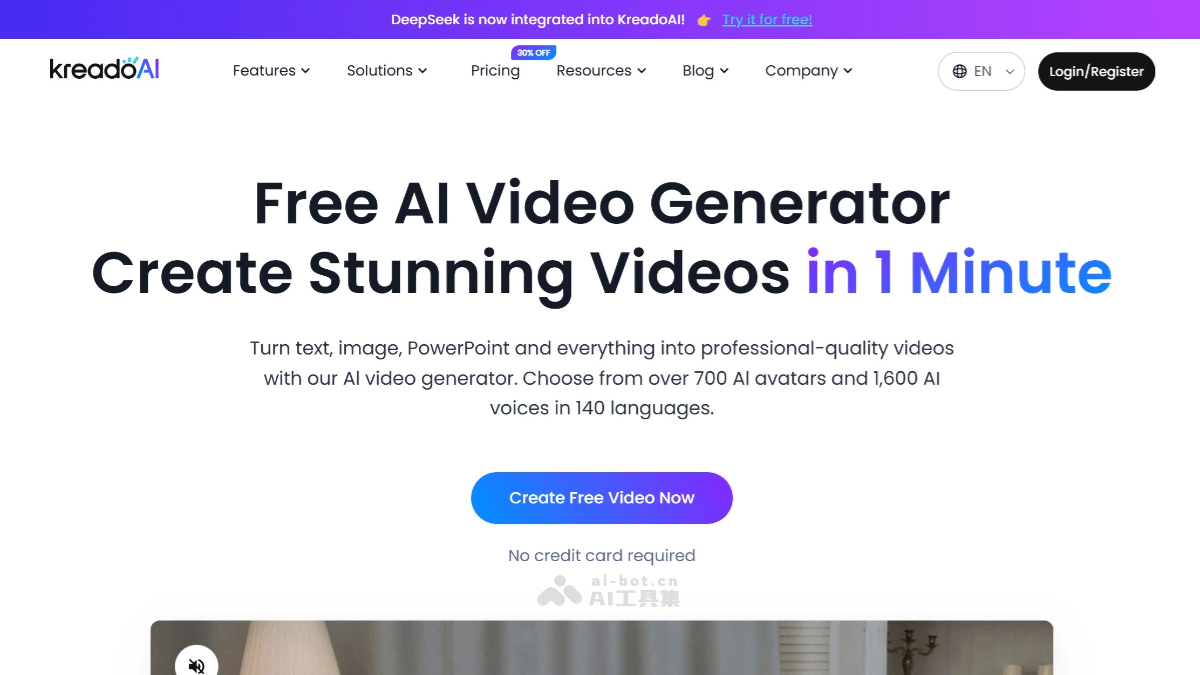
KreadoAI's Main Features
- Digital Human Video Creation: Provides over 700 digital human avatars and more than 1,600 voice options, supports over 140 languages, and users can quickly generate multilingual talking-head videos by inputting text or keywords.
- Real-Person Image and Voice Cloning: Users submit a 5-minute video or audio to achieve 1:1 restoration of a real person's image and voice, with support for multilingual switching.
- PPT File-to-Video Generation: Upload a PPT file to quickly generate a digital human talking-head video, suitable for corporate promotion or teaching scenarios.
- AI Models and Real-Person Models: Without the need for an actual model, virtual digital human models can be generated, and real-person photos can also be uploaded to generate model renderings with different skin tones and appearances.
- AI Copywriting and Voiceover: Supports rapid generation of multilingual advertising copy and text-to-speech functionality, providing voiceovers in over 140 languages.
- Smart Editing and Special Effects: Provides one-click smart cutout, background replacement, video aspect ratio settings, and other features for convenient personalized editing by users.
- AI Models: Without the need for an actual model to participate, users can quickly generate virtual digital human models for clothing displays, advertising shoots, and more, greatly reducing the cost and time of physical shoots.
- AI Real-Person Models: Upload photos of real-person models, and the platform can generate model renderings with different skin tones and appearances, providing users with diverse model choices.
- Image Cloning: By submitting a 5-minute video, the platform can copy a person's expressions and movements 1:1, generating a highly restored digital human avatar.
- Voice Cloning: Users can submit a 5-minute audio clip, and the platform will replicate the real person's voice and tone, achieving realisticvoice cloningeffects, and supports free switching between multiple languages.
How to Use KreadoAI
- Registration and Login: Visit KreadoAI's official website (kreadoai.com), click Start Free Trial to register/log in
- Select a Digital Human Avatar: After logging in, enter the creation interface and click "Real-Person Digital Human Talking Head" or "Virtual Digital Human Talking Head" to start creating. Select a default digital human avatar, or upload your own image or video to create a custom digital human avatar. KreadoAI provides over 700 digital human avatars to choose from.
- Input Text Content: Enter the text you want the digital human to narrate in the input box on the right. You can enter text directly or upload a text file (such as a Word document). If multilingual support is needed, you can select the target language, and KreadoAI supports over 140 languages.
- Select voice and timbre: Select an appropriate voice and timbre. KreadoAI offers over 1,600 voice options, supporting multiple languages and timbres. If needed, you can upload your own audio file for voice cloning, and KreadoAI can replicate the voice with over 99% accuracy.
- Customize video
- Background settings: Select or upload a background image to add a suitable background to the video.
- Layout adjustment: Adjust the position and size of the digital human figure to better suit the video content.
- Add effects: Add transition effects, music, stickers, etc., to enrich the video content.
- Subtitle generation: KreadoAI supports automatic subtitle generation to ensure the video content is clear and easy to understand.
- Generate video: Click the "Generate" button, and KreadoAI will generate the video according to your settings. After generation is complete, you can preview the video result, and once confirmed, download or share it.
- Download and share: Download the generated video file and save it locally. You can share the video to social media platforms such as YouTube, TikTok, etc., or send it to others via email.
- Advanced features (optional)
- PPT to video: Upload a PPT file, and KreadoAI can convert the PPT content into a digital human presenter video.
- AI copy generation: Enter a topic or keywords, and KreadoAI can quickly generate advertising copy or scripts.
- AI model: Upload product images, and KreadoAI can generate virtual models to display the products.
KreadoAI product pricing
- Free version: Kreado AI offers a free trial, allowing you to create 3 minutes of video for free, including180K coins,100+free AI avatars, 3 AI character creations, 31 languages and over 120 voices, AI image-to-video generation1times, up to200one character per scene (about 15 seconds of video), supporting 3 scenes. Supports10video templates, 3 free AI face swaps, and videos with watermarks.
- Premium version: $15/month, 15 minutes of video/month, including 900K coins, 700+ exclusive AI images, unlimited AI-generated virtual character images, unlimited instant avatar cloning, AI image-to-video generation 30 times, up to2400one character per scene (about 3 minutes of video), supporting multi-scene transitions. Supports 50video templates, up to20 pages/100MB PPT slide upload, AI face swap can generate15minutes of video/month,140+languages and1600+voices with natural and realistic sound. Supports ElevenLabs, no watermark, and commercial use rights.
- Professional version: $91/month, 70 minutes of video/month, including 4200K coins, 700+ exclusive AI avatars, unlimited AI-generated virtual character images, unlimited instant avatar cloning, 140 AI image-to-video generations, up to 5000one character per scene (about 10 minutes of video), supports multi-scene transitions. Supports 50video templates, supports up to 50 pages/100MB PPT slide upload, AI face swap can generate 70 minutes of video/month,140+languages and1600+natural and realistic voices. Supports ElevenLabs, no watermark, commercial use rights. For more information, refer to Kreado AI's official website pricing.
KreadoAI's application scenarios
-
Brand promotion: By generating high-quality video ads, quickly increase brand awareness and influence. KreadoAI supports multilingual voiceovers and multiple digital human images, meeting the needs of different markets.
-
Social media content: Quickly generate engaging video content for social media platforms such as Facebook, Instagram, and TikTok, increasing user interaction and engagement.
-
Online courses: Convert PPTs or teaching texts into vivid digital human talking-head videos, enhancing the learning experience.
-
Corporate training: Produce professional training videos to replace traditional training manuals and documents, improving training efficiency.
-
Product display: Use the AI model feature to quickly generate product display videos and enhance product appeal.
-
Livestream selling: Create virtual hosts for livestream selling, saving labor costs.
KreadoAI's target audience
- Marketing professionals: Marketers responsible for brand promotion, advertising production, and marketing activities can use KreadoAI to quickly generate engaging video content and improve marketing results.
- Content creators: Including bloggers, video bloggers, social media influencers, etc., they can use KreadoAI's digital human video creation and AI copywriting generation features to improve the efficiency and quality of content production.
- Educational institutions: Teachers and trainers can use the platform's PPT talking-head feature to create educational videos, enhancing teaching interactivity and learning outcomes.
- Corporate trainers: Internal corporate trainers can use KreadoAI to create training videos, improving the quality and efficiency of employee training.
- E-commerce sellers: Sellers on e-commerce platforms can use the AI model and AI real-person model features to quickly generate product display videos and enhance product appeal.
- Livestream selling: Using KreadoAI's image cloning, voice cloning, and digital human livestreaming features, merchants can create unique virtual hosts for livestream selling, providing a novel shopping experience and attracting more viewers.
- Advertising agencies: Advertising creatives can use KreadoAI's various tools to quickly produce advertising prototypes and shorten the time from idea to execution.
- Individual users: For individual users who want to create personalized videos, KreadoAI provides simple and easy-to-use creation tools that can be used for making and editing videos, etc.


