

What is SenseChat
SenseChat is developed by SenseTime based on its self-developed large artificial intelligence model system "SenseNova".AI chat assistant, capable of assisting users in completing various complex AIGC tasks, including multi-turn dialogue, logical reasoning, language error correction, content creation, and sentiment analysis, among other functions. SenseChat also possesses multimodal capabilities; in addition to text generation, it also supports image recognition and analysis, solving math problems, writing code, document parsing, and other functions.
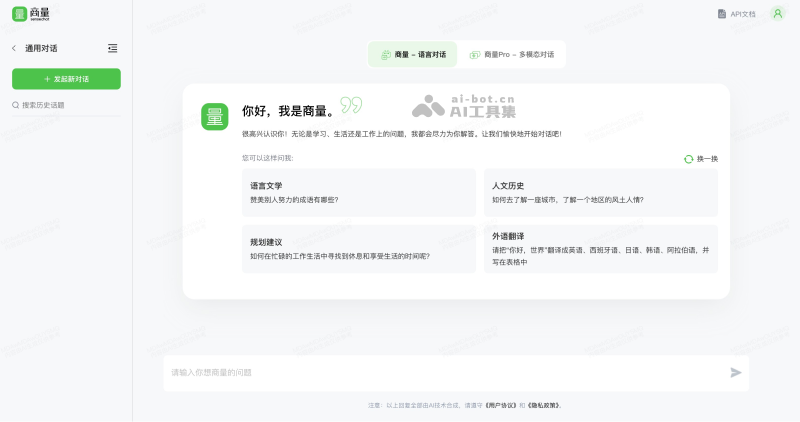
Main features of SenseChat
- Continuous multi-turn dialogue: Capable of understanding and participating in complex multi-turn dialogues, with contextual memory and reasoning abilities, making conversations more coherent and natural.
- Logical reasoning: Supports logical reasoning and mathematical calculations, helping users solve various practical problems, such as math problem solving and logical reasoning questions.
- Language error correction: Possesses powerful language error correction capabilities, able to automatically identify and correct grammatical and spelling errors in user input text.
- Language translation: Supports instant translation between multiple languages, helping users overcome language barriers and engage in broader cultural and academic exchanges.
- Text content creation: Can automatically generate various types of text content according to user needs, such as articles, poems, advertising copy, etc.
- Sentiment analysis: Capable of understanding and analyzing users' emotional states, and providing corresponding emotional support and suggestions based on their emotional states.
- Programming assistant: Provides programming-related assistance for programmers and developers, such as code generation, code error correction, code optimization, etc.
- Health consultation assistant: Capable of providing health consultation services for users, such as disease symptom analysis, health advice, etc.
- PDF file reading assistant: Can help users read and understand PDF files, extract key information, generate summaries, etc.
- Multimodal interaction: Supports cross-modal interaction, such as understanding and processing data in different forms, including text and images.
How to use SenseChat
- Visit the official website of SenseChat (chat.sensetime.com), click Login/Register in the upper right corner
- After logging in successfully, click SenseChat - Chat Large Model 5.0 (if you need to summarize a document, you can choose SenseChat - Document Large Model Preview)
- Enter the question you want to ask and click send, then wait for SenseChat's answer
- If you want to use multimodal capabilities, you can switch to the SenseChat-Pro model

