

What is Captions
Captions is a video editing and creation tool integrated with artificial intelligence technology that simplifies the complex video production process through AI, enabling users to easily create high-quality video content. The platform's core features include AI video script writing, digital human generation, automatic filler word removal, voice enhancement, eye contact correction, voice correction, lip sync, automatic addition of video effects, and more. With the powerful capabilities of AI, Captions provides users with a one-stop solution from video inspiration to post-production editing, greatly improving the efficiency and quality of video production. Whether you are a content creator, marketer, or educator, you can use Captions to express your creativity and make the stories told through videos more vivid and professional.
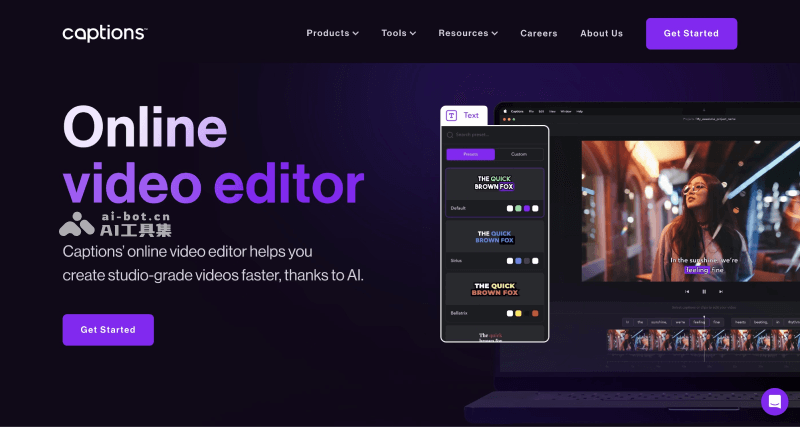
Main Features of Captions
- AI Script Writing: Automatically generates video scripts based on prompts or articles, helping users quickly turn creative ideas into detailed video copy.
- AI Virtual Digital Humans: Uses AI technology to generate digital human personas, adding personalized elements to video content.
- AI Voiceover and Voice Cloning: Provides AI voiceover services and can clone specific voices, making video voiceovers more diverse.
- AI Editing: Automatically identifies and edits out ineffective words and pauses in speeches, improving video professionalism.
- AI Video Slicing: Uses AI technology to quickly slice long videos into short video content.
- Filming and Teleprompter: Combines filming and teleprompter features to assist users in completing video recording more smoothly.
- AI Voice Enhancement: Uses AI technology to remove background noise, clarify speech, and improve video audio quality.
- AI Eye Contact Correction: Adjusts the speaker's eye contact during post-production to help them establish a more natural visual connection with the audience.
- AI Voice Correction: One-click correction of speech errors during recording, with no need to re-record.
- AI Lip Sync: Adjusts lip movements after recording to match modified voice content.
- AI Director: Automatically adds zoom and transition effects, making videos more dynamic and watchable.
- AI Color Schemes: Generates harmonious color combinations based on text prompts, enhancing visual impact.
- AI Background Removal: Automatically removes unwanted backgrounds from videos, making the subject stand out more.
- AI Video Matting: One-click video matting to separate specific objects in videos, improving the flexibility of post-production editing.
- AI Music Selection: Selects suitable background music based on video content to create atmosphere.
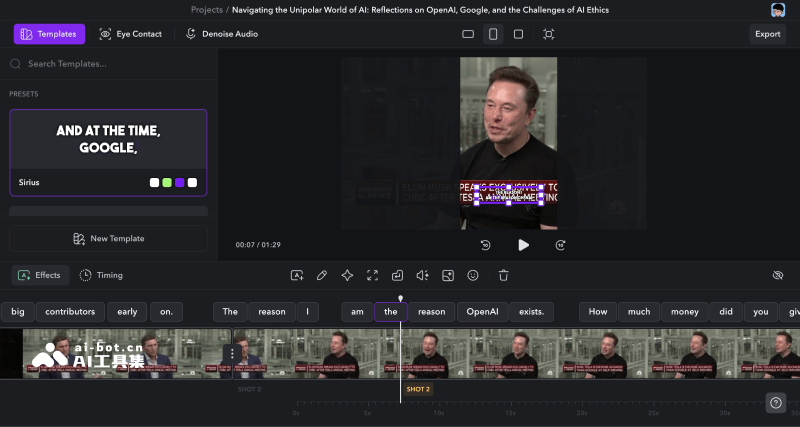
How to Use Captions
Captions offers a web version, Mac desktop version, and iOS mobile version (Android version is in development). You can visit its official website or download the corresponding system version to use it.
- Web version:https://desktop.captions.ai/
- Mac version:https://www.captions.ai/download
- iOS version:https://apps.apple.com/us/app/captions-for-talking-videos/id1541407007
Who Captions Is For
- Video Editing Beginners: For users trying video production for the first time, Captions' AI-assisted features can lower the technical barrier and help them quickly get started making professional videos.
- Content Creators: Including bloggers, vloggers (YouTubers), podcasters, etc., they can use Captions to improve the quality and appeal of video content and enhance interaction with audiences.
- Digital marketers: Marketing teams of enterprises or brands can use Captions to create compelling video ads and social media content to increase the brand's market influence.
- Educators and students: Teachers can quickly produce instructional videos including teaching courses, lectures, and training materials, while students can create videos for academic projects or presentations.
- Individual users: For ordinary users who want to share life moments on social media or create videos for personal projects, Captions provides simple and easy-to-use video production tools.
- Those with multilingual content needs: For video creators who need to produce videos supporting multilingual content, the language translation feature provided by Captions can help them break down language barriers and reach a broader audience.


